🌑🛰️ Lunar Modulator

INTERGALACTIC MODULATION STATION
Lunar Modulator is open alternative firmware for the M-VAVE FM-1, the compact, low-cost, battery-powered FM synthesizer from M-VAVE (AKA Cuvave). Current Status: Active development: playable on a desktop and in the included browser simulator. Lunar firmware is not installed on an FM-1 yet.
Play with the latest firmware in your browser: https://ip2k.github.io/lunar-modulator/
Project Goals
- Make the FM-1 the greatest sub-$100 electronic music toy available for curious folks of all ages and skill levels. Learn every part of the stack, from EE to software to synthesis to music.
- Build a legitimately useful and useable instrument that cares about the user experience...and having fun.
- Turn the FM-1 into a modular multi-engine groovebox with a nice sequencer (goal: schwung-movy compatibility )
- Build on the shoulders of giants who have done much of the hard DSP work in this space already -- borrow and port anything awesome that we can fit
- Unlock the full hardware capabilities of the FM-1 (BLE MIDI IO, MIDI over USB, full use of both cores, etc)
- Modular base to allow all types of expansion -- new sound engines, routable modulators and effects, MIDI effects, filters, and more.
- Orbital Dock: Web-based community module marketplace and custom firmware builder + flasher -- pick the engines, modules, sound banks, and presets you want. Remix and share your creations and recipes.
- Make it nice to use and enjoyable to look at
It is an independent project, not affiliated with or endorsed by M-VAVE, Cuvave or any space agency.
Why Can't I Flash This Yet?
Preview: not yet installable on an FM-1.
- Lunar Modulator runs today as a virtual FM-1 in your browser, with the firmware's own screen and sound.
- A small performance diagnostic runs on the AC79 development board; the complete instrument still needs validation on the FM-1.
- The owner's FM-1 has matching full backups and passed a small unused-sector write and restore, with the full flash memory unchanged afterward and normal boots confirmed [verified: bench record].
- On 2026-10-26 the owner's FM-1, which would not start after an interrupted install, was put into the chip's USB recovery mode with a Raspberry Pi Pico 2 W, backed up twice (identical), rewritten with the stock V15 application, and boots again [reported: owner; the rest verified: recovery guide].
- Restoring the unit's own earlier image has not been done, and no Lunar application has run on an FM-1 (Installing on your FM-1).
Try it in your browser
Open https://ip2k.github.io/lunar-modulator/ and press Power on (browsers only start sound after a click). Then:
- play the keys, with the mouse, a touch screen, the computer keyboard or a MIDI keyboard;
- press Space to hear the demo pattern;
- turn the knobs and watch the screen follow.
It needs a current browser with WebAssembly and AudioWorklet. Automated page tests run in Chromium, Firefox and WebKit. Native Safari passed the filtered patch-list check; Sound A/B playback is being retested after a crackling report. Real touch screens and the latest controller-mapping changes still need hands-on validation. The page loads its own files and does not upload your projects or send MIDI out; MIDI input is available in supported browsers (test record).
To run it from your own copy of this repository you need Python 3 (the built module is included):
cd sim/web/www && python3 -m http.server 8000
Then open http://localhost:8000/. Opening index.html as a file does not
work.
Controls
Drag a knob up or down, or scroll over it. Click or touch a button or a key.
| Control | What it does | Computer keyboard |
|---|---|---|
| Keys | Play notes; lower on a key plays louder. With Sophie or Drums, the 16 white keys play the kit's 16 pads. In SEQ mode, the white keys are the 16 steps. SHIFT (hold SEL) with the black keys MONO or POLY sets the sound's Voice Mode | A S D F G H J K L ; ' are the white keys F3 to B4, W E R Y U O P [ the black ones. In SEQ mode, 1 to 8 and C V B N M , . / are steps 1 to 16 |
| OCT− / OCT+ | An octave down or up. Both together reset octave and transpose; hold one and turn ALGORITHM to transpose ±12 | Z / X |
| SELECT | The page; in FX mode, the slot and its pages | ← → |
| PRESETS | The current sound's engine. With SEL held, which of the four sounds you play | ↑ ↓ |
| ALGORITHM | The engine's model, shape, patch or pad; in FX mode, the effect in the slot | - = |
| KNOB1–4 | The four parameters on the screen | Tab to a knob, then the arrow keys |
| MASTER | The volume | Tab to it, then the arrow keys |
| FX | The effect chain. SEL then SELECT swaps two effects | Tab to a button, then Enter or Space, for every button |
| SEL | SHIFT for the sequencer and for choosing a sound; in FX mode it picks up an effect | Shift, in SEQ mode |
| SEQ, PLAY/STOP, REC | The sequencer's steps; start and stop; record, and with SEL, Capture | Space is PLAY/STOP |
| LFO, ENV, EDIT | The modulation rack and the matrix. Hold LFO or ENV and turn a knob to run a cable to that knob's parameter | |
| GLO, HOME | The global page (rate, memory, voices, octave) and, on its second page, the project key; back to the sound | |
| ARP | The arpeggiator on the current sound: tap to switch it on (its pages open) or off, hold to latch; with SEL, its pages | |
| SAVE | Saves the current project in this browser's storage; use Save… below for files and other project parts | |
| Everything | Esc releases every note |
Under the panel:
- Sound (PRESETS) picks the current sound's engine, and Effect 1 and Effect 2 the two master effects.
- Connect MIDI input plays it from a MIDI keyboard, in browsers with Web MIDI: notes with velocity, pitch bend (±2 semitones), CC 7 (volume) and CC 123 (all notes off). The simulator does not send MIDI out.
- Open… / Save… load and save projects, sounds, effects, modulation racks, clips, sets and DX7 patch files. Browser saves stay in this browser; use Save… to download a file.
- Load DX7 patches… imports
.syxvoices into FM6's user slots. - Screen ×2 shows the screen enlarged.
Workbench and advanced editor
Use Panel, Workbench or Editor above the simulator to choose your workspace. The Editor brings the sounds, effect chains and modulation controls into one view, with undo and redo and Compare A/B for comparing edits.
- Open Search with
⌘KorCtrl+K. Use the arrow keys to highlight a match andEnterto open it.Shift+Enterselects all matches; compatible parameters or cables can then be edited together as one undo step. - In the modulation Map, start a cable from either an output or an input
and drag to its other end. Select an existing cable to move either end.
Keyboard users can connect with
Enter, arrow keys andEnter. - Envelopes have delay, attack, decay, sustain and release, with linear, exponential, logarithmic, quartic and smoothstep curves. Their graph shows the envelope's progress while notes play, with the waveform behind it.
The Cheat Sheet button at the bottom of the page opens the playing and editing instructions. Copyright Info opens the source credits and licence information, leaving the simulator controls at the top of the page.
What it does
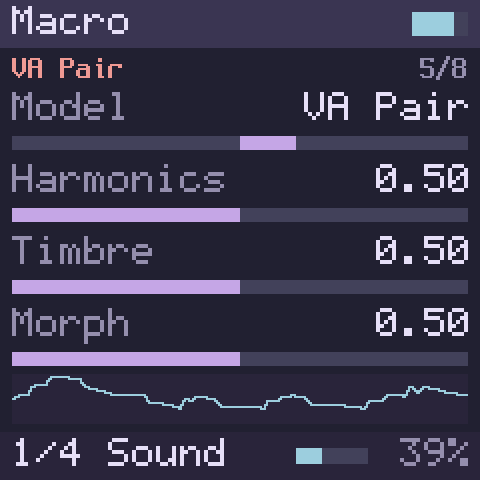
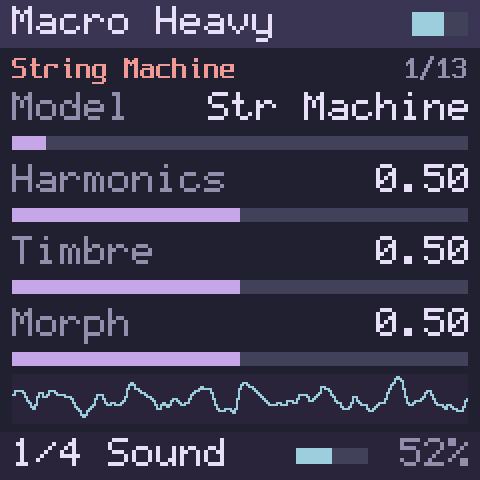
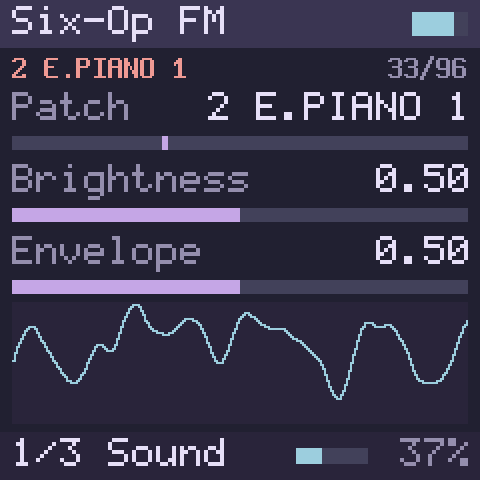
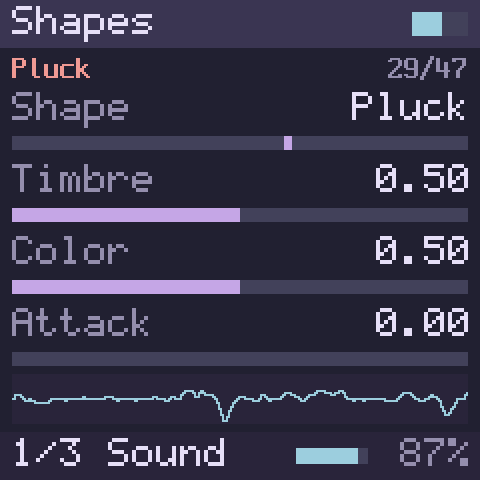
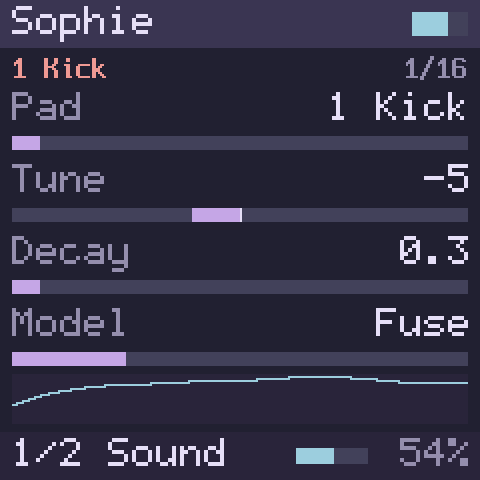
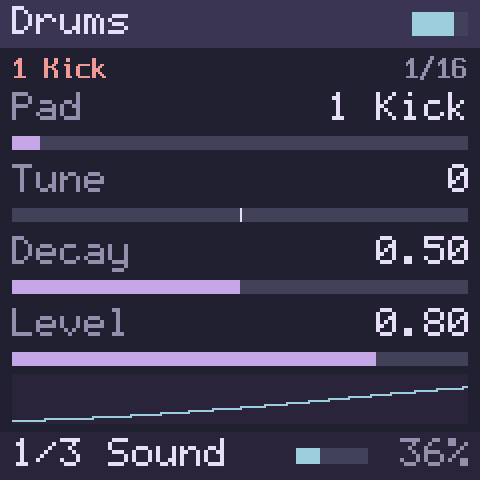
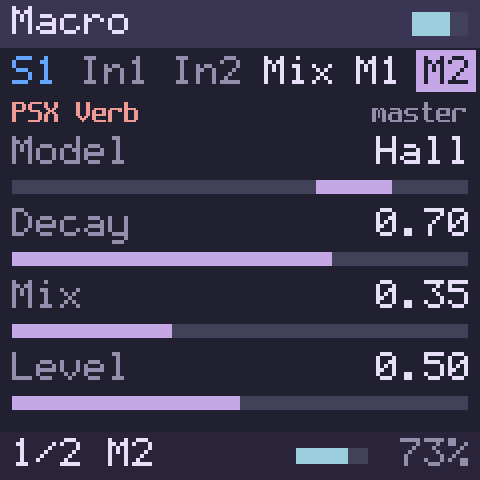
Everything below runs today in the browser simulator, and the pictures are its screen. None of it runs on an FM-1 yet.
Sound engines
Thirteen sound engines, plus Test Sine for testing. PRESETS picks one, ALGORITHM steps through its models, shapes, patches or pads, and KNOB1–4 play its parameters, four to a page (SELECT turns the page).
- Macro: eight synths in one, 12 voices: virtual analogue with a filter, phase distortion, wave terrain, chiptune, an analogue pair, a waveshaper, 2-op FM and wavetable.
- Macro Heavy: the bigger models, 4 voices: string machine, chords, speech, formants, additive, a swarm, filtered noise, particles, a modelled string, a modal resonator and three drums.
- Six-Op FM: six-operator FM with 96 patches, 8 voices.
- FM6: six-operator FM that plays DX7 voices, 8 voices (12 is a goal). It comes with 32 voices of its own, has 32 slots for yours, and four macros (Brightness, Env Time, Feedback, Volume) that shape any voice while it plays.
- Shapes: 47 classic digital oscillator shapes, from analogue waves to plucked, bowed and blown models, bells and granular textures.
- Sophie: a 16-pad metallic FM percussion kit.
- Drums: a 16-pad drum kit after the classic analogue drum machines, with two kits, Deep and Punch: a kick, two snares, a clap, a rim shot, three hi-hats, six toms, a crash and a ride, and any pad can play a cowbell instead. The hi-hats cut each other off, any pads can share a choke group, and one knob sets the whole kit's decay.
- Acid Bass: a bass after the TB-303, with accents, slides, the Devilfish's longer slides and accent decays, and a soft or RAT-style drive. It is fm1-x0x's 303 and its code is GPL, so it is in builds with the GPL switch on, as the simulator is while we test.
- Comet Kit: a 16-pad kit after the TR-909: its kick, snare, toms, rim shot and clap modelled on the machine's circuits, its hi-hats, crash and ride from recordings, a drive of seven kinds on every pad, and two kits, Classic and Big Beat. It is fm1-x0x's 909 (GPL), so it is in builds with the GPL switch on, like Acid Bass.
- Crater Kit: a 16-pad kit after the TR-808, every sound of the machine modelled from its circuits: the booming kick, snare, toms and congas, clap and maracas, rim shot and claves, cowbell, hi-hats and cymbal, each with its own tuning, decay, drive and distortion. It is fm1-x0x's 808 and its code is GPL, so it is in builds with the GPL switch on, as Acid Bass is.
- Drawbar, Trio and Phase Bend, three engines of Felucca, Leo Kuroshita's firmware for the FM-1, 8 voices each: a tonewheel organ with percussion, key click and a rotary speaker; three chip-style oscillators with ring modulation and sync into a gritty filter; and phase distortion with resonant waves. Their code is GPL, so they are in builds with the GPL switch on, as the simulator is while we test.
Sophie, Drums, Comet Kit and Crater Kit play their pads from the 16 white keys, at any octave.
 |
 |
 |
| Macro | Macro Heavy | Six-Op FM |
 |
 |
 |
| Shapes | Sophie | Drums |
Four sounds and twenty-four effects
- Up to four sounds play at once, each with its own engine and two insert effects. Hold SEL and turn PRESETS to pick the one you play.
- The four are mixed, each at its own level, and the mix goes through two master effects, then a limiter that keeps a full chord from clipping.
- FX shows the chain: S1 In1 In2 Mix M1 M2. The Mix page sets each sound's level.
- A memory meter tracks the simulator's estimated FM-1 budget; combinations over that budget are refused.
The effects:
- Reverbs: Plate and Hall (both with Freeze), Room and PSX Verb.
- Chorus, space and delay: Ensemble, Diffuse, Echo (stereo ping-pong), Warble (tape-style wow and flutter), and Repeat (beat-synced stutter/hold).
- Filters and EQ: Filter (six classic types), Comb, DJ Filter, Tilt, Isolator (a three-band kill EQ) and EQ (a low shelf, a bell and a high shelf).
- Grit and colour: Drive, Crush (bits and sample rate), Fold (a wavefolder) and Master Sat.
- Dynamics: Comp; Limiter, with a gentle Round mode; Gate, a noise gate that can also duck; Squash, three small compressors with characters of their own (Snap, Mu and Split; Mu keeps most of its loudness as you turn it up); and Transient, a transient shaper.
Knobs for cutoffs, delay times, releases and other frequencies and times turn in even musical steps, about a semitone per click on a cutoff.
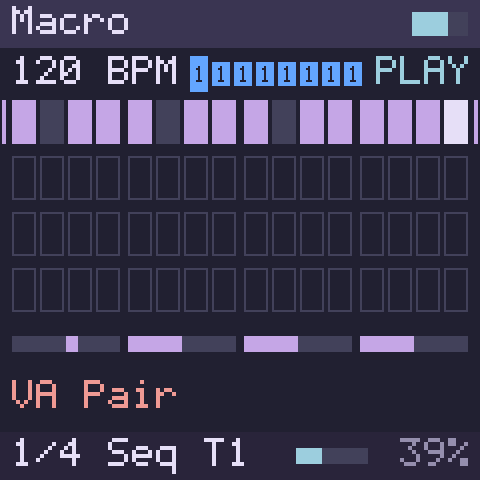
Sequencer
A step sequencer whose design follows Movy by megadake (Credits):
- Eight tracks, each playing one of the four sounds, with mute.
- Step entry: press SEQ and the 16 white keys are the bar's 16 steps. Tap to add or remove notes, hold a step to edit it.
- Parameter locks: hold a step and turn a knob to change that step's sound.
- Conditions and probability on each step, swing and quantise.
- Recording with a count-in and a metronome, step recording, and Capture, which keeps what you just played even if you were not recording.
It starts with a one-bar demo pattern: press PLAY/STOP, or Space. Projects and sequencer sets can be opened and saved from the browser.
The editor's Song workspace puts all eight tracks and four sounds together:
focused Scenes, Arrangement, Clip, Automation and Mixer views let you select
clips, edit notes in a piano roll, launch scenes and arrange their repeats
into a song. Import one or more MIDI files with a track-and-sound mapping preview,
edit step locks for instruments and effects, and save a .lunar project or
.movy1 sequencer set. Projects with song content open in Song automatically;
an explicit workspace choice is kept. Open the piano-key MIDI Learn icon
(beside MIDI connection in Panel, or before Cheat Sheet in Editor and
Workbench), connect a MIDI device, click a highlighted control, then play a
note or send a control change. Assignment badges show the binding and let you
clear it. Custom mappings are saved with .lunar projects. The workspace
adapts its grids to the available width and pages
longer scenes, arrangements, clips and automation
rows. Its pinned transport shows position, elapsed and available remaining time,
and navigation for bars, clips and scenes. The mixer has
vertical sound and Master faders, live peak/RMS meters and editable instrument,
insert and master effects. The editor shows a browser DSP estimate and a
memory breakdown by shared, master and sound sections; FM-1 CPU use is not
measured. On phones, use landscape; Routing & FX can be
collapsed to keep the faders close at hand. WAV export offers a stereo master,
separate sound or track stems, and a single multichannel file, with a download
for each completed render. Shared instruments and effects mean stems may not
sum back to the master. This is a browser workflow; direct project transfer to
an FM-1 over USB or Bluetooth is future work.
Arpeggiator
Our own arpeggiator, after Mutable Instruments' Yarns with the note orders of MCL (MegaCommand Live) and the repeatable chances of Super Arp (Credits):
- ARP switches it on for the current sound; held, it latches, so the notes play on after you let go.
- 22 note orders, 1 to 4 octaves, rates from 1/32 triplets to whole notes, gate, swing, 22 rhythm patterns or a Euclidean rhythm, ratchets, chance, velocity spread and a seed that repeats a variation, on seven pages.
- The stock FM-1's modes (Up, Down, Up/Down, Down/Up, Random, Played) as presets on ALGORITHM.
- It plays the keys, MIDI and the sequencer's notes, in time with the sequencer and on its beat while it plays, and the sequencer records what you played, so a recorded part arpeggiates again on playback. Stop takes back the sequencer's notes and leaves the ones you latched by hand playing. The stock firmware runs either its arpeggiator or its sequencer, not both [reported].
Modulation
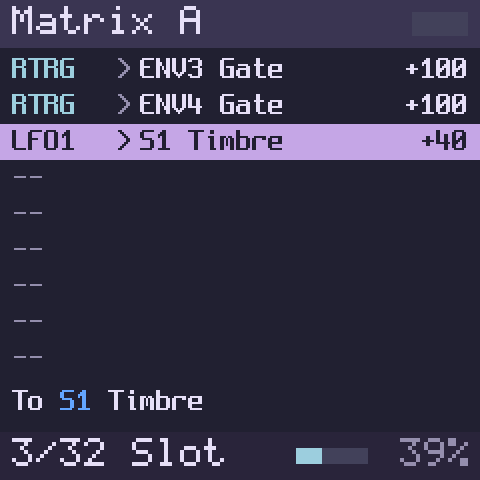
- A rack of up to eight modules (LFOs, envelopes, random sources and thirteen more kinds, such as a function generator, a bouncing ball, a Turing-style register and a quantizer) and up to 32 cables to any sound's or effect's parameters, the pitch and level, or another module.
- The gesture: hold LFO or ENV and turn a knob, and a cable runs to that parameter, its depth following your turn.
- EDIT opens the matrix, the list of cables: amount, offset, a second source that scales the depth, curves and polarity.
- Cables can also come from the notes (velocity, pitch, gate) and from the sequencer (its clock, beats, bars and each track's notes).
- A modulated parameter shows a gold diamond, its range and a red tick that moves as you listen.
The rack starts with two LFOs, two envelopes that every note restarts, and a random source.
The virtual FM-1
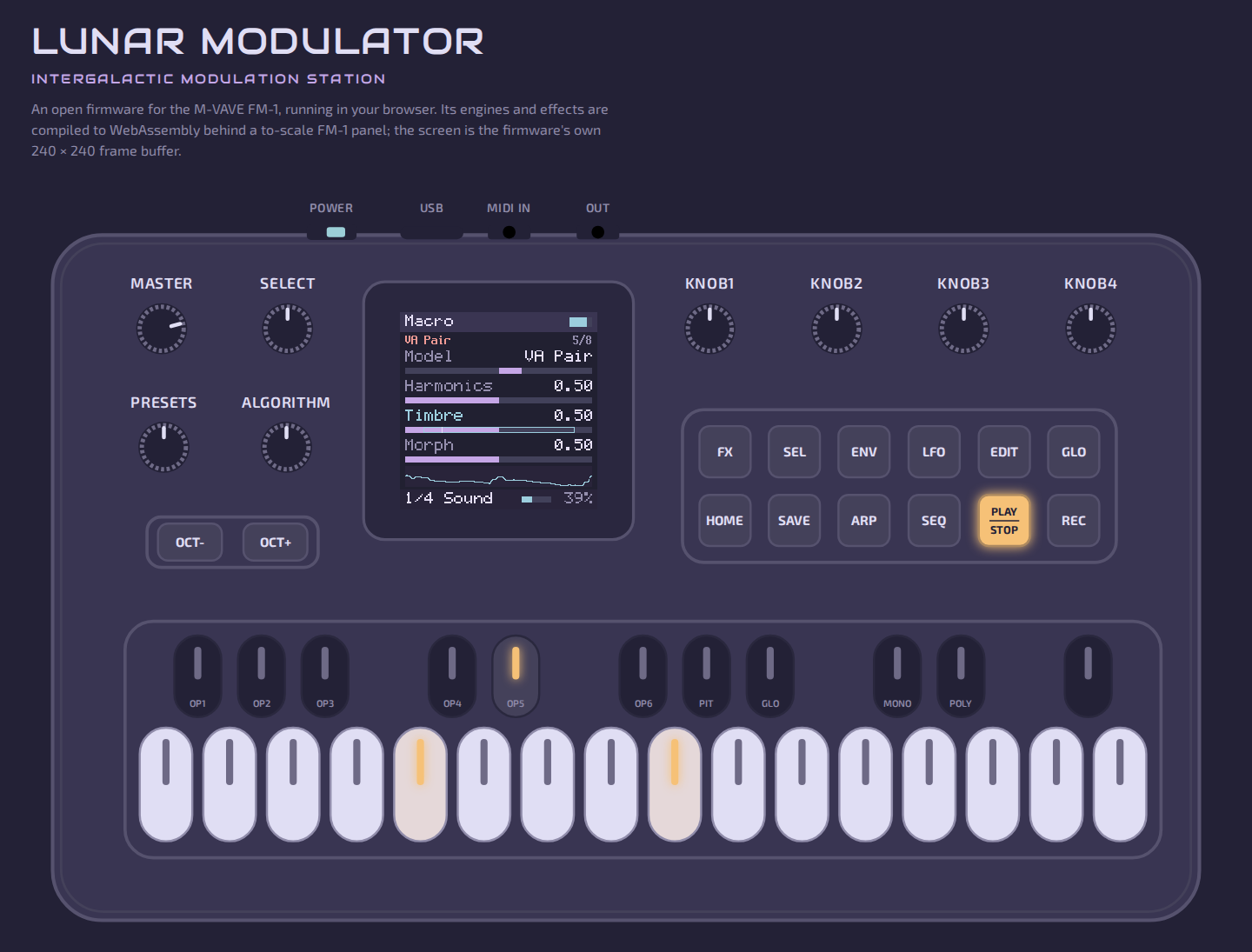
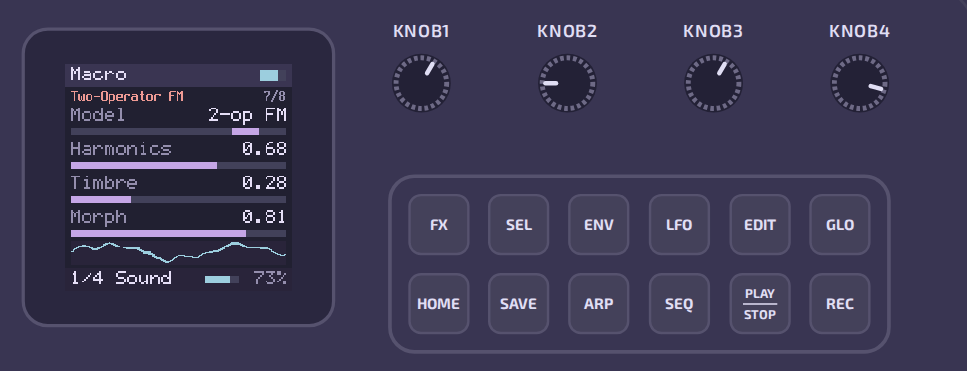
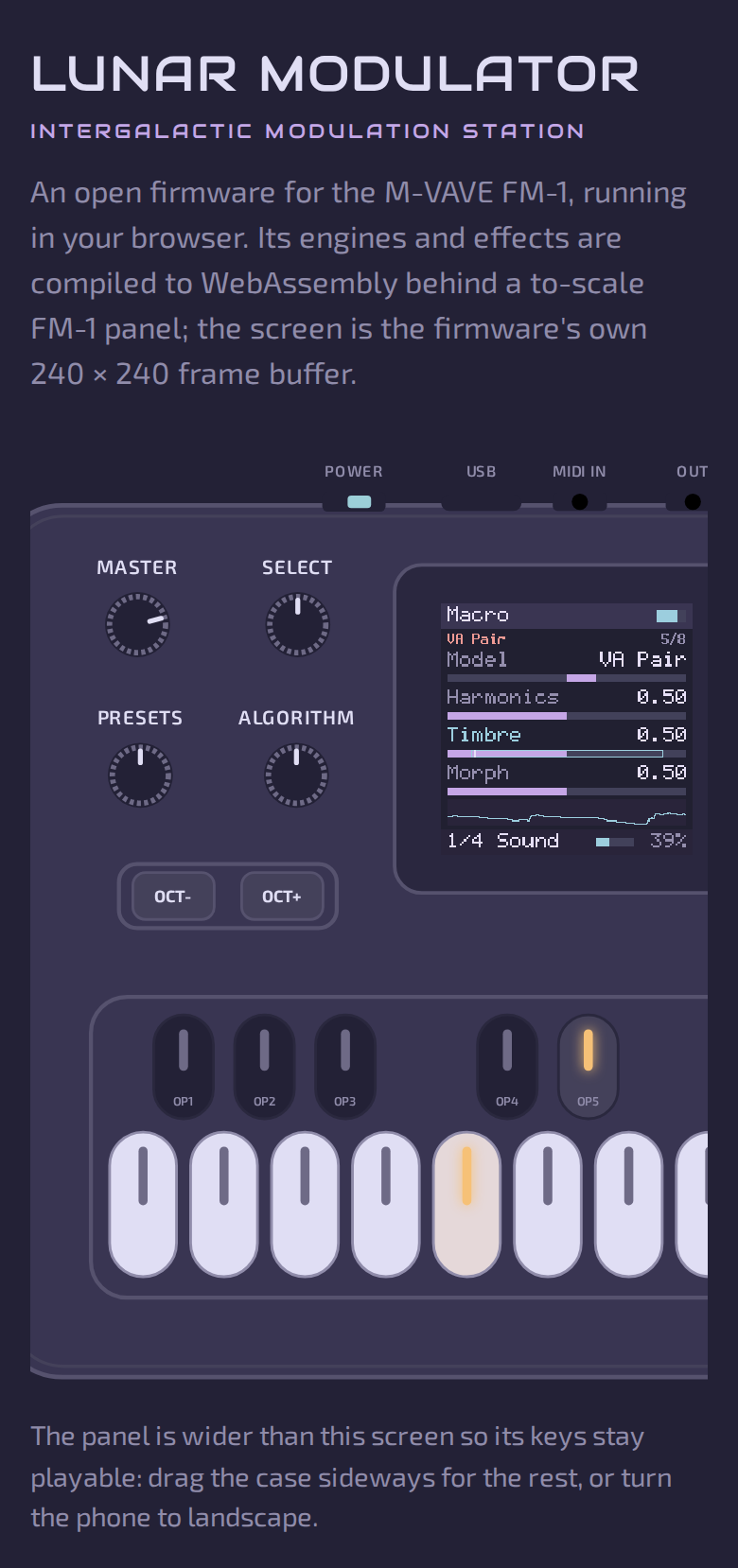
A to-scale drawing of the FM-1's front panel: the 27 keys, the 14 buttons with their lights, MASTER and the seven encoders.
- The screen is the firmware's own 240 × 240 display.
- Turn KNOB1–4 and the four parameters on the screen follow.
- On a phone the panel keeps playable key sizes and scrolls sideways; turned to landscape it fits whole.
Roadmap
The browser simulator now includes the sound engines, effects, sequencer,
arpeggiator, modulation, file storage, DX7 patch import and advanced editor.
Envelopes include delay, five curves, a live playhead and a faint audio trace.
The simulator does not send MIDI out. The main remaining work is the FM-1
application target and hardware validation, plus planned features such as
USB-MIDI output and additional effects. See
DEVELOPERS.md for the current
engineering roadmap and
the path to an installable build.
Installing on your FM-1
Not yet. Two things have to happen first.
- Lunar Modulator has to run on the FM-1's chip. Today it runs on computers and in the browser. It already compiles for the FM-1's processor with JieLi's tools, and a small inert diagnostic application has been linked. A resampler diagnostic now runs on the AC79 development board [verified: dev-board results]. The running instrument has not been built or tested on an FM-1 [verified: diagnostic work record].
- A safe way back has to stay proven. The FM-1 keeps one copy of its
firmware and has no recovery button, so a bad install could leave a synth
that does not start. The way back now works once on the owner's unit: it
was brought back to stock firmware on 2026-10-26 (below). The next step is
the first Lunar code on an FM-1, with that route as the fallback; a failed
Lunar build has not been recovered yet, and restoring the unit's own earlier
image has not been done.
- That goes through the chip's USB recovery mode. Two other FM-1 owners report reaching it with a small Raspberry Pi Pico adapter, and one reports backing up and writing firmware that way (issue #2).
- On the owner's FM-1, a command from the running application entered USB recovery mode without an adapter. Matching full backups were taken; a small unused sector was written, checked and restored. The complete flash memory matched the backups afterward, and the owner confirmed normal boots [verified: bench record]. That command depends on an application that still runs; when the application does not run, a different route is needed. On 2026-10-26 the owner's unit, left unbootable by an interrupted install, was put into USB recovery mode with a Raspberry Pi Pico 2 W running FM-1-transporter, fully backed up twice (identical), rewritten with the stock V15 application, read back and verified [verified: recovery guide], and it boots again [reported: owner]. This works when the first 16 KiB of flash (the boot area) is intact; a damaged boot area is not covered. Restoring the unit's own earlier image is untested.
Once both are done, the plan is for Lunar Modulator to install over USB through the FM-1's own update path, as other third-party firmware already does.
- It will come with its own installer, and it will answer the FM-1's update requests itself, so that a unit running it can always go back to the stock firmware.
- The first installable build will be a small preview, offered first to owners who can already back up and restore their own FM-1.
Chapter 11 of the manual,
Updating and recovery,
explains it for players, and
DEVELOPERS.md the plan
and the rules this project follows until then.
Documentation
The user manual, also
as a PDF;
its source is manual/.
- Welcome and safety
- Getting started
- Panel tour
- Playing
- Sound engines
- Effects
- Sequencer
- Modulation
- MIDI
- Settings and storage
- Updating and recovery
- Troubleshooting
- Specifications
- Credits and licences
Plus a glossary and an index of controls.
For developers:
DEVELOPERS.md: where development stands, how the firmware works, the hardware, and building, testing and contributing.engines/README.md: the engines, effects and modulation modules, and the engine API.sim/web/README.md: the browser simulator in detail.docs/: the research documents, listed in the repository map.CHANGELOG.md: what changed.
Credits
This is a synthesis of other people's work. The details are in
chapter 14 of the manual,
docs/04-prior-art.md and each
engines/third_party/*/UPSTREAM.md.
FM-1 research and recovery
-
aroum: updater analysis and teardown photos.
-
AL-255: firmware disassembly, protocol captures, recovery safeguards, and experimental firmware (WTFPL).
-
Echomatter: in AL-255's PR #2, installed a version-bumped V15 package on an FM-1 and rolled it back (2026-09-04). It is the first non-stock install we know of.
-
Baud Girl (FM-1+VA): the first third-party FM-1 firmware that owners install, and the hardware measurements behind docs/03 §5. From them we learned [reported]:
- The stock updater's first step only refuses the version already running, and package content is not authenticated. So a rebuilt package with a new version number installs.
- The OTA loader can rewrite the flash head (
uboot.boot,isd_config.ini). That makes keeping it byte-identical to V15 a bootloader-safety rule (docs/07 §4 rule 2), not just caution. - An install interrupted after the first step can be resumed: the synth
stays in its loader (
ota-FM-1) across power cycles. - Their install page reports testing builds on a private FM-1 emulator.
Their
FM-1_092package also showed us that a package with a moved partition table installs and runs [verified here]. Their manual filled in port names and control details for docs/01 and docs/03. FM-1+VA is closed source, and nothing of it is used or redistributed here. The owner's unit ran it (FM-1_092) until 2026-10-15 and runs stock V15 again since 2026-10-26. -
czietz and masanaohayashi, in issue #2: czietz's Raspberry Pi Pico
USB_KEYdongle, and masanaohayashi's report of using it to back up and write an FM-1's firmware. Theirs are the first reports we know of that the FM-1's mask-ROM download mode can be reached through its USB-C port. From them we learned [reported]:- the key's clock line is D+;
- moving the cable from the dongle to the PC works as the hand-over;
- the ROM may listen for the key only briefly after power-up [inferred].
Checking our dongle against their tool also turned up a wiring bug in ours, fixed before anyone built it (docs/10 §1.1).
-
hugelton (Felucca), isod89 (SLOOP), Keitark (fm1-nes) and kurogedelic (FM-1-transporter): open firmware and tools that run on FM-1s. Their reports of how the board reads its keys and knobs, where its audio goes and how its recovery mode is reached inform this project's plans (
notes/2026-10-05-community-repos.md).- fm1-nes's
boot_infobridge (Apache-2.0) is included, and its boot audit is the model for ours. - Felucca's
fm6_core.cby Leo Kuroshita (Hügelton Instruments, Apache-2.0) checks FM6 in the tests; it is in no build. - FM-1-transporter (MIT) was used, with a small RP2350 patch, on a Pico 2 W to recover the owner's FM-1 on 2026-10-26 (docs/17); its PIO-USB host idea is also planned for our recovery dongle.
- fm1-nes's
-
benny-sparra: an editor and librarian for the FM-1, and observations of its MIDI.
-
kagaimiq: JieLi documentation and tools (jielie, jl-uboot-tool, jl-misctools, ghidra-jieli).
-
probonopd: SMK-37 Pro notes.
Code and sound
- Emilie Gillet (Mutable Instruments): the Plaits, Braids, Rings, Clouds and stmlib code (MIT). It powers the Macro, Macro Heavy, Six-Op FM and Shapes engines, Drums' kicks, toms, snares and hi-hats (Plaits' drum models), and the Plate, Room, Ensemble and Diffuse effects; Peaks' and Braids' code is ported in three modulation modules.
- msfa, the FM core of Google's Music Synthesizer for Android, by Raph Levien for Google (Apache-2.0): FM6's engine. Google's music-synthesizer-for-android and the Dexed / Synth_Dexed / MiniDexed lineage are also the engine of the stock firmware.
- Charles Vestal for Schwung and its PSX Verb module, and Matt Estela for the Sophie drum module (MIT).
- fm1-x0x by Charles Vestal (GPL-3.0): Acid Bass is its 303, a port of Open303 by Robin Schmidt (MIT) with the Devilfish ranges after jc303 by midilab and a RAT drive after dm-Rat by Dave Mollen (both GPL-3.0), by way of schwung-303; Acid Gen is its TB-3PO, after schwung-tb3po and the Phazerville Hemisphere Suite's TB_3PO by djphazer and contributors (GPL-3.0); Comet Kit is its 909, a port of 9W9 by athousanddetails, which grew out of ER-99 by Matthew Cieplak, whose hi-hat, ride and crash recordings it plays (all GPL-3.0); Crater Kit is its 808, a port of 8W8 by athousanddetails (GPL-3.0), built from the TR-808's service notes and the analyses of Kurt James Werner, Jonathan Abel and Julius O. Smith, with the rim shot of sc808 by Yoshinosuke Horiuchi and Sam Aaron (MIT).
- Felucca by Leo Kuroshita (@kurogedelic), Hügelton Instruments (GPL-3.0): Drawbar, Trio and Phase Bend are its WHEEL, TRIO and PHASE engines, unmodified; PHASE is a port of CrispyZebra's oscillator, by the same author. FM6's name is borrowed from Felucca's.
- Sequencer design and logic after Movy by megadake (MIT), github.com/DimaDake/schwung-movy.
- The arpeggiator, our own code, follows Yarns' arpeggiator by Emilie Gillet (MIT), MCL's note orders by Justin Mammarella (BSD-3-Clause) and Super Arp's chances by Handcrafted Media (MIT).
- Airwindows by Chris Johnson (MIT): Master Sat's curves, Squash's three types (after Pop3, Pressure4 and ButterComp2) and the Limiter's Round mode (after ClipOnly2).
- Drums' cowbell and cymbals follow the circuit studies of Kurt James Werner, Jonathan Abel and Julius O. Smith.
- Our own effects and modulation modules follow published designs by many others, among them Electro-Smith (DaisySP), Music Thing Modular (Tom Whitwell), Phazerville, Vadim Zavalishin, Andrew Simper (Cytomic), Udo Zölzer and Geraint Luff (Signalsmith Audio); the manual's chapter 14 credits each one.
The look
- The Rosé Pine palette (MIT).
- The Audiowide typeface by Astigmatic (SIL OFL 1.1).
- The Exo 2 typeface by Natanael Gama (SIL OFL 1.1).
- IBM Plex Sans and Mono for the printed manual (SIL OFL 1.1).
Vendor firmware images and Baud Girl's packages are not redistributed here; see the sources.
License
MIT for this repository's own code and the manual. Code from other projects
keeps its own licence, recorded beside it with an UPSTREAM.md:
- MIT for the Mutable Instruments, Schwung, PSX Verb and Sophie code, and for Movy, which the sequencer follows;
- Apache-2.0 for msfa and fm1-nes's bridge (and Felucca's FM core, which only the tests use);
- the SIL Open Font License 1.1 for the fonts.
GPL code sits behind a build switch, on in every build while we test
(DEVELOPERS.md): fm1-x0x's 303, TB-3PO, 909
and 808 (GPL-3.0-only, with Open303's and sc808's MIT code), in
engines/third_party/fm1-x0x, and three of Felucca's engines
(GPL-3.0-only), in engines/third_party/felucca. The simulator is then
offered under the GPL; a build with the switch off has no GPL code and is
MIT/BSD.
Repository map
| Path | What it is |
|---|---|
DEVELOPERS.md | For contributors: where development stands, how the firmware works, the hardware, building and testing, the project's rules |
manual/, tools/manual/ | The user manual: chapters in Markdown, a Rosé Pine Dawn theme, and the build that generates its reference from the code and publishes it to GitHub Pages |
sim/web/ | The browser simulator: the firmware's app layer, its WebAssembly build, the page and its tests |
engines/ | The engine platform: the C engine API, the sound engines, effects and modulation modules, the sequencer and arpeggiator cores, a Schwung module shim, a desktop renderer and tests |
firmware/ | Boot hand-off, startup diagnostics and a resampler benchmark verified on the AC79 development board; complete FM-1 instrument validation remains pending |
assets/ | The branding art (assets/branding/) and the README's screenshots (assets/screenshots/) |
CHANGELOG.md, HANDOFF.md | What changed, and the context summary for whoever picks the work up next |
docs/01-hardware.md | SoC, memory, board, connectors, what is still unknown |
docs/02-stock-firmware.md | Package format, boot chain, what the stock app is made of, the msfa finding |
docs/03-update-protocol.md | The SysEx update protocol and its step-1 version gate |
docs/04-prior-art.md | Every project, SDK, tool and thread this work stands on |
docs/05-open-source-feasibility.md | What "open firmware" can mean here, the blockers, the verdict |
docs/06-movy-and-schwung.md | Why Movy cannot be ported and what to take from it anyway |
docs/07-recovery-and-risk.md | Recovery paths, risk register, rules of engagement |
docs/08-roadmap.md | Phased plan with exit criteria |
docs/09-first-session-checklist.md | Exact commands for the first hands-on session |
docs/10-usb-key-dongle.md | The RP2040 USB_KEY dongle: protocol, hardware, firmware, bench procedure |
docs/11-plugin-platform.md | Feasibility of a Schwung-style engine/plugin platform: Schwung module compatibility, Mutable Instruments engines, loader design |
docs/12-sequencer.md | Feasibility of an Elektron-style sequencer with per-step parameter locks: semantics, prior art and licences (Movy, MCL, Eloquencer, LMN-3, …), data model, timing, controls, staged plan |
docs/13-movy-port.md | Port plan for replicating Movy's sequencer on the FM-1: exact semantics, mapping to the FM-1's controls, memory and CPU, a C99 no-heap core, tests, staged plan |
docs/14-verification-ladder.md | The verification ladder: how to show 1:1 behaviour from the desktop renderer and the browser to the AC79 dev kit and then the FM-1 — tolerance classes, a ladder build profile, FPU probes, the first week with the kit |
docs/15-sequencer-in-simulator.md | The plan that put the sequencer into the virtual FM-1, stage by stage, checked against fm1-render |
docs/16-modulation.md | Modulation: the rack of modules inside the matrix, its kinds, cables and chains, and the stages that built it |
docs/17-pico2w-recovery.md | Recovering an FM-1 to stock V15 with a Raspberry Pi Pico 2 W and FM-1-transporter: wiring, the RP2350 patch, read, write, verify |
dongle/ | Dongle firmware (PIO + C), ROM/dongle simulator, tests |
tools/check_msfa_table.py | Finds the msfa algorithm table in an app.bin (tested on V13 and V14) |
tools/extract_fwsc_from_updater.py | Carves the embedded .fwsc out of an M-UPGRADE updater binary (verified on the macOS DMG) |
tools/fm1_identify.py | Read-only identity query with decoder, any OS via mido (verified on hardware 2026-09-06) |
tools/fm1_identify.sh | Read-only SysEx identity query via ALSA amidi (verified on hardware 2026-10-26, Linux) |
tools/dx7_bank.py | FM6's 32 built-in voices, written here, and their SysEx bank |
tools/jieli/ | The compile-only check for the FM-1's processor with JieLi's toolchain and SDK, and the link audit and packaging guard that keep its key and eFuse code inert |
tools/seq_bench.py | Worst-case scripts for the sequencer core's cycle budget |
tools/movy-oracle/ | The Movy oracle: a driver for Movy's own seq-core, run in containers on the LAN, plus a random script generator; it produced the golden fixtures the sequencer tests use |
tests/, .github/workflows/ci.yml | pytest suite (tools, PIO emulation, dongle/ROM co-simulation, the engines and their reference renders, the sequencer and its Movy oracle fixtures, modulation, the virtual FM-1) and CI: tests on Linux/macOS, 32-bit and ASan + UBSan builds of the engines, sequencer and virtual FM-1, the RP2040 UF2 build, AL-255's suite on our fork |
notes/2026-09-06-bench.md | Bench session 1: USB descriptors, identity reply, MIDI probes, V14 vs V15 |
notes/2026-09-06-research-log.md | What was checked, what was blocked, where the numbers come from |
notes/2026-09-29-baudgirl-fm1va-and-pcb-photos.md | Baud Girl's FM-1+VA, its FM-1_092 package diffed against V15, and the owner's board photos |
notes/2026-10-05-community-repos.md | The FM-1 community firmware (Felucca, SLOOP, fm1-nes, FM-1-transporter) and JieLi's current AC79 SDK |
notes/2026-10-05-softkey-efuse.md | The stock "soft key" and the SDK's key and eFuse checks, desk only, with a draft read-only test plan beside it |
notes/ | The other studies, by date: the desk review, effects, filters and dynamics options, arpeggiator and modulation options, the JieLi compile check, and more |
notes/upstream-candidates.md | Findings worth sending to other projects, none posted yet |
photos/ | The owner's photos of their unit, by date, with the crops the notes cite |