Ksoloti
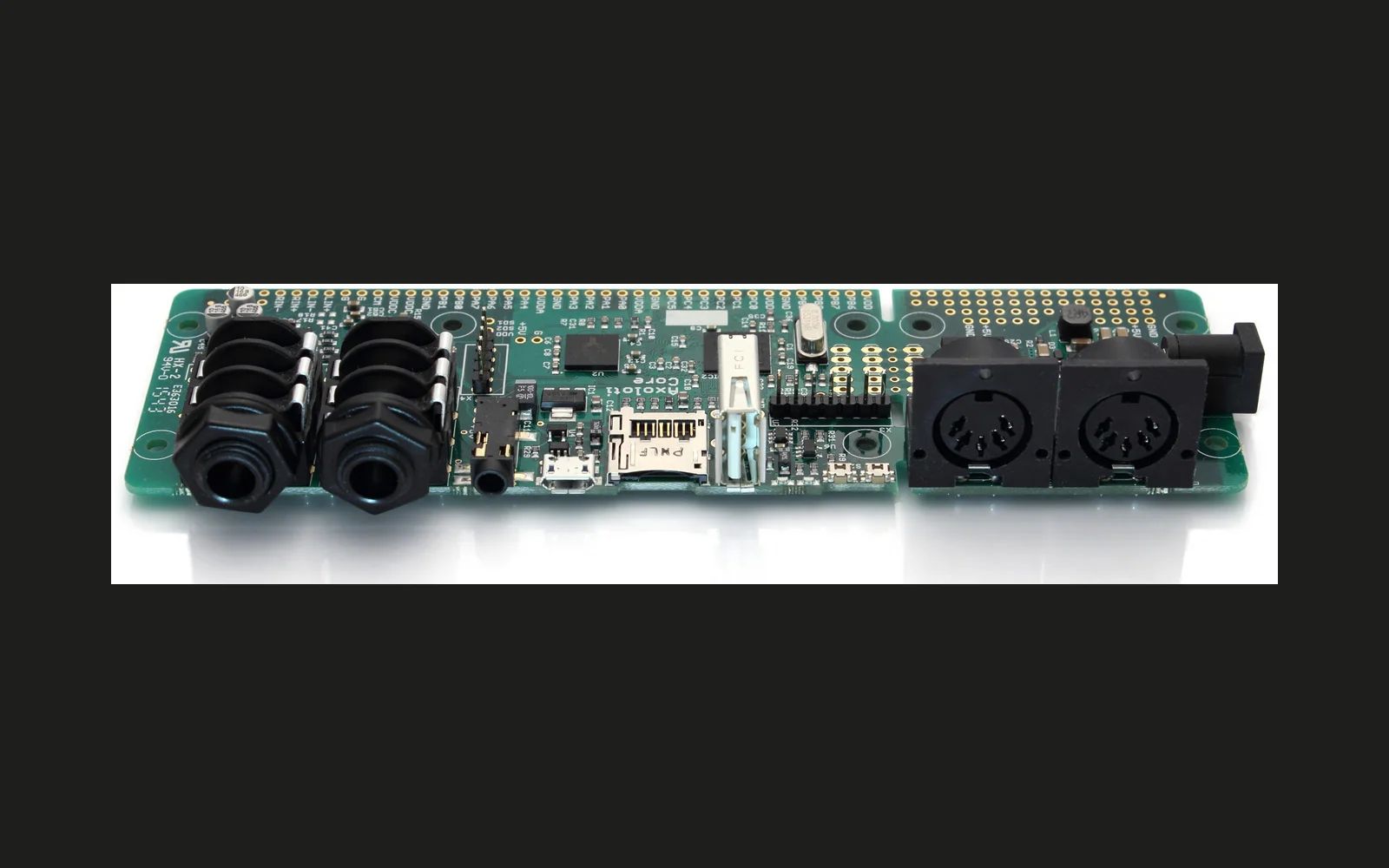
Maintained continuation of Axoloti supporting Axoloti and Ksoloti boards.
forAxoloti Axoloti Core·by@ksoloti
Unclaimed. Is this yours? Sign in with GitHub as @ksoloti to claim it.
ksoloti_patcher-mac-1.0.12-8-20-g29bfeaf0.tar.gz· 159 MB· +2 files
GPL-3.0· ksoloti/ksoloti·ksoloti.github.io/·downloads come from the creator’s GitHub releases
1.1.0Ksoloti 1.1.0Beta3 files
Update 2026-2-2:
- Fixed a Java flag causing the UI to be blurry on systems with non-100% UI scaling
- Stability Fixes for I2SCodec firmware
- Add some missing menu keyboard shortcuts
- In Preferences -> Library table, show Enabled state as a unicode checkmark, not a Java Checkbox. Checkbox component is unintuitive as you can't toggle it from there.
- Allow placing patch/comment (Shift + C) while locked.
Update 2025-12-2:
- Some more edits and bug fixes (tired of calling each pre-release "RCsomething" so I'll just be updating this as 1.1.0. Once everything is stable enough we'll set this to released.
You will have to use Rescue Mode to update your v1.0.12 firmware Core to this version! (Fundamental changes in command structure and communication between Patcher and Core) This package is non-destructive, meaning it will not mess with your existing 1.0.12 installation. However, once you save a patch in v1.1.0, you will obviously not be able to open it in 1.0.12 anymore (though there is a trick to restore it to 1.0.12 - let me know if you need help!)
Known issues:
The USBAudio firmware requires that a different USB PID be used, which the 1.0.12 Patcher will not be able to detect. Before you go back to 1.0.12, make sure to flash the default "Ksoloti" or "Axoloti" firmware on 1.1.0 first. Then 1.0.12 will be able to detect it and offer to flash its own compatible firmware.
MacOS:, opening an Axoloti file in the Finder WHILE THE APP HAS NOT STARTED YET does not work. It will start the app but not open the file. However once the app is running, you can open Axoloti files via the Finder or via drag&drop on the Main Frame window.
MacOS: How to fix the wonky mouse behaviour when dragging on knobs: It was a permissions issue all along, not mouse acceleration. The mouse recentering never triggered properly because the OS was blocking it.
System Settings > Privacy & Security > Accessibility In the list of applications, if Ksoloti.app exists, it might be a good idea to select it and click the minus (-) button to remove it. This would clear out any outdated permissions. Click the plus (+) button at the bottom of the list, go to Applications folder (or Ksoloti.app location) and manually select it. After the app appears in the list with the toggle enabled, reboot.
Full Changelog: https://github.com/ksoloti/ksoloti/compare/1.0.12-8...1.1.0
1.0.12-8Ksoloti 1.0.12-83 files
Note that you may have to do some additional steps depending on your OS for the Patcher to connect and run properly.
Introducing ksoloti-contrib library!
- Note: You may have to click "Reset All" next to the libraries table under Preferences to enable automatic download of the new ksoloti-contrib library. This will also remove your user entries if you have any, so make sure you note them down and add them back later!
- If you like to contribute objects or patches contact me via Github, Discord, or via email at ksoloti.axo ät gmail com.
- The first entry is a set of objects for Alt Circuits' K-Control Mini.
Fixes and Improvements:
- Rescue mode: roll back dfu-util from 0.11 to 0.8 (Mac problems with libusb)
- Improve display attribute label alignment
- Add support for QWERTY keyboard as USB device (more info coming soon)
- Add menu shortcut ctrl+shift+n for New Patch Bank
- Improve embedded object editor, show embedded object name and parent file in object editor title
- Fix error when loading a patch that is using modsource (and possibly other?) objects. Thanks to user mzero for the suggestions!
- Fix errors in preset handling, UI display
- Fix "show on parent" feature for toggle boxes, improve UI
- FIRMWARE: Improve startup patch mechanism
- Upon boot, Ksoloti Core will check if a startup patch exists on SD card and attempt to load it.
- If no SD card (or no compatible patch on SD card), Ksoloti Core will check if a startup patch exists in internal flash and attempt to load it.
- If an SD card with compatible startup patch is inserted at any point after boot up, that patch will be immediately loaded. A "hot-swap", if you will.
- Upgrade flatlaf to 3.4.1. Should include fix for JDK21 bug on Windows 10 (7,8?) : "java.lang.NullPointerException: Cannot invoke "java.awt.Image.getWidth(java.awt.image.ImageObserver)" because "retVal" is null" (File dialog crashes when a windows default icon is in the current view)
New Contributors
- @rekado made their first contribution in https://github.com/ksoloti/ksoloti/pull/1. Cheers!
1.0.12-7Ksoloti 1.0.12-73 files
Note that you may have to do some additional steps depending on your OS for the Patcher to connect and run properly.
- Improved MPE handling, conform to MPE specs. Two zones: lower (from MIDI channel 1 upwards) and upper (from MIDI channel 16 downwards), plus a selectable number of member channels (voices). You can find these options in the patch settings if you select "polyphonic expression (MPE)" as the subpatch mode.
- Improved recent files list. The Patcher will now check if the files in the recent list still exist and remove any entries that can't be found.
- Zero presets and modulation sources by default. New patches are set to zero presets and zero modulation sources to save memory. The preset bar in the patch header is hidden by default and only displayed if the patch is set to use (more than zero) presets.
- Fix disp/hex and disp/note GUI display being cropped.
- Improve invisible mouse cursor while dragging attributes and parameters.
- Fix zombie object GUI layout.
- Improve zombie object handling. Display a warning message when user tries to save a patch containing zombies. Preserve attribute and parameter values of original objects as much as possible.
- Adjust some tooltips and GUI text.
- Tweak Object Finder shortcut keys.. Check Help > Keyboard Shortcuts menu for an updated list of shortcuts.
- Improve "string" wire color. Now using a juicy magenta that works better with both light and dark themes.
- Firmware: SPILINK firmware define. SPILINK can now be optionally enabled by uncommenting a define in firmware/axoloti_defines.h. The firmware will have to be recompiled using "expert mode" for now, drop a post on Discord if you need help with the compile.
1.0.12-6Ksoloti 1.0.12-63 files
Note that you may have to do some additional steps depending on your OS for the Patcher to connect and run properly.
-
Minor firmware optimizations
-
"Native" file open/save dialog was buggy on Mac OS, reverted to plain "LAF" style. However it now tries to open at a reasonable position relative to the active patch and remembers its view settings within the current session.
-
Minor UI improvements
-
Virtual keyboad can now be played using the computer keyboard (QWERTY layout only, sorry). Lower octave: Z...Comma, higher octave: Q...I. Control the active octave range using left/right keys, mod wheel using up/down keys, MIDI channel using page up/down, velocity using "-" and "=", user CC value using "[" and "]". Hit Space to send an All Notes Off message.
-
Virtual keyboard keys can be held/sustained using right click or Shift-left click on respective key
-
Mouse wheel can be used to edit parameter values (hover over the parameter for a while to activate it; this is to prevent accidental changes while scrolling the patch view)
-
1.0.12-5Ksoloti 1.0.12-53 files
Note that you may have to do some additional steps depending on your OS for the Patcher to connect and run properly.
-
Axoloti Legacy mode - Patcher can optionally be used with Axoloti Core! (option in preferences)
-
Native file dialogs (more intuitive opening/saving of files)
-
Many little fixes and improvements I can't all remember - check the commit history!
-
1.0.12-4Ksoloti 1.0.12-43 files
Firmware stable 1.0.12 Patcher standalone 1.0.12-4
1.0.12-3Ksoloti 1.0.12-3-betaBeta4 files
Firmware stable 1.0.12 Patcher standalone 1.0.12-3-beta