KeyStep Con (KSCON)
Unofficial firmware patch, editor and playable manual for the Arturia KeyStep Pro.
KSCON patches Arturia's KeyStep Pro firmware 2.5.20 and adds features to the device itself: project names, drum pads and chord pads on the step buttons (which can also drive the arpeggiator), root chords, an on-device bass generator, note and chord names on the screen, and a mod strip lock. The KeyStep Con page is a single HTML file that runs in Chrome. It edits projects over USB in place of MIDI Control Center (MCC), and it doubles as a playable manual.
Try it in your browser: https://canadianblaken.github.io/keystep-con/ (Chrome or Edge; runs against a simulated KeyStep Pro until you connect yours). Firmware installer: https://canadianblaken.github.io/keystep-con/web/kscon-install.html
Not affiliated with or endorsed by Arturia. This repo has no Arturia firmware in it. You build the patch from your own copy of the official 2.5.20 update.
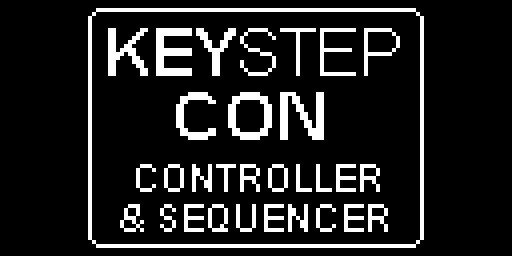
On the KeyStep (firmware patch)
| Feature | How |
|---|---|
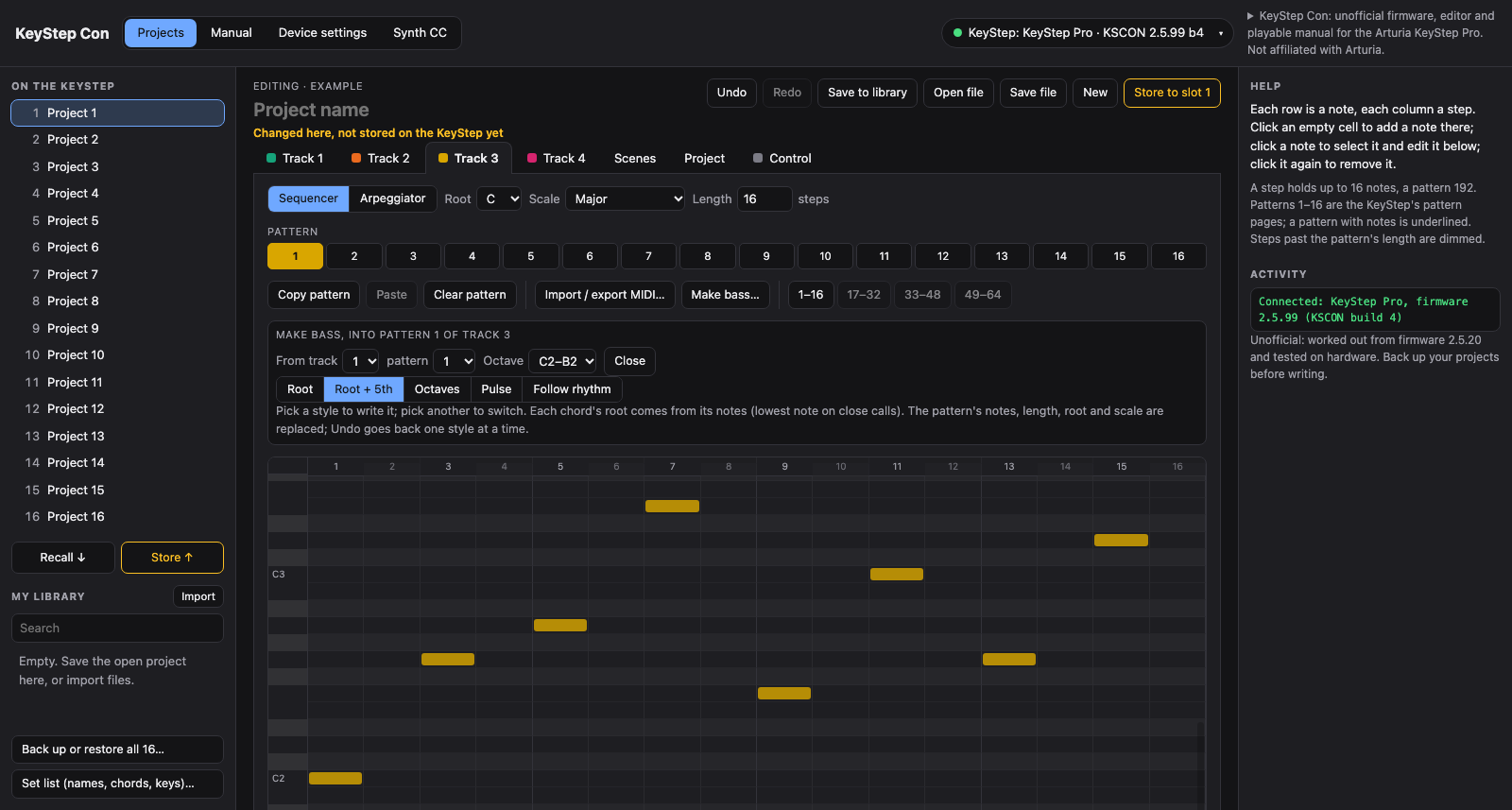
| Make bass | Hold Seq on the bass track and press the Track button of the track with the chords. The bass track's current pattern becomes a bass line (C2–B2) that follows the chords. Keep holding Seq and press steps 1–5 to pick the style: Root, Root + 5th, Octaves, Pulse or Follow rhythm. The screen names the style, and the style is remembered. It works while playing. |
| Drum pads | Hold Drum and press Seq. Steps 1–16 play drum lanes 1–16 on the drum channel while another track plays on the keys. |
| Chord pads | Hold Seq on track 2–4 and press Arp. Empty steps play chords of the track's scale. Hold a chord on the keys and tap a step to keep it on that step. Erase + step clears it, and Shift + Exit undoes or redoes. Kept chords move with the octave buttons and are saved with the project. The page can also write them over SysEx. |
| Root chords | Hold Seq and press Mute on a track. A key on that track silently sets the root, and steps 1–16 play 16 chord types on it (triads, sus, 6ths, 7ths, 9ths, inversions…). |
| Chord pads into the arpeggiator | Put the pads' track in Arp mode (its Arp button). Holding a step then arpeggiates its chord with the KeyStep's own arpeggiator, at the Time Division rate (Shift + the Time Division keys), with the arp's pattern, octaves, gate, swing and Hold. Works for chord pads and root chords. Press the track's Seq button for plain chords again. While the pads are on, that track's Chord mode is skipped so chords are not stacked. |
| Mod strip lock | Hold Shift and touch the mod strip: "Mod strip locked", and the strip sends nothing (no CC 1, no mod CV) until you do it again. The last value stays. Pitch bend and the looper strip are not affected; the lock is off after power-up. |
| Note and chord names | The screen names what you play for about a second: a note (E3), or the chord held on a track (C#m, A/C#) with its notes underneath, including Chord mode, chord pads and root chords. Drum pads show their lane and note (Drum 1 / C2). Menus are never covered. |
| Step lights, key lights, recording | In a pad mode the 16 steps show the pads: the one held bright white, the pads holding the chord on that track's keys bright in the track colour, kept chords dim in the track colour, empty pads dim white. Pad notes light the keys they play and are recorded like key presses, including drum hits. |
| Project names | Projects can have a 16-character name instead of "Project N". Names are set over SysEx (page or tools/set_project_name.py), survive power cycles and are cleared by Erase Project. |
| Startup screen, version | The startup screen shows KEYSTEP CON. The device reports 2.5.99, and Utility > FW version shows "KSCON 2.5.99 bN / based on 2.5.20". |
Stock combos stay stock: Shift + Control, Shift + Drum, and Seq, Arp and Mute pressed on their own.
The KeyStep Con page (web/)
The Editor features, Manual features and Firmware features buttons at the top of the page list everything below, each with a link straight to it.
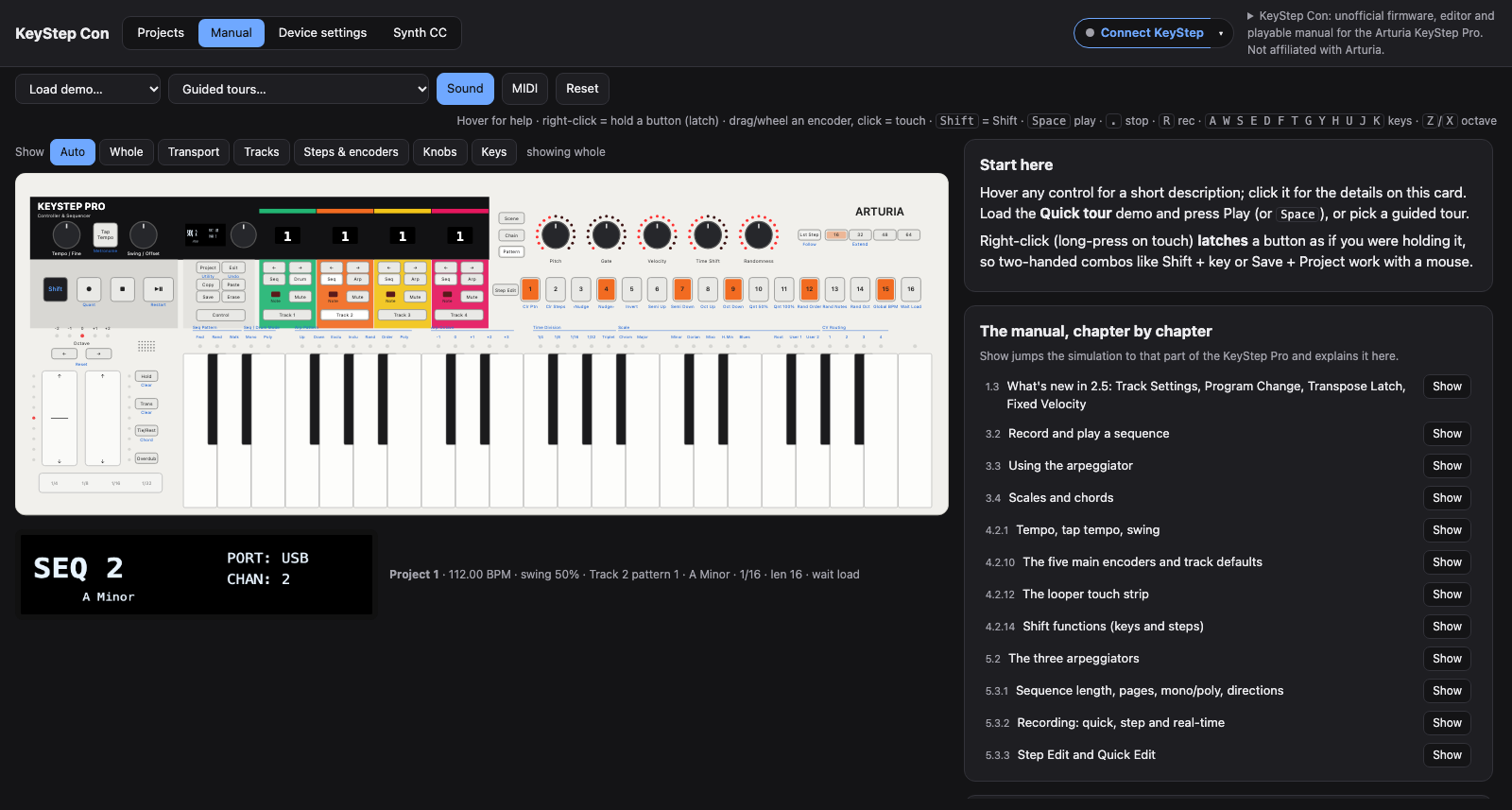
web/keystep-interactive-manual.html is one self-contained file. Open it in Chrome or Edge and click Connect KeyStep (Web MIDI with SysEx): one click finds the KeyStep's port. Without a KeyStep connected, it runs against a built-in simulated KeyStep Pro, which also runs the KSCON features: pads, names, step lights, the mod strip lock and pads into the arpeggiator. Most of it works on stock firmware too.
Projects (a replacement for MIDI Control Center)
- Recall any of the 16 slots and Store it back. Store asks for a second click and reads the project back to check it, and a Stop button stops a transfer.
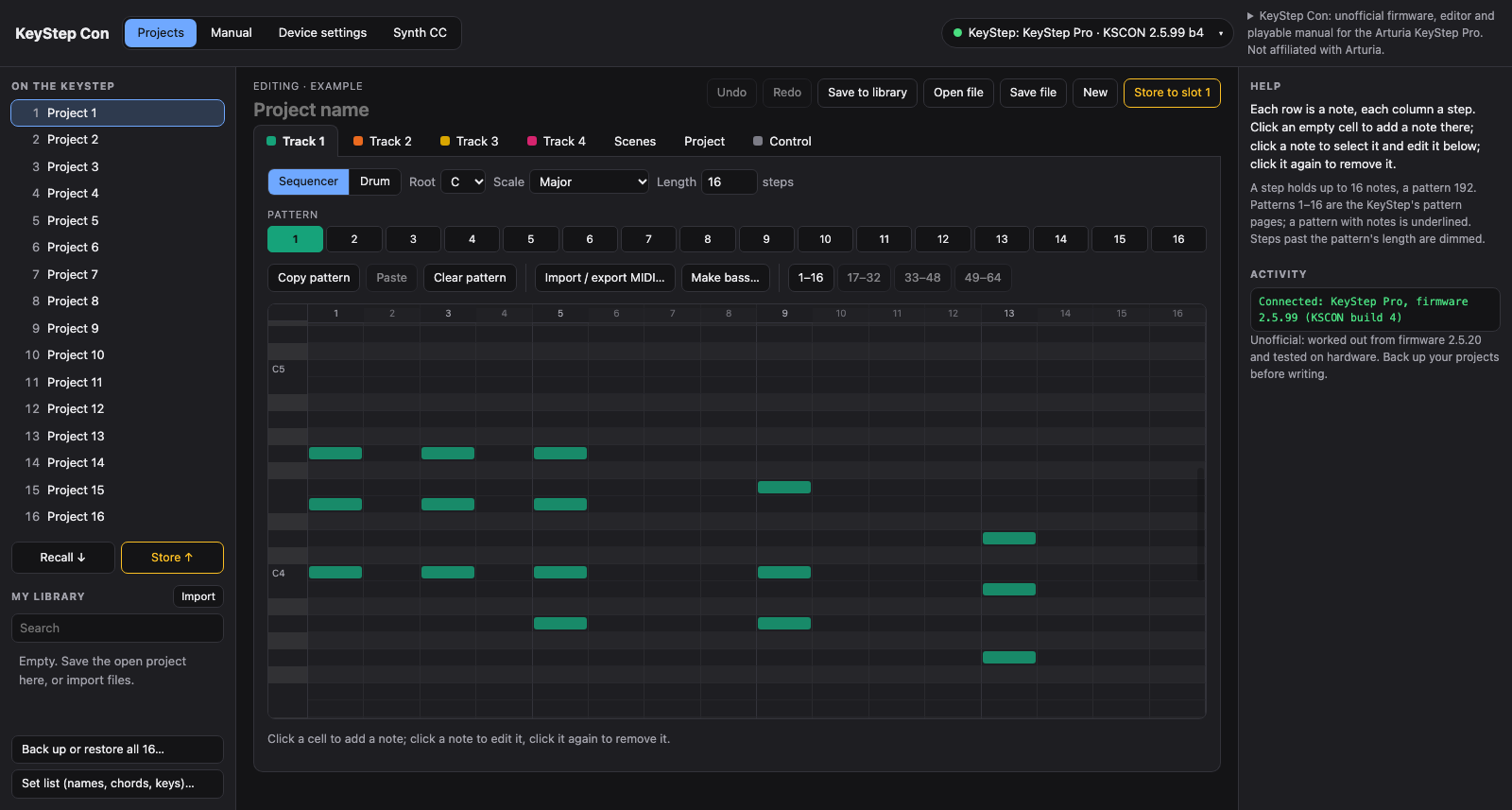
- Track editors: a piano roll for the sequencer tracks and a grid for the drum track, with pattern length, root, scale, step on/off and copy/paste of patterns. Undo and redo work too (Ctrl+Z / Ctrl+Shift+Z).
- Steps → drums puts a melody track's notes on the drum lanes.
- Make bass: the same five styles as the firmware, into any pattern, undoable.
- Scenes and chains, project settings (tempo, chords, user scales) and the control track.
- MIDI files: import several files and parts into tracks and patterns, or export patterns as .mid. New empty project, for importing without a KeyStep.
- A project library in the browser (search, import, export), save and open project files, and a backup of all 16 projects in one file, restoring only the ones you pick.
- Set list: names, chord shapes and keys for many projects in one go. Chord & key sets one track's chord shape, root and scale. Names gives a slot a name (KSCON).
Device settings
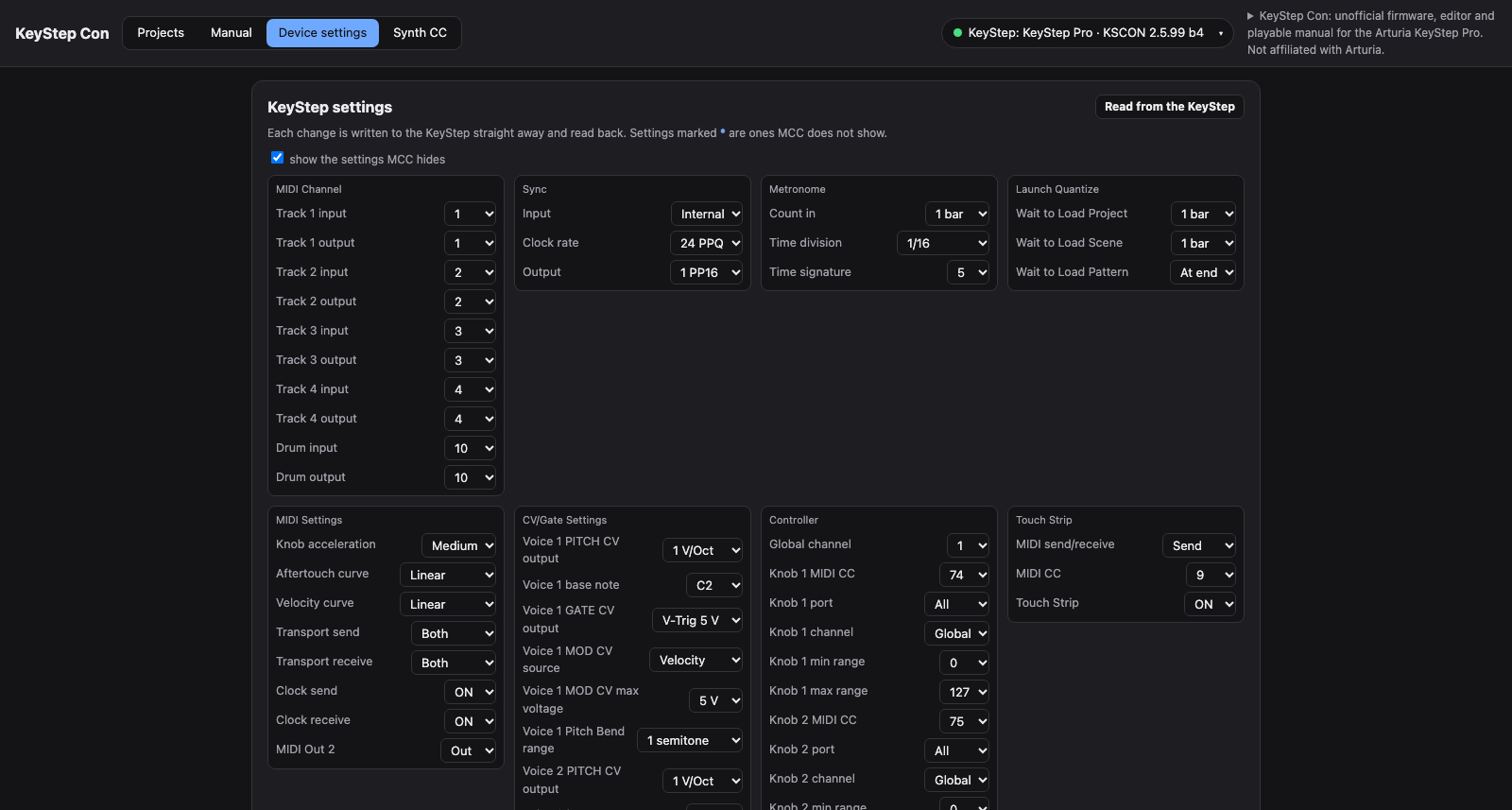
- All 158 global settings in MCC's groups. Each change is written straight away and read back. 12 of them MCC does not show: Program Change send and Fixed Velocity per track, Brightness and Transpose Latch.
- A MIDI monitor showing what the KeyStep sends.
- The firmware card shows what the KeyStep runs, with a link to the installer.
Firmware
- A bar at the top offers the KSCON installer, or the update when a connected KeyStep runs an older build.
- The installer makes the KSCON file in the browser from your own Arturia 2.5.20 file (see Installing below).
Manual
- A playable KeyStep Pro: all buttons, keys, encoders and the touch strip, with synthesized stand-in sounds and an optional MIDI out mirror.
- Help on every control, the user manual's chapters with Show, 13 guided tours and demo projects.
- "What's new from this project" explains every KSCON and page feature and the Arturia bugs listed below.
- The drawing zooms to the part in use.
Synth CC
- Map a synth's parameters to the five knobs, from the MIDI Guide catalogue (447 instruments).
- The 14-bit synths button offers each 14-bit pair's coarse half.
 |  |
 |
Arturia 2.5.20 bugs and quirks found along the way
These are in stock firmware too. The page and KSCON work around them.
- Save + Track never stores the chord shape or keyboard octave. It programs the flash first and stages the track's chord block afterwards. Use Save Project, which stores them.
- The Save Project confirm trap. At "Save Project / Confirm ?", pressing a step pad loads that project instead and drops your edits. Confirm by pushing the encoder next to the display.
- A SysEx store flips untouched patterns and scenes between valid and default. MCC hides this by always sending whole projects. The page always sends every state back as it read it.
- Some stored values can't be read over SysEx. The getter sends raw bytes, so 0xF7 and above cut the reply short. The page re-reads such blocks value by value. A chord entered with a note below its root stays unreadable.
- Empty drum slots must be 127 in every field, or the KeyStep reports "192 notes limit". The page writes them that way.
- 12 global settings aren't in MCC. They are listed under Device settings above.
All of this, with addresses, is in findings.md.
Installing (no tools needed)
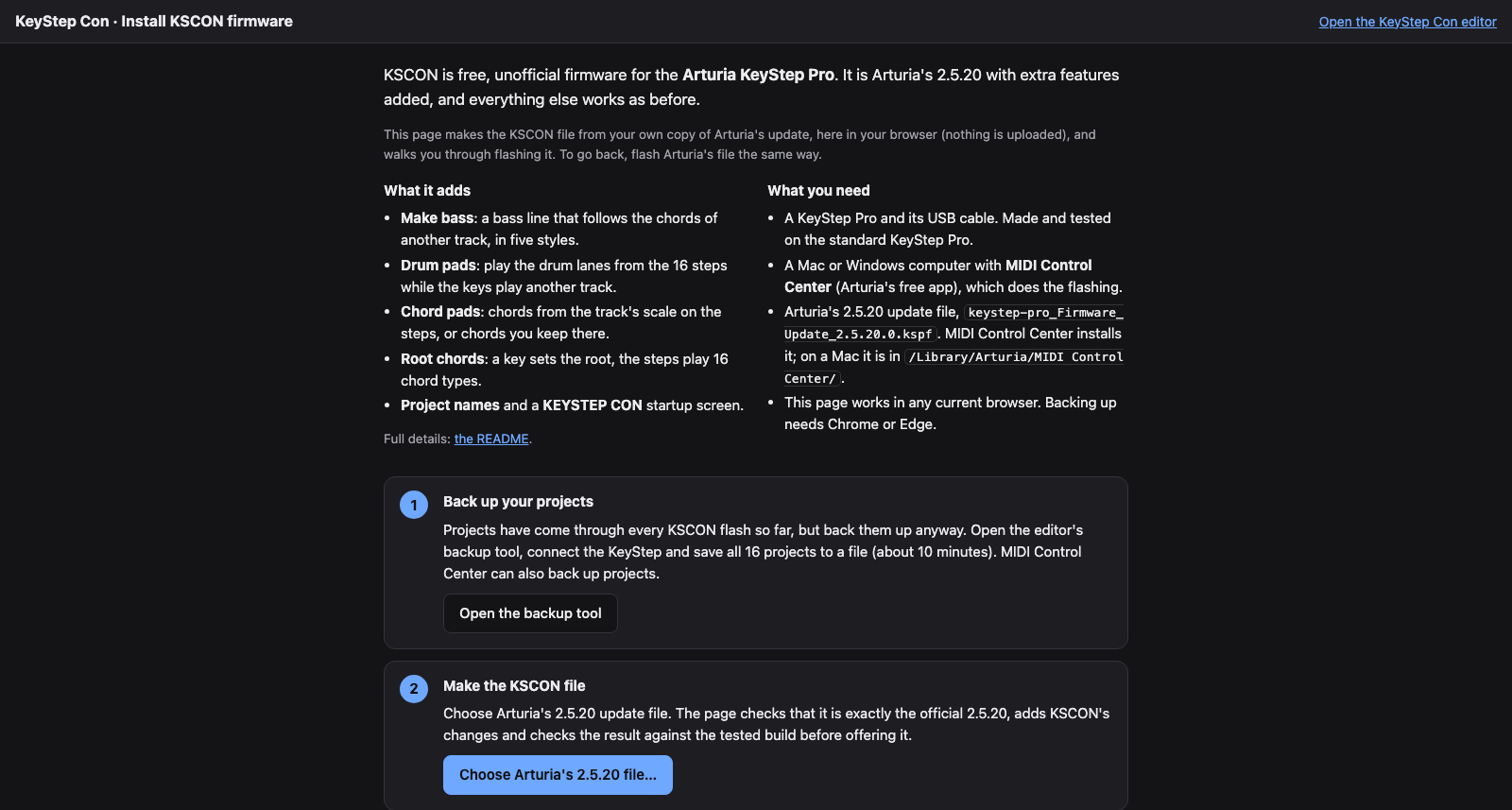
Open the installer, https://canadianblaken.github.io/keystep-con/web/kscon-install.html. The editor's top bar links to it too. It walks you through four steps:
- Back up your 16 projects with the editor's backup tool.
- Make the file. Choose Arturia's
keystep-pro_Firmware_Update_2.5.20.0.kspf; MIDI Control Center installs it, and on a Mac it is in/Library/Arturia/MIDI Control Center/. The page checks that every part of the file is Arturia's 2.5.20 and applies KSCON's changes. It then checks that the result matches the tested build byte for byte and offersKSCON_2.5.99_build4.kspfto download. - Flash it with MIDI Control Center like an official update.
- Check that the startup screen says KEYSTEP CON and that Utility > FW version shows KSCON 2.5.99 b4.
To go back, flash Arturia's 2.5.20 file again. Everything happens in the browser and nothing is uploaded. The page carries only the bytes KSCON changes (about 5.5 KB), not Arturia's firmware, and it refuses any input other than the official 2.5.20 file.
Building the firmware yourself
Needs Python 3.10+, clang with an ARM target (Apple clang or LLVM), and unicorn and capstone for the tests (pip install -r requirements.txt).
- Get the official update file
keystep-pro_Firmware_Update_2.5.20.0.kspf. MIDI Control Center keeps a copy in/Library/Arturia/MIDI Control Center/on macOS. Put it infirmware/, which git ignores. - Run
scripts/build-firmware.sh. It buildsfirmware/patched/KSCON_2.5.99_build<N>.kspfand runs both emulator suites:tools/test_pad_hooks.pyruns the hooks on the real firmware code in Unicorn, with every firmware call stubbed and checked.tools/test_names_hooks.pychecks the project-name hooks the same way.- The bass test also runs the page's
makeBassin node and checks that the firmware writes the same notes. - It then regenerates the page's patch data (
tools/make_web_patch.py) and checks in headless Chrome that the page turns the stock file into this exact build (tools/test_web_patch.py).
- Flash the
.kspfwith MIDI Control Center the same way as an official update. To go back, flash Arturia's 2.5.20 file again. MCC may treat this as a downgrade from 2.5.99.
The tests run the patch in an emulator. Every feature listed above has also been checked on a real KeyStep Pro (docs/test-checklist.html is the checklist used). Back up your projects before flashing anything. Use at your own risk.
| File | What it is |
|---|---|
tools/pad_hooks.S | pads, root chords, key lights, recording and the Make bass button combo (Thumb-2 assembly) |
tools/bass_gen.c | the bass generator, compiled into the hook block (no linker, no relocations) |
tools/name_hooks.S | project names: SysEx setter and title display |
tools/boot_logo.py | redraws the display chip's startup picture (--preview out.png) |
tools/make_web_patch.py, tools/test_web_patch.py | the page's patch data (changed bytes and hashes only) and its end-to-end check |
tools/build_ksp_patch.py | assembles everything, redirects the stock calls, sets the version, fixes checksums and writes the .kspf |
tools/kspemu.py, tools/ksp_link.py | the firmware's SysEx parser and project storage, emulated, plus a CoreMIDI link (macOS) |
tools/set_project_name.py, tools/ksp_setlist.py, tools/ksp_get.py, tools/readchord.sh | device tools: names, set lists (names, chords, keys), read-only GETs |
tools/mkelf.py, tools/mkelf_data.py, ghidra/scripts/ | turn the raw image into an ELF and run Ghidra headless |
findings.md | everything worked out about the firmware: SysEx protocol, globals, storage, sequencer RAM layout, UI popups, the hooks, and hardware results |
mcc-params.md | MCC's parameter table with SysEx IDs |
Building the page
cd web && ./build.sh                     # joins src/ into keystep-interactive-manual.html
scripts/test-web.sh                      # three headless-Chrome suites against the simulated KeyStep
Set CHROME to the Chrome binary if it is not on the path. Day-to-day development of the page happens in playable-gear-manuals (keystep/), and web/ is a copy of it.
Support
KeyStep Con is free. If it helps you, you can leave a tip on Ko-fi.
Credits and licence
KSCON's own code and notes are MIT licensed (see LICENSE). KeyStep Pro, MIDI Control Center and Arturia are Arturia's trademarks. The firmware is Arturia's and is not included here. The Synth CC catalogue comes from the MIDI Guide (CC BY-SA 4.0).