Ketch
A tracker firmware for the M-VAVE FM-1, in the LSDJ / picoTracker / M8 line: song, chain and phrase screens, instruments, effects and a mixer, on the FM-1's own keys and screen.
Try it in your browser or install it on your FM-1 · Every screen and the controls
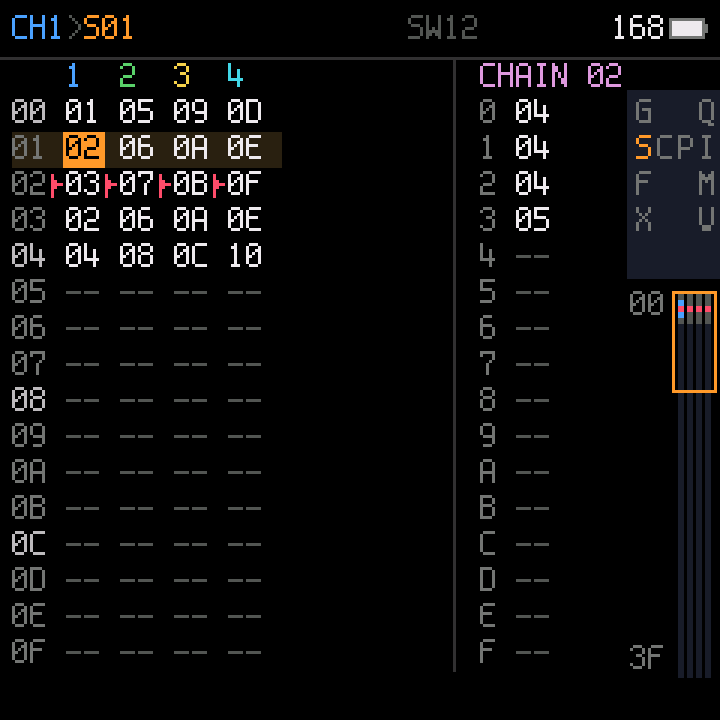
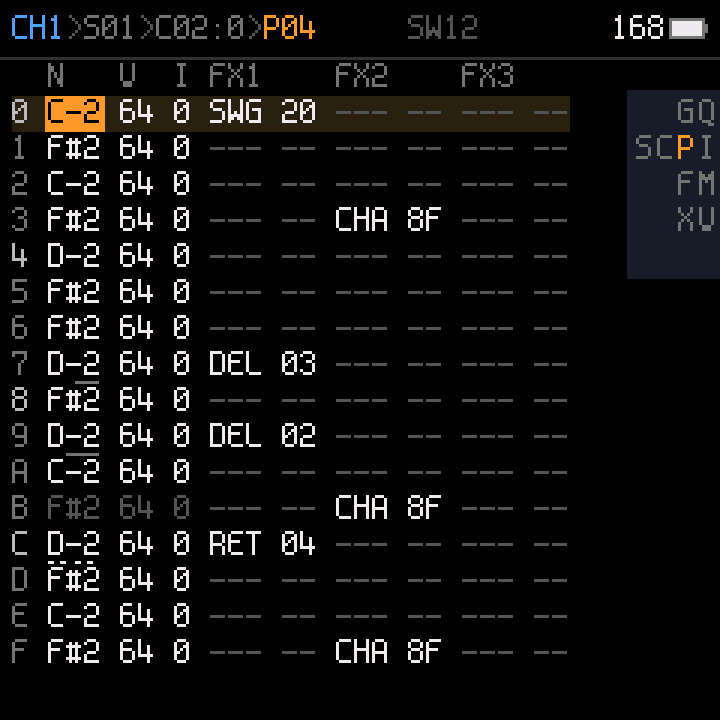
Status: 0.1 beta. It runs on the FM-1, but it has been tested on one unit by one person. Expect bugs, and expect that a song saved in a beta may not load in the next one. To keep a song, record it over USB audio.
What it does
- 4 channels, each playing one of Felucca's sound engines (FM, physical models, drums, grains, ...).
- Song → chain → phrase, as in LSDJ: the song lists chains per channel, a chain lists phrases, a phrase is 16 rows of note, instrument, velocity and commands.
- Commands on each row: delay, retrigger, ramps, chance, hops, swing, and every sound parameter of the instrument.
- Instrument pages (engine, preset, envelope, LFO, voice and sends) and 4 knob slots per instrument.
- Effects (delay, reverb, chorus) and a mixer (level, mute, solo per channel).
- Live recording from the keybed with count-in and metronome, and step entry.
- Projects saved in the FM-1's flash.
- USB-MIDI, and USB audio: the FM-1 shows up as an audio input you can record.
Install
- Charge the FM-1 fully and keep it on USB power.
- Download
ketch-X.Y.fwscfrom Releases. - Install it from the command line (once:
pip3 install mido python-rtmidi):python3 tools/fm1_install.py ketch-X.Y.fwsc. It asks before it writes. - Do not touch the FM-1 or the cable until it restarts.
Back to the official firmware or another one: the FM-1 Firmware Hub in Chrome or Edge. Ketch answers the hub's updater like every firmware there.
If an install is cut off: hold OCT- while switching on: the FM-1 starts in update mode (three LED flashes) and the installer finishes the job.
Installing firmware is at your own risk. A power loss in the first seconds of a write can leave an FM-1 dark; it then needs a recovery dongle (MvaveFM1Unbricker).
Build
Linux on x86-64, or macOS / Windows with Docker; Python 3 with Pillow; the JieLi toolchain and three files of the JieLi AC79 SDK:
pip3 install Pillow
tools/get_toolchain.sh                      # JieLi's clang for the chip, to ~/.jieli/toolchain
git clone --depth 1 --branch AC79NN_SDK_V1.2.1_2023-12-13 \
    https://gitee.com/Jieli-Tech/fw-AC79_AIoT_SDK.git ~/fw-AC79_AIoT_SDK
./build.sh --release 0.1                    # -> build/ketch-0.1.fwsc, identity FM-1_951
On Windows (PowerShell, Docker Desktop running), point the build at your copies and call it directly:
$env:JIELI_TOOLCHAIN = "<toolchain>"; $env:AC79_SDK = "<sdk>"; $env:JIELI_DOCKER = "1"; python tools/build.py --release 0.1
tests/run_host.sh runs the firmware on your computer (screens as images, the sound as a WAV). The platform's
API and rules: docs/API.md, docs/RULES.md. Development notes:
CHECKLIST.md.
Credits and license
GPL-3.0-only. Ketch is built on Dinghy (zvenson), the platform of Felucca by Leo Kuroshita (Hügelton Instruments) as SLOOP (isod89) carries it, and Felucca's sound layer. Details and third-party parts in LICENSING.md.