KAWA — Pocket Tracker for the M-VAVE FM-1
▶ Open the KAWA website — Install · Emulator · Manual · Samples
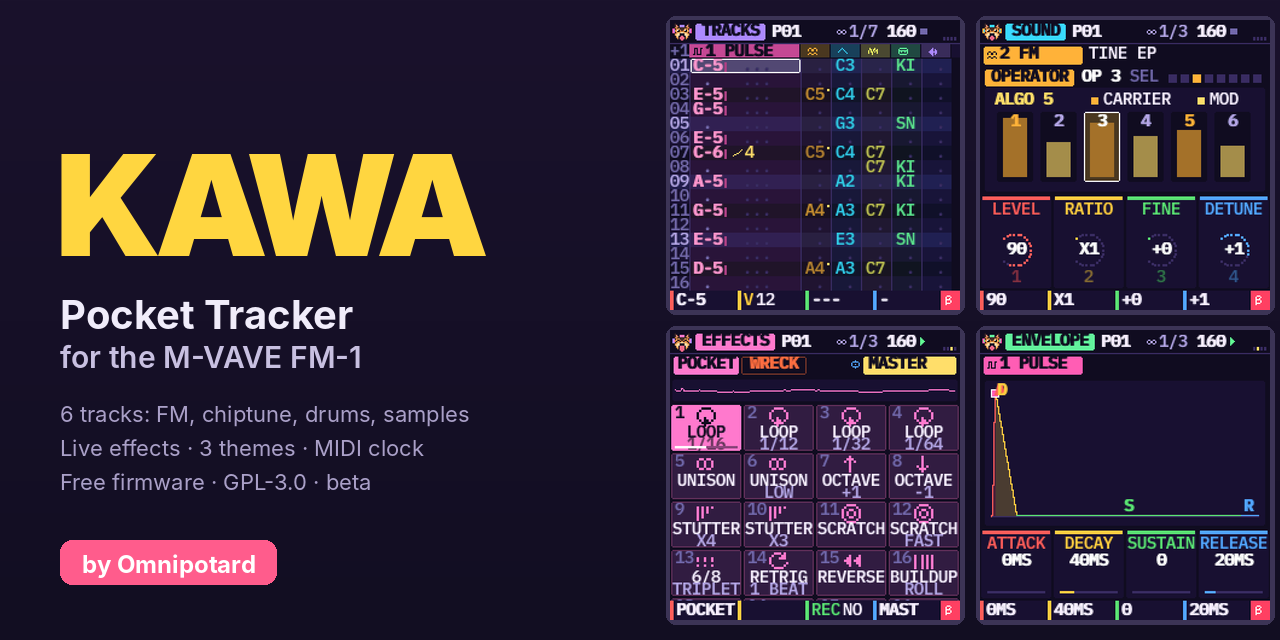
KAWA is a free tracker firmware for the M-VAVE FM-1, made above all for chiptune and IDM: 4-bit waves, pulse and noise like the old consoles, FM, breakbeats cut into slices, rolls and ratchets, stutter and glitch live effects, tables, a groove, a drive on every track. (It can do other styles, but that is what it is built for.) Six tracks, a step sequencer you write with the keys, a chain of patterns that makes a song, and 32 live effects. The screen speaks English, French or Spanish.
Beta 0.6 — not yet tried on a real FM-1. It passes every check we can run without the hardware (size, memory, an install tested against simulated power cuts, the simulator and the web emulator). Installing an unofficial firmware is at your own risk, but you can always go back to the official one.
Start here
| 1. Install | Install from your browser (Chrome or Edge: plug the FM-1 in, click Install KAWA). Or download kawa-0.6.fwsc and use the launcher for your computer. |
| 2. Play | Switch the FM-1 on and press any key. Press REC, play the keys, press PLAY. HOME held shows the help of the page you are on. |
| 3. Learn | The manual (FR, ES): five short tutorials, from an empty song to a saved one. Or try KAWA right now in the web emulator. |
| 4. Your sounds | The sample importer puts your own WAV / MP3 / OGG / FLAC files into KAWA over USB. |
 |  |  |
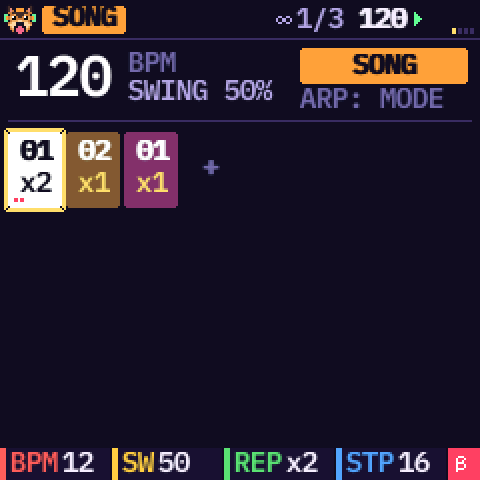 | 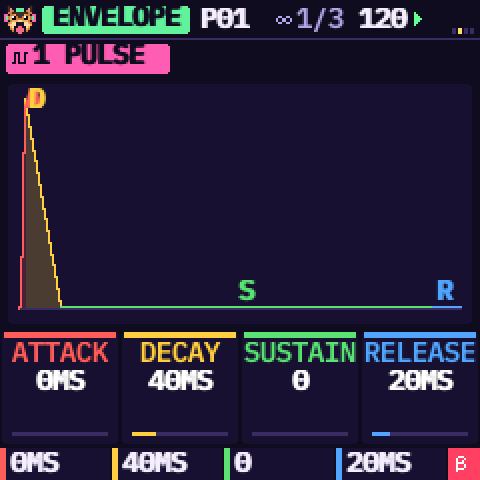 | 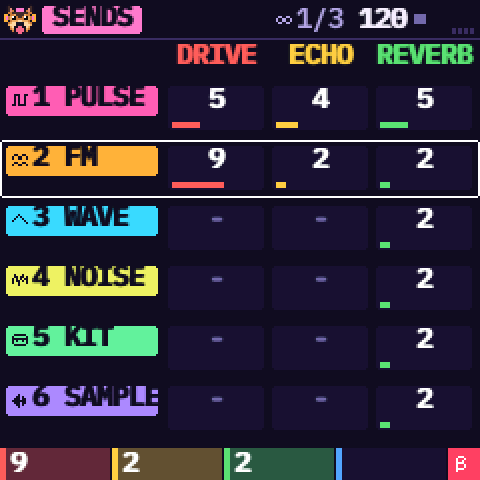 |
What you get
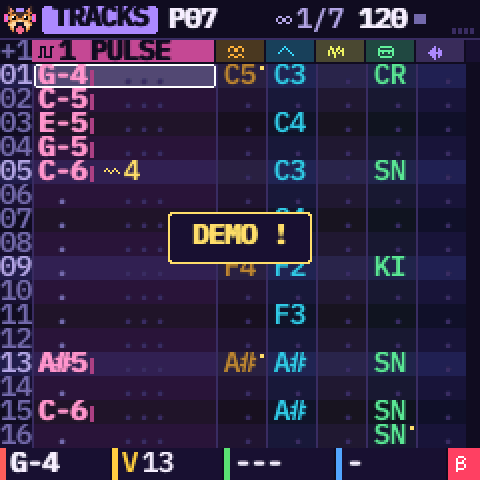
- A tracker. Each row is a step, each column a track, each cell a note, a volume and up to two effects (arpeggio, glide, roll, chance, delay, reverse, HOP, END…). Patterns of 16, 32 or 64 steps, chained into a song.
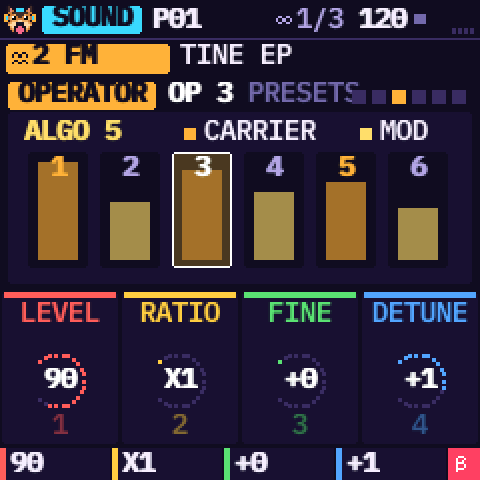
- Six tracks, each with an engine: pulse, 4-bit wave, noise, 6-operator FM (one track), drum kit or sample. Factory sounds for all of them, an ADSR, an effect, an LFO and a modulation page on every sound.
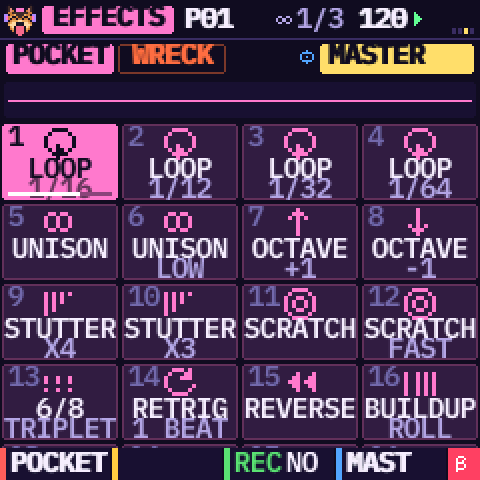
- Made for chiptune and IDM: 8 synthesised drum kits and 6 breaks to cut into 16 slices, a table on every track (a little sequence played inside each note: chip arpeggios, pitch drops, ratchets), a groove (7 5, 8 4…), Euclid, random and chop tools, 32 live effects (stutter, scratch, retrig, build-up…), a drive per track.
- Your own samples (4 slots), with an editor: start, end, slices, normalise, reverse.
- Easy to live with. The bottom line always says what the four knobs do (KNOB 1 red, 2 yellow, 3 green, 4 blue). HOME held opens the help. Undo / redo cover patterns and sounds (10 steps). A sound you edited is never replaced by mistake. The song is autosaved, plus three project slots. Three themes, four fonts, MIDI clock in and out, a metronome.
Controls at a glance
| Button | What it does |
|---|---|
| HOME | The tracks. Held: the help of the page you are on. HOME + PLAY: panic (everything stops) |
| SEQ | The step grid. OCT− / OCT+ there: 16, 32 or 64 steps |
| EDIT | The sound of the track: SOUND, SOUND 2, (FM operators / sample edit), EFFECT, TABLE. Press again: next page |
| LFO | LFO, then MODULATION |
| ENV | ENVELOPE, then MIX (levels, pan, sends, master) |
| FX | SENDS (drive, echo, reverb per track), then LIVE (32 live effects), then back. Held: LIVE while you hold it |
| SCL | SCALE, then MAGIC (beats, melodies, break chops), then back |
| GLO | SONG (the chain), GROOVE, OPTIONS (theme, language, clock, font, metronome) |
| SAVE | PROJECTS (it blinks while there are unsaved changes). Held: the tools (OPTIONS, UNDO, REDO, CLEAR, COPY, PASTE, RANDOM). OCT− / OCT+ while held: undo / redo |
| PLAY, REC | Play / stop; record (the keys write at the cursor, or on the beat while playing) |
| ARP | Not an arpeggiator: the clear / shift key. A tap on TRACKS clears the cell. Held: + SELECT inserts or deletes a row, + KNOB 3 / 4 edits the cell's second effect, + PRESETS picks the next engine |
| OCT− / OCT+ | The octave of the keys (other uses on the pages above: bank, add / remove, OK / back) |
| Encoder | What it does |
|---|---|
| SELECT | Turns the pages of EDIT, LFO, ENV, FX and GLO. Elsewhere: the row, the 16-step page, the menu |
| ALGORITHM | The track. On SONG the entry of the chain, on GROOVE the step, on OPTIONS the metronome |
| PRESETS | The factory sound (on the first SOUND page), or the page's cursor (operator, table row, slice); the pattern elsewhere |
A yellow bar fills at the bottom of the screen when holding a button is about to open something. The 27 keys play notes on the current track. Everything is explained, with screens, in the manual.
Install
You need a USB data cable (not a charge-only one). Switch the FM-1 on, plug it in, close every other MIDI program (a DAW, M-UPGRADE), then pick one way:
- From your browser (Chrome, Edge, Opera): open the home page and click Install KAWA.
- Launcher (needs Python 3): download this repository (green Code button,
Download ZIP), unzip it, then Windows: double-click
INSTALL-Windows.bat; Mac: double-clickINSTALL-Mac.command(the first time: right click, Open); Linux:./INSTALL-Linux.sh.
Either way the package is checked before anything is erased, you are asked to confirm, and the FM-1 restarts into KAWA. Do not unplug it while it writes. A cut install resumes at the next power-on. The chip's bootloader is never written. If KAWA ever fails to start twice in a row, the FM-1 opens the USB rescue by itself (or hold OCT− while switching on): then run the installer again.
Go back to the official firmware
- Your KAWA projects are lost: the official firmware cannot read them.
- Use a stable power supply and a USB data cable. If KAWA misbehaves, open the USB rescue first (OCT− held while switching on).
- Install M-VAVE's official firmware V15 with M-UPGRADE. KAWA first checks that the tool is M-VAVE's own and that its package matches your FM-1; otherwise nothing is written and KAWA keeps running.
- Unplug nothing during the transfer (the official firmware also rewrites the bootloader). If it stops, plug back in and start again.
Your samples
The sample importer (Chrome or Edge) converts your files
(mono, 22 kHz, normalised, up to 1.66 s each) and sends up to four to the slots MY 1 to MY 4, with KAWA stopped.
On a SAMPLE track, choose SOURCE = MY 1 to 4. Without a browser:
python3 install/kawa_samples.py put 1 my-sound.wav (and list).
Something wrong?
- The installer does not find the FM-1: a data cable, the FM-1 switched on, no other MIDI program open; for the browser, Chrome or Edge.
- Stuck on the dog: press any key, KAWA waits for you.
- Silence: KAWA starts on an empty song. Write notes (REC, then the keys), or load the demo: SAVE, DEMO, OCT+, PLAY.
- PRESETS does not change my sound: you edited it (
*): it shows the next one in gold, OCT+ loads it. - I made a mistake: hold SAVE and press OCT− (undo), or SAVE then UNDO.
- The click is in my recording: the metronome is also in the USB audio, turn it off (GLO, third page).
- More answers in the manual, under Help.
Support KAWA
KAWA is free and open. If you enjoy what I do, consider supporting me! Every little bit means the world! Buy me a beer on Ko-fi.
Credits and licence
KAWA by Omnipotard. GPL-3.0-only: you may use, change and share it, and whoever receives a firmware built from it also receives its source code. Built on Dinghy (zvenson), Felucca (Leo Kuroshita, Hügelton Instruments) and SLOOP (isod89); the FM engine is msfa (Dexed, Apache-2.0). Details in LICENSING.md. "M-VAVE" and "FM-1" belong to their owners; KAWA is neither made nor endorsed by them.
For developers: the source, the build, the tests and the file formats are in source/.