karma-fm1
Loud93/100karma-fm1 is custom firmware for the M-VAVE FM-1, by @eatyourgreensstudio-dotcom. Open source under GPL-3.0, latest release v3.0.3 (October 2026), 24 stars on GitHub.
forM-VAVE FM-1·by@eatyourgreensstudio-dotcom
Unclaimed. Is this yours? Sign in with GitHub as @eatyourgreensstudio-dotcom to claim it.
karma-3.0.3.fwsc· 596 KB
GPL-3.0· eatyourgreensstudio-dotcom/karma-fm1·downloads come from the creator’s GitHub releases
v3.0.3KARMA 3.0.3Latest1 file
A fix for saved projects, and a fix for the editor:
- Loading a project from the menu (SAVE → PROJECT → LOAD) or from the editor no longer overwrites another slot. Before, if you played the loaded project and touched anything, it could be copied into the section you had played last.
- The editor now finds KARMA even when the Mac still shows the FM-1 under the name of a firmware it had before (for example "Mutable Dreams FM-1").
Install: open the web installer in Chrome or Edge, plug in the FM-1, follow the steps. Your projects stay on the unit. https://eatyourgreensstudio-dotcom.github.io/karma-fm1/webapp/installer/
v3.0.2KARMA 3.0.21 file
Two fixes for playing KARMA in sync with a DAW (SYNC = USB):
- Steady tempo: the BPM no longer flickers between 119 and 120 with Ableton, and no longer jumps to 104 / 122 after stop and play. Real tempo changes are still followed within a few beats.
- Song mode loops with the DAW: when the song ends while the DAW's clock is still running, it starts again from the top, exactly on the bar. Ableton sends no song position when its loop wraps, so make the DAW's loop as long as the KARMA song (starting on bar 1). Starting from the middle still lands on the right section.
Install: open the web installer in Chrome or Edge, plug in the FM-1, follow the steps. Your projects stay on the unit. https://eatyourgreensstudio-dotcom.github.io/karma-fm1/webapp/installer/
v3.0.1KARMA 3.0.11 file
KARMA 3.0.1: a bug fix. Please update.
Fixed: a crash in song mode. When a section played the PLAITS track on one of KARMA's own models (SWARM, WAVE, HARM, CHORD: HOUSE STAB, for example) and the next section played one of Plaits' models, the FM-1 could make a loud noise and restart, usually on the song's second pass. Your songs and settings are not affected.
Update: open the installer in Chrome or Edge and press Install. Your projects and settings stay. https://eatyourgreensstudio-dotcom.github.io/karma-fm1/webapp/installer/
If the FM-1 crashed before you updated, switch it off and on once afterwards: after a crash KARMA keeps to one processor core until the next power-off.
v3.0KARMA 3.01 file
KARMA 3.0: free, open-source firmware for the M-VAVE FM-1 (GPL-3.0-only).
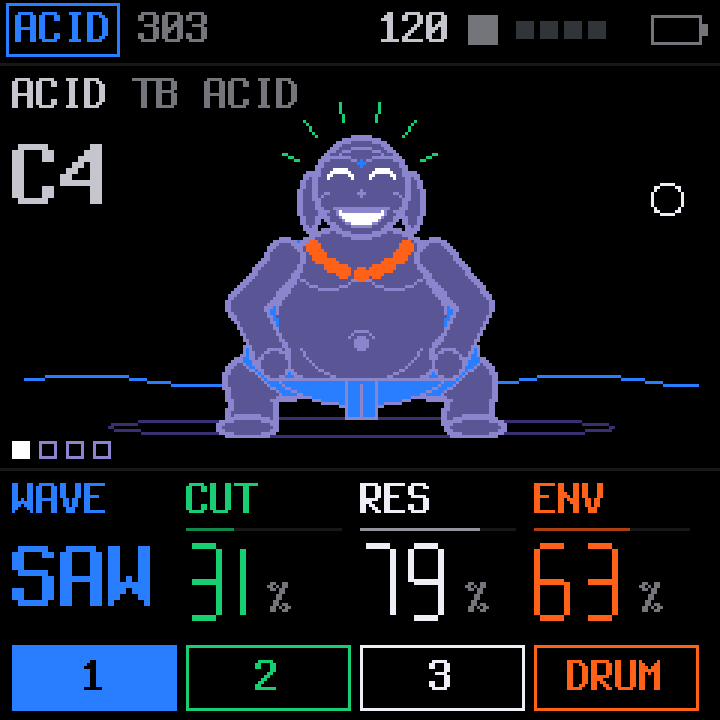
Four tracks: ACID or JUNO, ELEMENTS, PLAITS and HEX drums. 64-step sequencer with song mode, generators that write parts on one chord plan, pixel characters. Both processor cores. USB audio (stereo, or six stems), MIDI in and out, sync to a DAW's clock and song position.
Install: open the web installer in Chrome or Edge, connect the FM-1 by USB, press Install: https://eatyourgreensstudio-dotcom.github.io/karma-fm1/webapp/installer/
Back up first if you come from another firmware (the editor's Projects > Backup). The installer page also puts the official V15 back. Identity: FM-1_926.
Try it in the browser: https://eatyourgreensstudio-dotcom.github.io/karma-fm1/emu/