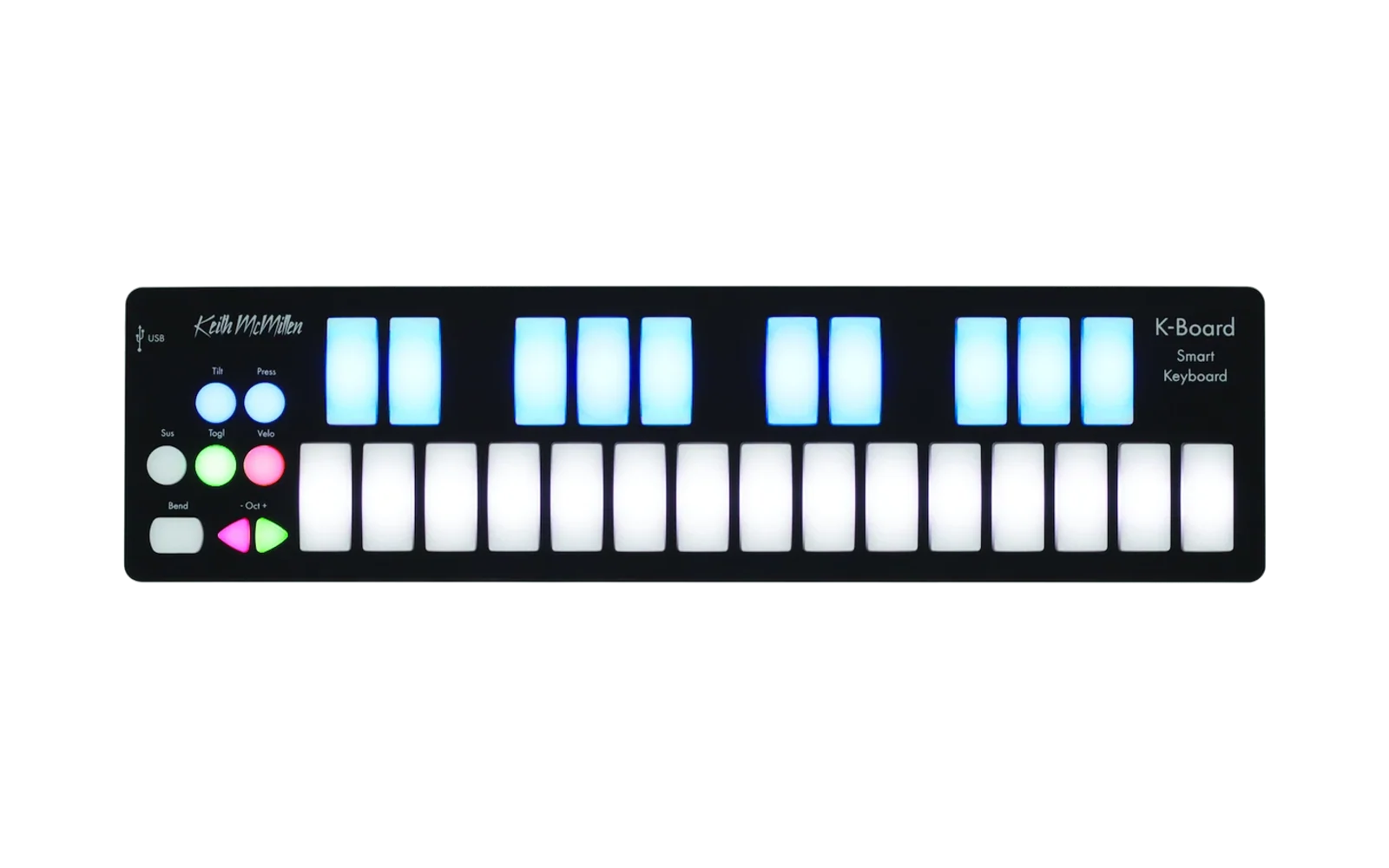
K-Board custom firmware
This project builds experimental custom firmware for the Keith McMillen Instruments K-Board from a locally supplied official 1.2.2 firmware image. Firmware 1.2.18 is currently flashed. It adds silent, momentary black-key octave controls in non-Chromatic scales, clears their key-follow LEDs on release, and includes the recorded-key release fix from 1.2.16. Building does not connect to or flash the keyboard.
Features
- Per-note MPE tilt: each note starts centered at its landing position. Set the tilt amount from 0–100% in 1% steps; a landing deadzone is available. The editor compensates for the wider receiver bend range used by pressure glide.
- Pressure glide: in MPE mode, a second held key within the configured 0–24-semitone interval joins the first note. Each key contributes sensor force above the fixed release threshold, independently of aftertouch sensitivity and without first-touch subtraction. Relative pressure shifts the original note toward the second pitch; releasing the first key glides fully to the second, and releasing the remaining key ends the voice. Both keys’ tilt is blended by the same force ratio and added to the glide bend. The second key retains tilt control after the first is released and takes over the original voice’s aftertouch immediately; its later pressure changes continue to control that voice.
- Pressure-glide octave pairing (1.2.14): “Play octave-shifted keys separately during pressure glide” makes a key pressed in a different octave start an independent voice beside the held note. Same-octave neighbors still pair for glide. It is unchecked by default, and existing profiles load with it unchecked.
- Five- and six-note white-key layout (1.2.15): the 15 white keys play consecutive scale degrees for Major Pentatonic, Minor Pentatonic, Blues, Whole Tone, and Hirajoshi. The sequence repeats through the keyboard; the selected semitone transpose and normal keyboard octave setting still apply. Seven-note scales, Chromatic, black-key snapping, and selector LEDs keep their existing behavior.
- Recorded-key release mapping (1.2.16): the white-key mapper uses the stock recorded physical key for note-on and note-off. This keeps a pressure-glide handoff's generated primary release on the primary pitch when the scan is currently processing its companion key.
- Bend Pad control: choose relative movement from the first touch or the stock absolute pad position. Set its amount and deadzone when relative mode is enabled.
- Independent bend paths: choose whether tilt is relative, whether the Bend Pad is relative, and whether pad movement is combined with per-note tilt. Turning all three off restores the stock tilt and pad paths.
- On-board sensitivity menus: hold Velocity, Pressure, or Tilt for one second, then choose sensitivity level 1-15 with the white keys. A short press exits and saves; holding another settings button switches pages.
- Cyclone game: hold Tilt, Pressure, and Velocity together for one second, then release them to start. The 15 white-key LEDs always bounce back and forth, with the starting direction chosen randomly per level; valid black-key pairs mark one white-key target. Touch the pitch-bend pad while the cursor is on the target to score and speed up. A wrong stop ends the game; passing a target does not. The score can continue past 15, while the LED score bar tops out there. Tilt, Pressure, or Velocity exits. On game over, the white-key score bar is dim and the failed cursor blinks brightly over it. Its hidden phase is fully dark even when it covers a scoring LED, so that LED briefly disappears too. Press Sustain to start a new game. Start from normal playing mode; exit a sensitivity menu or Velocity slider first.
- Scale quantizer: hold Tilt and Pressure together for one second to open a 15-scale selector. Press a white key to choose its scale; octave down/up transpose by semitone within ±12, and the key LEDs show the shifted notes with the root blinking. Tilt or Pressure exits and clears the key LEDs. The default is Chromatic with C blinking. Seven-, six-, and five-note scales map consecutive scale degrees to white keys; black keys provide momentary octave shifts in non-Chromatic scales. The selection resets after reboot.
- Held-note octave behavior (1.2.13): normal octave buttons change the pitch used by future key presses. Held notes keep their original pitch, channel, and expression state until release; their note-offs use the stock per-key pitch record. The editor option “Retrigger held notes on octave change” is unchecked by default. Check it to run the stock refresh behavior. Scale-selector octave arrows continue to transpose by semitone.
- Momentary scale octaves (1.2.17): in every non-Chromatic scale, C♯/D♯/F♯/G♯/A♯ select −2/−1/0/+1/+2 octaves while held. The same controls repeat in the upper physical octave. They produce no notes or expression, never move sounding notes, and do not change the saved normal octave or scale-selector transpose. The most recently pressed held modifier wins; releasing it restores the prior held modifier. Chromatic playback and scale-selector controls keep their existing behavior.
- Modifier LED release fix (1.2.18): explicitly clears each modifier's key-follow LED when that physical key is released.
Firmware generation and editor support are experimental. Firmware 1.2.18 is flashed and identified in application mode. The full suite passes 181 tests, including emitted-image checks for modifier LED release, momentary octave controls, and scale-mode note releases. Hardware confirmation of the LED fix and pressure-glide interaction checks remain pending. Firmware updates reset the physical Tilt and Press buttons to off; re-enable them on the keyboard if needed. See firmware findings, resource audit, Cyclone game implementation notes, scale quantizer design and implementation notes, and pressure glide design and capture procedure.
Build the firmware
Use Python 3.10 or later. Put your own official K-Board 1.2.2 SysEx file here:
firmware_stock/K-Board Firmware v1.2.2_cs512.syx
Run the single builder:
python firmware_tools/build_custom_firmware.py
It validates the stock input and hook bytes, applies all firmware patches in memory, and writes:
firmware_analysis/kboard-custom-firmware-1.2.18-momentary-octave-led-candidate.bin
firmware_analysis/kboard-custom-firmware-1.2.18-momentary-octave-led-candidate.syx
The builder layers held-octave behavior, pressure-glide options, white-key scale mapping, the recorded-key release fix, momentary black-key octave controls, and modifier LED release handling. Generated files are ignored by Git. The builder never flashes or sends settings to a device. Firmware 1.2.18 is currently flashed.
Install and recover
Flashing erases the K-Board's preset pages. Back up the preset first with firmware_tools/preset_backup.py, then install the generated SysEx with KMI's SendSysEx updater on GitHub. Restore the preset and read it back to verify it. Firmware updates also reset the physical Tilt and Press buttons to off; re-enable them on the keyboard if needed.
The sensitivity menus save changes to preset slot 0. A power interruption during that flash write can leave the preset incomplete. Keep a recoverable backup before using the menus. To return to stock firmware, use your local official 1.2.2 image, then restore the saved preset.
Tools
Preset editor
Launch the native Linux editor with:
./launch-editor.sh
The launcher creates a local virtual environment and installs requirements.txt on first use. The editor can read and write presets, verify sent settings, and save profiles as JSON. The custom bend settings are hidden unless a connected K-Board identifies itself as custom firmware 1.2.3 through 1.2.18; the held-octave checkbox appears on 1.2.13 and later, and the separate-octave glide checkbox appears on 1.2.14 and later. For pressure glide, match the receiving instrument and Bitwig to the Receiver MPE bend range shown in the editor: the larger of Tilt reference range and Pressure glide range. Full-keyboard glides use ±24 semitones. Tilt reference range compensates for the widened receiver range.
Bitwig MPE controller script
bitwig/K-Board_MPE.control.js configures Bitwig to interpret member-channel pressure and pitch bend as per-note MPE expression. Install it in Bitwig's Controller Scripts folder, then add Keith McMillen → K-Board MPE in controller settings. Set its per-note pitch-bend range to match the receiving instrument and pressure-glide interval.
Validation
Run the project test suite with:
PYTHONPATH=. python -m unittest \
  tests.test_protocol \
  tests.test_firmware_extract \
  tests.test_relative_tilt_patch \
  tests.test_velocity_slider_patch \
  tests.test_sensor_config_patch \
  tests.test_cyclone_game_patch \
  tests.test_scale_quantizer_patch \
  tests.test_pressure_glide_patch \
  tests.test_feature_interactions \
  tests.test_octave_patch \
  tests.test_momentary_octave
The patcher uses the official firmware only as local input. This repository does not include KMI firmware, generated firmware images, MIDI captures, or device preset backups. KMI's published preset model and codec are licensed under MPL-2.0; see LICENSE-MPL-2.0.
Acknowledgements and disclaimer
Thank you to Keith McMillen Instruments / Muse Kinetic and insolace for making the original K-Board 1.2.2 firmware available.
This is an independent project. I am not affiliated with, endorsed by, or sponsored by Keith McMillen Instruments/Muse Kinetic.