Firmware
IND-1
Rising70/100IND-1 for M-Vave FM-1
IND-1 is custom firmware for the M-VAVE FM-1, by @devrvega. Open source under GPL-3.0, latest release v0.2.1 (October 2026), 1 star on GitHub.
forM-VAVE FM-1·by@devrvega
Unclaimed. Is this yours? Sign in with GitHub as @devrvega to claim it.
Download v0.2.1
ind-0.2.1.fwsc· 595 KB
GPL-3.0· devrvega/IND-1·downloads come from the creator’s GitHub releases
2 releases
v0.2.1IND-1 0.2.1Latest1 file
- Fixed: safe mode can be reached over USB again after a crash. If the FM-1 crashed while it was making sound, safe mode came up with USB off, so neither the web installer nor M-UPGRADE could find it until it was switched off and on. (The same fix as SEQ-4 0.1.0's; tried on an FM-1: two crashes on purpose, safe mode, then an install from it.) Nothing else changes.
Install
- From the browser (Chrome or Edge, the FM-1 on USB): the web installer. Or try it in the browser first.
- From the command line:
python3 tools/fm1_install.py ind-0.2.1.fwsc(Python 3 withpip3 install mido python-rtmidi). - Going back: the installer's "Back to the stock firmware", or M-VAVE's M-UPGRADE.
The firmware is
ind-0.2.1.fwscbelow; its source is this tag. Installing other firmware is at your own risk; see the manual's Troubleshooting.v0.2.0IND-1 0.2.01 file
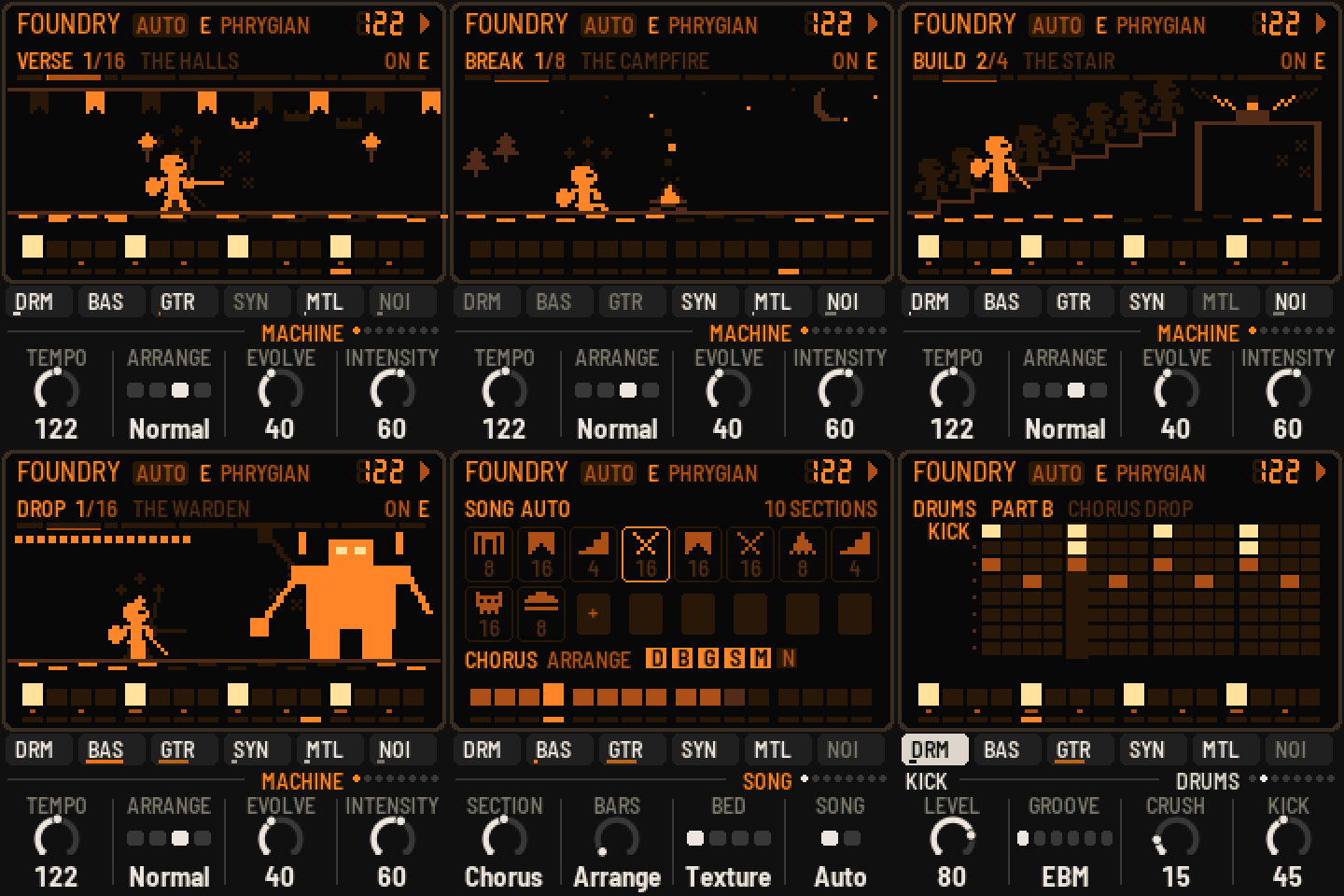
Your songs, and a dark quest on the screen.
- Edit the machine's songs. Each piece's song is now yours to write: three parts (A the verse, also the intro, the build and the outro; B the chorus and the drop; C the breakdown), each a bar of every layer with four chords; the plan of its sections; the metal's two rings. The machine still writes it on auto; any edit locks it, and from then on nothing changes by itself. Fills and section treatments fall the same way every time. KNOB 4 in the song editor, or SAVE held, gives it back to the machine.
- The editors: a page's button pressed again. The song (its sections on the white keys, their layers on the black, kind, length and noise bed on the knobs; the parts' chords), the drums (eight drums on the black keys), the bass, the guitar and the synth (the mode's notes on the black keys; a step held for its accent, slide, held note, open chord, octave or line), the metal's rings (hits, steps, turn, tone). ENV + a step: an accent; EDIT + a step: cleared.
- The screen: a dark LCD, near-black glass and ember segments with their ghosts. The song is a quest through a keep: the gate, the halls, the stair, the battle, the campfire, the Warden, the dawn; the layers move the wanderer (the sword, the steps, the torches, the magic, the sparks, the mist). The steps of the page's layer under it, the layers on the case.
- Saved: every piece's song, in two more flash objects; a locked one comes back note for note. Settings from IND-1 0.1 carry over.
- Groove, Riff, Busy and Hits write the song when you turn them (Groove the drums; on auto also the bass and riffs, as before).
- MIDI clock and start / stop from a Mac work (macOS sends real-time messages another way; both are taken).
- The audio load and where the time goes, asked over USB (
tools/fm1_status.py). Measured on the FM-1: a verse takes about a fifth of its time; the heaviest drop, about half. - A new firmware identity, FM-1_5XXYYZZ (FM-1_6 is CTL-1's).
- On GitHub: every push built and tested, releases from tags, the site (emulator, installer, manual) on Pages.
Install
- From the browser (Chrome or Edge, the FM-1 on USB): the web installer. Or try it in the browser first.
- From the command line:
python3 tools/fm1_install.py ind-0.2.0.fwsc(Python 3 withpip3 install mido python-rtmidi). - Going back: the installer's "Back to the stock firmware", or M-VAVE's M-UPGRADE.
The firmware is
ind-0.2.0.fwscbelow; its source is this tag. Installing other firmware is at your own risk; see the manual's Troubleshooting.