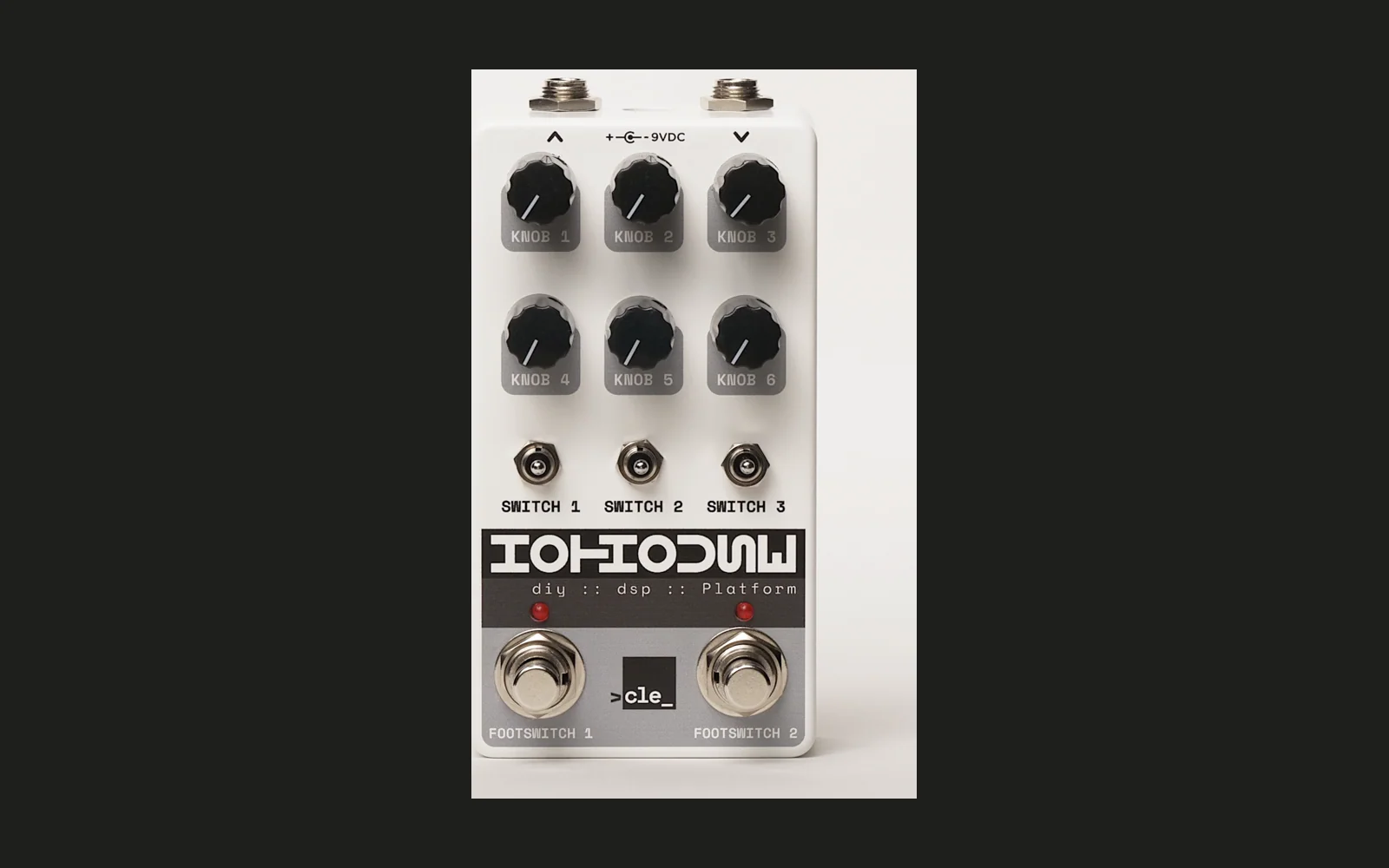
Hothouse Flasher
A browser-based firmware flasher for the Cleveland Music Co. Hothouse DIY DSP pedal. Flash firmware to your Hothouse over USB ... no software installation required.
If you're here simply to flash stuff to your pedal, then GO RIGHT TO THE APP. You're probably not interested in running the web flasher code on your dev workstation ...
... but if you are interested, read on.
Architecture
This is a single-page TypeScript app (Vite + no framework) that flashes firmware to the Daisy Seed-based Hothouse pedal via WebUSB. It requires a Chromium desktop browser and HTTPS (or localhost).
Data flow at runtime:
- Browser fetches
/firmware-manifest.json(static JSON, generated at CI build time). - User selects a firmware entry; on flash, browser fetches the
.binfrom/firmware/<name>.bin. - The binary is written to the STM32H750's internal flash via the
dfunpm package (WebDFU/DfuSe protocol) over WebUSB.
State machine (src/ui/state.ts → src/app.ts):
AppState is made up of 13 states. AppStateManager holds current state and notifies subscribers on transition(). app.ts wires all async handlers (connect, flash, etc.) to state transitions and re-renders after each one.
State flow (happy path): CHECKING_BROWSER -> LOADING_MANIFEST -> IDLE -> CONNECTING -> CONNECTED -> FIRMWARE_SELECTED -> FLASHING -> FLASH_SUCCESS.
DFU quirk: The STM32H750 stalls the GETSTATUS poll after writing with DFU Error 74. flasher.ts treats a stall error after writeComplete as success (matches dfu-util behavior). 🤷
Project Structure
src/
  main.ts              Entry point; mounts layout skeleton
  app.ts               State machine orchestration
  styles.css           All styles (brand tokens, layout, components)
  firmware/
    types.ts           FirmwareManifest, FirmwareEntry types
    manifest.ts        Fetch and parse firmware-manifest.json
  dfu/
    types.ts           FirmwareFlasher interface, DeviceInfo, USB filters
    flasher.ts         WebUSB + DfuSe implementation (wraps 'dfu' package)
  ui/
    state.ts           AppState union type + AppStateManager
    render.ts          DOM rendering for each app state
    messages.ts        All user-facing strings
scripts/
  generate-manifest.ts CI script: fetch release, download .bins, write manifest
public/
  firmware-manifest.json  Seeded manifest (overwritten by CI)
  firmware/               .bin files (populated by CI; empty in fresh clone)
.github/workflows/
  pages.yml            Build + generate manifest + deploy workflow
Browser Requirements
WebUSB is required. Use a Chromium-based desktop browser:
- Google Chrome (recommended)
- Microsoft Edge
- Brave, Opera, and other Chromium forks (these are spotty, at best)
Not supported: Firefox, Safari, iOS browsers, or any mobile browser.
The app must be served over HTTPS in order for the webfu bit to work. The GitHub Pages deployment satisfies this automatically. For local development, Vite's dev server uses HTTP on localhost, which browsers treat as a secure context.
Also note that I do not have Windows or Mac machines on which to test. I have only ever tested a local dev setup on Linux.
Putting Your Hothouse Into DFU Mode
- Connect your Hothouse to your computer via USB.
- Hold the BOOT button on your Hothouse.
- While holding BOOT, press and release the RESET button.
- Release the BOOT button.
The Hothouse will appear as STM Device in DFU Mode (0483:df11) on your system.
Windows Driver Setup (Zadig)
On Windows, Chrome cannot access the DFU device until you install the WinUSB driver. You only need to do this once.
- Connect the Hothouse via USBP and put it in DFU mode.
- Download Zadig and open it.
- Find the device — usually listed as "DFU in FS Mode" or "STM32 BOOTLOADER".
- Select WinUSB as the target driver.
- Click Install Driver (or Replace Driver).
- Return to the browser and click Connect Hothouse.
Running Locally
npm install
npm run dev
Open http://localhost:5173 in Chrome. The app loads firmware from public/firmware-manifest.json and serves .bin files from public/firmware/. Both are seeded with the current release for local development.
Note: To test actual flashing (and anything beyond the first app state) locally, you need a physical Hothouse (or at least a Daisy Seed) in DFU mode connected via USB. The app runs at
http://localhost:5173— Chrome treats localhost as a secure context, so WebUSB works.
Building
npm run build
Output goes to dist/. Preview the production build with:
npm run preview
There is no test suite and no linter configured.
Firmware Discovery
Firmware is served from a static manifest generated at build time. The CI workflow:
- Queries the latest release from
clevelandmusicco/HothouseExamplesvia the GitHub API. - Downloads all
.binrelease assets intopublic/firmware/. - Generates
public/firmware-manifest.jsonwith names, filenames, and local paths. - Builds the Vite app (which copies
public/intodist/). - Deploys
dist/to GitHub Pages.
At runtime, the browser fetches /firmware-manifest.json and /firmware/<name>.bin from the same origin. No GitHub API calls happen in the browser.
To regenerate the manifest and populate public/firmware/ locally (requires internet access):
npm run generate-manifest
Without this step, the manifest either won't load at all, or if it does (partial run), firmware downloads will 404.
Known Limitations (v1)
- Chromium-based desktop browsers only. WebUSB is not available in Firefox, Safari, or any mobile browser.
- Windows requires Zadig driver setup. This is a one-time step but can trip up new users.
- Internal flash only. QSPI/external flash is not supported.
- No firmware checksums. Binaries are served as-is from the official release.
- Local development requires seeded
.binfiles. Runnpm run generate-manifestonce to populatepublic/firmware/for full local testing.