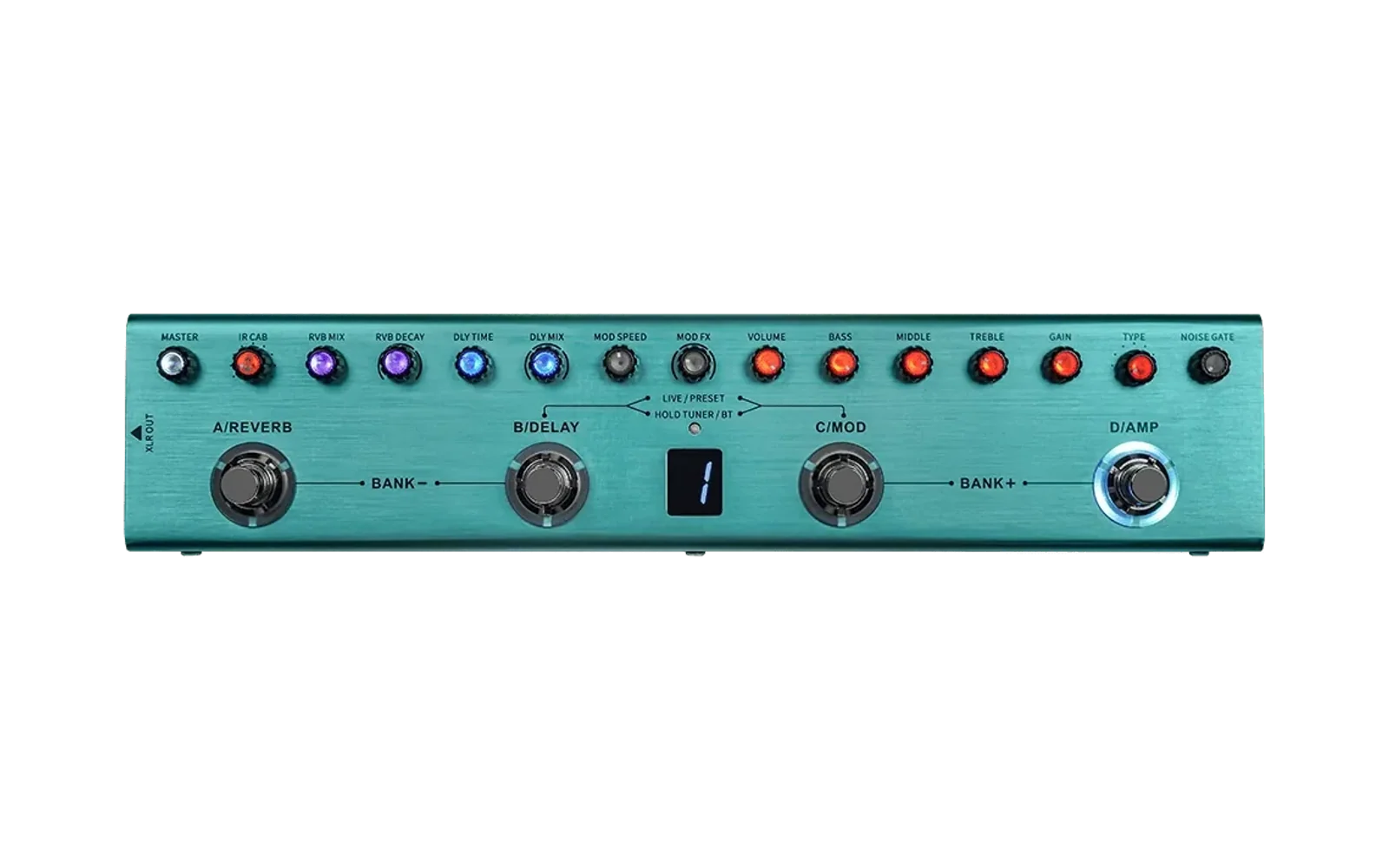

M-Vave Tank-G for Home Assistant


Auto-discovers an M-Vave Tank-G guitar multi-effects pedal over Bluetooth LE and exposes presence, signal strength, and preset selection in Home Assistant. Presets are switched over BLE-MIDI (Program Change), the same channel the official M-Vave app uses.
Features
- 🔍 Automatic discovery — power the pedal and enable its Bluetooth near Home Assistant and it shows up as a discovered device (no MAC address or YAML required).
- 📡 Presence — a connectivity
binary_sensorthat turns on while the pedal is advertising nearby. - 📶 Signal strength — an RSSI
sensor(diagnostic). - 🎛️ Preset selection — a
numberentity (1–36) that switches the active preset via a BLE-MIDI Program Change. - 🛰️ Works through ESPHome Bluetooth proxies — it uses Home Assistant's shared Bluetooth stack, so the pedal doesn't need to be near the HA host, only near a proxy.
Requirements
- Home Assistant 2024.8 or newer.
- A Bluetooth adapter on the Home Assistant host or an ESPHome Bluetooth proxy within range of the pedal.
- An M-Vave Tank-G pedal.
Installation
HACS (recommended)
- In Home Assistant, open HACS → ⋮ (top right) → Custom repositories.
- Add the repository URL
https://github.com/hudsonbrendon/ha-mvave-tankgand choose the Integration category. - Search for M-Vave Tank-G in HACS, install it, and restart Home Assistant.
Manual
- Copy
custom_components/mvave_tankg/into your Home Assistantconfig/custom_components/directory. - Restart Home Assistant.
Setup
- Power on the pedal within range of Home Assistant (or a Bluetooth proxy).
- Enable its Bluetooth: hold the B + C footswitches for 3 seconds until the BT indicator blinks (blinking = on/advertising, solid = connected).
- Home Assistant discovers it automatically — go to Settings → Devices & Services and you'll see an M-Vave Tank-G Discovered card. Click Configure → Submit.
- If it isn't auto-discovered, add it manually: Settings → Devices & Services → Add Integration → M-Vave Tank-G, then pick the device from the list.
Bluetooth LE allows one connection at a time. Close the official M-Vave app while Home Assistant is using the pedal, otherwise it won't be discoverable.
Usage
The integration creates the following entities per device:
| Entity | Type | Detail |
|---|---|---|
| Presence | binary_sensor | Connectivity — on while the pedal is nearby/advertising |
| Signal | sensor | RSSI in dBm (diagnostic) |
| Preset | number | 1–36 — selects the preset via BLE-MIDI Program Change |
Example automation — switch to preset 12:
service: number.set_value
target:
  entity_id: number.m_vave_tank_g_preset
data:
  value: 12
Preset numbering: program N-1 is sent for UI preset N. On the pedal the
display shows the bank ((N-1) // 4 + 1) and the lit footswitch is the position
((N-1) % 4 → A/B/C/D).
How it works
Presence and signal strength come from BLE advertisements (push, no connection needed). Preset changes connect on demand and write a BLE-MIDI Program Change (MIDI channel 0, program 0–35) to the standard BLE-MIDI characteristic.
All the Bluetooth work — discovery, the command frames, and the device
connection — lives in a separate Python library,
mvave-tankg-ble
(PyPI), which this integration pulls
in automatically via manifest.json requirements. The full BLE protocol
observed during reconnaissance is documented in
docs/PROTOCOL.md.
Limitations
- Preset is one-way. The pedal doesn't report its current preset over BLE, so
the
numberentity reflects the last value Home Assistant commanded and may drift if you change the preset on the pedal itself. - One Bluetooth client at a time — close the official M-Vave app while Home Assistant is controlling the pedal.
- No battery level. The Tank-G doesn't expose the standard Battery Service
(
0x180F), and the official M-Vave app shows no battery either — the pedal simply doesn't report battery over BLE (only the physical "L"/"LO" display warning and the charge LED). - No LED colour control yet — it requires capturing the vendor protocol;
tracked as future work in
docs/PROTOCOL.md. - Can't power the pedal on/off over BLE — the radio is off when the pedal is off, so it can't be woken remotely.
License
MIT © Hudson Brendon