Gnomad Synth V1
Free firmware for the M-VAVE FM-1 that a kid can play in a minute, with a full synth underneath.
Gnomad replaces the FM-1's own firmware. You don't need an app or an account. You install it from a computer with one Python script (INSTALL.md), and then everything happens on the synth.
What's different about it
There are plenty of FM-1 firmwares. This one is built to be easy, so it works for kids and for adults who have never touched a synth.
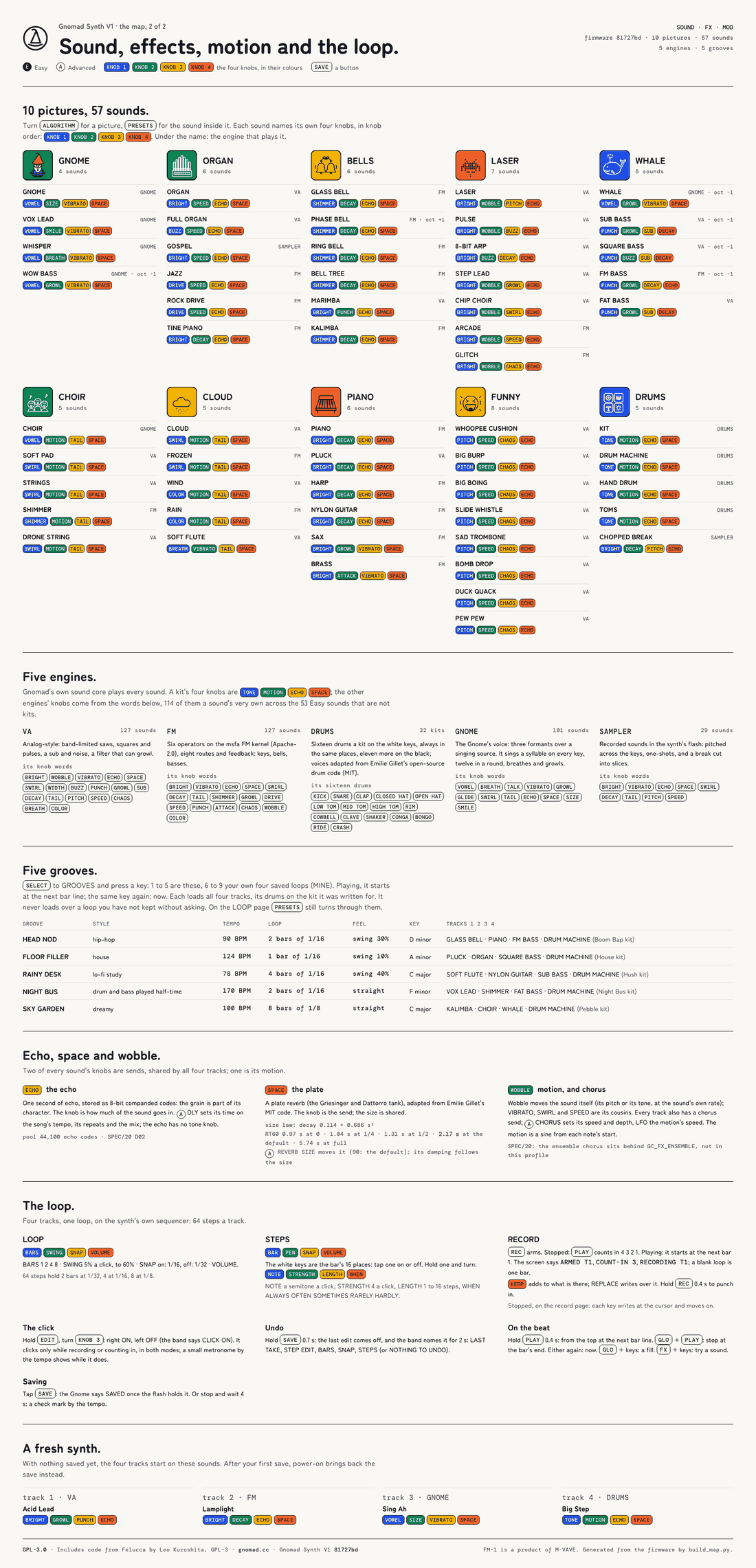
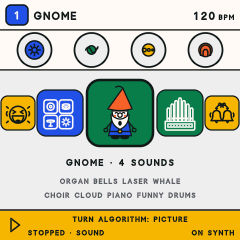
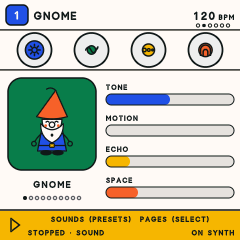
- EASY mode, in pictures. Turn one knob and you pick a picture: the Gnome, organ, bells, laser, whale, choir, cloud, piano, funny sounds or drums. That's 10 pictures and 57 sounds, and you don't have to be able to read to find one.
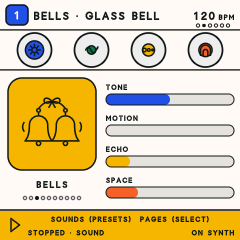
- Four coloured knobs (blue, green, yellow, vermilion) that shape the sound you picked. Each sound gives its knobs their own jobs, and the screen names each job in the knob's colour. You can't turn them wrong. If something sounds odd, turn it back.
- The Gnome sings. Each key gets its own syllable.
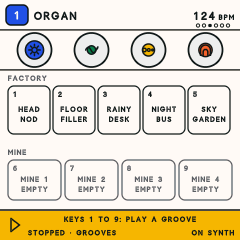
- Grooves. Five ready-made loops (Head Nod, Floor Filler, Rainy Desk, Night Bus, Sky Garden) to play along with or build on. Keys 6 to 9 hold your own four saved songs.
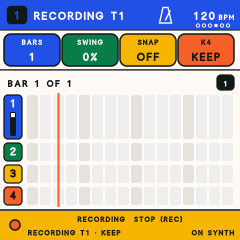
- Record a loop. Press REC and then PLAY, wait for the 4-3-2-1 count-in, and play. It goes round and round. Hold SAVE to undo, and the screen tells you what it took off.
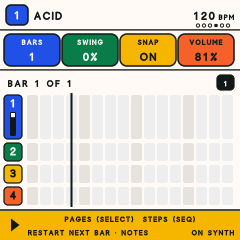
- Play it live. Hold PLAY and the loop restarts on the next bar. Press GLO + PLAY and it stops at the end of the bar. Hold GLO and play keys for a fill, or hold FX and play keys to try a sound without recording it.
- Advanced mode is still there. Hold HOME + SAVE for 2 seconds to switch between the two modes. You get four tracks, a step sequencer, effects, MIDI over USB and TRS, and every page of the synth. Your music stays as it is.
Help, on the synth and on the web
- On the synth: the band at the bottom of every screen tells you what the buttons and knobs do right now,
in plain words, for example
SOUNDS (PRESETS) PAGES (SELECT). If a knob does nothing on a sound, the screen says so and tells you why. - How-to: gnomad.cc/how-to explains it short and plain: picking a sound, the four knobs, making a beat, recording a loop, performing, grooves, saving and undo.
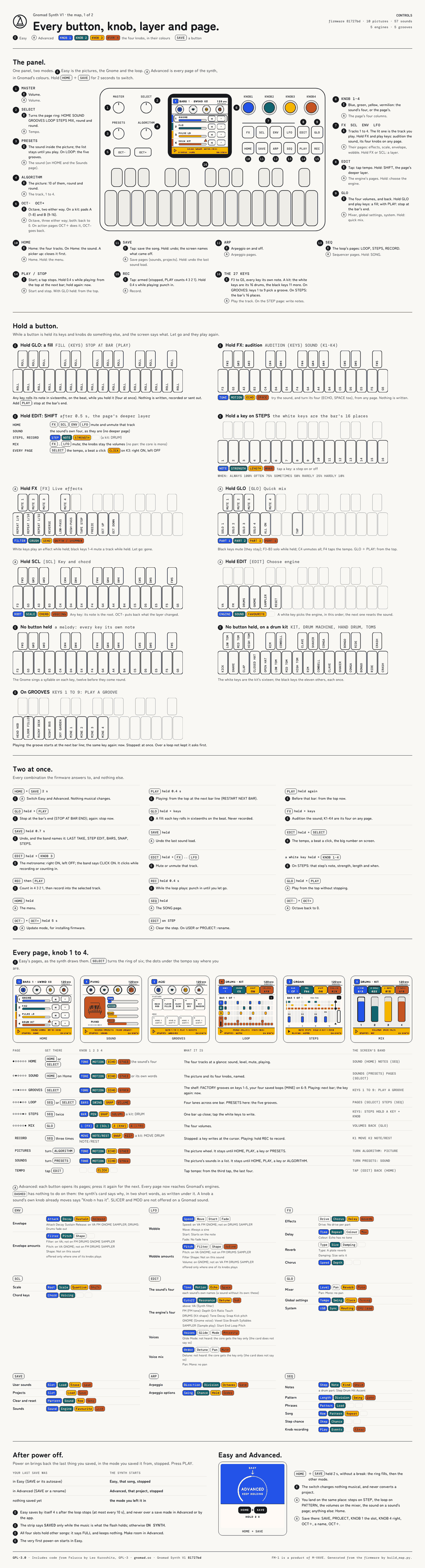
- The map: gnomad.cc/map shows the whole synth on two sheets: every button, every held button and every page.


The map sheets were drawn from firmware 81727bd, a few days before release 11. One thing has changed since then: on drum kits, the black keys now play soft "ghost" hits of the drum next to them (see CHANGES.md).
Lessons are coming in the app, not in the firmware
The firmware has no lessons built in. It has the on-screen help described above, and that's all.
The lessons live in the Gnomad app for iPhone and iPad, which isn't out yet. It includes Music with the Gnome, short lessons on sound, keys, beats and chords, plus a Learning pack for kids. You play them on your own FM-1. The app also adds a big-screen sound library, live play from a MIDI keyboard, and the FM-1 as a keyboard for your other music apps.
Want the iOS/iPad app? Open a post in this repository's Discussions (the "Want the iOS/iPad app?" thread), and we'll get back to you.
Install
See INSTALL.md. In short: Python 3, mido and python-rtmidi, then
python3 tools/fm1_install.py gnomad-v1-115e11e.fwsc. You can download the package from this repository's
Releases. INSTALL.md also covers how to go back to M-VAVE's firmware or to Felucca. Please read its warning
before you start.
Installing custom firmware is at your own risk.
What's in this repository
This is the complete source of release 12, "Gnomad Synth V1 115e11": the tree of the source tarball published beside the
package (gnomad-v1-115e11e-source.tar.gz), with Felucca's own README kept as FELUCCA-README.md and the CI workflows
(.github/workflows/) left out; the tarball has them. What's new is in CHANGES.md. Every change made to Felucca is
recorded in FORK.md. BUILDING-GNOMAD.md explains how to build it.
FELUCCA-README.md is Felucca's own README, unchanged.
Credits and licence
Gnomad is based on Felucca 1.0.1 by Leo Kuroshita / Hügelton Instruments, the open multi-engine firmware for the FM-1. Thank you, Leo. Like Felucca, Gnomad is free software under the GNU General Public License v3.0 only (LICENSE). The other parts (DSP ports, fonts, icons, samples, the FM kernel) carry their own licences, and those are listed in LICENSING.md and LICENSES/.
Gnomad is made by Kyle Palaniuk. It isn't affiliated with or endorsed by M-VAVE or Hügelton Instruments. FM-1 is a product of M-VAVE. "Felucca" and "Hügelton Instruments" are Hügelton's names.