fm1buddy
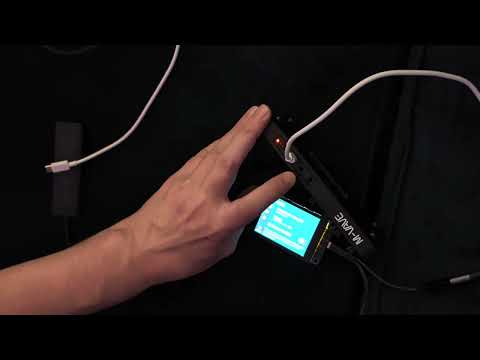
All without a computer/phone/etc:
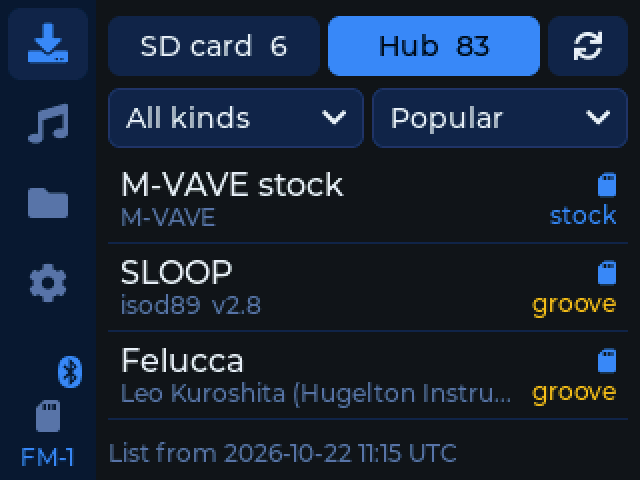
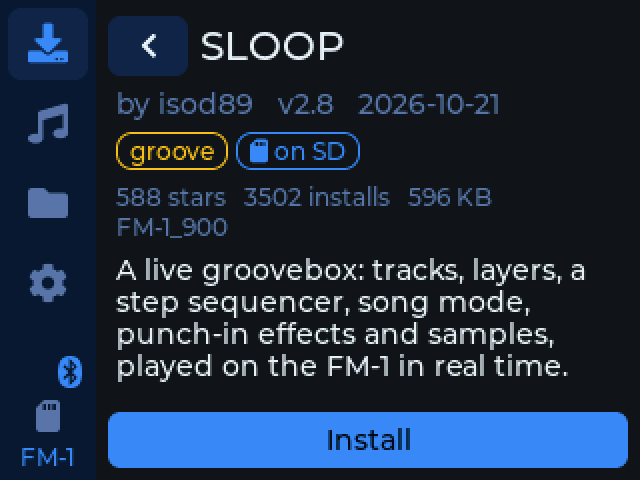
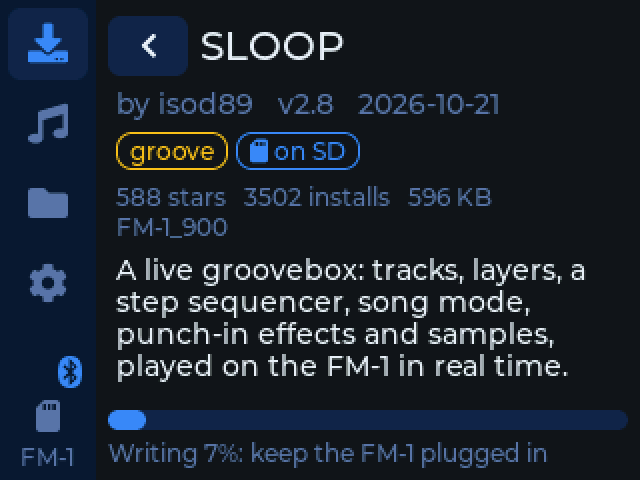
- Switch the M-VAVE FM-1's firmware, on the fly (from the SD card, or over Wi-Fi from mutant.cloud)
- Switch the M-VAVE SMK-37's firmware too (Pro, Elite, MKE-P37: the FM-1's chip in a keyboard), from the SD card or over Wi-Fi from mutant.cloud, and back to M-VAVE's stock firmware
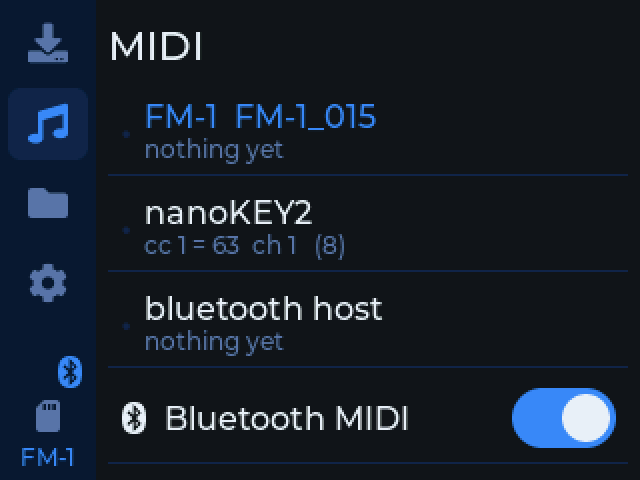
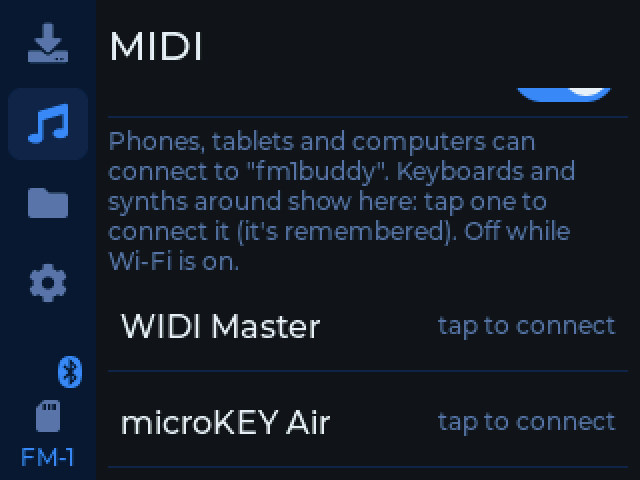
- Play it from cheap USB-only (up to 4, on a hub) and Bluetooth MIDI devices, even if FM-1 firmware only supports USB MIDI
- touchscreen
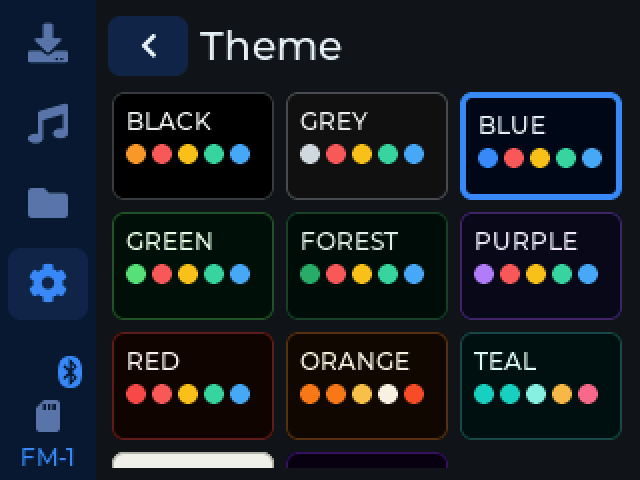
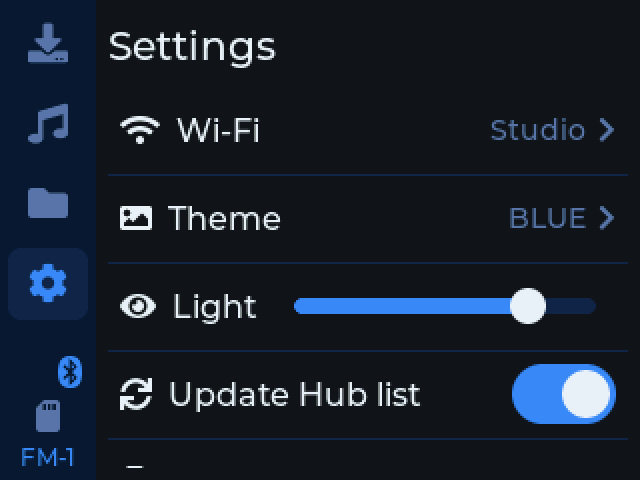
- nice themed menus
- Backup flash/settings/presets/etc (from stock V15, or any firmware)
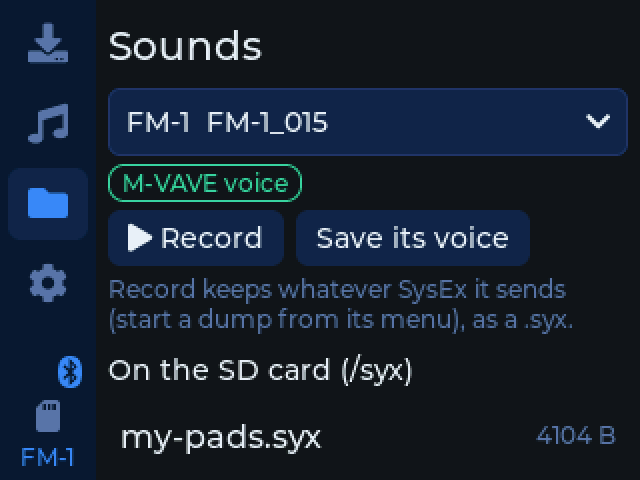
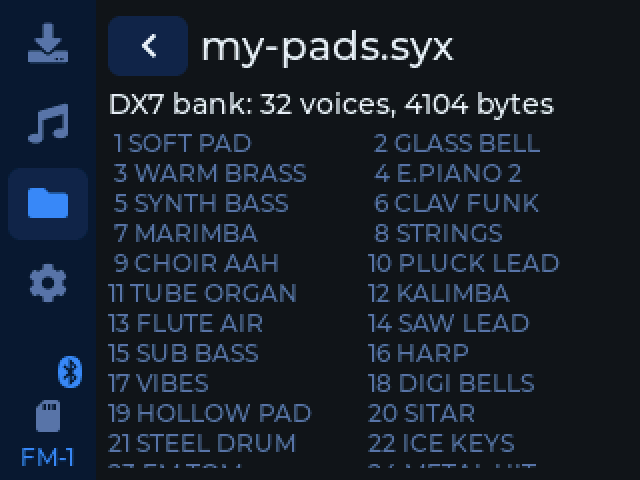
- Send/record sounds (.syx, like DX7 banks)
- MIDI-routing: Bluetooth & USB devices pass notes, clock & controls to each other, or map them with rules in
midimap.txton the SD card (say, several controllers each onto their own FM-1 channel). Add and delete rules by touch, split a keyboard at any key, transpose, and set or scale velocity. Or build the file on the web page's MIDI map tab, learning each control from the device. - MIDI clock: lead at a tempo (tap tempo, start/stop) or follow a device's clock, with a light on each beat
- Arpeggiator (up, down, up-down, random, as played; 1/4 to 1/32; up to 4 octaves; hold) and chord memory, for any controller (the FM-1's own notes are left alone)
- Record the FM-1's audio to WAV files on the SD card, over USB, with level meters and a clip warning (firmware that sends USB audio: Felucca, and those built on it like SLOOP; any class-compliant USB mic or sound card works too)
- Touchscreen MIDI controller: a two-finger X/Y pad (each finger sends 2 CCs, and can play notes on a scale) and 16 velocity-sensitive pads. It's a controller like any other, so mapping rules, clock, arp and chords work on it
- Choose what it starts on: firmware manager, MIDI hub, mapper, or touch controller
- USB MIDI for a computer: plugged straight into one, it's a class-compliant USB MIDI device (Settings > On a computer), so the touch controller, clock and Bluetooth MIDI devices reach your DAW, and the DAW can play them
- Warns before you install firmware with no backup of the FM-1 on the SD card, with a button to make one
- Sample-management (folders of WAV to its sample-banks, and back)
- SLOOP (2.3+): back it up in SLOOP's own file (they open in its web editor, and its backups open here), restore one, load a single project from one, and load folders of WAVs into its sample slots. The Sounds page says what the firmware on the FM-1 can do, and what to install for more
- Sample slots on Felucca and the firmwares built on it that kept them (Skiff, JIANT, Melodee, ...): load a folder of WAVs (or one WAV) from
/sloop/samplesinto USR1-3, for its SAMPLE engine. fomajam's drum kits load from setups - Act as USB disk (to manage files on SD)
- MIDI-out, turn FM1 into a sequencer (on supported firmware, like fomajam)
- FM1 Recover: write a firmware or backup to an FM-1 that won't start, like FM-1-transporter with no wiring needed (when people say "use RP2040")
- Automation options, great for LLM development: switch it into USB MIDI mode from the serial console (
tools/s3.py usbmidi), and back with a "magic" SysEx message (tools/s3.py serial), and switch to USB-disk (tools/s3.py disk) or eject disk on host to go back to serial. This means tests can run on the real thing.
It should be useful for most firmware, depending on what it supports, but it has some extra stuff that is specific to fomajam:
- load/save song
- load/save sample-banks quickly (for swapping sets at a live show)
- export as MIDI/WAV for use n other programs
No soldering or assembly needed, just get a cheap Freenove ESP32-S3 2.8" (FNK0104B.) It comes in other sizes too, but the firmware is made for this exact model (its screen, touch and SD pins). You might additionally need a USB power-splitter and/or a small USB hub, depending on what you are doing.
Install it, and how to set it up: https://konsumer.github.io/fm1buddy/
 |
 |
 |
 |
 |
 |
 |
 |
 |
Development
With PlatformIO, the board on the computer (it's a USB serial port there; on a hub, the USB host):
pio run -e cyd-s3 -t upload
The app also runs on the desktop (SDL2: brew install sdl2), with pretend Wi-Fi, an FM-1 and a keyboard. It runs
headless from a script too, for screenshots:
pio run -e sim && .pio/build/sim/program --fm1 --keys
.pio/build/sim/program --headless --script "tap 24 142; wait 300; shot settings.bmp; quit"
tools/unit-test.sh runs the tests of the MIDI mapping's rules and SLOOP's formats (test/: a sample slot made from
.wav files must be the bytes SLOOP's own tools/sampleio.py makes). --sloop makes the simulator's FM-1 one running
SLOOP 2.8, --felucca one running Felucca 1.6.1 (its 3 sample slots), --smk an SMK-37 Elite on its stock firmware. --theme NAME shows it in one of the themes (WHITE, NEON, ...), to check a page in all of them. --clock gives the simulator's keyboard
MIDI clock to follow; press X Y, release, finger2 X Y and lift2 in a script hold fingers down, for the touch
controller.
tools/install-test.sh installs a package on the pretend FM-1, cleanly and with faults (lost and repeated requests,
garbled answers, unplugged while writing), and checks it ends up exactly as the package.
Each install on the board writes what went between it and the FM-1 to fm1buddy/installs/N.txt on the SD card (the
last 10 are kept): send one along with a report of an install gone wrong.
tools/s3.py (with ~/.platformio/penv/bin/python) does the same on the board: shot FILE, tap X Y, drag X1 Y1 X2 Y2, log (what it
logged on the hub, also in fm1buddy/log.txt on its SD card), host (the USB host for 40 s, running an optional script of tap X Y and wait MS steps), and usbmidi / serial
(it restarts as a USB MIDI device for the computer, and back: serial sends it a SysEx of its own,
F0 7D 66 6D 31 62 01 F7, and needs pip install python-rtmidi), to test USB MIDI from a script. disk restarts it as a USB disk and prints
where its SD card is mounted; eject ejects it, and it comes back as the serial port by itself, so a script can copy
packages to it.
src/app/   the app (LVGL 9): pages, the Hub's list, MIDI between devices, the FM-1's update protocol, sounds (SysEx),
           setups and fomajam's kits and MIDI files (sounds, kits, songmidi), backups (uboot);
           hal.h is what it needs from the board
src/s3/    the board: screen, touch, SD, Wi-Fi, USB host (TinyUSB), Bluetooth MIDI (NimBLE)
src/sim/   the simulator
site/      the installer page (GitHub Pages, with the latest release)
case/      the 3D-printed case (OpenSCAD); tools/cases.sh makes its STLs
License
GPL-3.0-only. Credits and third-party parts: LICENSING.md.