fm1-rocket-os
fm1-rocket-os is work in progress: custom firmware for the M-VAVE FM-1 that turns it into a standalone clip-launching performance instrument. The plan, design and decisions are in docs/README.md.
It forks X0X by Charles Vestal, which itself forks Felucca by Leo Kuroshita (@kurogedelic), Hügelton Instruments.
Using fm1-rocket-os
This is the short version, for someone with a fresh FM-1. The
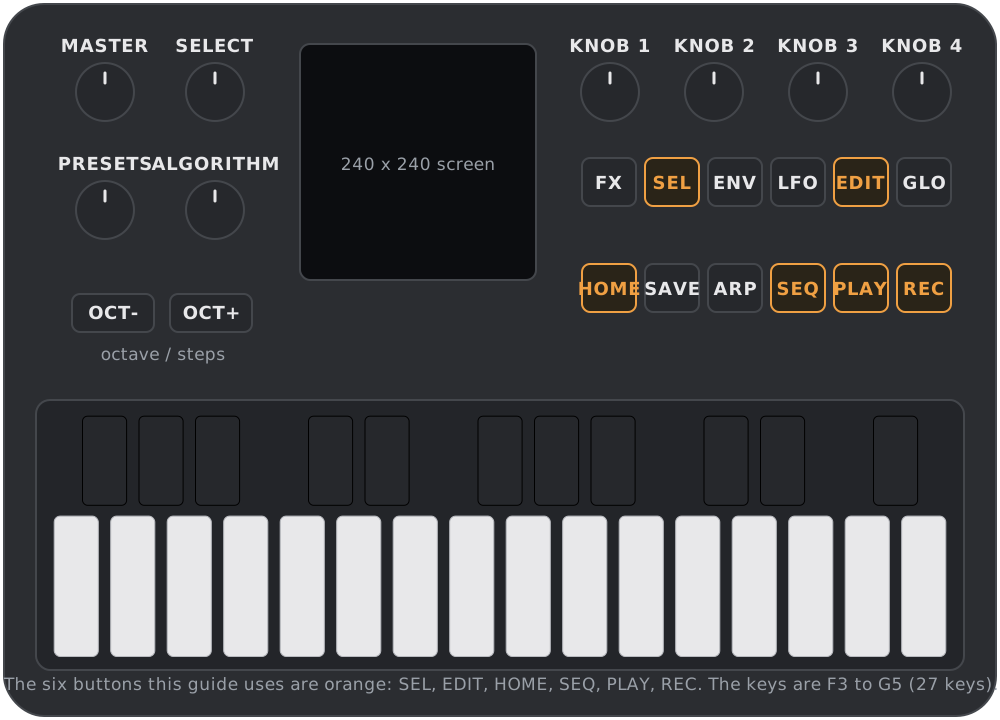
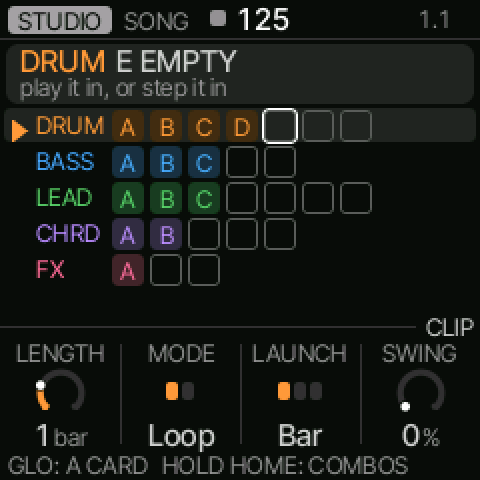
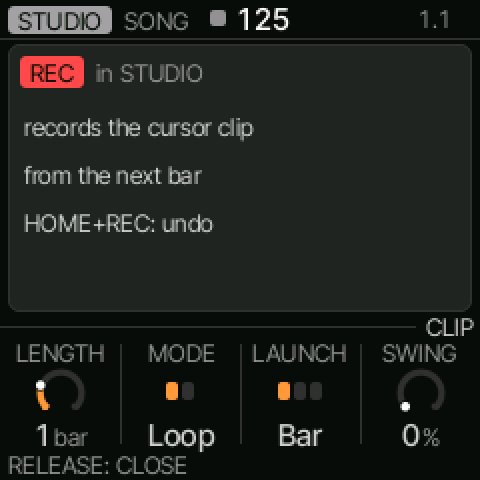
interaction model is the full reference. Every screen image
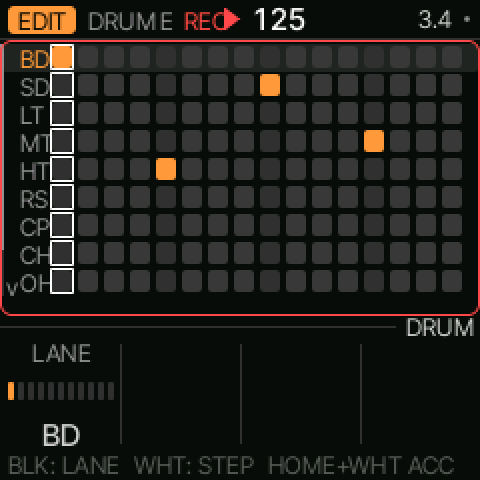
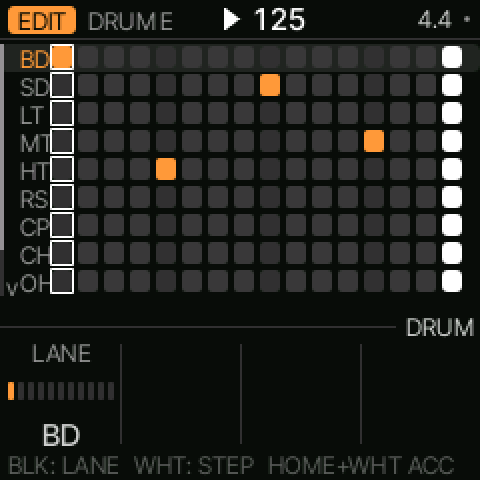
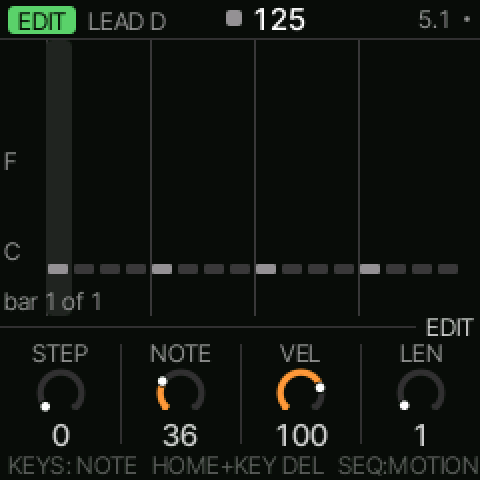
below is a real render from the firmware, taken by the tests/scenarios/readme_*.x0x scenarios
(regenerate them with make scenarios then tools/readme_shots.py). The panel drawing at the top
is a diagram, not a screen.
Install, and return to stock
Install the built firmware (build/x0x.fwsc, or a release file) from a computer with the FM-1 on
USB:
python3 tools/fm1_install.py build/x0x.fwsc
Don't unplug the FM-1 while it writes. To put M-VAVE's firmware back, the X0X web installer's "Back to the stock firmware" does it, and M-VAVE's own M-UPGRADE works too.
The two modes
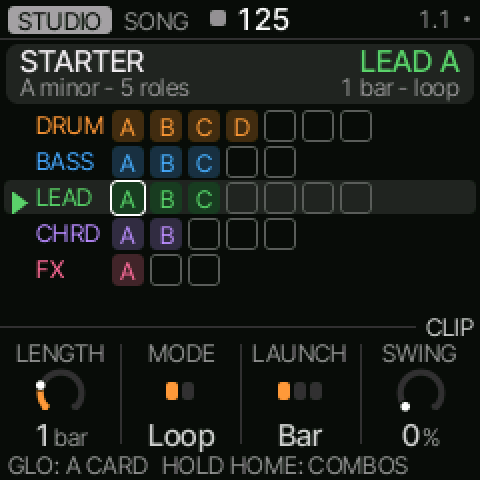
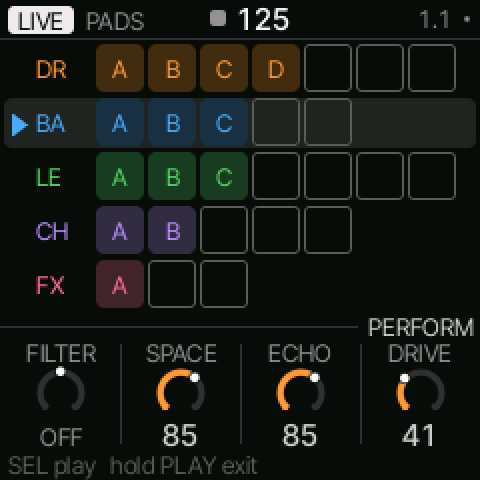
STUDIO builds the song; LIVE performs it. The FM-1 starts in STUDIO, on the song home.
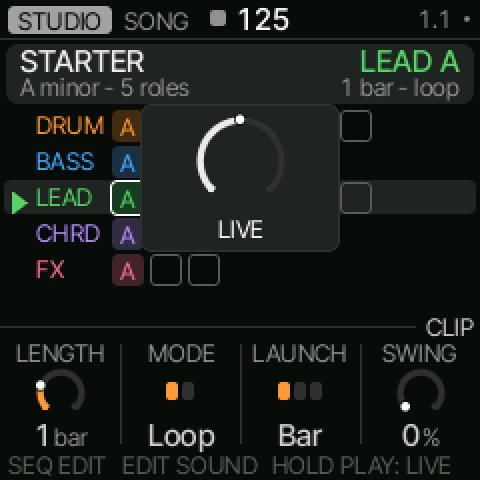
Hold PLAY for about 600 ms: a ring fills, then says LIVE. Hold PLAY again to come back. A short PLAY tap just starts and stops the transport.
Record a clip (a sequence)
A song is a set of roles (DRUMS, BASS, LEAD, CHORDS, FX). Each role holds clips, its sequences, lettered A, B, C…
Put the cursor on an empty slot: turn SELECT to pick the role, ALGORITHM to move along the row. Press REC — recording starts at the next bar (at once, if the transport is stopped). Play the part, then press REC again to close the loop. The new clip plays.
To step a clip in by hand instead, press SEQ on the slot: an empty slot becomes an empty clip and opens the step editor. SEQ cycles NOTES → MOTION → SETTINGS.
Erase a clip
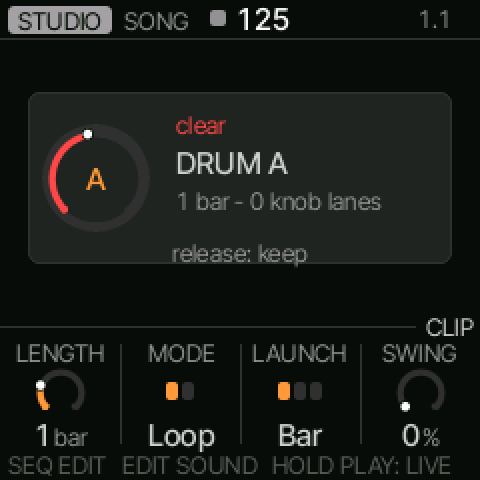
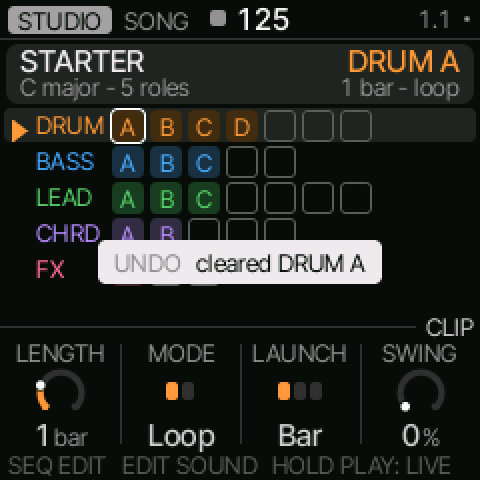
Put the cursor on the clip and hold HOME, then hold the pad, for about 1.5 s. A ring fills and names the clip; release it early and nothing changes. HOME + REC undoes the clear (HOME + PLAY redoes it).
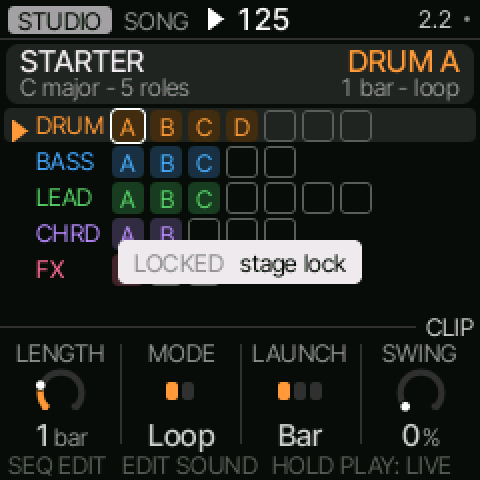
Stage lock — a per-song setting (see LIVE SETUP) — refuses a clear while the transport is playing.
Play clips together, and in order
One clip plays per role, and the roles play together: launch a clip on DRUMS and one on BASS and you hear both. Launching a second clip on a role replaces the first.
There is no chain in v1. X0X's chain and arranger were removed (ADR-0004), and keeping a take as the arrangement is deferred. To play clips in order, launch them one after another in LIVE — each waits for its own quantize point — and record a take. The take replays the whole sequence.
LIVE as a launchpad
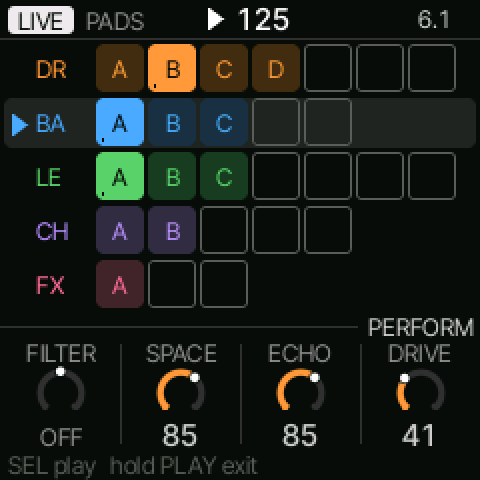
Hold PLAY to enter LIVE. The PADS layer lays the clips on the keys by role: DRUMS F3–B3 · BASS C4–E4 · LEAD F4–B4 · CHORDS C5–E5 · FX F5–G5.
- Tap a pad to launch its clip at its quantize point. Tap the playing clip to stop it.
- HOME + tap launches immediately.
- ALGORITHM moves the focused role (the one that launched last).
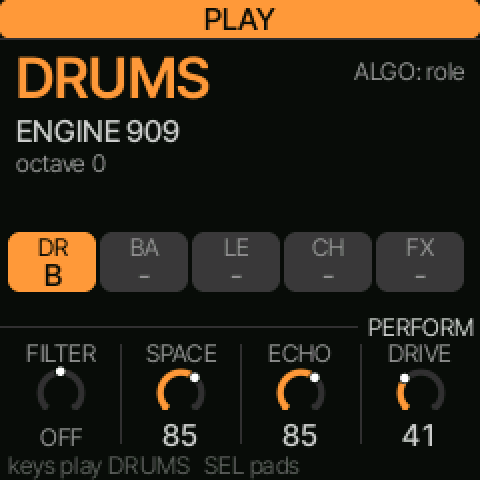
Press SEL to switch to the PLAY layer: the keys then play the focused role in the song's key and scale — a scale-degree keyboard, so the first key is the tonic and the keys step up the scale across octaves — and OCT− / OCT+ transpose. The card shows the key and scale. SEL again returns to PADS.
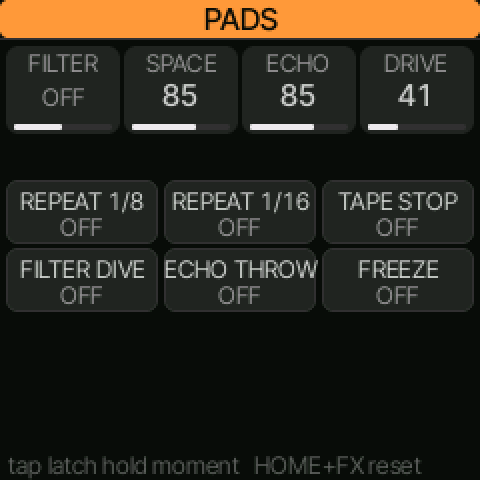
Punch FX. Hold (or double-tap) FX to turn the first six keys into repeat 1/8, repeat 1/16, tape stop, filter dive, echo throw and freeze. Tap latches, hold is momentary. The upper keys mute roles. HOME + FX resets every effect and clears every mute (both are recorded in the take, so a replay follows the reset). Effects and mutes reset when you leave LIVE.
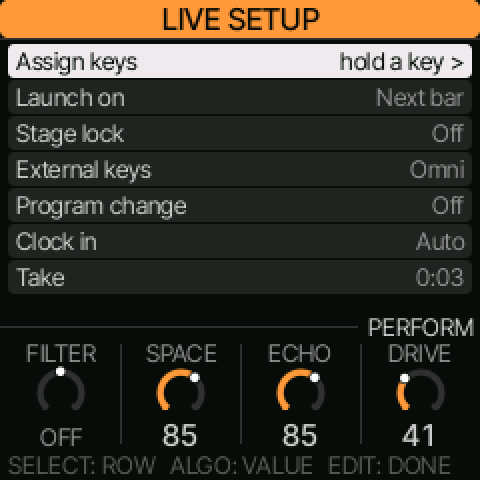
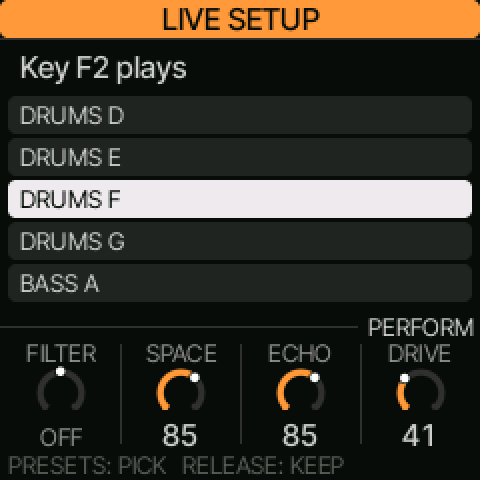
LIVE SETUP. Press EDIT in LIVE. SELECT picks a row, ALGORITHM changes its value, SEL opens a row, EDIT finishes, HOME goes back:
- Assign keys — hold a key and turn PRESETS through every clip, the five role stops, the six punch FX, Live note and None; release commits.
- Launch on — Next bar, Next beat or End of clip, for new clips.
- Stage lock — On or Off.
- External keys, Program change — the MIDI channel and quantized clip launch.
- Clock in — Auto follows an incoming clock; Internal keeps the song tempo.
- Take — SEL opens the take card.
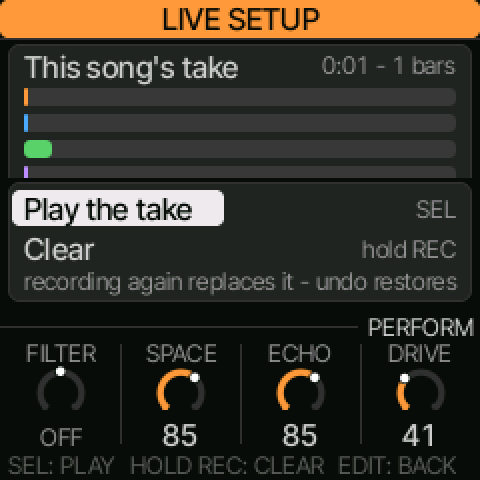
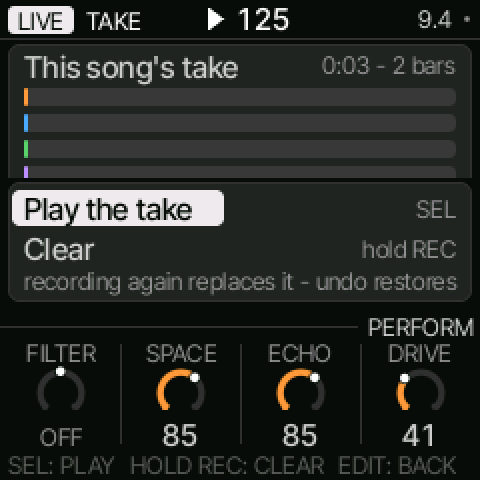
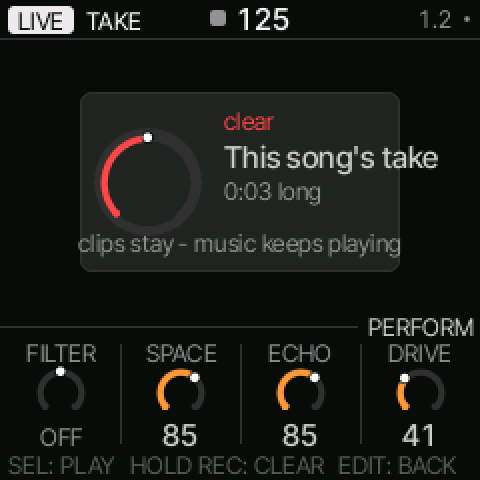
The take is your most recent LIVE recording: launches, stops, mutes, FX punches, knob moves and notes. Press REC to record (it starts at the next bar) and REC again to stop. Open it under LIVE SETUP → Take: SEL plays it, PLAY or SEL stops it. Hold REC for 1.5 s to clear it — the ring fills, the clips stay, and the music keeps playing.
Cheat sheet and help
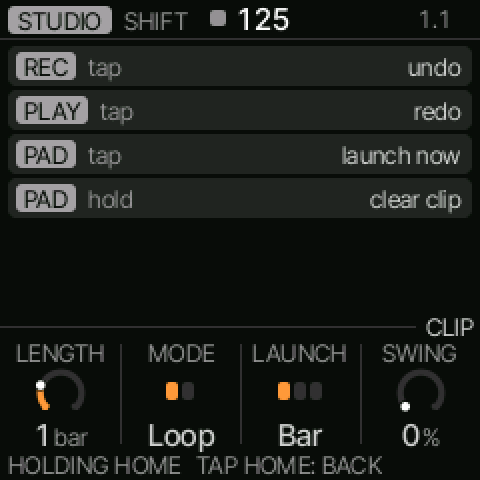
Hold HOME for the cheat sheet of everything HOME does on the current screen. GLO + any button shows that button's card.
X0X's README (the upstream base) — its pattern and song sections don't apply
Everything below this line is X0X's own README, kept from the fork. It describes the upstream groovebox. Its pattern and song sections do not apply to this firmware: fm1-rocket-os removed X0X's patterns, its pattern sequencer and its song arranger (ADR-0004), so skip those. The sound engines, and the FX, mix and global pages, still apply.
X0X for the M-VAVE FM-1
X0X turns the M-VAVE FM-1 into a groovebox: a 909, an 808 and two 303s with an acid line generator, all playing at once. Each part can play its own pattern, you can string patterns into a song, and you can record knob moves. Everything runs in stereo, with a shared reverb and tape delay and a punchy master compressor. Over USB, the FM-1 is both a MIDI device and an audio input, with no driver needed.
The factory sound is set up for big beat, so it should make noise the moment you press PLAY.
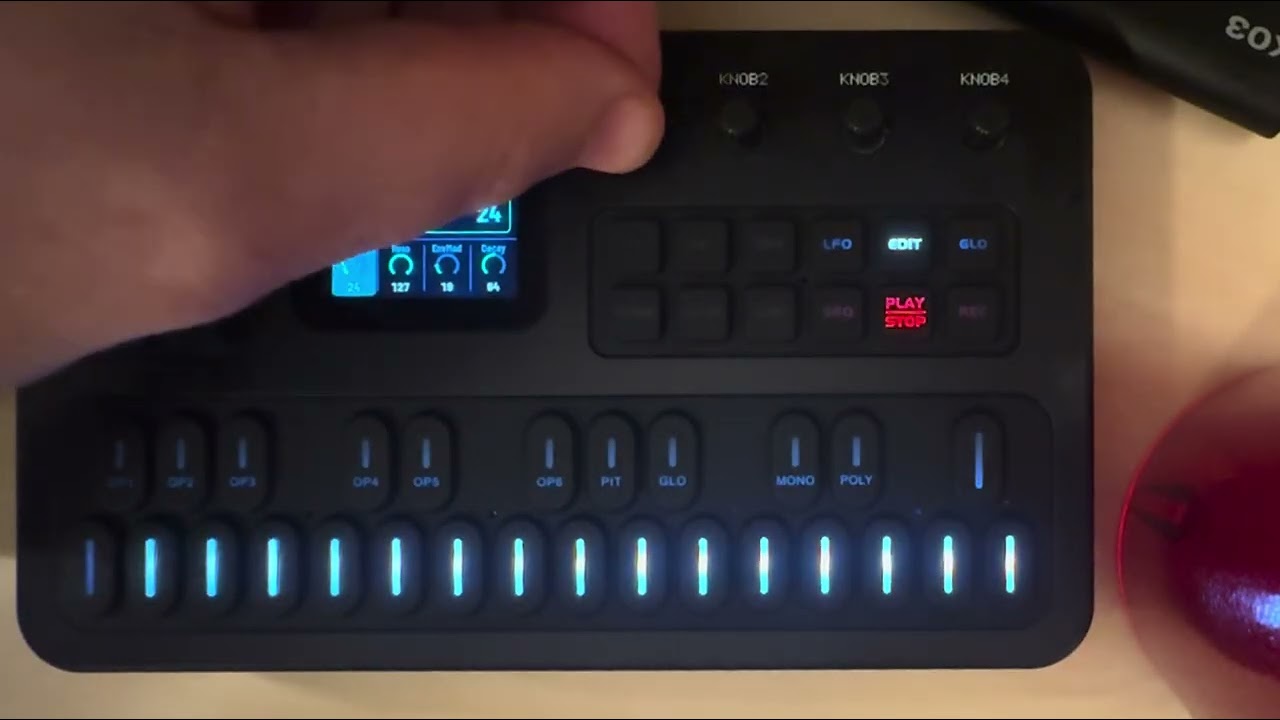
- Try it in your browser (no FM-1 needed): https://charlesvestal.github.io/fm1-x0x/emu/
- Install it (Chrome or Edge, with the FM-1 plugged in): https://charlesvestal.github.io/fm1-x0x/install/
- Read the manual: https://charlesvestal.github.io/fm1-x0x/manual/
- Download the firmware file: releases
X0X is in beta. It's solid for everyday playing, but a very busy pattern can push the FM-1 to its limit. When that happens, X0X trades a little sound quality to keep playing rather than drop out. Installing it is at your own risk, though it's hard to get stuck: the web installer can put M-VAVE's firmware back, an FM-1 that keeps crashing starts in a safe mode, and the manual's Troubleshooting section covers the rest.
What's inside
| Part | What it is | Based on |
|---|---|---|
| 909 | 11 voices: modelled kick, snare, toms, rim and clap, with sampled hats and cymbals | 9W9 (samples from ER-99) |
| 808 | 11 tracks, including the 808's tom/conga, rim/claves and clap/maracas switches | 8W8 |
| 303 A and B | Open303 with Devilfish-style ranges, each with a TB-3PO line generator | schwung-303, schwung-tb3po |
Each part has its own step length (up to 64 steps) and rate, so parts can drift against each other. Pattern changes wait for the end of the bar, and patterns can be chained.
X0X is a fork of Felucca by Leo Kuroshita (Hügelton Instruments). It keeps Felucca's foundations (the hardware layer, USB, the update loader, the web installer and the storage) and replaces the instrument on top.
Building and testing
BUILDING.md explains the toolchain. In short:
tests/run_tests.sh      # the maths, the sequencer, every engine against its original, the app in a simulator
./build.sh              # build/x0x.fwsc
host/x0x_host runs the whole app on a computer from a script (tests/scenarios/*.x0x). Button
presses, keys, knob turns and MIDI go in; audio and screenshots come out. That's how most of
X0X is tested before it reaches the FM-1.
Licence and credits
X0X is GPL-3.0-only, like Felucca, 9W9, 8W8 and schwung-tb3po. Open303 (by Robin Schmidt) is MIT. The 909's hi-hat, ride and crash samples come from ER-99 (Matthew Cieplak, GPL-3.0). The fonts are Barlow Semi Condensed and Terminus (SIL OFL 1.1).
Felucca's own assets that aren't under its GPL (the icon set, the panel photo and the Hügelton drum pack) aren't part of this fork.
M-VAVE and FM-1 are trademarks of their owners. TR-808, TR-909 and TB-303 are Roland trademarks, used here only to describe what the parts are modelled on. X0X isn't affiliated with or endorsed by M-VAVE, Roland or Hügelton Instruments.