FM1 MIDI Converter
A single-page, offline MIDI ↔ FM1 project converter for the M-VAVE FM1
synthesizer. Convert standard MIDI into an FM1 V4 project template, or export
the stored step sequence in an .fm1 project as standard MIDI.
Try it here.
Features
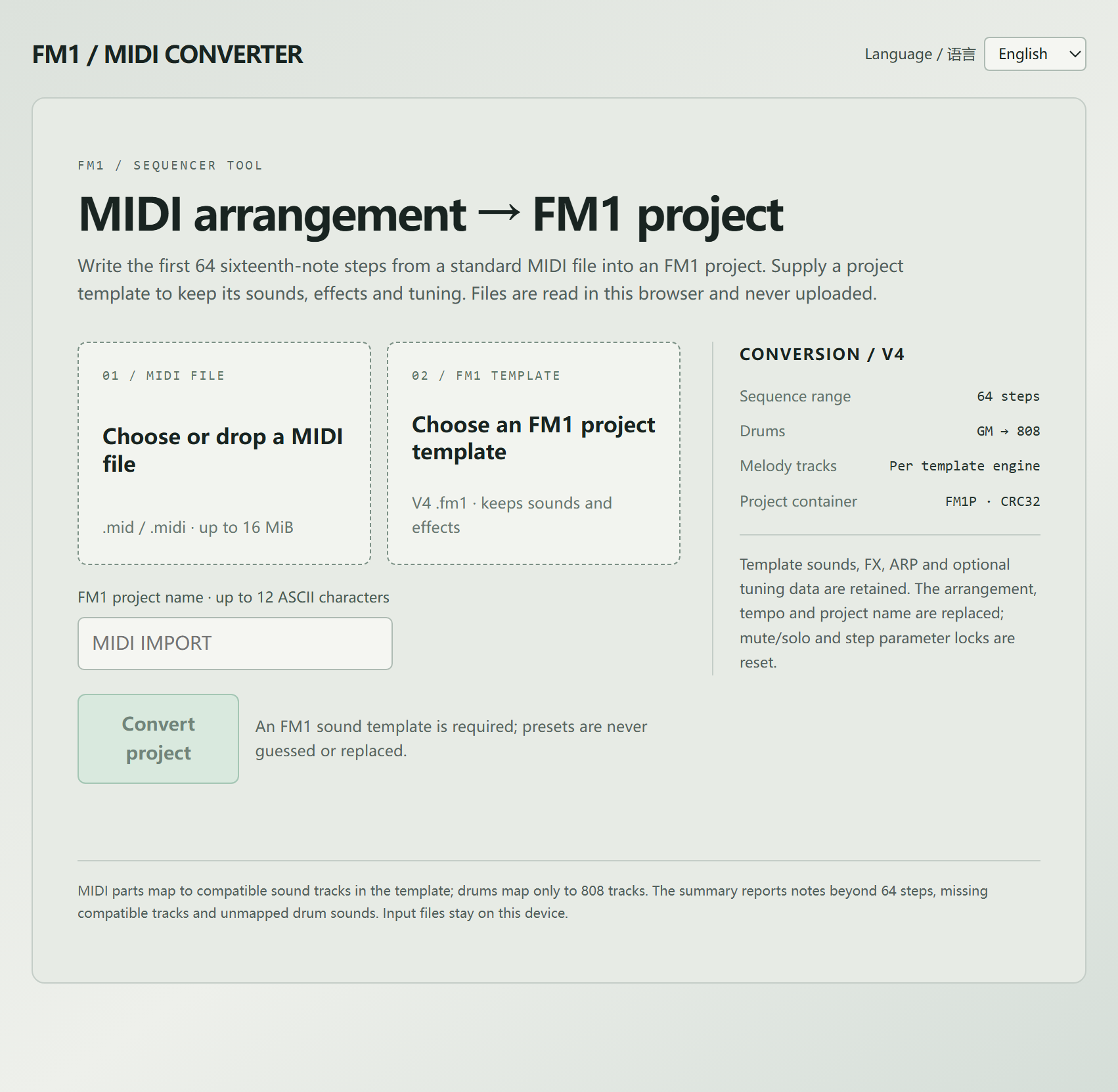
- Reads a Standard MIDI File (format 0/1) and writes its first 64 sixteenth-note steps into an FM1 project.
- Maps General MIDI drum notes (35-81) onto the FM1 808 kit.
- Writes melody and chord parts into compatible sound tracks of the supplied template; the template's engines decide which parts fit.
- Keeps the template's presets, FX, ARP and optional tuning data. The arrangement, tempo and project name are replaced; mute/solo and step parameter locks are reset.
- Reports notes beyond step 64, missing compatible tracks and unmapped drum notes in a conversion summary.
- Exports the eight 64-step sequences in a V4
.fm1project (with optional tuning data) as format 1 MIDI, including tempo, chords, velocity, gate/tie, and drum steps. - MIDI export reads only the sequence stored in the project; it does not render sounds, arpeggios or sample audio. 808 pads and sample slots map to General MIDI drum notes.
- English / 简体中文 UI, switchable in the page header (stored in
localStorage). - Fully client-side: files are read with the File API and never uploaded.
Quick start
Open it directly — download index.html and double-click it. The page is
self-contained and works from file://.
Serve it locally
cd /path/to/fm1-midi-converter
python -m http.server 8000
# open http://localhost:8000/
GitHub Pages — push the repository, then Settings → Pages → Build and
deployment → Deploy from a branch, branch main, folder / (root). No build
step is needed: index.html at the repository root is the published page.
How to use
- 01 / MIDI FILE — choose or drop a
.mid/.midifile (up to 16 MiB). - 02 / FM1 TEMPLATE — choose a V4
.fm1project to use as the sound template. The converter never guesses or replaces presets, so a template is required. No template is bundled with this project. - FM1 project name — up to 12 ASCII characters. It is prefilled from the MIDI file name; edit it if you like.
- Convert project — review the summary (tempo, drum tracks, melody tracks, written notes, skipped items), then Download .fm1 project.
Load the downloaded project on the device or in the FM1 editor as usual.
Limits
| Item | Limit |
|---|---|
| Input | Standard MIDI File, format 0 or 1, up to 16 MiB, 100,000 notes |
| MIDI import output | FM1P V4 .fm1 project, 4064-byte payload (4264 with tuning) |
| MIDI export output | Standard MIDI format 1, 96 PPQN |
| Sequence range | 64 sixteenth-note steps |
| Project name | 12 ASCII characters |
| Direction | MIDI → FM1 and FM1 → standard MIDI |
Drums only map to 808 tracks, and MIDI parts only map to tracks whose engine can play them; anything else is listed in the summary instead of being written.
Development
Source layout:
index.html          generated, self-contained page (committed for Pages)
dev.html            same page with <script src="src/..."> for editing
src/converter.js    MIDI parsing, FM1 project reading/writing and MIDI export
src/i18n.js         UI string table (English / 简体中文)
src/shell.html      page shell, converter markup and styles, script markers
tools/build.py      assembles index.html and dev.html from src/
docs/screenshot.png
Rebuild after editing anything in src/:
python3 tools/build.py
tools/build.py only needs the Python standard library. It replaces the
/*FM1_I18N*/ and /*FM1_CONVERTER*/ markers in src/shell.html with the
script contents (inline for index.html, <script src> links for
dev.html).
Provenance: the converter logic, the string table and the panel styles/markup
were extracted from the FM1 Open development kit by M-VAVE
(https://open.m-vave.com/fm1-workbench, sdk/MidiConverter.js, sdk/I18n.js,
sdk/Update.html.in). Changes in this repository: standalone page shell and
build script, no workbench simulator/device-update UI, and one missing English
string added (按模板音源 → “Per template engine”).
What this is not
This project does not contain firmware, the FM1 binary SDK, the JieLi
toolchain, sample data or any device-update/flashing code. It cannot update or
modify the hardware. It only writes .fm1 project files in the browser.
License
GNU GPL version 3 only, with the FM1 linking exception — the same terms as the upstream FM1 Open development kit. See LICENSE.md for the full text, and THIRD_PARTY.md for component notes.
No warranty. Back up an existing project before replacing it on the device.
Privacy
No network requests, analytics, cookies or external assets. The page only uses
localStorage to remember the selected language.