
FM1 Recovery for Flipper Zero
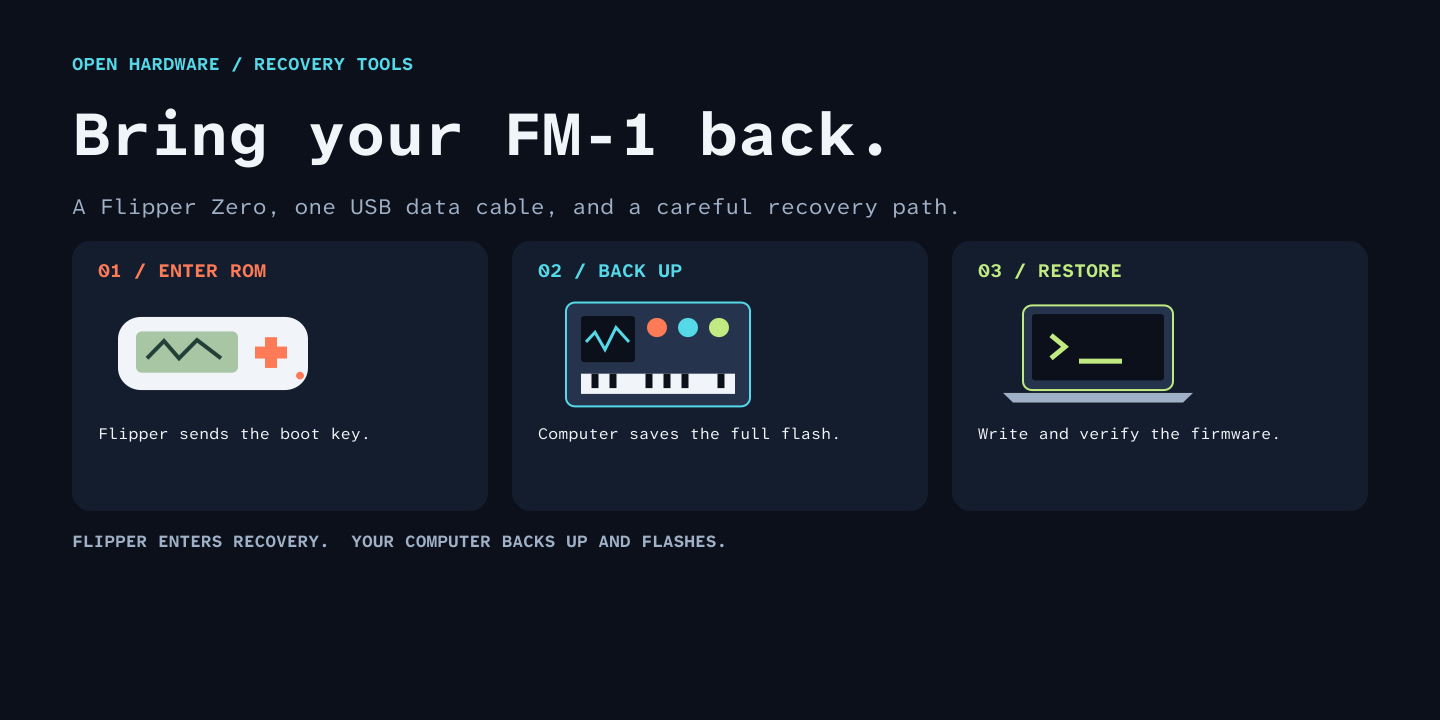
Recover an M-VAVE FM-1 that no longer starts or appears as a USB MIDI device. The Flipper sends the ROM boot key through a normal USB data cable. A computer then backs up the flash and installs working firmware.
The Flipper app enters recovery; it does not write FM-1 firmware. No GPIO wiring or additional USB host board is needed.
This is a documented distribution of merthsoft/flipper-fm1-recovery, with Figma-designed instructions, a macOS recovery guide, and build/test automation. The original recovery implementation is credited to that project; its source is retained under the Unlicense. See provenance.
What you need
- Flipper Zero with an SD card and a matching app build.
- A charged FM-1 and a USB data cable connecting its USB-C port to the Flipper's USB-C port.
- A Mac or Windows computer, plus a compatible FM-1
.fwscpackage from its author. - On macOS: M-Flasher.
- On Windows: the included backup and restore scripts and their documented dependencies.
The included app source was built for Momentum mntm-012, target F7, API 87.1. That configuration and a Mac recovery to SLOOP 2.8 were exercised on hardware. Other Flipper firmware versions require their own matching SDK/build; do not assume a FAP for one API major works on another.
Install the Flipper app
Build it using the instructions below, or use a matching release asset if available.
With qFlipper, copy fm1_boot_key.fap to:
/ext/apps/Tools/fm1_boot_key.fap
On the Flipper, open Apps → Tools → FM1 Recovery. If necessary, use the file browser: SD Card → apps → Tools → fm1_boot_key.fap.
Put the FM-1 into ROM recovery
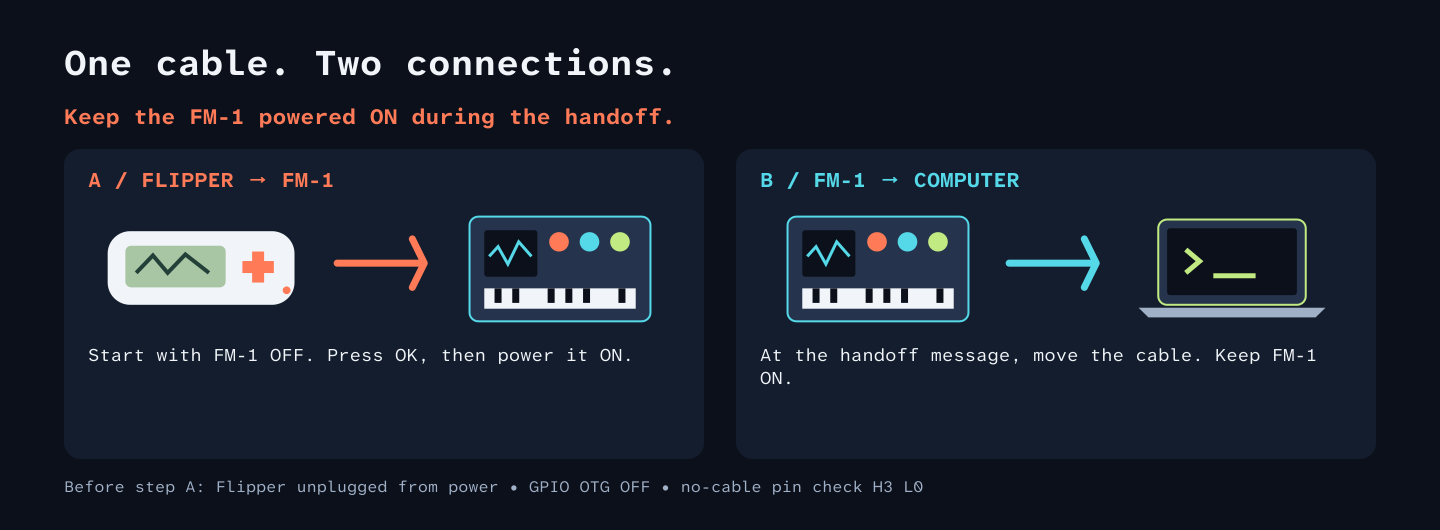
- Disconnect the Flipper from the computer and chargers. Disable GPIO OTG power. Both devices must run on their batteries during the boot-key step.
- Open FM1 Recovery. With no USB cable attached, press Right. The pin check must report H3 L0. Stop if it reports something else.
- Switch the FM-1 OFF, then connect it directly to the Flipper using the data cable.
- Press OK on the Flipper, then switch the FM-1 ON. Back cancels.
- Wait for “Move FM1 cable to PC now.” Move the FM-1 connection to the computer without turning the FM-1 off.
- Confirm the computer detects WL82 UBOOT1.00, USB
4C4A:8057. A message on the Flipper alone is not proof of successful USB enumeration.
The ROM interface is different from normal USB MIDI. A browser's normal FM-1 installer cannot flash it until working firmware has been restored.
Restore on macOS
Use the Mac guide. It uses M-Flasher's Mac build for backup, application-only installation, and readback verification. The included Python SCSI scripts are Windows-only.
Restore on Windows
Use the Windows guide. The scripts require two identical full backups, validate the model/chip/flash/key/package, and change only the application area. Restoration defaults to an offline dry run.
Build
Use an isolated environment:
python3 -m venv .venv
# macOS / Linux:
. .venv/bin/activate
# Windows PowerShell instead: .venv\Scripts\Activate.ps1
python -m pip install ufbt
ufbt update --hw-target=f7 --url=https://github.com/Next-Flip/Momentum-Firmware/releases/download/mntm-012/flipper-z-f7-sdk-mntm-012.zip
ufbt
Output: dist/fm1_boot_key.fap. Its import checks must pass for target 7, API 87.1.
Build against the SDK matching the firmware actually installed on your Flipper.
Installing this app does not replace the Flipper's operating firmware.
Tests
python -m unittest discover -s tests -p '*_test.py'
cc -Wall -Wextra -Werror -fsanitize=undefined tests/flipper_trace_test.c -o trace-test
./trace-test
The tests cover package parsing, flash-boundary preservation, restore planning, corruption rejection, trace timing wrap, and trace-buffer saturation. They do not prove wire-level boot timing on every device or compatibility with every custom firmware. The CI build checks the Momentum app imports too.
Troubleshooting
| Result | Next step |
|---|---|
External USB power detected | Disconnect the Flipper from computer/charger power and disable GPIO OTG. |
Pin check is not H3 L0 | Remove every USB cable. Do not continue until the no-cable check passes. |
No D+ response detected | Cancel, confirm the FM-1 was off before starting, and check the data cable. |
| Handoff message, no ROM interface on computer | Check the computer's USB inventory; keep the FM-1 on during handoff. Do not treat the handoff message as a completed recovery. |
| Flash identity or package validation fails | Stop. Do not bypass the model, key, CRC or layout checks. |
| Restoration verified, screen remains blank | After the writer finishes, unplug USB, power off for five seconds, then boot normally without holding buttons. |
Application traces are stored locally on the Flipper in
/ext/apps_data/fm1_boot_key/. Review and redact diagnostics before sharing them.
Preservation and privacy
Recovery tools must preserve the bootloader and device-specific data. Do not select bootloader replacement, erase-all, or settings-wipe options for the Mac application-only procedure. Keep backups private: they can contain calibration, pairings, presets and other device-specific information.
This repository contains no device backups, firmware packages, hardware serials, private traces, account credentials or personal filesystem paths. The examples use placeholder drive paths. The Git history starts from a curated source snapshot. Original public project links and legally required attribution remain.
The README graphics were created as editable layers in Figma and exported as SVG. Design source recreates the graphics using the Figma Plugin API. No Figma account identifiers or private file links are embedded.
License and credits
Original recovery source: merthsoft/flipper-fm1-recovery,
revision df88b86, under the Unlicense.
Documentation, Figma design source and exported graphics added here are also
released under the Unlicense. Flipper/Momentum SDKs, jl-uboot-tool, M-Flasher and
other external dependencies retain their own licenses; see THIRD-PARTY.md.
This is an independent community tool, not an official M-VAVE or Flipper product.