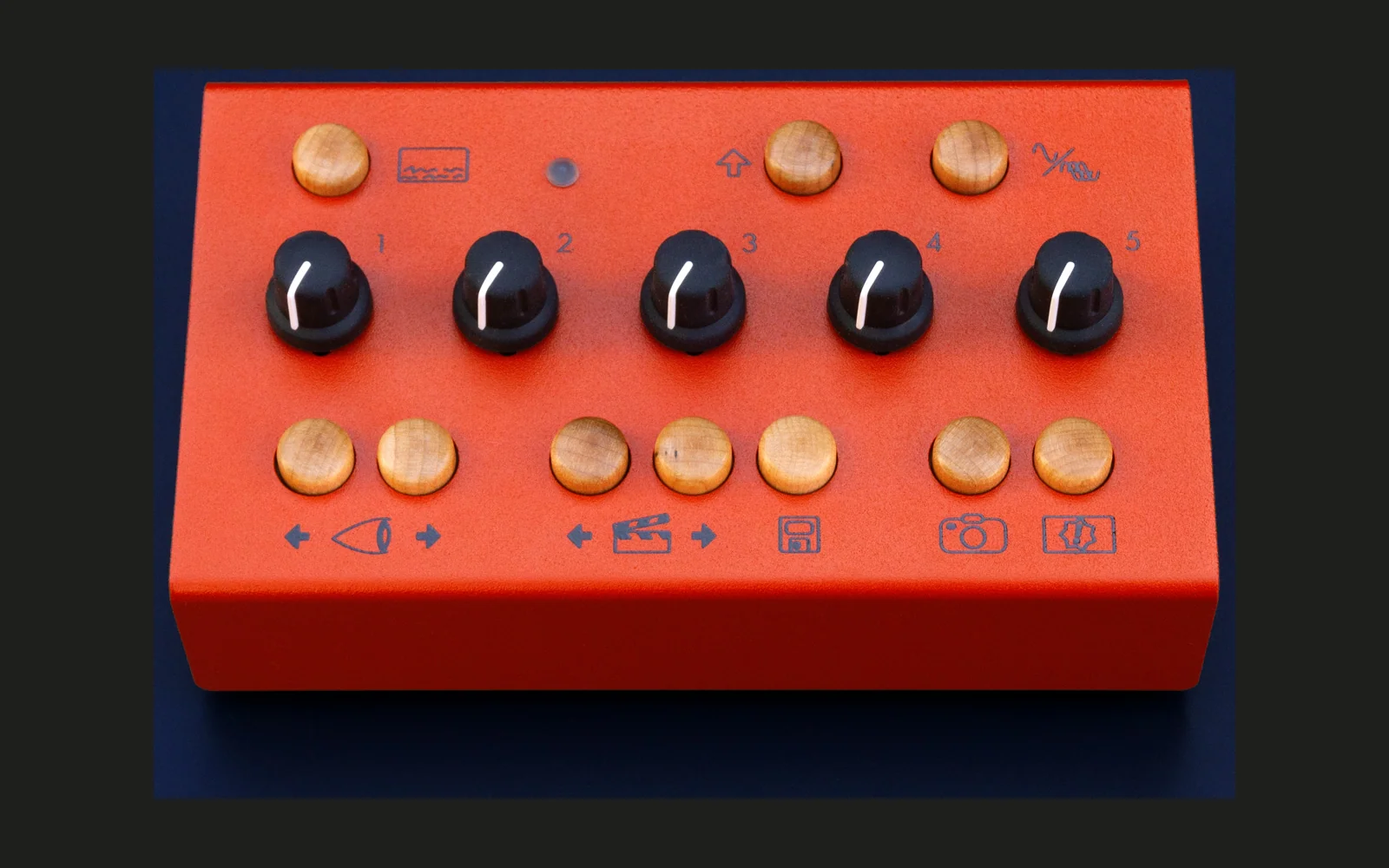
stereopsis for the EYESY
A faster engine and twenty-eight new audio-reactive modes for the Critter & Guitari EYESY video synthesizer (OS v3.1), with twenty-eight more from the EYESY community, installed over WiFi from your computer with one command, and removed again just as easily.
Unofficial: not affiliated with or endorsed by Critter & Guitari.
What you get
- stereopsis, a faster video engine (a fork of Critter & Guitari's own):
- 60 frames a second instead of 30, with the factory modes still moving at their original speed
- a browser page on the EYESY itself: the live picture and every control (knobs, modes, scenes, palettes, OSD, Persist, Trigger, screen grab, gain), from a phone or a computer
- audio analysis for modes: levels, bass / mid / treble, 32 bands, the spectrum, the waveform, kick detection and tempo
- a render size per mode (the display's size, half or a quarter: 1280x720, 640x360 or 320x180 on a 720p display), set live from the page
- frames scheduled just in time for the display when a mode is light enough: the newest audio then reaches the screen in ~11-17 ms instead of ~50
- a way back at any moment: hold Shift + Persist for a second and the EYESY switches to Critter & Guitari's engine on the same mode (and back the same way)
- on the page as well: each knob's name in the mode on screen, 60 or 30 frames a second per mode, the modes in an order of your own, a few options, and buttons to restart the video engine or the EYESY
- Twenty-eight modes, first in the mode list (below): a word written by 2400 drones with real swarm physics (FREE.VET, or any text you type on the page, on up to three lines: the mode the EYESY starts on), six figures of a 4096-drone light swarm, two soundfield simulations, a circuit board, a transformer network, a 3D oscilloscope, a plasma globe, a fluid simulation, and the Flower of Life formed by 2400 drones the same way as the word. Then TBSmike's: twelve more figures of the swarm (terrain walls closing into a box, a tesseract, nested icosahedra and dodecahedra, a torus knot, Hopf rings, the 24-cell, a blooming flower, a spiral galaxy, two of them drawn in triangles) and a soundfield lit as a spiral galaxy. Their renderers are small C programs the EYESY compiles for itself the first time.
- Community modes: twenty-eight modes by members of the EYESY community on Patchstorage, gathered and licence-checked by TBSmike, each under its own licence. The ones made to move a step each frame run at 30 frames a second, so they move at the speed their authors made them for.
- The factory modes: the 19 Critter & Guitari published after OS v3.1 are added, and 54 are adjusted so they move at their original speed at 60 frames a second.
What you need
- An EYESY running OS v3.1. The installer checks this. An older EYESY can be updated by flashing OS v3.1 onto its card: see chapter 6 of Critter & Guitari's guide, https://docs.critterandguitari.com/EYESY/ey_os_3/
- The EYESY on WiFi, through its USB WiFi adapter (2.4 GHz networks): press Shift + OSD, choose WiFi. Once it is connected, that screen shows its IP address (for example 192.168.1.50): you need it below.
- A computer on the same network with Python 3.7 or newer (https://www.python.org; macOS and Linux usually have it). Nothing else.
Install
-
Download this repository: the green Code button, then Download ZIP, and unzip it (or
git cloneit). -
Open a terminal in that folder and run, with your EYESY's address:
python install.py 192.168.1.50(On Windows it may be
py install.py 192.168.1.50.) Not sure of the address?python install.py --findlooks for EYESYs on your network. To see what would change without changing anything, add--check. -
It shows what it is about to do and asks before doing it. Then it uploads the files (a minute or two), restarts the video engine and waits for stereopsis to come up. The first start takes 1-2 minutes, because the EYESY compiles parts of the engine for itself. After that, the new modes' renderers compile in the background for about three more minutes, one at a time; until its renderer is ready, a mode shows a simple preview.
Everything goes through the EYESY's own web editor, and only its SD card's /sdcard folder changes: the operating
system and Critter & Guitari's engine stay exactly as they are, so the EYESY can always fall back to them. If
stereopsis ever fails to start, the EYESY starts Critter & Guitari's engine instead, by itself.
What the installer puts on the card:
/sdcard/stereopsis/engine: the engine (and/sdcard/stereopsisits settings, as you change them)/sdcard/Modes/01 - Swarm - Text..28 - Soundfield Galaxy, andZ - Engine Lab, the small mode that starts stereopsis at every boot (leave it, and its name, as they are)- the community modes, each folder with its
ATTRIBUTION.md(author, source, licence) andLICENSE.txt. A folder of the same name already on your card (your own download) is left as it is. - the factory modes' adjusted
main.py, only where your card has exactly the version Critter & Guitari published; the originals are kept in/sdcard/stereopsis/backup. A factory mode you changed yourself is left alone. /sdcard/stereopsis/scale.json: the heavier modes at 640x360 so they run at 60 frames a second, and the community modes that need it at 30
Using it
- The page:
http://<the EYESY's address>:8081/in any browser on the same network. A knob you set there is held (amber) until you turn that knob on the EYESY. Each knob shows its name in the mode on screen; hover over it for what it does. On a computer: left / right = mode, T or space = Trigger, O = OSD, P = Persist. - Size: the page's Size row sets what the mode on screen draws at: the display's size, half or a quarter (on a 720p display 1280x720, 640x360 or 320x180). The display scales it to the screen for free, so a smaller size costs nothing but sharpness and lets a heavy mode run at 60 frames a second. It is remembered for each mode.
- Speed: 60 or 30 frames a second for the mode on screen, remembered for each mode. 30 is for a mode made for Critter & Guitari's engine that moves a step each frame and would otherwise run twice as fast.
- Text: on 01 - Swarm - Text the page shows a Text box: type a word, press Set, and the drones fly to it
(Reset goes back to the texts in the mode's file). The Line 2 and Line 3 switches under it add lines with
drones of their own: switch one on, type the line, press Set, and it pours out of the lines already there, which
move to make room; switch it off and the line fades away. Any line may be empty. They are kept for next time, in
the mode folder's
TEXT,TEXT2andTEXT3files. To change the defaults instead, editTEXT = "FREE.VET",TEXT2 = ""andTEXT3 = ""near the top of the mode'smain.py. - Options (the page's Options panel; kept on the EYESY, for every mode). The first choice is the default, the
second TBSmike's:
- Knob 5: Background (the background colour) or Audio strength: in the new modes, knob 5 sets how strongly the music moves the picture (none on the left, as it comes in the middle, twice on the right), over black
- Swarm feel: Punchy or Calm (no bursts on kicks, a gentle breath), for the Tunnel, Ribbon, Orb and Nebula
- Orb spectrum: Pole to pole or Spread (every band somewhere over the whole sphere)
- Reorder modes (a panel on the page): drag a mode onto another to put it before that one, or pick one and use the buttons. The EYESY's mode buttons, MIDI and the mode it starts on follow your order; Alphabetical again undoes it.
- Restart video and Reboot EYESY at the foot of the page (click twice: the first click arms the button). A new mode folder from the web editor shows up after a video restart.
- Switching engines: hold Shift, then hold Persist as well, for a second (or click the page's Stock engine button twice). Critter & Guitari's engine opens on the same mode in about 15 seconds; back the same way (about 10 seconds). The EYESY keeps starting with the engine you chose last.
- The Trigger in the new modes is yours: the button, the page or MIDI. (The audio's own loudness trigger is ignored there: a strong input fires it nearly every frame.) Several modes do something while you hold the Trigger button: see below.
- Knob 3 is the glow in most of the new modes (bloom up to the middle, trails above 60 %), knob 4 the colour and knob 5 the background (or the audio strength, with that option; in four of TBSmike's figures it shapes the figure).
The modes
| Mode | What it is | Knob 1 | Knob 2 | Trigger |
|---|---|---|---|---|
| 01 - Swarm - Text | a word written by 2400 drones along its outline, with free.vet's swarm physics: each drone springs to its place and pushes off its neighbours, so when the word is too small to hold them all they become a living blob fighting for room; the music pulses the lights, sends waves and ripples through the swarm and drifts the colours | size: a blob of drones fighting for room on the left, the whole word on the right | waves: none on the left, 3x on the right | a ripple out of the middle |
| 02 - Swarm - Tunnel | rings of drones flying away down a tunnel, each shaped by the bass the moment it was born; they roll as they go | turn: the middle looks straight down the tunnel, either way swings it round (side on at a quarter turn) | lights: a tenth of the drones on the left, all of them on the right, always evenly spaced | a burst (the swarm also bursts on kicks) |
| 03 - Swarm - Ribbon | the live waveform wrapped around a ring | camera distance | wave height: a calm ring on the left, tall waves on the right | hold: the ring smooths out and breathes from small to large and back; a tap from the page or MIDI bursts the swarm |
| 04 - Swarm - Terrain | a scrolling spectrogram landscape; it holds still, only the knobs move it | camera distance | turn: one way left of centre, the other right, still at the centre | nothing |
| 05 - Swarm - Orb | an energy planet: the spectrum pushes the sphere's surface out, pole to pole | camera distance | tumble: the orb rolls over, up or down | hold: the orb breathes from small to large and back |
| 06 - Swarm - Nebula | a noise cloud that breathes and churns with the bass | camera distance, and how hard the kicks push: widest far away, barely close up | orbit | hold: the cloud breathes from small to large and back |
| 07 - Swarm - Cymatics | a Chladni plate: the drones vibrate as a standing wave, the nodal lines hold still and dark, and every kick steps the plate to its next pattern | plate size: few nodes on the left, many on the right | orbit | a burst |
| 08 - Soundfield Splats 2 | sound slowed ~1000x, rippling through a disc of glowing air particles | speed of sound | sources: one, a pair, a triangle, a square, a ring of six | a clap from every source |
| 09 - Circuit | a generated circuit board with the music running through it as data | distance: the whole board, down to one chip | turn | a power surge from the CPU |
| 10 - Transformer | a tiny transformer (the kind of network inside a language model) running on the music, drawn as its glowing weights | distance: the whole wall of panels, down to one | turn (up to 75 degrees) | the wave of light brighter for a moment |
| 11 - Phase Space | a 3D oscilloscope: the waveform drawn in its own phase space by a CRT beam | delay: the middle follows the pitch | turn | a strobe flash of the beam |
| 12 - Plasma Globe | plasma filaments, one band of the spectrum each, bowing and forking to the glass | voltage: a few calm filaments, up to a storm | turn | hold: a hand on the glass, every filament gathers to it; a tap touches it for a moment |
| 13 - Ink | glowing ink in water, stirred by six jets that each play a part of the spectrum (a real fluid simulation) | swirl | turn: the jets circle the middle | a burst of every colour |
| 14 - Soundfield Splats | the original soundfield: sound slowed ~1000x through a disc of 3000 air particles, the left and right channels as two sources | speed of sound | orbit | a clap from both sources |
| 15 - Swarm - Flower of Life | the Flower of Life, 19 overlapping circles, formed by 2400 drones with the same swarm physics and audio effects as 01 - Swarm - Text | size: a crowd of drones fighting for room on the left, every circle traced in dots on the right | waves: none on the left, 3x on the right | a ripple out of the middle |
| 16 - Swarm - Terrain Convergence | six terrain sheets closing into a box round the camera's axis: silence on the outer walls, every peak of the spectrum facing in, the history scrolling along the box | camera distance | orbit | nothing: the music moves the figure itself |
| 17 - Swarm - Terrain Back to Front | four terrain walls of a long box: the newest sound enters at the far end and comes toward you in about 3 s | camera distance | view angle: into the box from either side | nothing |
| 18 - Swarm - Tesseract | a 4D hypercube turning in two planes, projected; each onset sends a wave from one corner along the 32 edges, splitting at every junction | camera distance | orbit | nothing |
| 19 - Swarm - Icosa Cages | three nested icosahedra turning against each other; each onset runs along their edges the shortest way from one corner | camera distance | orbit | nothing |
| 20 - Swarm - Torus Knot | a knot winding round a torus; a packet of each onset's wave follows it through every hoop | camera distance | orbit | nothing |
| 21 - Swarm - Hopf Rings | sixteen fibres of the Hopf fibration (circles on the 3-sphere, every two of them linked) seen in 3D; the onsets ripple them outward | camera: the left half from far to near, the right half flies into the bundle | orbit | nothing |
| 22 - Swarm - 24 Cell | the 24-cell, a regular 4D polytope with 24 corners and 96 edges, turning in two planes, projected; the onsets lift its edges | camera distance | orbit | nothing |
| 23 - Swarm - Dodeca Nest | three nested dodecahedra turning against each other, the onsets rippling through them; knob 5 spreads the shells | camera distance | orbit | nothing |
| 24 - Swarm - Morph Bloom | a flower on a sphere (a superformula); knob 5 grows its petals from three lobes to twelve | camera distance | orbit | nothing |
| 25 - Swarm - Spiral Galaxy | five arms round a bright core, seen from high up; the onsets lift the arms, knob 5 winds them | camera distance | orbit | nothing |
| 26 - Swarm - Triangle Bloom | 24's flower in triangles instead of round drones | camera distance | orbit | nothing |
| 27 - Swarm - Triangle 24 Cell | 22's 24-cell in triangles | camera distance | orbit | nothing |
| 28 - Soundfield Galaxy | 08's travelling sound waves through 5000 particles of air, lit as a spiral galaxy seen from above: four arms and a bright nucleus, the waves running through the arms and the dim air alike | speed of sound | sources: one, a pair, a triangle, a square, a ring of six | a clap from every source |
On the swarm modes, knob 1 left of the middle moves the camera further away and right of it closer (the middle is the
original framing); the knobs called orbit or turn hold still at their centre. Switching between the swarm figures
(02 - 07 and 16 - 27) morphs the drones from one figure into the next; between them and the text or the flower, the
picture fades across in about two thirds of a second. TBSmike's figures hold still: no swell on the beat and no bursts,
the music moves them through waves along their edges. In 13 - Ink, knob 3 sets how long the ink lingers. In 01 - Swarm -
Text, knob 4 turns its rainbow around the colour wheel; the word always fills the width of the screen, and the settings
at the top of its main.py (the physics, the audio effects and their amounts, the font) are the ones of the swarm
simulator at sim.free.vet. 15 - Swarm - Flower of Life runs the same simulation with the same settings on the
simulator's Flower of Life, fitted to the height of the screen. Both draw at 1280x720 by default: 45 to 57 frames a
second with the glow (knob 3 up to the middle), 33 to 47 with trails; the Size row's half (640x360) holds them at 60.
Updating
Download the new version and run python install.py <address> again: it changes only what is different and keeps
your Size and Speed choices, the texts you set on the page, the options and your mode order. When a new version numbers the modes differently (2026-10-10:
the text mode first), it renames your mode folders, with what is in them, instead of adding new ones.
Uninstall
python install.py 192.168.1.50 --uninstall
It puts back the factory modes' original files, removes the new modes, the Engine Lab and /sdcard/stereopsis, and
restarts the EYESY on Critter & Guitari's engine, as it was before. (To only switch engines and keep everything
installed: Shift + Persist, above.)
If something is not right
- "No EYESY web editor answers": check the address on the EYESY (Shift + OSD, WiFi) and that the computer is on
the same network. The EYESY's own web editor,
http://<address>/, should open in a browser. - "not the OS v3.1 this was made for": update the EYESY to OS v3.1 (above), or run with
--forceto try anyway. - The HDMI screen stays black after a restart: the EYESY picks its video output when its engine starts. If the HDMI display was off or asleep at that moment, it uses the composite output instead. Turn the display on, then Shift + OSD, System, Restart Video.
- A USB drive with a Modes folder plugged in: the EYESY runs from that drive instead of its SD card, so the new modes and stereopsis do not appear. Take it out and restart the video.
- What the engine says: the web editor (
http://<address>/) has a console with the engine's log. - The page and the web editor have no password (like Critter & Guitari's editor): keep the EYESY on a network you trust.
For mode authors
Under stereopsis every mode also gets, on eyesy, each frame: audio_level, audio_bass, audio_mid,
audio_treble (0..1), audio_beat (1 on a kick, decaying), beat (True on the frame after a kick), bpm,
audio_bands (32 bands), audio_fft (1024 bins), audio_wave (the newest 32 ms), dt / step / tick (to move
at the same speed at any frame rate) and trig_audio (the Trigger came from the audio, not the performer). Read
them with getattr(eyesy, name, default) and a mode still runs on the stock engine. A mode can also name its knobs
for the page (KNOBS: five name and help pairs; otherwise the page reads its header's #Knob1 - ... lines), offer
knob 5 as the audio strength (K5_AUDIO), and read the page's options in eyesy.options. Details: docs/ENGINE.md.
What is in this repository
| Folder | What | Licence |
|---|---|---|
engine/ | stereopsis: Critter & Guitari's EYESY_OS/engines/python (commit 51cc186, OS v3.1) with every change marked FORK: in main.py, plus the display layer (kms.c), the audio analysis (audio.c, analysis.py) and the page (preview.py) | BSD 3-Clause (engine/LICENSE.txt): Critter & Guitari's code keeps their copyright; the changes are under the same terms |
factory-modes/ | Critter & Guitari's 108 published OS v3 modes' main.py, 54 adjusted for 60 frames a second (and a fix to Circle Scope - Image, which does not load as published), with published.json: the published files' checksums, which the installer compares before replacing anything | BSD 2-Clause (factory-modes/LICENSE) |
modes/ | the twenty-eight modes (16 - 28 by TBSmike) and the Engine Lab | MIT (LICENSE), except the font in 01 - Swarm - Text: Indie Flower, SIL Open Font License 1.1 (its OFL.txt beside it) |
community-modes/ | twenty-eight modes by members of the EYESY community (Patchstorage), gathered and licence-checked by TBSmike; NOTICES.md credits every author | each mode its own (its LICENSE.txt and ATTRIBUTION.md): WTFPL, the Unlicense, CC0 1.0, BSD 2-Clause or 3-Clause, and the EUPL 1.1 for S - Hertsi; the texts in community-modes/licenses/ |
install.py, docs/ | the installer and the engine notes | MIT (LICENSE) |
The MIT licence in LICENSE covers the files written for this project: modes/ (except the font in
01 - Swarm - Text), install.py and docs/. engine/ is a fork of Critter & Guitari's EYESY_OS and stays under its
BSD 3-Clause licence; factory-modes/ holds Critter & Guitari's modes under their BSD 2-Clause licence; the modes in
community-modes/ keep their authors' licences.
The engine's font is Nunito (SIL Open Font License 1.1), as it ships with EYESY_OS. The swarm modes bring the drone swarm visualizer and simulator from free.vet to the EYESY; 01 - Swarm - Text writes in Indie Flower by Kimberly Geswein (SIL Open Font License 1.1).
TBSmike (github.com/TBSChin) and his AI agent built modes 16 - 28, the third line of text, the knobs' names, the mode order, the restart buttons, the options' second choices and the crossfade's first version, and gathered the community modes (github.com/TBSChin/stereopsis-contributions).
stereopsis: seeing depth by fusing two views, for a synth called EYESY.