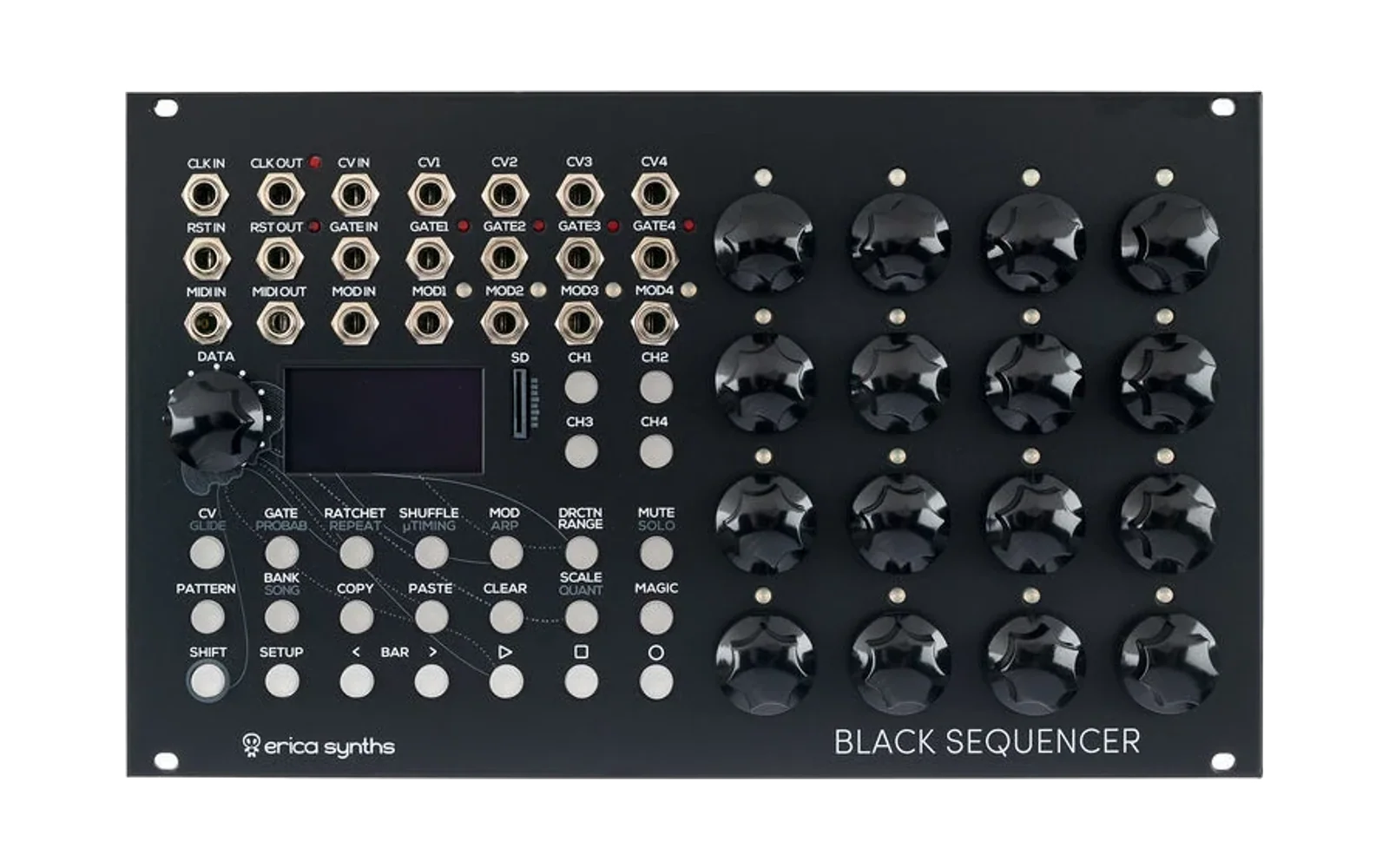
Black Sequencer: MIDI Program Change pattern select

A patch for the Erica Synths Black Sequencer (EBS) firmware 1.06 here. It adds one feature: incoming MIDI Program Change messages select EBS patterns. An MPC, Octatrack or other external sequencer can then change EBS patterns while it clocks the EBS.
You supply the official 1.06 image. The build script checks it, patches a few
locations, appends the new code and writes an updater file named
EBSEQ_V1_07_<CRC32>.BIN. Everything else in the firmware stays as stock:
MIDI clock and transport, MIDI note and CC input, patterns, songs and
settings.
Status: tested in emulation only. The patch code and every patched instruction run against the real firmware image in a CPU emulator (see Testing). It has not been run on a physical EBS yet. Read Recovery before you flash it, and keep the stock 1.06 file.
What it does
| Channel | Program Changes are accepted on one MIDI channel, set in the MIDI settings menu (default OFF, so a fresh install behaves like stock). Messages on other channels are ignored. |
| Mapping | Program 0–15 selects pattern 1–16 in the currently selected bank. Program 0 is shown as "1" on hardware that numbers programs from 1. |
| Out-of-range programs | Programs 16–127 are ignored. |
| Empty slots | A Program Change that points at an empty (unsaved) slot is ignored instead of loading a blank pattern. |
| Same pattern | A Program Change for the pattern that is already playing is ignored, so unsaved edits aren't reloaded away. If a different pattern is queued, the playing pattern is queued again in its place, which cancels the other change. The playing pattern is reloaded from the card at the switch. |
| Timing (PC Quantize ON, default) | Same as pressing a step encoder on the PATTERN page: the new pattern starts when the current one finishes, at the end of the Master Track Length (SCALE menu). The PATTERN page shows the "next pattern" icon. |
| Timing (PC Quantize OFF) | Same as SHIFT + step encoder: the change happens right away. |
| Stopped / paused | As on the panel, the pattern loads immediately. (MIDI Stop pauses the EBS.) |
| Bank Select (optional) | With Bank Select ON, CC#0 (Bank Select MSB) on the PC channel picks bank 1–16 (values 0–15) for the next and later Program Changes, as the MIDI spec describes. A CC#0 value of 16 or more blocks Program Changes until a valid bank arrives, so they never land in the wrong bank. CC#32 is ignored. |
| Clock | The patch never touches the clock or transport. The EBS keeps following external MIDI clock across pattern changes, and the switch uses the stock end-of-pattern swap. |
| Song / pattern chain | A Program Change stops song playback and cancels a pattern chain, as a panel pattern press does. |
Every received message, including the Program Change itself, is still passed to the stock MIDI handler, so nothing that worked before changes.
Settings menu
Open SETUP → MIDI and go to the last tab (MISC, where Cont Clock is). Three new rows sit under Cont Clock. Select a row with the DATA encoder and change it with the same encoder that changes Cont Clock:
SETTING            VALUE
Cont Clock           OFF
PC Channel           OFF    OFF, 1-16
PC Quantize           ON    ON = end of master length, OFF = immediate
Bank Select          OFF    ON = CC#0 on the PC channel selects the bank
The settings are saved to the EBS's settings EEPROM when you leave the MIDI menu, like the stock MIDI settings. They use their own storage slot, so your existing settings are untouched. FACTORY RST also resets them.
Example: MPC Live II
-
On the EBS, set PC Channel to the channel the MPC will send on, e.g. 10.
-
Set the clock source to MIDI (SETUP → CLOCK) as usual.
-
On the MPC, have each sequence send a Program Change on that channel: program 1 for EBS pattern 1, program 2 for pattern 2, and so on.
-
Timing. With PC Quantize ON, the EBS changes at the end of its current pattern. The Program Change must therefore arrive before that point. If the MPC sends it at the first beat of the new sequence, the EBS changes one EBS pattern later. You can avoid that delay in either of two ways:
- Put the Program Change event near the end of the previous MPC sequence (e.g. on the last 16th). The EBS then switches exactly on the boundary.
- Or set PC Quantize OFF, so the EBS switches as soon as the message arrives.
Loading a pattern from the SD card takes a few milliseconds. A change that arrives in the last moments before the boundary waits for the next one. Sending it at least one step early is safe.
-
To use more than 16 patterns, set Bank Select ON and have the MPC send Bank MSB 0–15 together with the program.
The EBS discards unsaved edits when it loads another pattern, as it does on the panel. Save (SHIFT + REC) before handing pattern changes to the MPC.
Building
Requirements: arm-none-eabi-gcc (any recent GNU Arm toolchain), GNU make
and Python 3. The emulator tests also need pip install -r tools/requirements.txt.
# The stock file must be EBSEQ_V1_06_7824E1DD.BIN (229,180 bytes, CRC32 7824E1DD).
make STOCK=/path/to/EBSEQ_V1_06_7824E1DD.BIN        # -> build/EBSEQ_V1_07_XXXXXXXX.BIN
make STOCK=/path/to/EBSEQ_V1_06_7824E1DD.BIN test   # build + run the emulator tests
STOCK defaults to EBSEQ_V1_06_7824E1DD.BIN in this directory.
What happens:
-
src/pc_patch.candsrc/stubs.Sare compiled and linked bysrc/link.ldto the free flash right after the stock image (0x08043F40). -
tools/patch_firmware.py STOCK ELF OUTDIR:- refuses any input other than stock 1.06 (size and CRC32 check)
- checks the original bytes at every location before changing them, and prints each change
- appends the patch code
- writes
EBSEQ_V1_07_<CRC32 of the new file>.BIN
It can be run on its own if you already have
build/pc_patch.elf.
The version is raised to 1.07 so that the EBS's built-in update check sees the file as newer. The INFO page and boot screen then show 1.07. This is not an official Erica Synths 1.07.
Installing
Do this only after reading Recovery, and keep a copy of
EBSEQ_V1_06_7824E1DD.BIN.
- Back up your patterns: copy the
PROJECTSfolder from the SD card to your computer. - Power off the case, take out the SD card and copy
build/EBSEQ_V1_07_XXXXXXXX.BINto the card's root folder. Leave no otherEBSEQ_*.BINwith a higher version number on it. - Put the card back and power on. The EBS shows NEW FW / RUN BOOTLOADER? CURRENT 1.6 / NEW 1.7. Answer YES. If no prompt appears, open SETUP → INFO and press SHIFT + step encoder 1 to reboot into the bootloader manually.
- The bootloader erases the old application and writes the new one. Don't power off while it works.
- Check SETUP → INFO: VERSION should read 1.07. Then set PC Channel in SETUP → MIDI → MISC.
Patterns, projects and settings are kept (the manual says the same for official updates).
Recovery
How the patch relates to the update system:
- The EBS has a separate bootloader at 0x08000000–0x0800BFFF. The
application firmware starts at 0x0800C000. This patch only changes the
application file. The bootloader is never written. (Bootloader updates
happen only with a
BOOT_*.BINfile on the card, and the patch doesn't produce one.) - The bootloader reads
EBSEQ_*.BINfiles from the SD card. The hex number in the filename is the CRC32 of the file contents, so don't rename a file in a way that changes that number, and don't edit its contents.
Back to stock 1.06
The custom firmware reports 1.07, so it won't offer the 1.06 file as an update, because 1.06 isn't newer. Install stock as follows:
- Delete the
EBSEQ_V1_07_*.BINfile from the SD card and copy the officialEBSEQ_V1_06_7824E1DD.BINto the root. - Enter the bootloader directly: SETUP → INFO, then SHIFT + step encoder 1 (the manual's "manual firmware update / module reboot").
- If the bootloader also skips the file because it only installs newer
versions (its exact rule hasn't been verified), give the stock file a
higher version number in its name. Keep the CRC part unchanged, because
the contents are unchanged:
EBSEQ_V1_06_7824E1DD.BIN→EBSEQ_V1_99_7824E1DD.BIN, then repeat step 2. The INFO page will still show 1.06 afterwards, since that value is inside the firmware. Rename or delete the file once it's installed.
If the patched firmware doesn't start
The bootloader runs at every power-on, before the application, and it isn't touched by this patch. Put the stock file (renamed to a higher version if needed, as above) alone on the SD card and power-cycle. The manual describes this power-on update path ("the Sequencer will automatically detect the latest firmware, erase the old one, and upload the new one").
If the bootloader itself doesn't respond, the patch didn't cause it, since the patch never writes the bootloader. Contact Erica Synths support. A debug-probe (SWD) reflash of the STM32 is the last resort, and the pinout isn't documented here.
If settings look wrong
FACTORY RST (SETUP → INFO) clears all settings, including the three PC settings. The PC settings are only read when they pass a size and validity check. A blank or corrupt slot just means PC Channel OFF.
Testing
make test runs tools/test_patch.py. It loads the patched image into
Unicorn (an ARM Cortex-M emulator) and runs:
- Real stock code end to end: raw MIDI bytes go into the stock UART ring buffer and are drained by the stock EXTI0 handler body, the stock MIDI byte parser (running status included) and the patched callback. Checks: channel filtering, out-of-range programs, Bank Select, and that notes, clock and the Program Change itself still reach the stock handler.
- The main-loop hook with the SD card and sequencer engine routines stubbed. It checks that the patch calls them in the same order as a panel pattern press, for these cases: playing and quantized, stopped, paused, immediate mode, empty slot, same pattern, and bank change. It also checks that the queued pattern is withdrawn under an IRQ lock while it is being overwritten.
- The settings rows: text produced by the stock
sprintf, encoder edits, value limits, EEPROM save on menu exit, and loading at boot from blank, valid and corrupt EEPROM contents.
These tests can't stand in for a hardware test. Things to check on a real unit first: the menu rows appear and save, a PC on the right channel queues and switches the pattern while external MIDI clock runs, and patterns, songs, Cont Clock and the other MIDI settings work as before.
Files
| Path | Purpose |
|---|---|
src/pc_patch.c | Patch logic (MIDI hook, main-loop hook, settings) |
src/stubs.S | Register glue for the two hooks placed inside stock functions |
src/link.ld | Places patch code after the stock image and patch RAM after stock .bss |
tools/patch_firmware.py | Stock image → custom image. Verifies, patches and names the output |
tools/test_patch.py | Emulator tests for the patched image |
tools/re/disasm.py, tools/re/xrefs.py | Reverse-engineering helpers (annotated disassembly, literal, call and pointer cross-references) |
docs/reverse-engineering-notes.md | Memory map, the firmware routines used and how each was identified, every patch site |
Makefile | make, make test, make clean |
Distribution
The output image contains Erica Synths' firmware. Share the scripts and
sources, which contain no vendor code, not the generated .BIN. Each user
builds their own image from the official 1.06 download. Erica Synths does
not endorse or support this project. You flash it at your own risk.
License
The scripts, patch sources and documentation in this repository are licensed under the MIT License (see LICENSE). The license does not cover the Erica Synths firmware, which is neither included here nor redistributed.