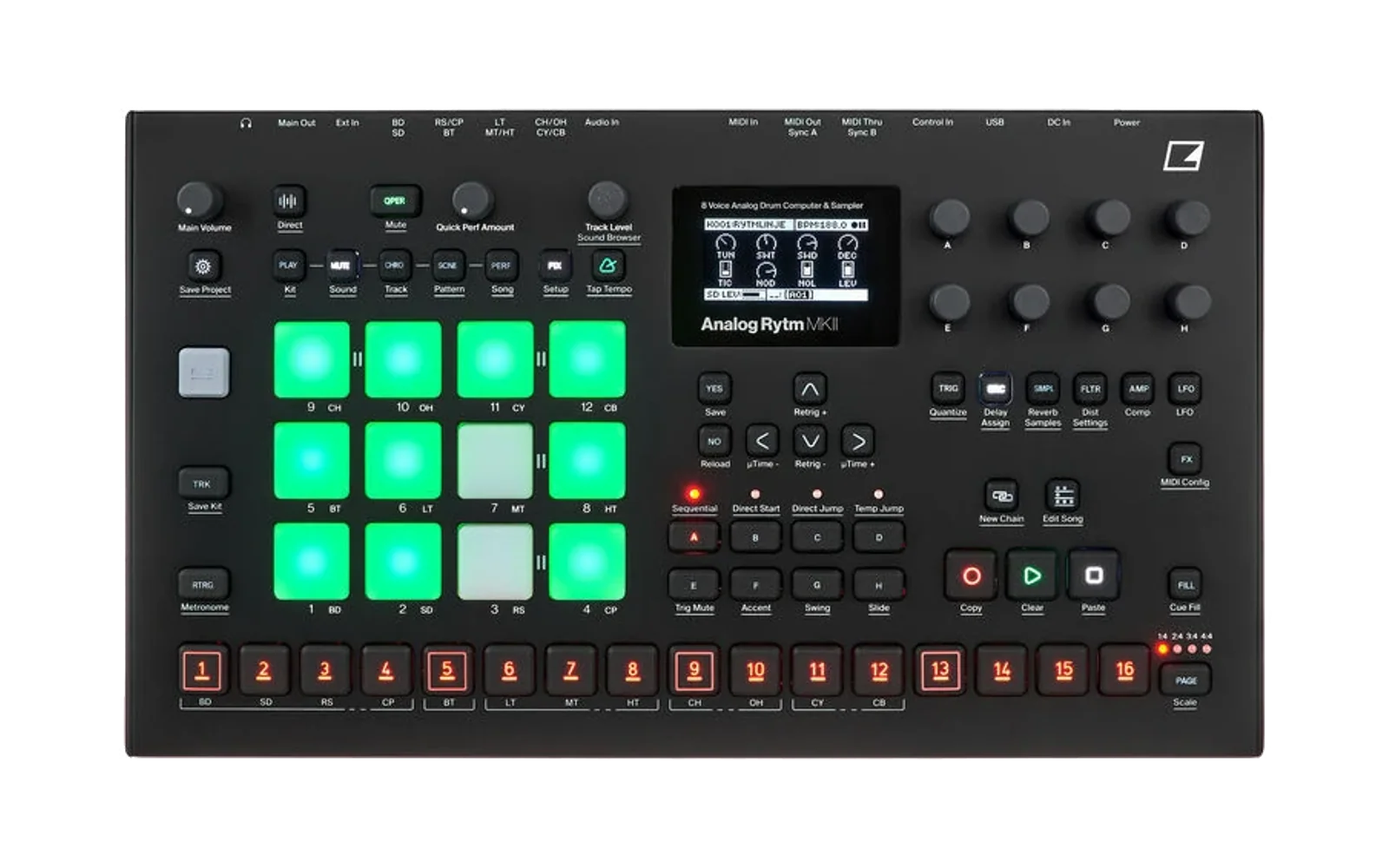
elkflash
A small command-line tool that flashes an Elektron OS .syx file to a device on
USB, using the device's MIDI RPC OS upgrade commands (the protocol Elektron
Transfer and elektroid speak). No GUI,
no extra packages on Windows (it talks to winmm through ctypes); on macOS and
Linux it uses python-rtmidi.
python -m elkflash list                         # MIDI port pairs, * = Elektron
python -m elkflash info --port Rytm             # Ping, OS version, limits (read-only)
python -m elkflash upgrade OS.syx --port Rytm --dry-run
python -m elkflash upgrade OS.syx --port Rytm   # asks before sending
The device must be connected over USB in a USB MIDI or Overbridge USB mode, with the OS running (the STARTUP-menu upgrade is a different, DIN-only path). When all data is sent the device asks UPGRADE OS NOW? YES/NO itself.
The protocol
Framing, command numbers and the upgrade messages are as in elektroid's
src/connectors/elektron.c; the details below were checked against the replies
of real devices and of the analog-emu emulator.
- SysEx:
F0 00 20 3C 10 00, the message 8-to-7 packed,F7. - Message: u16 BE sequence, u16 BE "response to", u8 command, arguments. A reply carries the request's sequence number in "response to" and the command | 0x80. Integers are big-endian, strings null-terminated.
| Step | Request | Reply |
|---|---|---|
| 0 | 0x09 Query, key string: midi.rpc_file_chunk_size_max, midi.sysex_size_max | 0x89: u8 type (0 unknown key, 1 bool, 3 8-byte BE integer, 4 string), value |
| 1 | 0x50 OsUpgradeStart: u32 BE size of the .syx file, "sysex\0", u8 1 | 0xD0: u8 status, 0 = ok |
| 2 | 0x51 OsUpgradeWrite: u32 CRC, u32 length, u32 offset, data | 0xD1: u32 next offset, u8 status, message |
| 3 | repeat 2 from the offset in the reply until it equals the size | |
| – | 0x52 OsUpgradeEnd(0) only on cancel |
- The image is the
.syxfile's bytes, unchanged. - CRC: zlib
crc32(0xFFFFFFFF, data), as elektroid computes it. - Write status 0 = accepted; the last chunk is answered with status 1 and offset = size. Status 2 means a bad checksum: elkflash sends the same chunk again. Status 3 is an error and ends the upgrade; after a skipped chunk the device answers every later write with status 3 ("Invalid checksum"), so the upgrade has to start over. A chunk sent twice is answered normally.
Chunk size from the device's limits
The first request on a newly opened port is a Ping. If it gets no answer in 3 s
(or --timeout, if shorter), elkflash sends it again with a new sequence
number, up to 3 times, and takes an answer to any of them; each resend is noted
on stderr. Only then does it give up, before anything has been written.
Before writing, elkflash asks for midi.rpc_file_chunk_size_max and
midi.sysex_size_max. An A4 MKII (OS 1.56) and a Rytm MKII both answer 32768
and 65536. The first limit is for the whole decoded message (5-byte header,
12 bytes of write fields and the data), so a write may carry at most 32751
data bytes; elkflash writes 30 KiB per request, the largest multiple of 2 KiB
within both limits. A device that reports no limits gets 2 KiB, the size
elektroid uses; --chunk-size 2048 forces it, and larger values are capped at
the limits. If a big chunk gets no reply, elkflash resends it at half the
size, down to 2 KiB.
Going over the limit is not refused by the device. In the emulated Rytm MKII (OS 1.74) a write of 32752 data bytes, one over, is acknowledged normally but overruns the receive buffer and overwrites unrelated memory; 32751 does not. elkflash 0.1.0 sent 32 KiB chunks, 17 bytes over: upgrade with a later version.
Compared with elektroid-cli upgrade
elektroid sends 2 KiB chunks and sleeps 50 ms after every acknowledged one
(BE_REST_TIME_US). For a 1.88 MB Rytm MKII OS that is 919 round trips and
about 46 s of sleeping. elkflash sends 62 chunks of 30 KiB with no pause
between them; --rest-ms 50 adds elektroid's pacing back if a device ever
needs it.
Measured on a Rytm MKII with stock OS 1.74 over 1.74 (1.88 MB, --no-confirm,
2026-10-23): elkflash's default sends 62 chunks in 6.5 s and the unit answers
again 15.5 s later, about 22 s in all; with elektroid's pacing (--chunk-size 2048 --rest-ms 50) it sends 919 chunks in 50.2 s, 46 s of it pauses, and the
unit answers 13.2 s later, about 64 s in all. A larger modified build (2.06 MB)
gave 7.2 s / 23 s against 55.0 s / 70 s. elektroid also copies the size in OsUpgradeStart in host byte order
(little-endian on x86) and assumes the next offset; elkflash sends it
big-endian and follows the offset in the device's reply.
Skipping the YES prompt (--no-confirm)
Off by default. With --no-confirm elkflash sends OsUpgradeStart with flag 0
and, after the last chunk, OsUpgradeEnd(1). With flag 0 the device does not ask
UPGRADE OS NOW? once the image is in; it shows "Waiting for confirm" and
validates the image. The commit (OsUpgradeEnd(1), answered with status 0) then
starts the erase and write straight away, and the device restarts by itself.
OsUpgradeEnd(0), or a commit on an incomplete image, cancels.
There is then no point where someone at the unit can refuse a wrong build, so
--no-confirm cannot be combined with --force, and the confirmation question
says that the device will flash at once.
Risks of --no-confirm on hardware
The prompt is the device's own last check: the one moment where a person at the unit can refuse an OS before the flash is erased. Without it, these are the things that can go wrong, most likely first:
- The device does not take the no-prompt path, for example an OS version that handles flag 0 differently, or a hang on "Waiting for confirm". Nothing has been erased at that point: power-cycle and the old OS starts. This is the likeliest failure and it is harmless.
- A wrong or broken OS is written with nobody there to say NO. elkflash refuses a file made for another device, refuses any file whose bootstrap is not stock, and the device validates the complete image before it accepts the commit, so a damaged file is rejected before the erase. What none of these catch is a well-formed OS you did not mean to send, such as the wrong build for the right device. Check the file name before you run.
- Power or USB is lost during the erase or write. The same as in a
normal upgrade: the OS area is left half written. The bootstrap is not
touched by a failed write and elkflash only ever sends a stock one, so the
STARTUP-menu OS upgrade over DIN MIDI still works. That needs a DIN MIDI
interface, a stock
.syxand a SysEx sender. - Data. The device saves its working state before the erase and the new OS loads it (seen in the emulator). Unsaved projects are at the same risk as in any upgrade.
Physical damage is not a realistic risk, and one upgrade's flash wear is negligible.
Before using it: back up your projects, have the DIN interface, a stock OS
and a SysEx sender ready, keep the unit on stable power, and do not unplug it
until it has restarted and answers elkflash info again. The no-prompt path
has been traced in the Analog Rytm MKII OS 1.74 and Analog Four MKII OS 1.56
code and tested on an A4 MKII and a Rytm MKII; on other devices or OS versions, try it
with the stock OS the unit already runs first.
Checked in the analog-emu emulator (Rytm MKII 1.73 to 1.74, A4 MKII 1.56) and
on an A4 MKII (2026-10-23, stock 1.56 over 1.56: 45 chunks of 30 KiB in
12.0 s, back on USB 22 s after the commit, no key pressed) and on an Analog Rytm MKII
(2026-10-23, a modified 1.74 build with the stock bootstrap over itself: 68 chunks in
7.2 s, back on USB 17 s after the commit; then three runs with the YES prompt,
68 chunks in 7.2 s each, erase and write shown on the unit, restart a few
seconds after YES). Timed, three runs
each: elkflash takes 7.4 s; the unit answers again 16.1-16.3 s later with
--no-confirm and 16.3-17.1 s later with YES pressed as soon as the prompt
appears, about 24 s in all either way. The erase and write take the same time;
the prompt only adds the time it takes to press YES.
Devices
| Device | Stock bootstrap known | Flashed with elkflash on hardware |
|---|---|---|
| Analog Four MKII | OS 1.56 | yes (with and without --no-confirm) |
| Analog Rytm MKII | OS 1.73, 1.74 | yes (with and without --no-confirm) |
| Analog Four MKI / Analog Keys | OS 1.56 (stock file only) | no |
| Analog Rytm MKI | OS 1.74 (stock file only) | no |
| Analog Heat, Analog Heat MKII | OS 1.22 | no |
| Analog Heat +FX | OS 1.02 | no |
| Digitakt | OS 1.54 | no |
| Digitakt II | OS 1.17 | no |
| Digitone | OS 1.44 | yes (with and without --no-confirm) |
| Digitone Keys | OS 1.44 | no (same file as the Digitone) |
| Digitone II | OS 1.12 | no |
| Model:Cycles, Model:Samples | OS 1.13 | no |
| Syntakt | OS 1.42 | no |
Devices marked "no" pass elkflash's checks, and Transfer upgrades them over USB with the same commands, but nobody has flashed one with elkflash yet; elkflash prints a note when you use one. The product ids are elektroid's, matched by device name. Results are welcome: see CONTRIBUTING.md. The Octatrack, Machinedrum and Monomachine take their OS as plain SysEx, not through these commands, and are not supported.
Safety checks
- The file must be a well-formed Elektron SysEx file for one device.
- Always: the bootstrap must be stock. An OS upgrade rewrites the whole container, including the bootstrap section, and the bootstrap runs the STARTUP menu and the DIN MIDI recovery. elkflash reads the container out of the .syx and compares the sha256 of section 2 with the bootstraps of stock releases (see Devices above; modified builds that keep the stock bootstrap pass). Older ELE2 files (the MKI devices) have no section table and must be a known stock release as a whole. Anything else is refused, and there is no option to override this. Only hashes are stored here, never firmware.
- The file's SysEx device byte must match the product id the device reports
(
0x06A4 MKI/AK,0x07AR MKI,0x0BA4 MKII,0x0CAR MKII,0x16Syntakt). Other files are refused unless--forceis given. upgradeasks for confirmation unless--yesis given;--dry-runchecks the file and the device and sends nothing beyond Ping, SoftwareVersion and Query.- Ctrl-C during the transfer sends OsUpgradeEnd(0) to cancel.
Adding a stock release
A stock release whose bootstrap elkflash does not know yet is refused. See CONTRIBUTING.md for how to add its hash.
Tests
python -m unittest discover -s tests -v
The unit tests run the upgrade against a simulated device (bad checksum, dropped reply, device-chosen offsets, device error, refused start, device limits, chunk halving).
In the analog-emu emulator (Rytm MKII, with a writable SPI flash, over
loopMIDI: --in-port "rytm-emu usb out" --out-port "rytm-emu usb in"),
elkflash upgraded OS 1.73 to 1.74 (with 32 KiB chunks: 58 chunks, 0 resends,
2.7 s); the emulated unit showed the YES/NO prompt, wrote the flash and
rebooted into 1.74.
On hardware (2026-10-22, an A4 MKII on OS 1.56, with a Rytm MKII connected
at the same time for the last run): stock 1.56 over 1.56 (42 chunks, 12.3 s),
then a modified build (47 chunks, 13.6 s; it booted and reported its own
version), then stock 1.56 back (42 chunks, 12.4 s). Every run had 0 resends,
and each one ended with the device's YES prompt and a restart into the new OS.
These runs used 32 KiB chunks, before the message limit above was found.
A Digitone (2026-10-23): stock 1.43 to 1.44 with the YES prompt (55 chunks of
30 KiB in 4.1 s, back on USB 16 s later), then 1.44 over 1.44 with
--no-confirm (4.1 s, back 20 s after the commit, no key pressed).
Licence
MIT (see LICENSE). elkflash contains no code from elektroid (GPL-3.0) or
from Elektron's software; it implements the protocol as described above.