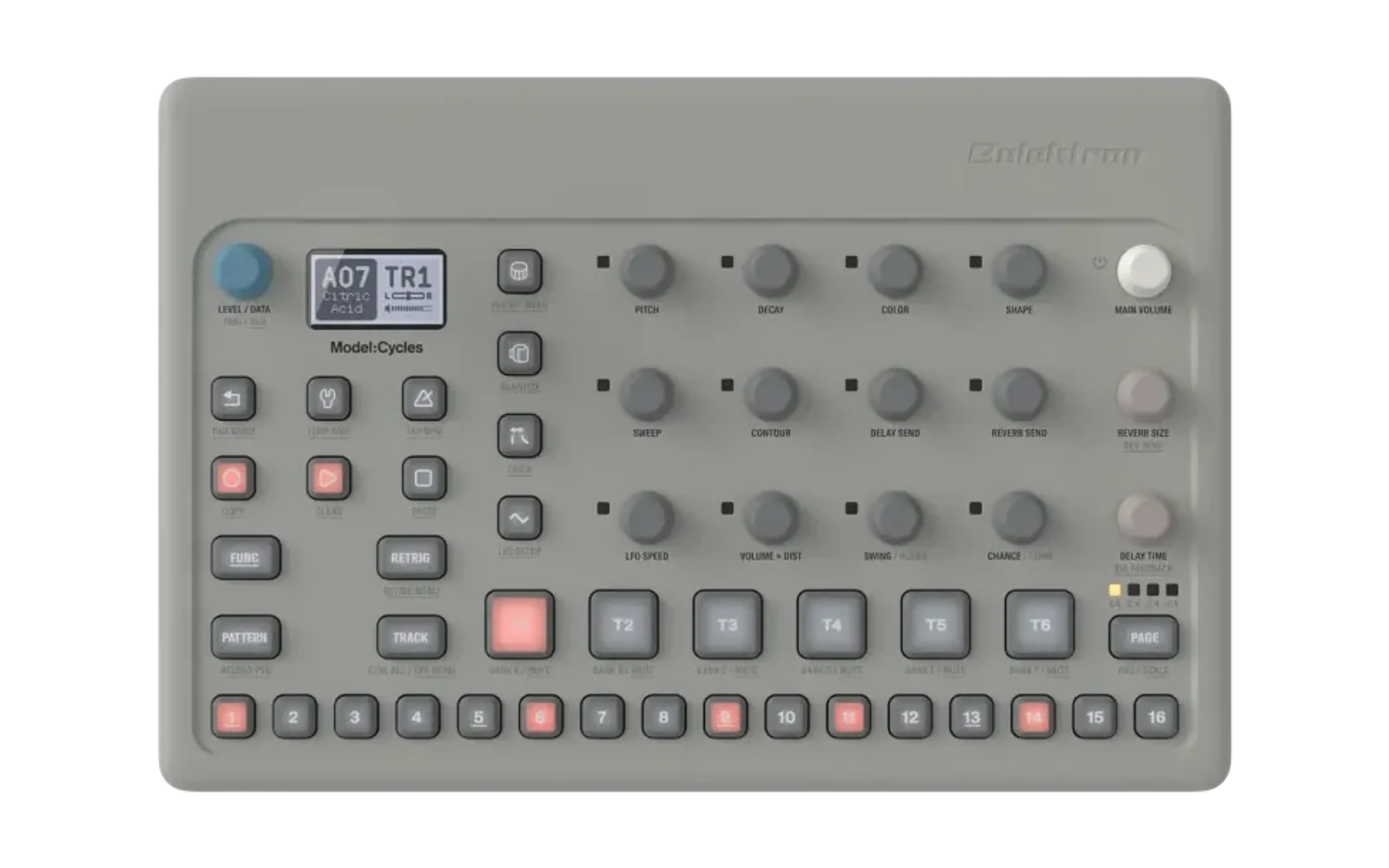
model-tweaks
Firmware mods for the Elektron Model:Cycles and Model:Samples (OS 1.13).
No firmware is distributed here: you supply your own .syx, and the mods you
pick are built into a new file.
Use the web flasher in Chrome, Edge, Firefox or Safari: it has every mod (see In the browser).
What changed in each release: CHANGELOG.md, also shown in the web
flasher; python3 tweak.py --version prints the version you have.
Some tweaks are also available as a part of these projects:
- Modded Cycles by 18nelli18 - Model:Cycles only atm.
- Model-TG by TinyGregAudio - Model:Cycles only atm.
Using it
In the browser
The web flasher builds from the mods in mods/ (.elemod
files, one folder per device), which include the command-line tweaks and more: drop
your .syx, pick the mods, download the built file (then send it with
Elektron Transfer, the fastest way), or send it straight from the page over
USB MIDI in Chrome or Edge. The mods are linked into your firmware by
elekloader's linker (an unchanged copy in
elekloader/, GPL-2.0), in the browser through
Pyodide; the firmware never leaves your computer. A mod's
requirements (core, modkit) are added by themselves.
To run it locally: python3 -m http.server in this folder, then open
http://localhost:8000/flasher/. Published with GitHub Pages from the repository
root (.nojekyll keeps __init__.py files served). After adding or removing a
mod, run python3 flasher/make_manifest.py.
Command line (outdated)
The command-line tool is outdated. It still works, but only with the four original tweaks in
tweaks/(latching-mute, trig-preview, browser-scroll, usb16, as of 1.2.0). The mods added since 2.0.0 (attack, stereo, stretch, fast-audio, ...) are in the web flasher only.
-
Download the original firmware from Elektron and drop the
.syxinto this folder. -
Run it:
- macOS / Linux:
./apply.sh - Windows: double-click
apply.bat
- macOS / Linux:
-
Toggle tweaks by number, press Enter.
-
<name>_mod.syxappears beside the original. Send that one with Elektron Transfer, SysEx Librarian, or any SysEx tool.
Without the menu:
python3 tweak.py --list                               what is available
python3 tweak.py -i model-cycles_OS1.13.syx --all     everything
python3 tweak.py -i FW.syx -t trig-preview,browser-scroll
python3 tweak.py --verify FW_mod.syx                  recheck a finished file
The mods
| Mod | Model:Cycles | Model:Samples |
|---|---|---|
| Latching track mute | ✓ | ✓ |
| Trig preview | ✓ | ✓ |
| Scroll long names | ✓ | ✓ |
| 16-channel USB audio | ✓ | ✓ |
| Amp attack | ✓ | |
| Stereo samples | ✓ | |
| Time-stretch | ✓ | |
| Sample edit | ✓ | |
| Sidechain duck | ✓ | |
| Fast audio | ✓ | |
| modkit (added when a mod needs it) | ✓ |
The first four are also in the command-line tool (as tweaks); the rest are in the web flasher only.
Latching track mute — latching-mute
- Hold TRACK and tap FUNC: the mute mode latches and the FUNC key lights up.
- A short tap on FUNC alone leaves the mode.
- Combinations with FUNC do not leave the mode, including menus such as FUNC + PAGE and holding FUNC to turn the encoders fast.
- TRACK, RETRIG and PATTERN bank select keep working while it is latched.
Holding FUNC to mute tracks behaves exactly as it does in stock firmware.
Trig preview — trig-preview
With the sequencer stopped or paused, hold a step (trig button) and press PAGE: the step sounds with its own note, length, p-locks and sound-lock. The page does not turn. It sounds regardless of the trig condition and probability, and through a muted track. Paused (PLAY pressed during playback) counts as stopped; thanks to 18nelli for this fix.
Scroll long names — browser-scroll
A selected name in the sound/sample/folder browser scrolls left when it does not fit: about 0.17 s per character, with a ~0.5 s pause at each end. A name that already fits stays put.
16-channel USB audio — usb16
Adds a third choice to CONFIG > DEVICE > USB MODE, which now cycles
A+M → A16 → MID:
| USB MODE | Sent to the computer |
|---|---|
A+M | stock: the stereo mix, plus MIDI |
A16 | 16 channels, plus MIDI |
MID | MIDI only |
In A16 the channels are, at 48 kHz / 24 bit:
| Channels | Name on the host | Content |
|---|---|---|
| 1–12 | T1 L … T6 R | the six tracks as stereo pairs, after VOL and PAN |
| 13–14 | Delay L, Delay R | the delay return (wet output) |
| 15–16 | Reverb L, Reverb R | the reverb return (wet output) |
Each channel is exactly what the mixer adds to the main bus, with the same gain curve and master gain, so the 16 channels sum to the stereo mix (short of master-bus clipping). A track muted on the device is silent on its channels; its delay and reverb tail stays on 13–16, as in the stereo mix.
- After flashing the device starts in
A+M, which behaves as stock. PickA16once; it is kept across power cycles. Switching reconnects the device, so the DAW may need the input device selected again. - Recording and playback should run on one clock: use the Model as both the input and the output device, or an aggregate device with drift correction (macOS Audio MIDI Setup). Two separate USB devices without drift correction drop host buffers every few minutes.
- Tested on Model:Cycles and Model:Samples hardware with macOS. Windows is untested.
Based on ms-multi-output by Scott Metoyer and the work on it in Modded-Cycles by 18nelli; see Credits.
Amp attack — attack
Model:Samples only. Hold FUNC and turn DECAY: the Amp Attack of the active track, one value a step, from instant up to a slow fade-in. Like the other sound parameters it can be p-locked (hold a trig, FUNC + DECAY), is an LFO destination, and is saved with the sound and the project.
- Back on the stock firmware a project loses its attack, an attack p-lock turns into a lock of another parameter, and an LFO set to attack points elsewhere: clear them before going back to stock.
- In a p-lock the knob moves slowly (about +5 per 30 clicks): its step curve is borrowed from Filter Resonance.
Stereo samples — stereo
Model:Samples only. Stereo WAVs stay stereo:
- Upload: set CONFIG > Mods > Upload to
ST(defaultMON, as stock) and send stereo WAVs with Elektron Transfer 1.9.5 or newer. WithMONTransfer mixes them to mono, as stock. - Playback: a track playing a stereo sample is stereo through the filter,
the amp and the pan; the delay and reverb sends get its mono mix. In USB
A16(usb16) the track's pair carries its left and right. - Track Setup (FUNC + TRACK) > Chan:
ST/MONO.MONOplays the track's stereo samples as their mono mix (and saves the CPU of the second channel). Chan belongs to the track's sound and goes with a copied sound. - A stereo sample takes twice the sample memory, and each stereo track about 5 % more CPU.
- The sample browser plays a sample already loaded into the project from its own copy, whole; a sample not loaded yet previews as stock (the mono mix of its first ~0.7 s).
- Samples uploaded as stereo play their mono mix on the stock firmware.
Note: stereo samples are CPU hungry. Playing several at once (five stereo tracks reach ~100 % CPU) can make the device stop responding, so use them wisely.
Time-stretch — stretch
Model:Samples only. An Akai-style real-time time-stretch: the sample plays at its own pitch for a length you choose, cut into short cycles that repeat or skip (the grainy, metallic sound of the old samplers is part of it). Per track, in Track Setup (FUNC + TRACK) > Strch (the settings belong to the track's sound and go with a copied sound):
| Item | Values | |
|---|---|---|
| Play | STD / STR / BPM | stock playback / stretch by Time / stretch to the tempo |
Time (STR) | 25 – 400 % | the length against the original |
Len (BPM) | 1 – 128 sixteenths | the length at the project tempo |
| Cyc | 20 – 2000 frames | the cycle length: short is smoother on tones, long on beats |
When (BPM) | POST / PRE | sets when the time-stretch is applied: before (PRE) the START SAMPLE and SAMPLE LENGTH knobs value or after (POST) |
- In
BPMthe sample follows tempo changes and pitch changes while it plays, locked to the sequencer. - LOOP and REVERSE work as usual.
- Each stretched track costs about 2 % CPU.
P-locks
Every Strch item can be locked per step, like a knob on the main screen:
- Turn on grid recording (RECORD).
- Open FUNC + TRACK > Strch.
- Hold one or more trigs and edit an item: the value goes to the held steps
only. While a trig is held, the page shows that step's values; a locked
item has
*after its name (Len*). - To remove an item's lock, hold the trig and turn the value down past its lowest: the item goes back to the track's value.
- Each item is locked on its own: a step with only Len locked still follows the track's Play, Cyc and When.
- A step that locks Play to another mode without its own Time / Len gets that mode's default value.
- Trigless trigs (FUNC + TRIG) work: the playing note takes the new settings from where it is. They cannot switch stretching on or off mid-note (STD ↔ STR / BPM).
- The locks are saved with the project and with Save Pattern to Project, and come back with Reload pattern and Undo.
- Up to 128 different sets of locked values per pattern (steps with the same values share one).
- A project with these locks loads and plays on stock firmware as usual (without the stretch), and loads back with all its locks on the mod. Saving it on stock firmware will likely lose the stretch locks.
Sample edit — smpl-edit
Model:Samples only. Finer SMPL START and SMPL LENGTH, with the sample in sight.
- While you turn SMPL START or SMPL LENGTH, the popup shows the sample's
waveform: the whole sample on top (the part that plays solid, the rest
dotted, lines at the start and the end), and below it a zoomed view around
the marker you are moving. The value is shown with decimals (
START 21.56). - The zoom is ×8; hold PAGE for ×128, or turn LEVEL/DATA while the popup shows to zoom from ×1 to ×4096 (the track level is not changed meanwhile; the zoom goes back to automatic when the popup closes).
- Push LEVEL/DATA while the popup shows to keep it open (a padlock next to the zoom); push again and it closes as usual. Turning another knob closes it too.
- The knob's step follows the zoom: one detent moves the marker about as far on screen at any zoom. ×8 steps whole values as stock; PAGE (×128) steps 1/16; zoomed further in with LEVEL/DATA, down to 1/256 of a value, the finest the parameter holds. Hold PAGE on a zoom you chose for a step four times finer. P-locks get the same steps.
- Track Setup (FUNC + TRACK) > Zero
OFF/ON, per track (with the track's sound): the notes start, end and loop on the zero crossing nearest to SMPL START / SMPL LENGTH (searched up to ±512 frames), which avoids clicks. The popup then shows the markers where the notes really start and end, and0next to the zoom. Stretched notes are left as they are. - The values are stored as the stock firmware stores them: a project plays the same on stock firmware, which shows the whole part of the value.
- PAGE in grid recording still turns the pattern pages, as stock.
Sidechain duck — duck
Model:Samples only. Ducking ("pumping") without a compressor: one track's notes dip another track's level, which comes back over a time you set. On the track to be ducked, Track Setup (FUNC + TRACK) > Duck:
| Item | Values | |
|---|---|---|
| Src | OFF / T1–T6 | the track whose notes duck this one (OFF: stock) |
| Amt | 0 – 100 | the depth, 0 to −60 dB (default 50) |
| Rel | 25 – 1500 ms | how long the level takes to come back (default 200 ms) |
- A source note pulls the level down in about 3 ms, then it comes back evenly (in decibels) over Rel. It follows the source's trigs and pads, not its sound.
- The dip reaches the dry sound, the delay and reverb sends, the stereo mod's
left and right and the track's pair in USB
A16; the delay and reverb returns are not ducked. - Src, Amt and Rel can be p-locked per step on the ducked track (grid recording, hold a trig, edit the item), and belong to the track's sound.
- With Src
OFFthe mix is exactly the stock one; the CPU cost is negligible.
Fast audio — fast-audio
Model:Cycles only. Runs the audio render's busiest code from the processor's on-chip SRAM instead of DDR memory, which leaves about 3 % more CPU for everything else (stock spends 76–79 % on the sound). The sound is unchanged. Based on 18nelli's research and the FAST AUDIO of irpina/digihealth.
modkit — modkit
Model:Samples only. The base the newer mods are built on (menus, pages, settings saved with the project or the device, p-locks); the flasher adds it when a mod needs it.
- CONFIG > Mods (the last screen of CONFIG, with the gears): the mods'
own settings for the whole device, such as Upload (
stereo) and Last Page. It shows only when a mod has something there. - CONFIG > Mods > Last Page (
ONby default): FUNC + TRACK opens Track Setup on the row you left it, and on a mod's page (such as Strch) if you left the menu there; BACK from the page goes back as usual.
The mods' settings per track (Strch, Chan, Zero, Duck) belong to the track's sound: they go with a copied or pasted sound and are reset with it, like the stock sound parameters. They are saved with the project, and with Save Pattern to Project, in the project's own place on the +Drive, after the stock project data:
- Transfer's project backup carries the mods' settings, and restoring it brings them back (backups made before 2.2.0 have none).
- Clearing a project slot clears them too.
- On stock firmware a project loads and plays as usual (without the mods). If it is saved there, the mods' settings of the patterns and kits changed on stock firmware are dropped; the others are kept.
- Projects saved with 2.1.0 are converted when loaded. A project saved with 2.2.0 loses its mods' settings on 2.1.0 firmware.
Settings for the whole device live in a file on the +Drive, modkit-settings
(beside factory/ and incoming/; not in the sample browser). Transfer shows
it: download it to back the settings up, delete it to reset them.
The mods are independent, any combination works; smpl-edit, stereo,
stretch and duck need modkit, which the flasher adds by itself.
What gets checked
Before building:
- the file is parsed in full and every SysEx packet checksum is verified;
- the SHA-256 of the decompressed MAIN OS is matched against the known original, so a different OS version or an already-patched file is refused rather than corrupted;
- every region about to be written has its original bytes confirmed first.
After building, everything is recomputed: packet checksums, container length and content checksum, per-section stream sums, and the HMAC-SHA256 trailer. If any of it disagrees, the file is not offered for flashing.
Only section 3 (MAIN OS) is touched. The bootloader and the updater are carried over byte for byte, so STARTUP MENU recovery stays available and you can always go back to stock firmware.
Risks
- Modifying the firmware voids your warranty and could brick your device.
- Mods are tested on real Model:Cycles and Model:Samples hardware, but you do this at your own risk.
- Before flashing, make sure you can reach STARTUP MENU: power off, hold
FUNC, power on, then
4 ... OS UPGRADE. That is the way back. - Back your projects up first (
#SYSEX DUMPin Transfer, or a project backup).
How it works
A .syx is just transport: 7-bit packing with a checksum per packet. Inside is
an ELE3 container of four sections; the third, MAIN OS, is compressed with an
aPLib variant.
tweak.py unpacks that section, writes the selected byte sets into it and puts
everything back together. It does not recompress from scratch: the original
stream is decoded into its op list and re-emitted as it was, and only the ops
that read or write a changed byte become literals. The result stays as tight as
the vendor's own packer and takes a couple of seconds.
apply.sh / apply.bat   launcher
tweak.py               pipeline and menu
mtlib/syx.py           7-bit SysEx transport
mtlib/aplib.py         aPLib codec: decode to ops, re-emit
mtlib/container.py     ELE3: parse, rebuild, checksums, HMAC
tweaks/<firmware>/     the tweaks themselves
flasher/               the web flasher: page, Pyodide glue (web.py), file list
A tweak is plain JSON you can read yourself — offset, expected original bytes, replacement bytes:
{"off": 1344610, "old": "2f02", "new": "4ef9"}
The web flasher works another way: the mods in mods/ are .elemod
files (relocatable code plus the changes to the stock image, never the stock
bytes themselves), and elekloader's
linker (elekloader/) places them into your MAIN OS, checks that
they fit together, repacks and verifies the file, all in the page.
Disclaimer
This project is not affiliated with, endorsed by or connected to Elektron Music Machines in any way. Elektron, Model:Cycles and Model:Samples are their trademarks. No Elektron firmware or code is distributed here — the tweaks are applied to a file you supply yourself.
Credits
Building scripts are based on elektron-firmware-tool (MIT) by mischa85.
The 16-channel USB audio tweak (usb16) builds on:
- scottmetoyer/ms-multi-output by Scott Metoyer — the original 6-channel USB mod for the Model:Samples and Model:Cycles: the USB driver hook points, the descriptor and queue-head changes, and the method. MIT License, Copyright (c) 2026 Scott Metoyer.
- 18nelli18/Modded-Cycles by 18nelli — the further work on it for the Model:Cycles: keeping USB OS updates working, freeing sprite masks as code space, and the analysis of the USB queue and of the dropouts.
On top of that, usb16 takes the channels after the mixer's VOL and PAN as stereo
pairs, adds the delay and reverb returns, moves to 24 bit with the transfer ring
in SRAM and a fill-level loop on the packet rate, names the channels, adds the
A16 USB mode next to the stock stereo, and covers the Model:Samples as well.
License
MIT, see LICENSE. The license covers this tooling only, not the firmware it is applied to.
Third-party work this repository builds on:
| Project | Used for | License |
|---|---|---|
| mischa85/elektron-firmware-tool | the basis of the building scripts | MIT |
| irpina/elekloader | the web flasher's linker of .elemod mods, copied unchanged into elekloader/ | GPL-2.0-or-later, Copyright (C) 2026 irpina and contributors — see elekloader/LICENSE, elekloader/NOTICE. Under the GPL: that folder and the core mod built from its core-source/ (mods/*/core-0.1.elemod); everything else here is MIT |
| scottmetoyer/ms-multi-output | the basis of the usb16 tweak | MIT, Copyright (c) 2026 Scott Metoyer — full text in LICENSE-ms-multi-output |
| 18nelli18/Modded-Cycles | further work the usb16 tweak builds on | no license file published (checked 2026-10-04); credited here |