downrush
Hype41/100FlashAir manager for SynthStrom Deluge music synthesizer
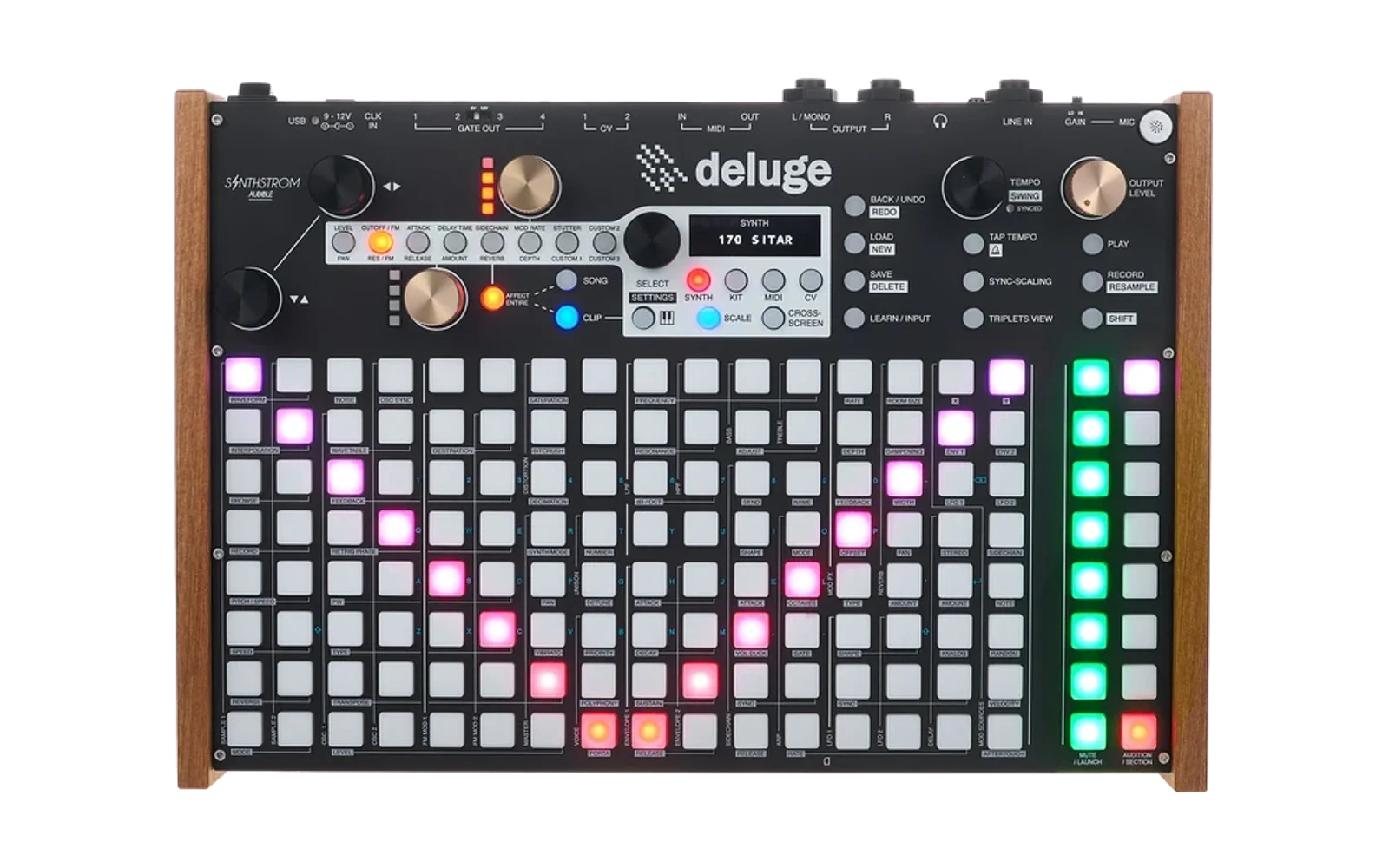
downrush is custom firmware for the Synthstrom Audible Deluge, by @jamiefaye. Latest release b24 (November 2022), 104 stars on GitHub.
forSynthstrom Audible Deluge·by@jamiefaye
Unclaimed. Is this yours? Sign in with GitHub as @jamiefaye to claim it.
downrush.zip· 2.4 MB
Custom license· jamiefaye/downrush·downloads come from the creator’s GitHub releases
b24Fix to Midi Mod Knob displayLatest1 file
b23Kitbuilder and other fixes.1 file
more fixes.
b224.0.0 reading update1 file
Update to handle 4.0.0 files. Kit builder still has issues. It only writes-out 4.0.0 format SONGS.
b21Midian fixBeta1 file
Midian was getting upset about Midi CCs.
Note: This has not had a lot of testing yet. While you can copy/paste tracks across Songs, please don't expect it to work correctly yet. Backups!
When generating new Songs via Midian, version 3.0 files will be generated! Otherwise the program tries to keep the file version the same. Don't try copying from Version 3 backwards, as the audio clips won't work!
Download the .zip file and unpack it. You will see a directory named "distribution". Copy the DR directory from the distribution directory over onto the FlashAir card replacing any existing DR directory. If this is the first time, also copy over the SD_WLAN directory to the root level of the FlashAir card. If you have issues, please email jamie@fentonia.com and include a copy of the SONG, KIT, or SYNTH file that was causing troubles. Also please describe the computer and browser program involved.
I don't get many error reports from the field, unfortunately. If you find a bug, please please let me know!
b203.0 with fix to arrangement displayBeta1 file
Note: This has not had a lot of testing yet. While you can copy/paste tracks across Songs, please don't expect it to work correctly yet. Backups!
When generating new Songs via Midian, version 3.0 files will be generated! Otherwise the program tries to keep the file version the same. Don't try copying from Version 3 backwards, as the audio clips won't work!
Download the .zip file and unpack it. You will see a directory named "distribution". Copy the DR directory from the distribution directory over onto the FlashAir card replacing any existing DR directory. If this is the first time, also copy over the SD_WLAN directory to the root level of the FlashAir card. If you have issues, please email jamie@fentonia.com and include a copy of the SONG, KIT, or SYNTH file that was causing troubles. Also please describe the computer and browser program involved.
I don't get many error reports from the field, unfortunately. If you find a bug, please please let me know!
b19Beta of Downrush with 3.0 supportBeta1 file
Note: This has not had a lot of testing yet. While you can copy/paste tracks across Songs, please don't expect it to work correctly yet. Backups!
When generating new Songs via Midian, version 3.0 files will be generated! Otherwise the program tries to keep the file version the same. Don't try copying from Version 3 backwards, as the audio clips won't work!
Download the .zip file and unpack it. You will see a directory named "distribution". Copy the DR directory from the distribution directory over onto the FlashAir card replacing any existing DR directory. If this is the first time, also copy over the SD_WLAN directory to the root level of the FlashAir card. If you have issues, please email jamie@fentonia.com and include a copy of the SONG, KIT, or SYNTH file that was causing troubles. Also please describe the computer and browser program involved.
I don't get many error reports from the field, unfortunately. If you find a bug, please please let me know!
1.0.2b18Starting on version 3 compatabilityBeta1 file
The XML viewer can read version 3 files and display them. It can't write them out yet. Neither can Midian.
1.0b18New format score + more midian1 file
The score viewer has a new, more compact format.
1.0.2b17Midian Midi Import Beta1 file
Midian is ready for initial beta testing. See the YouTube video for instructions on how to use it.
Download the .zip file and unpack it. You will see a directory named "distribution". Copy the DR directory from the distribution directory over onto the FlashAir card replacing any existing DR directory.
If this is the first time, also copy over the SD_WLAN directory to the root level of the FlashAir card.
If you have issues, please email jamie@fentonia.com and include a copy of the SONG, KIT, or SYNTH file that was causing troubles. Also please describe the computer and browser program involved.
1.0.2b16Fix issue with file version detection1 file
Fixes an issue with the code that detects which version of a SONG file is being edited which caused an error alert.
Download the .zip file and unpack it. You will see a directory named "distribution".
Copy the DR directory from the distribution directory over onto the FlashAir card replacing any existing DR directory.
If this is the first time, also copy over the SD_WLAN directory to the root level of the FlashAir card.
If you have issues, please email jamie@fentonia.com and include a copy of the SONG, KIT, or SYNTH file that was causing troubles. Also please describe the computer and browser program involved.
1.0.2b15Slightly Improved Waverly1 file
Download the .zip file and unpack it. You will see a directory named "distribution".
Copy the DR directory from the distribution directory over onto the FlashAir card replacing any existing DR directory.
If this is the first time, also copy over the SD_WLAN directory to the root level of the FlashAir card.
If you have issues, please email jamie@fentonia.com and include a copy of the SONG, KIT, or SYNTH file that was causing troubles. Also please describe the computer and browser program involved.
1.0.2b14Feature to turn off WiFi1 file
1.0.2b12Fix line ending issue in CONFIG1 file
anyone who is having problems with WiFi working on their FlashAir cards needs to upgrade to this edition. Unlike most others, you will need to copy both the DR directory and the SD_WLAN directory (from the distribution directory) over onto your FlashAir card for this to work.
1.0.2b11Add Up/Down to Waverly1 file
Download the .zip file and unpack it. You will see a directory named "distribution".
Copy the DR directory from the distribution directory over onto the FlashAir card replacing any existing DR directory.
If this is the first time, also copy over the SD_WLAN directory to the root level of the FlashAir card.
If you have issues, please email jamie@fentonia.com and include a copy of the SONG, KIT, or SYNTH file that was causing troubles. Also please describe the computer and browser program involved.
10.0.2b10Step up/down song/kit/synth list1 file
I added a feature to make looking at your SONGs, SYNTHs, and KITs easier.
You will now notice an up-arrow button and a down-arrow button at the top of the screen, next to the Save button.
Pushing the down-arrow button causes the page to load the next SONG, SYNTH, or KIT (in numerical order). Pushing the up-arrow steps back to the previous entry.
This makes walking thru your SONG, SYNTH, and KIT items much easier than using the Open button dialog.
1.0.2b9Another copy/paste fix1 file
Now displays info about multi-sampled sounds.
https://github.com/jamiefaye/downrush/releases/tag/1.0.2b9
Download the .zip file and unpack it. You will see a directory named "distribution".
Copy the DR directory from the distribution directory over onto the FlashAir card replacing any existing DR directory.
If this is the first time, also copy over the SD_WLAN directory to the root level of the FlashAir card.
If you have issues, please email jamie@fentonia.com and include a copy of the SONG, KIT, or SYNTH file that was causing troubles. Also please describe the computer and browser program involved.
1.0.2b8Multisample sounds and more fixes1 file
Now displays info about multi-sampled sounds.
https://github.com/jamiefaye/downrush/releases/tag/1.0.2b8
Download the .zip file and unpack it. You will see a directory named "distribution".
Copy the DR directory from the distribution directory over onto the FlashAir card replacing any existing DR directory.
If this is the first time, also copy over the SD_WLAN directory to the root level of the FlashAir card.
If you have issues, please email jamie@fentonia.com and include a copy of the SONG, KIT, or SYNTH file that was causing troubles. Also please describe the computer and browser program involved.
1.0.2b6Reduced size of viewXML and Waverly1 file
Changed over to precompiled handlebars templates.
We still don't have 2.1 feature going yet, although this should work OK for 2.1 files.
1.0.2b51 file
better working track cut/paste and remove mobx
1.0.2b4Update Instruments On PasteBeta1 file