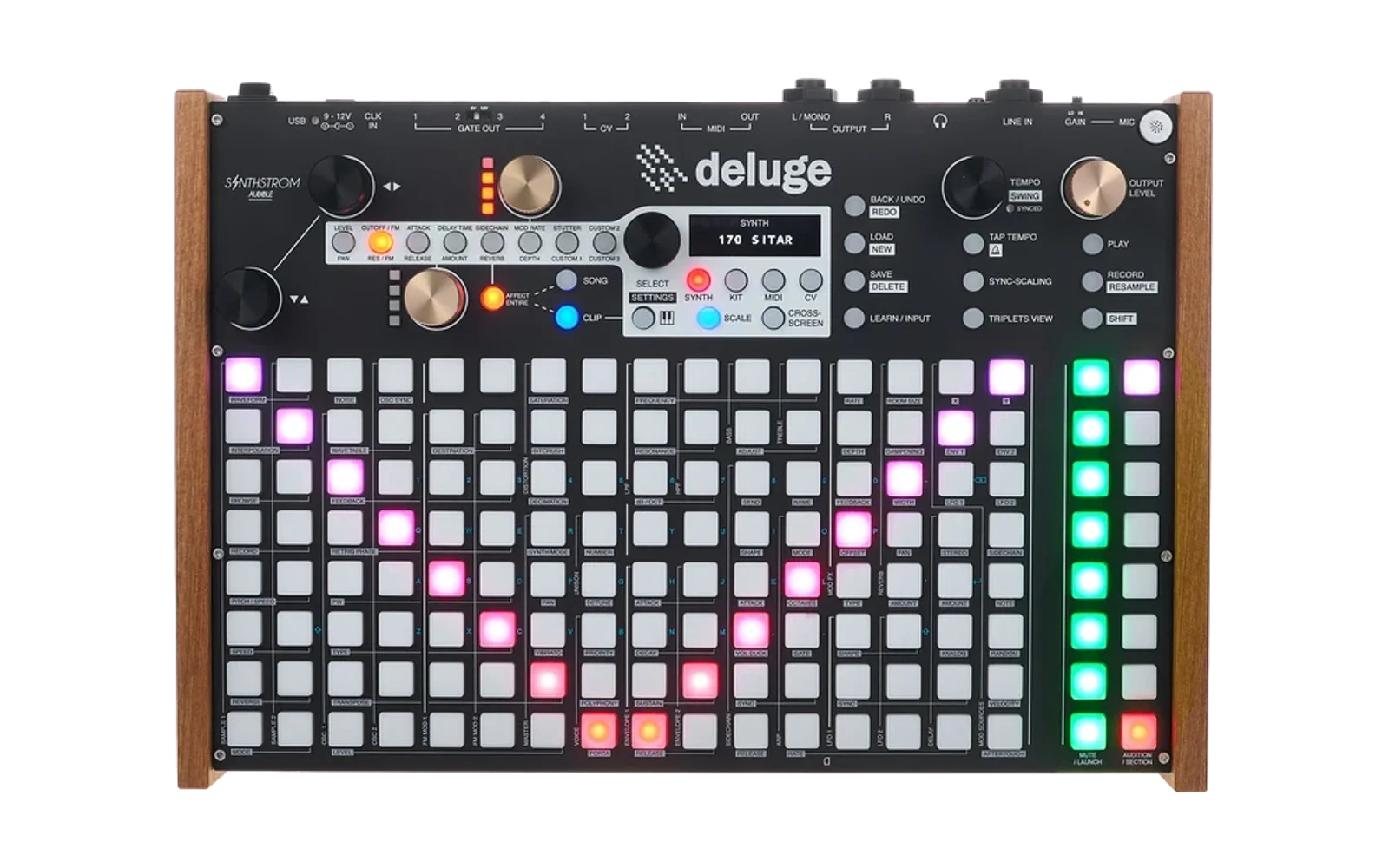
DelugeFirmware
Hype16/100Custom firmware and mods for the Synthstrom Audible Deluge. Independent but rebased regularly to stay current with Community Firmware development.
DelugeFirmware is custom firmware for the Synthstrom Audible Deluge, by @sticknobills. Open source under GPL-3.0, latest release USB-Audio-1.0 (October 2026), 6 stars on GitHub.
forSynthstrom Audible Deluge·by@sticknobills
Unclaimed. Is this yours? Sign in with GitHub as @sticknobills to claim it.
USB-Audio-1.0.bin· 1.7 MB· +1 file
GPL-3.0· sticknobills/DelugeFirmware·downloads come from the creator’s GitHub releases
USB-Audio-1.0USB Audio 1.0 (for beta Release 1.3 on 2026-10-13)Latest2 files
USB Audio 1.0
Class-compliant USB audio interface capability for the Deluge. Send any track to its own channel in your DAW or other USB host, and send up to four channels back into the Deluge. No driver needed.
Based on SynthstromAudible/DelugeFirmware:main @ bfd4a0b5 (2026-10-13), the development line for community release 1.3 Derbyshire.
Features:
- 8 channels out, 4 channels in, 16-bit, 44.1 kHz, alongside USB MIDI
- Per track: send to any of 8 mono channels or 4 stereo pairs, and optionally take it out of the Deluge's own outputs
- Return to the song: one returning pair summed into the song mix, before the song's effects, with its own level
- Return to a track: an audio track can take a USB channel or pair as its input, and play and record it like a line input
- Delay compensation: holds the Deluge's own sound back 0–100 ms so a track sent through an external effect comes back in time
Controls:
Sending a track out — open a synth, audio or kit clip, press SELECT, and choose
USB. Each item is an on/off switch, and any number can be on at once.Item What it does 1–8Sends this track to that USB channel, mixed down to mono 1-2,3-4,5-6,7-8Sends this track to that pair in stereo: left on the first channel, right on the second MAINOn by default. Off removes the track from the Deluge's own outputs, so it is heard only through USB Routing belongs to the track, so launching another clip on the same track keeps it. Several tracks sent to the same channel are mixed together there. A kit is routed as a whole. The routing is saved with the song.
Taking audio in on a track — on an audio track, open the input selector, choose
USB, then press SELECT to pick:Item What it does 1–4That returning channel as the track's input, in mono on both sides 1-2,3-4That returning pair as the track's input, in stereo The track then plays and records the returning audio like a line input, through its own filters, effects, volume and pan. A pair used by a track is not also added to the song mix by
RTN.Settings —
SETTINGS > USB. These are saved on the Deluge, not in the song.Item What it does RTNWhich returning pair is mixed into the song: off, 1-2or3-4. It joins before the song's effects, master filter, volume and compressor, so it is treated like the Deluge's own tracksRLVLLevel of the RTNpair, 0–50 in 1.2 dB steps. 0 is silent, 40 is unchanged, 50 is +12 dBCMPDelay compensation, 0–100 ms. Holds the Deluge's own tracks back by this much so a track sent out to an external effect and returned lands in time with the rest. Set it to the round-trip delay of your external setup. 0 is off Known limits:
- While connected as a USB audio device, the Deluge cannot host a USB MIDI controller. MIDI to and from the computer still works.
- Tracks are sent dry and before the master effects and volume.
- A track taken out of the main mix still sends its reverb tail to the main outputs.
- Kits route as a whole, not per drum. MIDI and CV tracks have no USB routing.
- On a dense song, routing costs about 1.5 voices.
- The return drops about one sample a second to stay in step with the computer's clock. This is inaudible.
- With CMP on, everything you play on the Deluge is heard that much later. Line inputs are delayed too.
Tested on: 7-segment Deluge, macOS (Ableton Live, Audacity), Linux (Raspberry Pi). Not tested on: OLED Deluge, Windows. Reports welcome.
Installation:
- Copy USB-Audio-1.0.bin to the Deluge's SD card root
- Delete any other .bin from the root
- Hold SHIFT, power on, wait ~30 seconds
To revert: put an official Deluge firmware .bin back and repeat.
This is an experimental feature in development by one person with a limited testing environment. Please report any bugs!
AUX-Sends-1.0-on-1.2.1AUX Sends 1.0 (for stock Release 1.2.1 Chopin)2 files
AUX Sends 1.0
An assignable AUX send bus on the Deluge's two CV sockets. Dial a copy of any clip to CV1/CV2 independently of the main mix. No soldering needed. 7-segment Deluge only (OLED compatibility is being explored)
This is for users on the last official stock release, Release 1.2.1 "Chopin" (2025-05-12), not the main development branch.
If you're already running a main-based or beta build, use AUX Sends 1.0.1 instead. Differences from the main-line 1.0.1:
- No CV1S/CV2S→CV1/CV2 label rename (cosmetic only — labels read CV1S/CV2S)
- Does not include the note-CV collision guard from 1.0.1. If you use classic CV/Gate output alongside a send, treat it as untested.
Features:
- Two independent send levels per clip (0–50) or one stereo send, depending on your cable config
- AUX MASTER level on mod button 7's gold knob
- Automatable, MIDI-learnable (unconfirmed)
- Per-track AUX menu, global SETTINGS > AUX
Installation:
- Copy AUX-Sends-1.0.1.bin to the Deluge's SD card root
- Delete any other .bin from the root
- Hold SHIFT, power on, wait ~30 seconds
To revert: put an official Deluge firmware .bin back and repeat.
This is an experimental feature in development by one person with a limited testing environment. Please report any bugs!
AUX-Sends-1.0.1AUX Sends 1.0.1 (for beta Release 1.3 on 2026-08-16)2 files
AUX Sends 1.0.1
An assignable AUX send bus on the Deluge's two CV sockets. Dial a copy of any clip to CV1/CV2 independently of the main mix. No soldering needed. 7-segment Deluge only (OLED compatibility is being explored)
Based on SynthstromAudible/DelugeFirmware:main @ [685b4fb9] (2026-08-16) — i.e. the active development branch. Full source diff attached. For users on the last official stock release, Release 1.2.1 Chopin (2025-05-12), use AUX Sends 1.0 instead.
Features:
- Two independent send levels per clip (0–50) or one stereo send, depending on your cable config
- AUX MASTER level on mod button 7's gold knob
- Automatable, MIDI-learnable (unconfirmed)
- Per-track AUX menu, global SETTINGS > AUX
Installation:
- Copy AUX-Sends-1.0.1.bin to the Deluge's SD card root
- Delete any other .bin from the root
- Hold SHIFT, power on, wait ~30 seconds
To revert: put an official Deluge firmware .bin back and repeat.
This is an experimental feature in development by one person with a limited testing environment. Please report any bugs!