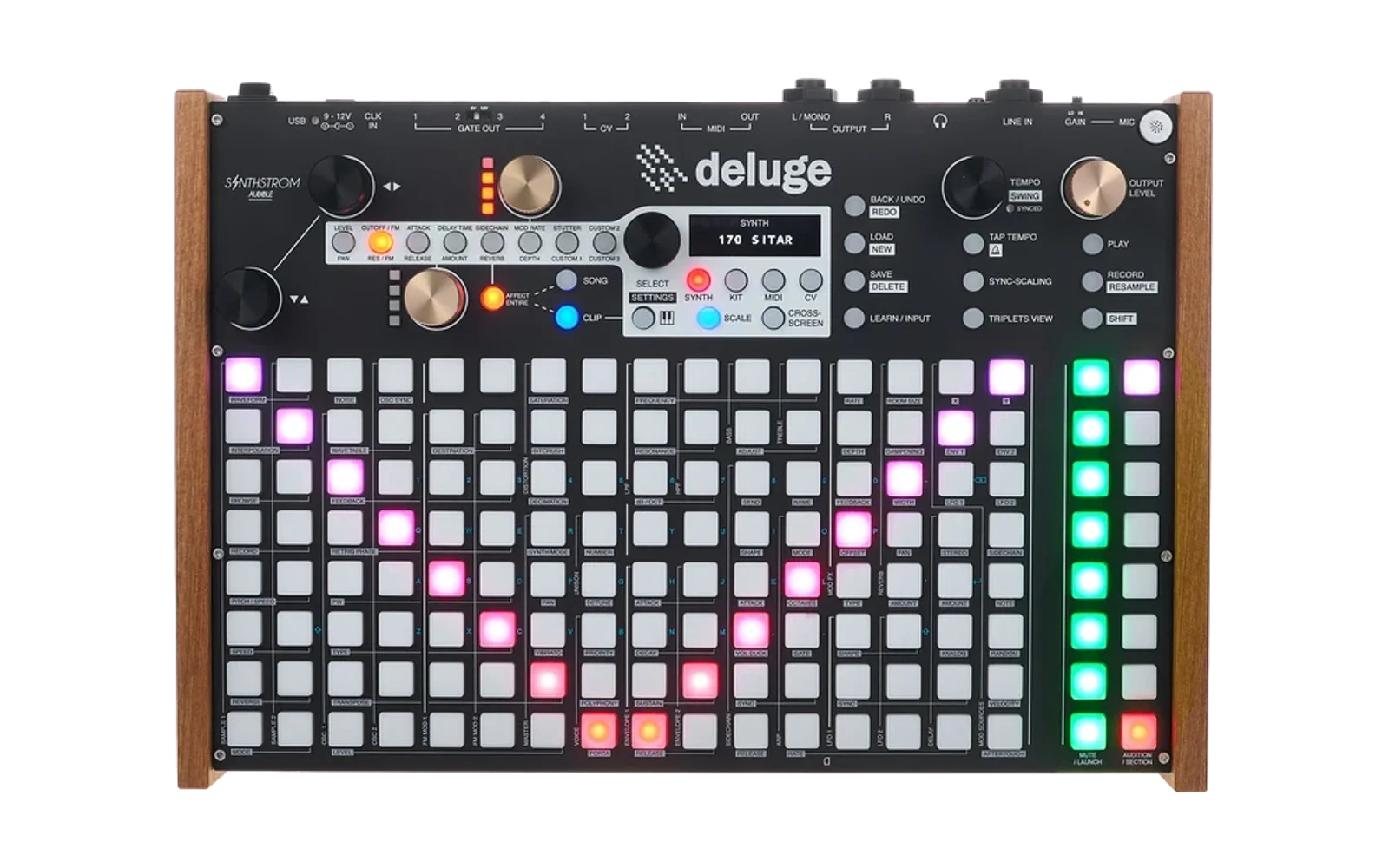
Deluge Browser-based Synth Editor
A web-based synth preset editor for the Synthstrom Deluge, featuring graphical controls, full parameter editing, and optional direct SYSEX file transfer.
Works with ANY Deluge firmware for offline XML editing. Direct USB transfer requires Community Firmware 1.3+ or Official Firmware 4.0+.
⚠️ A SOFTWARE - Not fully tested so use at your own risk. Always backup your presets!
Features
✨ Parameter Coverage
Edit all essential Deluge synth parameters:
- Oscillators: Type, pitch, FM synthesis, sample/wavetable files, DX7 patches
- Envelopes: 4 envelopes with live animated visual displays
- Filters: LPF/HPF with frequency, resonance, morphing, routing
- LFOs: LFO1-4 with sync options (Community Firmware)
- Effects: ModFX, Delay, Reverb, EQ, Distortion
- Modulation Matrix: Complete patch cable system
- Master: Volume, pan, portamento, unison, sidechain
🎨 Graphical Interface
- Interactive knobs with mouse/touch control
- Sliders for precise parameter adjustment
- Live animated envelope displays - watch ADSR in real-time
- Connection status icon - visual feedback for Deluge communication (animated Deluge logo during transfers)
- Tabbed interface for organized editing
- Real-time save path indicator
- Multiple color themes (Orange, Blue, Green, Magenta)
- PayPal donation button for supporting development
- Mobile responsive - works on phones and tablets
🎲 PatchMorph - Intelligent Patch Generator
Generate creative, musical patches with granular control:
- Oscillator Morphing: Choose Standard/Wavetable/Sample types with intelligent volume balancing
- Folder browser for selecting sample/wavetable sources (defaults to
/SAMPLES/) - Recursive scanning of subfolders (3 levels deep)
- Filter out hidden/system files automatically (
.DS_Store,._*files) - CPU-friendly: Maximum 1 wavetable/sample oscillator (if OSC1 is WT/Sample, OSC2 uses standard types)
- Volume consistency: 80% chance OSC1 at max volume, 20% OSC2 at max (ensures audible patches)
- Pitch variation: When unchecked, uses octave jumps (0, ±12) with subtle detuning (±6 cents)
- Folder browser for selecting sample/wavetable sources (defaults to
- Synth Mode Randomization: Subtractive, FM, or Ringmod with proper FM parameter generation
- Unison Settings: Random voice count (2-4) with detune (5-20) and stereo spread
- Filter Morphing: Adjustable randomization amount for LPF/HPF frequency and resonance (morphs from current)
- Envelope Setting: Slider DIRECTLY SETS envelope times (0=short/punchy 0-20ms, 100=long/pad 30-80ms)
- FX Setting: Slider DIRECTLY SETS effect levels (0=off, 100=full wet up to safety limits)
- Modulation Matrix: Generate 2-8 random patch cables with priority modulations
- 70% chance: LFO → lpfFrequency (auto-wah/wobble)
- 50% chance: Envelope → lpfFrequency (filter envelope)
- 80% chance: LFO/ENV → wavetable position (when using wavetables)
- Modulation amounts limited to ±30 for musical results
- Master Controls: Set all sliders at once with non-linear morphing curve
- Smart Naming: Auto-generate descriptive names (e.g., "FM SAWTRI Bass 42", "WVT Shimmer 67")
- Safety Limits: OSC volumes capped at +40dB, delay feedback at 25, FX at 80
📁 Two Workflows
1. Offline XML Workflow (Works with ANY firmware)
- Load/save XML files from your computer
- Edit parameters graphically
- Download XML and copy to SD card
- Compatible with all Deluge firmware versions
2. Direct SYSEX Transfer (Requires Community FW 1.3+ or Official FW 4.0+)
- Connect Deluge via USB (no SD card removal!)
- Browse and load presets directly from Deluge
- Send edited presets back instantly
- Browse and select sample files from
/SAMPLES/ - Create folders on Deluge SD card (organize presets/samples)
- Load DX7 patches from Deluge (browse .syx files, select from cartridges)
- Preserves directory structure
- Overwrite protection with confirmation dialogs
🎹 DX7 FM Synthesis Support
- Load Yamaha DX7 patches (.syx files) directly from Deluge SD card via SYSEX
- Cartridge support - browse and select individual patches from 32-voice cartridge banks
- Complete 156-byte voice data embedded in XML for round-trip editing
- Deluge-specific parameters: Engine mode (Auto/Modern/Mark I) and analog-style random detune (0-100)
- Patches editable on Deluge hardware or in Dexed external editor, with full operator/envelope control preserved
Quick Start
Option 1: Offline Workflow (ANY Firmware)
Works with any Deluge firmware version - no USB connection needed!
- Open
index.htmlin any modern web browser - Edit parameters:
- Use tabs to navigate (General, Oscillators, Envelopes, etc.)
- Turn knobs by clicking and dragging
- Adjust sliders for precise control
- Watch envelope animations update in real-time
- Click "Download XML"
- Copy the
.XMLfile to your Deluge SD card (SYNTHS/folder) - Load the preset on your Deluge!
Option 2: Live SYSEX Workflow (Community FW 1.3+ / Official FW 4.0+)
Direct USB transfer - no SD card removal needed!
Requirements:
- ✅ Deluge with Community Firmware 1.3+ OR Official Firmware 4.0+
- ✅ Chrome or Edge browser (Firefox/Safari have limited Web MIDI support)
- ✅ USB cable connected to Deluge (uses USB port 3)
Steps:
- Open
index.htmlin Chrome or Edge - Connect Deluge via USB Port 3
- Click the connection icon (top left corner)
- Grant MIDI permissions when prompted
- Icon turns green when connected
- Status text shows "Connected"
- Click "📤 Send to Deluge" or "📥 Load from Deluge" (buttons appear when connected)
- Navigate folders (automatically locked to
/SYNTHS/) - Click any
.XMLfile to load it - Use 📁 buttons next to OSC sample inputs to browse
/SAMPLES/
- Navigate folders (automatically locked to
- Edit parameters as desired
- Click "📤 Send to Deluge"
- Saves to original folder (or root if renamed)
- Asks for confirmation if file exists
- Shows "HELLO SYSEX" popup on Deluge display
- On Deluge:
SHIFT + LOAD→ Navigate to preset →SELECTto reload and hear changes
💡 Tip: The save path indicator shows exactly where your file will be saved!
See SYSEX_SETUP.md for detailed SYSEX troubleshooting.
User Guide
Getting Started
-
Choose Your Workflow:
- Offline: Load/edit/download XML files (works with any firmware)
- Live: Connect Deluge via USB for instant transfers (requires Community FW 1.3+ or Official FW 4.0+)
-
Connection (Live Mode):
- Click the connection icon (top left)
- Grant MIDI permissions when prompted
- Icon turns green with "Connected" status
- Animated logo pulses during file transfers
-
Select Theme:
- Click colored circles (top right) to change accent colors
- Choose: Orange, Blue, Green, or Magenta
Editing Patches
Load a Patch:
- From Deluge: Click "📥 Load from Deluge" → browse folders → select file
- From Computer: Click "📄 Load XML" → select file from your computer
- Default Patch: Click "🔄 Default Patch" for a clean starting point
Edit Parameters:
- Knobs: Click and drag vertically (mouse or touch)
- Dropdowns: Select oscillator types, filter modes, effects
- Sliders: Adjust modulation amounts
- Envelopes: Watch real-time animation as you edit
- Patch Cables: Add/remove modulation routings in Modulation tab
Save Your Work:
- Preset Name: Enter a name at the top (auto-uppercase in filename)
- Save Location: Browse button lets you choose save folder (defaults to
/SYNTHS/) - Create Folders: Click "📁 New Folder" in any browser to organize presets (e.g.,
/SYNTHS/BASS/) - Path Indicator: Shows exactly where file will be saved
- To Deluge: Click "📤 Send to Deluge" (asks confirmation if file exists)
- To Computer: Click "💾 Download XML" for offline transfer
Using PatchMorph
PatchMorph generates random, musical patches based on your settings:
1. Configure Oscillators:
- Check boxes: Standard (basic waveforms), Wavetable, and/or Sample
- Amount Slider: 0 = no change, 100 = extreme variation
- Pitch: Check to randomize transpose/detune (off by default)
- Sample/Wavetable Folder: Click 📁 Browse to select source folder for random files
- Automatically randomizes synth mode (Subtractive/FM/Ringmod) and unison
2. Set Morphing Amounts:
- Filters (0-100): How much to randomize LPF/HPF frequency and resonance (morphs from current)
- Envelopes (0-100): DIRECTLY SETS envelope times - Short/fast (0) to Long/pad-like (100)
- FX (0-100): DIRECTLY SETS effect levels - Off (0) to Full wet (100)
- Modulation Depth (0-100): Subtle (0) to Extreme (100) patch cable amounts
3. Master Controls:
- Master Slider: Sets all sliders at once (0=Subtle → 100=Extreme) with organic variation
- Reset All to 0: Quick reset of all morphing amounts
- 🎲 MORPH PATCH: Execute the morphing (available at top and bottom)
4. Optional Settings:
- Generate Random Name: Auto-creates descriptive names (e.g., "RING SAW Storm 34")
- Shows synth mode (FM, RING, or blank for subtractive)
- Shows oscillator types (SAW, TRI, SQU, WVT, SMP)
- Adds creative suffix and number
5. Results:
- Patch is morphed in place (overwrites current state)
- Selected files shown: "🎵 OSC1: filename.wav | OSC2: filename2.wav"
- Save path updates if name changed
- Click "📤 Send to Deluge" to save
Tips for PatchMorph:
- Start with Master Slider at 50% for balanced randomization
- Envelope/FX sliders SET values directly (not morphed) - reliable control regardless of loaded patch
- Filter/Oscillator sliders MORPH from current - adds variation while keeping some character
- Use only Wavetable checkbox for evolving pad/texture patches
- Use only Sample checkbox for experimental sound design
- All types checked = maximum variety and combinations (CPU-safe: only 1 WT/Sample osc max)
- Octave variation: Pitch unchecked = octave jumps (0, ±12) with ±6 cent detuning for analog warmth
- Browse to
/SAMPLES/root folder for best file discovery - Lower modulation depth (20-40) for subtle, usable patches
- Higher modulation depth (70-100) for experimental/chaotic sounds
- The folder browser scans 3 levels deep in subdirectories automatically
- Create folders with "📁 New Folder" button to organize your library
Troubleshooting
Filters not working?
- Make sure
filterRouteis set (should be "H2L" by default) - Check filter resonance isn't at 0 (defaults to 10 now)
- Watch for patch cables modulating filter frequency
No sample/wavetable files found?
- Check browser console (F12) for folder scanning logs
- Ensure folder exists on SD card
- Verify .wav files aren't hidden (starting with
.or._) - Try browsing to
/SAMPLES/root folder
SYSEX not working?
- Use Chrome or Edge browser (best Web MIDI support)
- Connect to Port 3 (rightmost USB port on Deluge)
- Ensure firmware is Community 1.3+ or Official 4.0+
- Check SD card is inserted for file operations
Preset sounds different on Deluge?
- After sending, manually reload patch on Deluge:
SHIFT + LOAD→ select file - Deluge doesn't auto-refresh - you must reload to hear changes
Editor Tabs
- General: Polyphonic mode, voice priority, synth mode, unison, max voices
- Oscillators: OSC1/OSC2 type, pitch, FM synthesis, sample/wavetable file browser
- Envelopes: ENV1-4 with live animated ADSR displays
- Filters: LPF/HPF with frequency, resonance, morphing, routing
- LFOs: LFO1-2 with type, rate, and sync options
- Effects: Master volume/pan, ModFX, delay, reverb, EQ, distortion, sidechain
- Modulation: Patch cable matrix - route any source to any destination
- PatchMorph: Intelligent patch randomization with oscillator type selection, filter/envelope/FX/modulation controls, master slider, and smart naming
Supported Parameters
✅ Fully Supported (Editable UI)
- Oscillator types: Square, Saw, Triangle, Sine, Analog models, Sample, Wavetable, DX7
- Oscillator pitch: Transpose (-48 to +48 semitones), cents, retrigger phase
- Sample/Wavetable file paths with browse button (SYSEX mode)
- FM synthesis: Modulator 1 & 2, Carrier 1 & 2 feedback
- All 4 envelopes (attack, decay, sustain, release)
- Filter modes, frequency, resonance, morphing (LPF and HPF)
- Filter routing: HPF→LPF, LPF→HPF, parallel
- LFO 1-2: Type, rate, sync level, sync type
- Unison: Voice count (1-8), detune, stereo spread
- All effects: ModFX (all types), delay, reverb, EQ, distortion
- Modulation matrix: Complete patch cable system with all sources/destinations
- Master: Volume, pan, portamento
- Sidechain/Compressor: Sync, attack, release
✅ Supported (Read/Write, No UI)
Preserved when loading and saving files:
- LFO 3 & 4 (Community Firmware) - written to XML, preserved on load
- isTracking attribute (oscillators)
- Sample-specific: Loop mode, reversed, time stretch, interpolation, sample zones
- DX7 patches (156-byte hex data)
- Multi-sampling and multi-wavetable ranges
- MIDI knobs and Mod knobs
- Clipping amount
- Sidechain send level
❌ Not Supported
- Kit Presets - This editor is for synth presets only
- DX7 Patch Editing - DX7 data is preserved but not editable (too complex)
- Multi-sample Editing - Multiple sample ranges preserved but not editable
- Sample Zone Editing - Start/end points, loop points preserved but not editable
- MIDI Learn - MIDI controller mappings preserved but not editable
- Arpeggiator Patterns - Basic arp parameters only, no pattern editing
- Real-time Parameter Updates - Requires manual patch reload on Deluge (firmware limitation)
Firmware Compatibility
Deluge Firmware
| Feature | Official FW 4.0+ | Community FW 1.3+ | Older Firmware |
|---|---|---|---|
| Offline XML Editing | ✅ Full Support | ✅ Full Support | ✅ Full Support |
| SYSEX File Transfer | ✅ Full Support | ✅ Full Support | ❌ Not Available |
| Extended Parameters | Basic | ✅ Full Community Features | Basic |
If you have older firmware:
- You can still use the editor for offline XML editing
- All features work except SYSEX file transfer
- Use "Download XML" and copy files to SD card manually
Browser Compatibility
| Browser | XML Editing | SYSEX Transfer | Notes |
|---|---|---|---|
| Chrome 90+ | ✅ | ✅ | Recommended |
| Edge 90+ | ✅ | ✅ | Recommended |
| Opera 76+ | ✅ | ✅ | Works well |
| Firefox 88+ | ✅ | ⚠️ | Requires Web MIDI enable in about:config |
| Safari 14+ | ✅ | ⚠️ | Experimental Web MIDI support |
Technical Details
SYSEX Implementation
- Based on DEx (Deluge Extensions) smSysex protocol
- Session management with message ID rotation
- 7-bit binary packing for SYSEX safety
- Pagination support (handles folders with 100+ files)
- Directory caching for performance (30s TTL)
- Automatic filtering of system files (
.DS_Store,._*, etc.)
XML Parameter Format
- Parameters stored as 32-bit signed integers in hexadecimal (e.g.,
0x7FFFFFFF) - Range:
0x80000000(-2,147,483,648) to0x7FFFFFFF(2,147,483,647) - UI automatically converts to user-friendly values
- Supports both old format (nested tags) and new format (attributes)
Data Preservation
- Pass-through system preserves parameters without UI (sample zones, DX7 data, etc.)
- Load → Edit → Save = No data loss for advanced features
- Safe for round-trip editing of complex patches
Known Limitations
- No Real-Time Control: Changes require manually reloading the patch on Deluge (firmware limitation)
- Sample Features: Advanced sample parameters (loop points, time stretch) are preserved but not editable
- First Load: Initial directory browsing can take a few seconds with many files (subsequent loads are cached)
License
MIT License - This editor is provided as-is for use with the Synthstrom Audible Deluge synthesizer.
Credits
- Created for the Deluge community
- Come with no guarantess as is not fully tested
- SYSEX implementation based on DEx (Deluge Extensions) by silicakes
- Complements the Deluge Community Firmware project
- Special thanks to the Synthstrom Deluge community for testing and feedback
Not affiliated with Synthstrom Audible Limited.