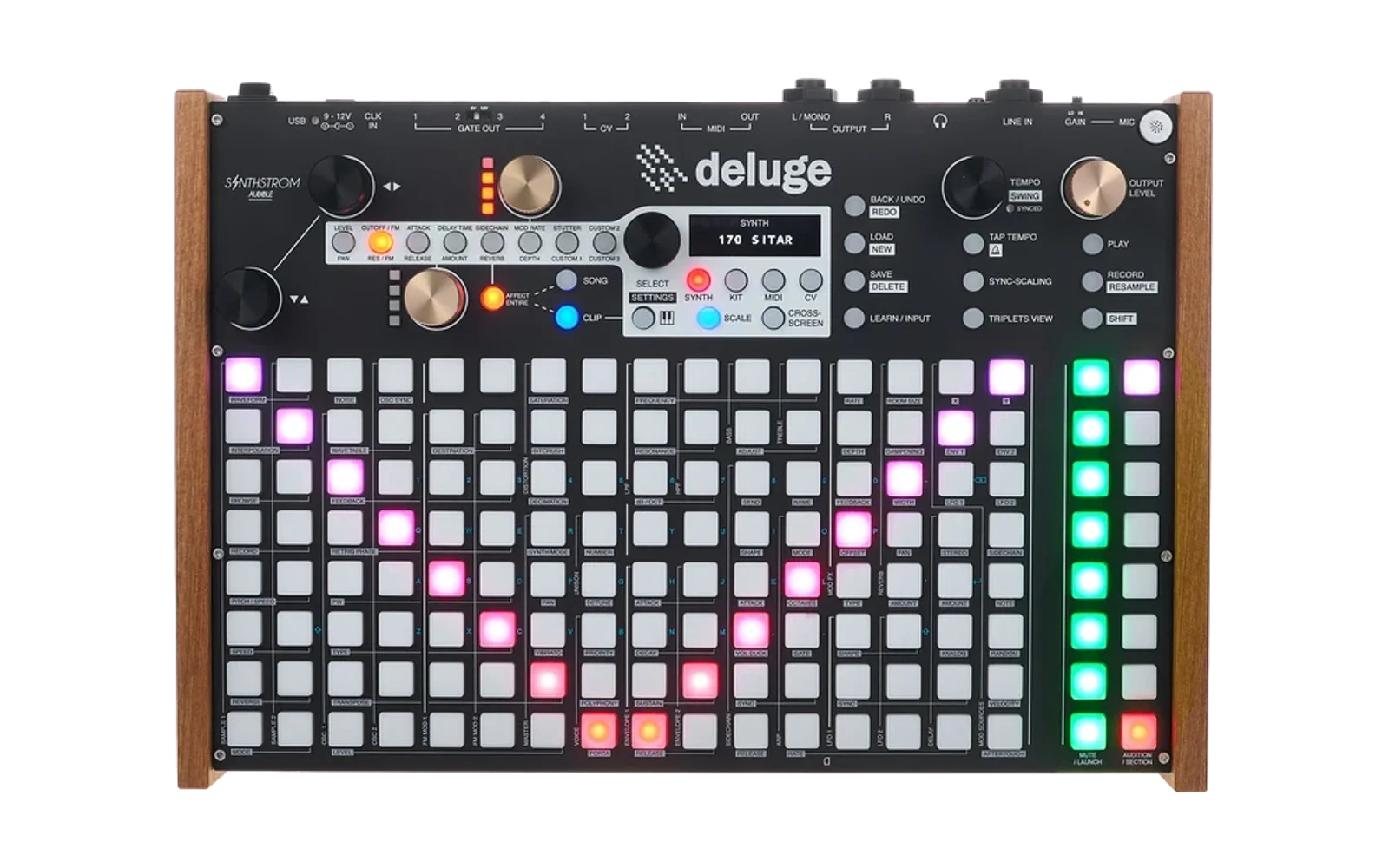
Deluge Patch Book
Version: Beta
A step-by-step build guide for Synthstrom Deluge presets — pick a preset from your
synths folder and it shows you how to dial it in from an init patch, plus a
mod-matrix table and a signal-path diagram for the preset.
Fully static and offline: no server, no build step, no install. Files never leave your browser.
How to use it
- Double-click
index.htmlto open it (Chrome or Edge recommended — the folder picker below relies onwebkitdirectory, which Safari/Firefox support less reliably). - Click "Choose synths folder…" and select your
synthsdirectory. This is theSYNTHSfolder from your Deluge's SD card — copy it onto your computer first (e.g. by plugging the SD card into a card reader); the app reads it locally and never uploads anything. (An in-app User Guide, top right, covers this and everything else below in one place.)- Once loaded, use the filter chips above the preset list (next to the search box) to narrow it down: engine (Subtractive/FM/Ring Mod — pick one), oscillator source (Waveform/Sample/Multisample — pick one; "Sample"/"Multisample" match if either oscillator uses one), and a row of independent toggles for Arp, Unison, Custom cables (any mod-matrix routing beyond the 3 the init patch already ships with) and Sidechain. The toggles combine with each other and with the text search box (all narrowing together, never widening) — e.g. type "pad" and turn on Unison to see only unison pads. Your filter selection is remembered across reloads, same as the Beginner/Expert and Show tips toggles.
- Pick a preset from the list on the left.
- Use the Beginner / Expert toggle (top right) to switch between
Deluge-hardware instructions (
[SHIFT]+[PAD]shortcuts, real on-device values) and terse synthesis-language descriptions. - Switch between the tabs above the guide:
- Steps — the build guide itself. Steps color themselves from Check now / live MIDI-Follow data (see below); the first time every field matches at once, the preset gets a permanent ★ in the library list.
- Mod Matrix — every modulation routing in the preset as a table.
- Signal Path — a diagram of the preset's actual signal flow; hover any box for its parameter values, hover a colored source node below the chain to see everywhere it modulates.
- Compare — pick a second already-loaded preset and see both presets' full Signal Path diagrams stacked one above the other (hover either one for real values, same as the Signal Path tab; boxes that differ between the two get the same yellow outline the Signal Path tab uses for "differs from init").
- Above the step list, two small toggles: Show manual reference (a citation — manual section + page, or a community-firmware doc — under each step, labeled "More infos" and linked where a real page could be confidently pinned down) and Show tips (a short "why this matters", and sometimes a "try this" nudge, under select steps).
- Glossary and Print / export cheat sheet above the tab bar: a static reference panel for core synthesis terms, and a print-friendly, self-contained cheat sheet opened in a new tab (use the browser's own "Save as PDF" from the print dialog to export it).
- Most steps whose concept has a Web Audio equivalent get a ▶ Hear it
button that opens a small interactive demo — a generic oscillator, not
this preset's actual sound, just something to actually hear the concept
with: low-pass and high-pass filter sweeps, series-vs-parallel filter
routing, ADSR envelope shape (loops automatically and draws a live curve
of the shape while you drag Attack/Decay/Sustain/Release), LFO rate/depth,
unison detune, auto-pan, portamento glide, oscillator waveform, a generic
"getting dirtier" saturation/bitcrush-style distortion, wavefolding, mod
FX (chorus-style), feedback delay, two-oscillator FM, an arpeggiator
stepping through a held chord, a 2-band EQ, OSC1/OSC2 balance crossfading,
noise mixed under a tone, oscillator transpose against a reference tone, a
reverb-style tail on a repeating pluck, and sidechain ducking on a
repeating kick-like hit. Every demo is a standard synthesized
OscillatorNodewaveform, a generated noise buffer, or a generated impulse response — never a sample, wavetable, or bundled audio file, a permanent scope boundary. A couple of concepts are still deliberately left without a demo where a clean, honest one isn't practical with plain oscillators (sample-based oscillators, gold-knob reassignment) — the guide text still covers those.
Optional: connect a real Deluge
If your Deluge is plugged in over USB (Community Firmware 1.3+) and you're using Chrome/Edge/Opera (Web MIDI + SysEx isn't supported in Safari or Firefox), you can skip the SD-card copy step for individual presets and talk to the device directly:
- Connect Deluge… (top right) opens the browser's MIDI permission prompt and connects to the first port with "Deluge" in its name.
- Load a preset from connected Deluge… (left panel) browses
/SYNTHSon the device itself and loads the preset you pick straight into the guide, no SD card required. This browser also has its own, more limited version of the category filter chips above, plus a "Categorize this folder…" button — click it to read just the first couple KB of every preset in the folder you're currently looking at (over MIDI SysEx, so it's opt-in and scoped to that one folder rather than automatic across the whole SD card) and enable the Engine/Oscillator-source filters for it. Arp/Unison/ Custom cables/Sidechain aren't offered here — those live too far into a real preset file to detect reliably from a short read. - Check now… (above the step list) reads a progress file back off
the Deluge and compares every parameter it knows how to check against the
preset you're rebuilding, field by field — so you can save your
in-progress patch to the SD card as you go and see exactly what still
differs. It covers oscillators, mixer levels, filter, envelopes, LFOs,
arpeggiator, effects, sidechain, distortion, and the modulation matrix
(patch cable routing, depth, polarity, and chained "double mod" depth
modulators); it does not yet check gold-knob reassignments (a list in the
XML with a shape that's ambiguous to check generically — see the comment
above
buildCheckSteps()inapp.js). Asks once per session whether you've actually saved to the SD card first (skippable for good via "Don't ask again"). A single corrupted SysEx reply (rare, more likely on a large directory listing) is retried automatically before surfacing an error. - Check settings… lets you loosen or tighten how close a value needs to be to count as "matching" (useful since a knob is never turned to the exact same raw value twice), globally or per parameter.
- Live values, no SD card needed: if the Deluge has MIDI Follow Mode
enabled (Community Firmware's own feature — sends MIDI CC feedback for
~80 continuous parameters whenever you turn a knob), around 30 continuous
parameters (oscillator/noise levels, oscillator pulse width, pan, both
envelopes, filter frequency/resonance, LFO rates, Mod-FX rate/depth, delay
rate/amount, reverb, arpeggiator rate/gate, distortion, EQ, portamento)
pick that up automatically and tag themselves live — no "Check now"
click needed for those. Everything MIDI Follow can't cover (patch cables,
enum-style settings like oscillator type/filter mode/sync level, Unison,
Sidechain timing, …) still needs a real file-based check. A step never
mixes the two: if even one of its fields falls outside MIDI Follow's
coverage, the whole step stays file-check-only — which is also why some
parameters (e.g. Delay/LFO rate vs. their own Sync) live in their own
separate steps from a field they're otherwise closely related to. See
modules/deluge-midi-follow.jsfor the exact field coverage and the default CC mapping. - MIDI Monitor… (top bar) shows every raw MIDI message arriving from the Deluge, decoded with its resolved field path where one applies — useful for confirming MIDI Follow feedback is actually reaching the browser. Clock and transport (Start/Continue/Stop) messages are filtered out so a running sequencer doesn't flood it.
This is all still 100% local: MIDI SysEx is a direct USB connection between
your browser and the Deluge, nothing is uploaded anywhere. The connection
code lives in modules/ and is only touched by these buttons — the rest of
the app (folder/file pickers, guide, mod matrix, signal path) never depends
on a Deluge being connected.
Mobile / phone use
The app works on a phone browser too — pick presets, read the build guide, tap through the Mod Matrix/Signal Path/Compare tabs and open the WebAudio "Hear it" demos, all with the library and guide chrome laid out as one normal scrolling page (rather than the desktop's fixed two-pane layout) and touch-sized filter chips/sliders below an 800px-wide viewport. The Signal Path and Compare diagrams are wide enough that they scroll horizontally inside their own frame on a narrow screen — that's expected, not a bug. Web MIDI (Connect Deluge…) still depends on your mobile browser supporting it, same as on desktop.
Files
index.html— page structurestyles.css— all stylingapp.js— everything else (XML parsing, guide generation, diagrams)modules/— optional live-Deluge connection (Web MIDI/SysEx transport, the on-device check engine, and its settings panel), imported byapp.js
No dependencies, no build. Editing any of the three files and reloading the page is the whole workflow.
License
GNU General Public License v3.0 (or later) — the same license the
Deluge community firmware
is released under. See LICENSE for the full text.