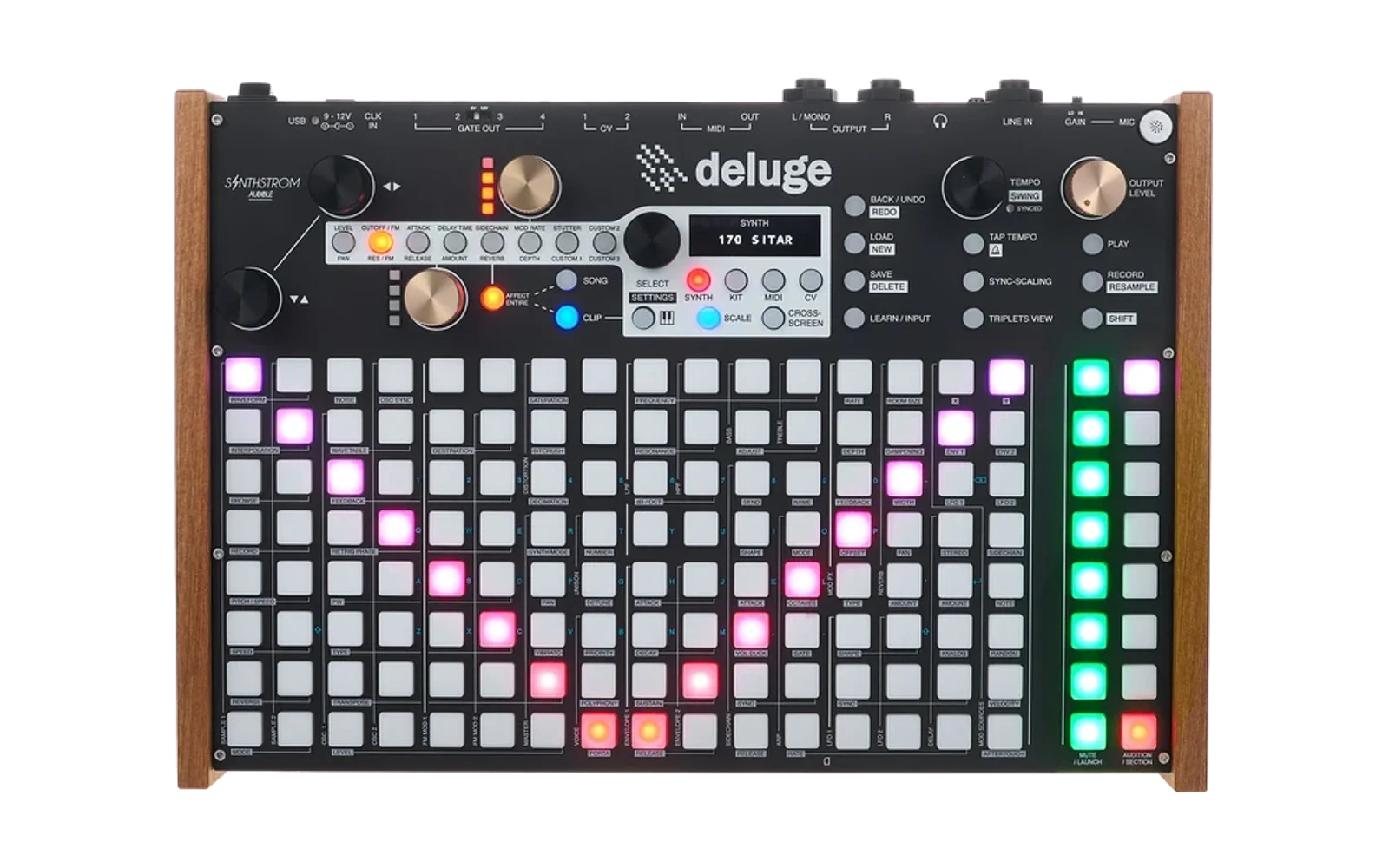
Deluge Editor
A browser-based preset editor for the Synthstrom Deluge. Edits synth and kit presets as XML, offline (load / download) or live on the Deluge's SD card over Web MIDI SysEx.
Use it now: https://cyface.github.io/deluge-editor/ — deployed from
main by CI, after the full test suite passes.
Status: the XML round-trip, the editor UI, and live load/save on the Deluge's SD card over Web MIDI (community firmware 1.3.0+) all work.
Inspired by
This project is inspired by solaris76/Deluge-Synth-Editor by Chris Griggs, and by the DEx smSysex protocol work by silicakes
The XML format's ground truth is the Deluge community firmware.
Develop
pnpm install
pnpm dev        # Vite dev server
pnpm test       # Vitest, once
pnpm test:watch
pnpm check      # svelte-check + tsc
pnpm test:e2e   # Playwright end-to-end specs against the built app (needs `pnpm exec playwright install chromium` once)
pnpm build      # static bundle in dist/
pnpm deploy     # build + wrangler deploy to Cloudflare Workers
Web MIDI SysEx needs Chrome or Edge. XML editing works anywhere.
Layout
src/core/     framework-free TypeScript: xml, preset, params, firmware, sysex, samples, kit, midi, library, live, random. No Svelte imports.
src/ui/       Svelte 5 components: the flow strip, the overview panels, the controls.
tests/        cross-cutting tests, the Playwright end-to-end specs, Deluge-authored XML fixtures.
docs/         decisions log and how the fixtures are captured from DelugEmu.
The editor
The whole preset is on one page. The flow strip at the top (Osc → Voice → Filters → … → Out, modulators below) is the table of contents: click a block to focus it, shift- or ⌘/Ctrl-click to pin several, click the strip's background or Show all to expand everything. The OLED line above it is a mechanical summary of the model. The bar's New, Open and Save menus start a preset, open one from this computer or from the Deluge, and download it or write it back; a dot on the firmware pill says a Deluge is connected. Controls are shown for the firmware in that pill (defaulting to the loaded file's) and a control that firmware can't honour is simply not there. Changes lists every value that differs from the file you opened; a whole element added or removed (a new kit row, a cable) is one entry, not one per attribute. Every control carries a tooltip saying what the parameter does on the Deluge, cited to the firmware.
Anything that would throw away unsaved work asks first: New over an edited
preset, a file dropped over a loaded one, samples dropped on a kit. Save
has four exits. Download XML is the file; Download zip (offered when the
preset references samples) packs the preset under KITS/ or SYNTHS/, the
samples at the paths it names, and a README, ready to merge onto another card;
To Deluge opens the card browser, where writing over a name that already
exists takes two clicks, the first only arming the second; To Deluge —
Overwrite writes straight back to the file the preset was opened from, or
last saved to, with no dialog, and is disabled until it has such a path. A
save over USB is read back and compared before it is called saved. A ._
file dropped in is named for what it is, a macOS metadata sidecar, rather
than parsed.
Right-click (or long-press) any patchable knob to pick a modulation source: the cable is created at zero and the Cables panel opens on it, or on the existing cable if that pair already has one. The Gold Knobs panel is the sixteen encoder assignments, eight pages of two, each a one-line summary that expands to its selects; a slot the file does not carry shows the firmware's stock assignment.
Follow Mode mirrors the Deluge. Set Settings › MIDI › Midi-Follow › Channel › Channel A to a MIDI channel and Feedback › Channel to Channel A (community firmware 1.1.0+), and every value the Deluge changes — a knob, a menu edit, the whole sound when you open a clip — moves the matching control here. While it is on, the page shows only the parameters Midi-Follow can reach, the firmware's own default CC map, in the same blocks and knobs as the full editor; envelopes and LFOs tab to whichever the instrument last touched. Values written are the instrument's own, and nothing is committed until you save.
Send, on by default, plays your moves back into the sound the Deluge has live: only what you move, to one Deluge port, on the channel the Deluge was heard on, and the header says which. Values land exactly when the Deluge's MIDI › Takeover is Jump, its default. The help sheet in the mode reads the Deluge's own Midi-Follow settings off the card and says which port and channel a send will be accepted on. The button is there only when the selected firmware has Midi-Follow (community 1.1.0 or later); with an official-firmware preset loaded there is nothing to follow with, so there is no button.
Live Edit makes the sound the Deluge has live the document. On a
Deluge whose firmware offers it (the Sysex Live Edit community feature,
so far on Tim's fork of the firmware), the button opens the synth or kit the
current clip holds, as the Deluge holds it in RAM. Every control here reaches
the Deluge as you move it — a knob straight into the parameter, anything
structural by reloading the preset in place — and the Deluge's own knob turns
and menu edits land here. Save asks the Deluge to write its own file, the way
Save › Synth does on the device, and the file is read back and checked against
what the page shows. The card's copy is what the Changes dock diffs against,
so the count is what Save would change. The whole editor stays; the header
says which sound is open and how the link is doing. docs/live-edit.md is the
protocol.
Randomize generates a patch. Pick an intensity (mild → wild) and which
blocks a roll may touch — the sound-making blocks the flow strip names; the
arp Randomizer and the gold knob assignments are never rolled — and roll. It
starts from whatever is loaded, or from the Deluge's own init synth if nothing
is, and in a kit it rolls the selected row. What it writes is the firmware's:
enum strings come from the string tables character for character, knob values
are drawn in the Deluge's own menu ranges, nothing the firmware in the pill
can't honour is ever written, and a patch cable is only made where
Sound::maySourcePatchToParam says the instrument would actually patch it —
so no roll produces a cable that loads and silently does nothing. Curated
bounds keep a roll playable rather than merely random: one oscillator always
at full level, a cutoff floor, delay feedback well short of runaway, unison
under the firmware's eight. Every roll carries a seed, shown beside the
button, so a patch you liked can be rolled again exactly; and a roll is
ordinary edits, so Changes lists all of them and any one can be put back.
Each roll also names the preset after what it made ("FM BELL", "SAW SWELL"),
read back from the rolled sound, so a folder of rolls is not a folder of
(unnamed).
A sample oscillator with more than one sample opens a range editor the width of the page: the key zones as bands across the keyboard, with the splits draggable, plus root note, tuning and zone for whichever range is selected.
Kits are built from samples. Drop a folder of WAVs on the page, or use
Choose Folder… or From Deluge… in the kit builder, and each file becomes a
row on the Deluge's own blank-kit template, in kick / snare / hats order,
with the zone read from the WAV header. The Rows table is the kit in pad
order: select a row to edit its sound in the panels below, drag the grip or
use ▲▼ to reorder, set volume, pan, repeat mode and direction in place, play
a sample or read its waveform thumbnail, and Add Row for an empty one.
Samples that live only on this computer are pushed to SAMPLES/<folder>/ on
the card when you save to the Deluge, or packaged with the preset by
Download zip, whose Share section takes the author and licence for the
README.
From folder… on a sample oscillator — set the waveform to Sample and the panel offers it, beside Sample… (Change sample… once one is set) for a single file — or dropping a folder of pitched samples on a synth, asks one question — are the samples on this computer or on the Deluge — and builds the instrument: it works out what note each file was recorded at from the note embedded in the WAV, then from its file name through one offset fitted for the whole folder, and lands you in the range editor with the ranges written. Each one says where its root came from, the key boundaries are the instrument's own midpoints, anything it couldn't place is listed with a field to give it a note rather than quietly dropped, and one control shifts every root and boundary together when a library is named against a different middle C. As everywhere else in the editor, the only commit is saving.
Open › Sample library on Deluge (or … on a card in this computer, for
a card in a reader) is the card's sample library: SAMPLES/ as a
list, each sample and folder with how many songs, kits and synths name it,
and the three things you do to a library. Rename and Move… rewrite every
file on the card that names the sample — a song's audio clips as much as a
kit's rows — so nothing goes silent; Delete is offered only for a sample
nothing names. The references are read once from every .XML under SONGS/,
KITS/ and SYNTHS/, cached, and re-read only for files that changed — a
card of songs that takes minutes over MIDI takes seconds from a reader. Before
anything changes on the card the dialog names the files it is about to
rewrite, and each rewrite is written beside the original and swapped in, so
an interrupted transfer never leaves a truncated song. One caveat the panel
repeats: a song or preset the Deluge has open keeps the old paths in memory
until it is loaded again, so reload it there before saving it.
The test that matters is the round-trip: parse a Deluge-authored preset,
generate it back, and compare flattened path → value maps. Zero values lost,
changed, or added; second save byte-identical to the first. Fixtures live in
tests/fixtures/ — see the README there.
License
MIT — see LICENSE.