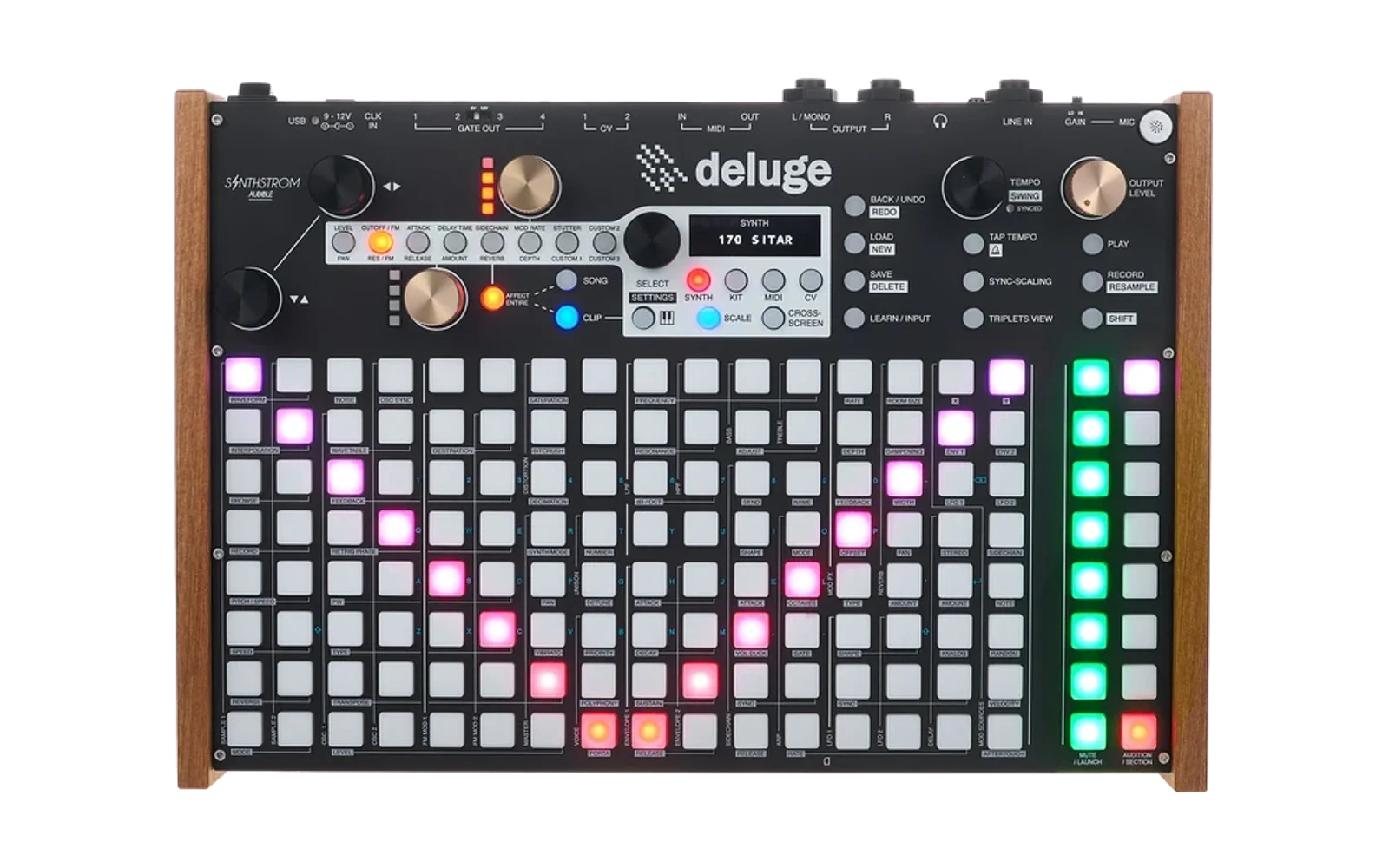
BRIBELUGE: Deluge Bribes FW v1.22.2
Unofficial firmware for the Synthstrom Deluge, built on the community beta (1.3, Derbyshire). It adds things for people who want more wonk, more destruction, more speed, moarrrrr:
- Stumble swing: four alternative swing styles with seven levels each, and quick shortcuts on the TEMPO knob. New songs start on Stumble, SQEZ style (new in v1.8).
- Kit pattern mode: a pattern store for the first six rows of a kit. Step each row through saved patterns, load whole banks, and save over them.
- Autofill: TAP plays drum fills over your beat, with five fill types to pick from.
- Mono sequencer: a mono step sequencer for synth, MIDI and CV tracks, with an octave per note, slide steps (new in v1.7), gate control and, on CV, a custom voltage for each row. From v1.16.1 a mono clip always plays in scale mode.
- Endless Record: hit RECORD while playing and keep recording past the end of the loop, then stop at the next bar.
- Drum synth: synthesised drums on any kit row: the LXR-02's kick / tom, snare and cymbal / hat voices, DXIA and DIIA, and eight Cyc engines modelled on the Model:Cycles and Syntakt machines (new in v1.8). Every engine is picked in SYNTH MODE and shares one shortcut pad layout and one Cycles-style gold knob layout, and SHIFT + KIT makes a whole LXR or Cycles kit (new in v1.11), then browses its presets with the pattern running, sixteen Cycles kits of my own and sixteen LXR kits by Hrtl included (new in v1.12). New in v1.13: GIN, the PO-32 style drum voice from SquareWave Studio's GIN for the OP-1, with sixteen eight-sound kits built in. The Deluge's envelopes, filters and FX all work on top, and their settings can be parameter locked. New in v1.14: every engine's settings can be modulated from the mod matrix, and automation view's grid follows the drum synth pads. New in v1.16: every engine's settings sit on the MOD1 and MOD2 pads in one standard layout, the same pad doing the same job on every engine. New in v1.21: ULTRAKIK, a kick engine with sixteen presets, from deep 808s to fully broken kicks. New in v1.22.2: the kick engines send full to the sidechain.
- Saturation: the Deluge's saturation rebuilt as a one-knob drive that gets louder and denser as you turn it up, ending in a hard clip, with five curve types. Old songs keep the original sound. New in v1.16.1: the drive can be learned to a gold knob, automated and MIDI learned.
- Sample start offset: move where a sample starts playing, per step. Draw it in automation view, parameter lock it or modulate it, and it wraps around the sample, loops included.
- 303 synth (new in v1.7): a TB-303 style bass voice as a synth mode, ported from the open source Open303. It plays from the mono sequencer, with accent and slide per step, and runs through the Deluge's saturation and FX. Its knobs follow the drum synth layout, with its own drive and amp decay (new in v1.11). New in v1.22: DIRT, a gritty, saturating version of the 303 filter that the drive pushes into, picked from the LPF MODE pad. Changed in v1.22.1: Drive is an overdrive after the filter, and Decay changes the sound across its whole knob.
- Delay feedback and tone: the delay's amount and feedback on separate controls (new in v1.9), and a DJ-style filter in the delay loop (new in v1.10). Amount sets how loud the echoes are, Feedback how many come back, and Tone darkens or thins each repeat. Both live one layer under SHIFT: on the gold knobs, or press the delay pad twice.
- Affect all (new in v1.15): a performance snapshot for LXR, Cycles and GIN kits. SHIFT + AFFECT ENTIRE freezes the kit, then every gold knob turn moves all the drums at once, or the kit's FX, and SHIFT + AFFECT ENTIRE again snaps it all back on the next bar.
- Pad Guides (new in v1.16): hold SHIFT on a drum synth and its setting pads glow pink. Hold any gold knob button and its two settings' pads flash, red for the top knob and yellow for the bottom. Drum synth gold knobs follow the shared pad layout. New in v1.20: hold any shortcut pad and the 7-segment display scrolls the full name of what it changes.
- Synth instruments (new in v1.16): SHIFT + SYNTH on a synth track picks Deluge, DLFM (FM) or DX7, each with its own preset folder, and loads that instrument's first preset.
- Default instruments (new in v1.19): pick the kit (LXR, Cycles or GIN) and the synth (Deluge, DLFM or DX7) every new track starts as, already on that instrument's top preset. SELECT on an LXR, Cycles or GIN kit steps through its presets in place.
- Gate out (new in v1.22): a kit's bottom four rows (kick, snare, hat 1, hat 2 on the preset kits) play out of the Deluge's four gate outputs, so a modular or another drum machine can follow the kit. One kit at a time, and each row can pick its own gate. Changed in v1.22.2: GATE is the first item in a row's menu, and CV clips keep off the kit's gates.
Jump to: About · Download · Install · Quick reference · Design and credit · Source code
With these settings left at their defaults, the Deluge behaves exactly like the community beta, except that new songs start on Stumble swing (still straight until you turn the swing up), and the delay's feedback has its own setting (the tone starts flat). Songs saved before keep their own swing and sound the same through the delay.
Status: experimental. Tested on a 7-segment Deluge. The OLED screens are written but not yet tested on hardware. Back up your SD card before installing.
New in v1.17: lighter on the CPU. Earlier versions ran out of CPU much sooner than the community beta once drum synth kits or a 303 were playing, so the Deluge started cutting notes, even on old, ordinary patches. v1.17 brings that back down without changing the sound:
- Every voice is smaller. Each voice carried room for the drum synth engines whether it used them or not, which made it about seven times the size of a stock voice. Now only drum synth rows get that memory, so ordinary synth and sample voices are back to normal size, and the Deluge's fast internal memory has its room back.
- The drum synths and the 303 do the same work for less. Settings are worked out when they change instead of on every sample, and parts of a hit that can no longer be heard are skipped. The sound stays the same.
- Drum synth hits stop when you can no longer hear them. A hit now ends once it's 72 dB down, where it used to run on to 100 dB. Long tails (cymbals, open hats, toms, Chord, Tone) end about a quarter sooner, and that difference is far too quiet to hear. A Decay of 127 still holds for as long as the note does.
- Quiet tails are cut first. When the CPU does run short, a drum synth hit that's already 40 dB down is cut before notes you can still hear.
New in v1.18: Cycles engines at a fraction of the cost. The Cycles engines now build their sines from a lookup table, instead of working each one out every sample. By an estimate from the compiled code, Metal, Chord, Vtg Snr, Perc and Tone cost about a third to a quarter of what they did, and they sound the same. Tested on hardware: a Cycles kit and an LXR kit playing together with a 303 and another synth, with no voice stealing and the CPU peaking around 75 to 80%.
New in v1.19: default instruments. Set a default kit and a default synth in SETTINGS > DEFAULTS > UI > CLIP TYPE, and every new kit or synth track starts as that instrument, on its top preset. Turning SELECT on an LXR, Cycles or GIN kit now steps through that kit's presets instead of swapping it for a sample kit, and picking LXR, Cycles or GIN with SHIFT + KIT opens its presets straight away. See Default instruments.
New in v1.20: shortcut pad names. On a 7-segment Deluge, hold SHIFT (or an audition pad) and hold any shortcut pad: the display scrolls the full name of what that pad changes, so you can learn the layout as you go. Let go and it shows the value. See Pad names.
New in v1.21: ULTRAKIK. A kick engine for the drum synth. It starts as a thick, low thump with drive and grit already on and a short tail, and bends into long gliding 808s, hard 909s and fully broken kicks. Sixteen presets, clean at the top of the list and crunchier and crazier further down, all tuned to C: hold SHIFT, press OSC1 WAVE INDEX on an ULTRAKIK row and turn SELECT to play through them. See ULTRAKIK.
Fixed in v1.21: songs with named kits load again. From v1.12 the firmware read a kit's own name as its Kit presets entry, so songs whose clips find their kit by name came up CORRUPTED, including songs made on official firmware. Nothing on the card was damaged: those songs load again now. Kits saved since v1.12 keep their Kit presets entry.
New in v1.22: DIRT, a dirtier 303 filter. The 303 always ran on Open303's own filter, and that filter is clean: Open303 leaves its saturation out. DIRT adds it back, where the note meets the resonance, so high resonance squashes and growls instead of ringing clean. Drive now pushes the note into the filter, getting dirtier and louder as it goes up. A new 303 starts on DIRT, and on a 303 the LPF MODE pad picks between 303, LP18 and DIRT instead of the Deluge's filters (which the 303 never used). 303s saved before keep their sound. See 303 synth.
New in v1.22: Gate out. Turn on Gate out for a kit and its bottom four rows fire gate outputs 1 to 4 as they play: held notes hold the gate, one-shot hits send a short trigger. See Gate out.
Changed in v1.22.1: 303 Drive and Decay. Drive in v1.22 pushed the note into DIRT's clipper, which squashed the resonance and got a lot louder. It's now an overdrive after the filter, like a pedal after a 303, on all three filters: it keeps the squelch, keeps the bass full, takes the fizz off as it goes up and gets about 3 dB louder at the top. Decay barely changed a 16th-note pattern from the middle of its knob up; it now changes the sound evenly from about 30 ms to 2.8 s, acts as you turn it, and accented notes follow it too. Every 303 now loads on DIRT, and the LPF MORPH, ENV1 DECAY and ENV2 DECAY pads reach Drive, Amp decay and Decay. See 303 synth.
Changed in v1.22.2: Gate out on one press, and kicks on the sidechain. GATE is now the first item in a kit row's menu: hold the row's audition pad, press SELECT, press SELECT on GATE and turn to OFF or gate 1 to 4. CV clips and GATE rows can't use a gate the kit is on any more, and a new CV clip skips CV channels whose gate is taken. Cyc Kik, ULTRAKIK, the LXR kick and the GIN kick sounds send full to the sidechain, whether a whole kit loads or one is picked on a row or a synth. See Gate out and Drum synth.
About
My approach to Bribeluge isn't to stack features on top of the Deluge's existing architecture. It's to make the Deluge a more deliberate and direct instrument for my needs: almost a brand new ultra version of what the Deluge has been for me since about 2018.
- It isn't built for everyone. I haven't optimised it for widespread use.
- Backwards compatibility isn't the priority. I haven't worried too much about songs made on earlier firmware. That said, I've tested a lot of older songs I've cut in the past and haven't found errors in any of them, so most of it seems to be backwards compatible.
- Eight deep tracks, not sixteen. I'm not working towards an instrument with 16 or more tracks playing at once, or a multitrack mini DAW. I'm working towards a really refined 8-track machine, with an exceptional amount of capability within those 8 tracks.
- Performance first. I'd rather it be super optimised and performance friendly, with the features I've been missing since the Deluge was first released, like sample start offset.
Download
firmware/deluge-bribes-v1.22.2.bin
SHA-256: a420462ff2291542cb1401bd170b8db4cb2b8f93925384cd65ed863a512aa103
Presets (optional): copy presets/KITS/CYCLES and presets/KITS/LXR to KITS/CYCLES and KITS/LXR on the SD card. The GIN kits are built into the firmware.
Install
- Copy
deluge-bribes-v1.22.2.binto the top level of the Deluge's SD card. Remove any other.binfiles from the top level. - Turn the Deluge off.
- Hold SHIFT and switch the Deluge on. Let go once it starts loading the new firmware.
To go back, install an official firmware file the same way.
Quick reference
| Control | What it does |
|---|---|
| SHIFT + turn TEMPO | Swing amount (Classic) or level 0 to 6 (Stumble). The display stays up while SHIFT is held. |
| SHIFT + push and turn TEMPO | Step through the Stumble swing styles: HOPP, DEEP, SQEZ, FOLD (Stumble on) |
| SHIFT + click TEMPO | Clear tempo automation, as before (now on release) |
| SYNC SCALING | Kit pattern mode on/off (with Sync Scaling Action set to Kit pattern mode) |
| Hold a row's audition pad + turn SELECT | Step that row through its saved patterns (kit pattern mode) |
| Turn SELECT, then press SELECT | Pick a pattern bank, then load it into all six rows (kit pattern mode) |
| Hold a row's audition pad + SAVE | Save that row's pattern over its slot (kit pattern mode) |
| TAP | Play a fill (with Tap Tempo Action set to Autofill). Hold for a longer fill. |
| Hold TAP + turn TEMPO | Pick the fill: Ghost, Drive, Build, Climb, Stutter (Autofill) |
| SHIFT + TAP | Metronome on/off, as before |
| Hold a note + turn the up/down knob | Shift the note's octave, up to 4 either way (Mono sequencer) |
| Hold a note + press and turn the up/down knob | Ratchet the note (note repeat), as normal (Mono sequencer) |
| Hold a note + click the up/down knob | Slide on or off for that step (Mono sequencer) |
| Hold a row's audition pad + turn the lower gold knob | Set that row's voltage (Mono sequencer, CV CUSTOM) |
| RECORD while playing | Start recording an empty playing clip with no loop limit (Endless Record on) |
| RECORD again | Stop recording at the next bar. RECORD blinks until then; press it again to keep going (Endless Record on) |
| SHIFT + KIT | New kit: choose Kit (samples), LXR (the seven LXR voices), Cycles (the six Cyc engines) or GIN (eight GIN sounds) |
| SHIFT + KIT on an LXR, Cycles or GIN kit | Kit presets: turn SELECT to play each preset on the kit's rows, SELECT to keep, BACK to go back (Drum synth) |
| Turn SELECT on an LXR, Cycles or GIN kit | Step to the kit's next or previous preset and keep it (Default instruments, new in v1.19) |
| Tap an empty audition pad on an LXR, Cycles or GIN kit | Add a row there and open SYNTH MODE to choose its sound (Drum synth) |
| Hold a row's audition pad + SYNTH MODE pad | Put the row on any drum synth engine or variant, or back to Sample. On a drum synth row the OSC1 TYPE pad opens the same list |
| SHIFT + a MOD1 / MOD2 pad on a drum synth row | That engine's setting: MOD1 from the bottom is Decay, Drive, Pitch, Pitch env amount, Pitch env speed, Character A, Character B, Extra 1; MOD2 holds Extras 2 to 9 (Drum synth, new in v1.16) |
| Attack / Release gold knobs | Drive / Decay (drum synth rows and the 303) |
| Mod rate / Mod depth gold knobs | Pitch envelope speed / amount: Contour / Sweep on the Cyc engines, the filter envelope's Decay / Env mod on the 303 |
| CUSTOM 2 / CUSTOM 3 gold knobs | Character A / B: Color / Shape on the Cyc engines, Mix / Noise freq on GIN, Accent / Saw-square on the 303. Hold a step and turn to parameter lock |
| Hold SHIFT on a drum synth | Its setting pads glow pink, and stay lit while you edit one (Pad Guides) |
| Hold a gold knob button | Its two settings' pads flash: red for the top knob, yellow for the bottom (Pad Guides) |
| Hold SHIFT + hold a shortcut pad | The 7-segment display scrolls that setting's full name; let go to see its value (Pad names, new in v1.20) |
| SHIFT + OSC1 WAVE INDEX pad on an ULTRAKIK row, turn SELECT | Play through ULTRAKIK's sixteen presets, each loading as you turn (KPRE) (ULTRAKIK, new in v1.21) |
| SHIFT + OSC1 PULSE WIDTH / RETRIGGER / FEEDBACK pad on an ULTRAKIK row | Body wave / Snap / Drive type (ULTRAKIK, new in v1.21) |
| SHIFT + SYNTH on a synth track | Pick the instrument: Deluge, DLFM or DX7. SHIFT + SYNTH again moves on, SELECT loads its first preset (Synth instruments) |
| SETTINGS > DEFAULTS > UI > CLIP TYPE > KIT / SYNT | The kit and synth new tracks start as (Default instruments, new in v1.19) |
| Drum synth setting open + a mod source pad | Patch that source (LFO, envelope, velocity, random...) to the setting (Drum synth, new in v1.14) |
| SHIFT + SATURATION pad | Saturation drive, 0 to 50. Press BACK, then turn SELECT to reach Type |
| SHIFT + SATURATION pad, then hold LEARN and turn a gold knob | Put saturation drive on that gold knob, in the context its button has selected (Saturation, new in v1.16.1) |
| SHIFT + OSC1 / OSC2 PULSE WIDTH pad | Sample start offset, when that oscillator plays a sample |
| Automation view: OSC1 / OSC2 PULSE WIDTH pad | Draw the start offset step by step, when that oscillator plays a sample |
| SYNTH MODE pad, choose 303 | Turn a synth into the 303 (303 synth) |
| Cutoff/Res and Attack/Release gold knobs | Cutoff / Resonance and Drive / Amp decay (303 synth) |
| SHIFT + LPF MODE pad on a 303 | The 303's filter: 303, LP18 or DIRT (303 synth, new in v1.22) |
| SHIFT + LPF MORPH / ENV1 DECAY / ENV2 DECAY pad on a 303 | Drive / Amp decay / Decay (303 synth, new in v1.22.1) |
| Audition pad + SELECT > GATE | That kit row's gate output: off or 1 to 4 (Gate out, first in the row's menu from v1.22.2) |
| Kit menu (AFFECT ENTIRE on) > Gate out | Rows 1 to 4 play out of gate outputs 1 to 4, one kit at a time (Gate out, new in v1.22) |
| SHIFT + turn the delay Amount gold knob | Delay feedback, 0 to 50. The knob on its own still sets the delay amount (Delay feedback and tone) |
| SHIFT + turn the delay Rate gold knob | Delay tone: lowpass to the left, flat in the middle, highpass to the right (Delay feedback and tone) |
| SHIFT + delay AMOUNT pad, press again | Delay feedback. The pad blinks yellow; press again to go back to Amount (Delay feedback and tone) |
| SHIFT + delay RATE pad, press again | Delay tone. The pad blinks yellow; press again to go back to Rate (Delay feedback and tone) |
| SHIFT + AFFECT ENTIRE on an LXR, Cycles or GIN kit | Snapshot the kit and move every drum at once. AFFECT ENTIRE flashes (Affect all) |
| AFFECT ENTIRE during the snapshot | Swap between All voices (ALL) and the kit's FX (FX), keeping the snapshot (Affect all) |
| SHIFT + AFFECT ENTIRE again | Put the snapshot back on the next bar. AFFECT ENTIRE flashes twice as fast until then (Affect all) |
7-segment display names are in brackets below.
1. Stumble swing
The Deluge's own swing pushes every second 16th later by one amount. Stumble swing replaces it with four styles that move the notes in different shapes, each with seven levels.
Turning it on
New songs start with Stumble on, style SQEZ, level 0 (straight): turn the swing up with SHIFT + turn TEMPO to hear it. Songs saved before v1.8 keep the swing they were saved with. To change it:
- Press SONG, then press the SELECT knob to open the Song menu.
- Turn to Stumble (STUM) and press SELECT to switch it on or off.
- Turn to Stumble Style (STYL), press SELECT and choose a style. It changes in real time, so you can hear the difference while playing.
- Set the level with SHIFT + turn TEMPO, from 0 (straight) to 6 (strongest).
Switch Stumble off to go back to the Deluge's own swing. Each mode keeps its own setting, so switching back and forth doesn't change your Classic amount or your Stumble style and level. Both are saved with the song.
The four styles
Every style repeats each beat (HOPP every pair of 16ths), and none of them moves the downbeat.
| Style | What it does |
|---|---|
| HOPP | MPC and Linn style 16th swing in whole ticks. The second 16th of each pair lands at 54.2, 56.3, 58.3, 62.5, 66.7 or 70.8%. |
| DEEP | Swing at two levels: each beat's 8ths swing (52 to 66.7%), then each 8th's two 16ths swing again inside it (52 to 60%). |
| SQEZ | The "e" leans late, then the "&" and "a" squeeze up against the next downbeat. |
| FOLD | The "e" moves late and the "a" moves early, folding in toward the "&". The 8th pulse holds while the 16ths pinch together. |
Shortcuts on the TEMPO knob
- SHIFT + turn TEMPO sets the swing amount (Classic) or level (Stumble).
- SHIFT + push and turn TEMPO steps through HOPP, DEEP, SQEZ and FOLD while Stumble is on. The first click shows the current style. With Stumble off, it shows CLAS and changes nothing; Stumble is switched on and off in the Song menu.
- The display stays up while you hold SHIFT, so you can turn, listen and turn again. It goes when you let go of SHIFT.
- SHIFT + click TEMPO (without turning) still clears tempo automation. It now happens when you let go of the knob, so changing styles never clears it by accident.
- Swing Interval (hold TAP and turn TEMPO, or the Song menu) still works. At 16ths the styles play as described. At 8ths every pattern stretches to twice the length.
2. Kit pattern mode
A pattern store for kits, after the Stolperbeats module's pattern banks. Each of a kit's bottom six rows can step through 24 saved patterns, and you can load whole banks of them at once.
Setting it up
- SHIFT + press SELECT to open Settings, then go to Community Features (FEAT).
- Set Sync Scaling Action (SCAL) to Kit pattern mode (PATT). This takes over the SYNC SCALING button.
- Put your banks on the SD card:
PATTERNS/RHYTHMIC/STUMBLE/<BANK>/<ROW>/PATTERN001.XML ... PATTERN024.XML
A bank is any folder you name, such as TECHNO or HOUSE. <ROW> is KICK, SNARE, HIHAT1, HIHAT2, PERC1 or PERC2. These are standard Deluge pattern files, so they can be copied, renamed and shared.
Using it
In a kit clip:
- Press SYNC SCALING. Its LED flashes while kit pattern mode is on.
- Turn SELECT to pick a bank, then press SELECT to load it into all six rows. Each row keeps its pattern number when you change bank.
- Hold a row's audition pad and turn SELECT to step that row through patterns 1 to 24. The display shows e.g. BD05 (Kick, pattern 5). An empty slot gives an empty row.
- Edit notes freely, as normal.
- Hold a row's audition pad and press SAVE. The normal save screen opens on that row's slot. Press SAVE to confirm and overwrite.
- Press SYNC SCALING again to return to normal.
- Rows: the six rows are the bottom six, from the bottom up: Kick, Snare, Hihat 1, Hihat 2, Perc 1, Perc 2.
- Lengths: loading a pattern longer than the clip lengthens the clip the way clip multiply does, repeating every row's notes to fill it. Every row ends up the same length as the clip.
- Undo: each pattern change can be undone, and a bank load undoes in one step.
- Clipboard: loading a pattern replaces the copy/paste clipboard, as the Deluge's own Load Pattern does.
Converting Stolperbeats pattern banks
tools/stolperbeats_to_deluge.py turns your own Stolperbeats PatternBankNNN.txt files into kit pattern mode banks:
python3 stolperbeats_to_deluge.py PatternBank000.txt --name TECHNO
- Each bank file becomes one bank folder. Copy the
STUMBLEfolder intoPATTERNS/RHYTHMIC/on the Deluge's card. - Every note gets velocity 127 (
--velocitychanges it), and every pattern is repeated out to 4 bars (--barschanges it), so 1-bar hats and percs line up with 4-bar kicks and snares. - A
PatternExtNNN.txtnext to a bank adds its ratchets as quick repeated notes. Its pitch values are skipped.
No patterns are included in this repo.
3. Autofill
TAP plays a drum fill over your beat, from the next 16th to the end of the bar. There are five fill types.
Setting it up
- SHIFT + press SELECT to open Settings, then go to Community Features (FEAT).
- Set Tap Tempo Action (TAPA) to Autofill (FILL). This takes over the TAP button. Set it back to Tap tempo (TAP) for normal tap tempo.
Playing fills
- Press TAP while playing. The fill starts on the next 16th and runs to the end of the bar. The TAP LED is lit while it plays.
- Hold TAP to carry the fill on into the following bars. It finishes the bar it's in when you let go.
- Hold TAP and turn TEMPO to pick the fill. The display shows its name. Turning cancels the fill your press started, so picking a fill never plays one.
- SHIFT + TAP still turns the metronome on and off.
- With TAP set to Autofill, the swing interval is only in the Song menu, because TAP + TEMPO picks fills instead.
The five fills
Fills play on the bottom three rows of every playing kit: Kick, Snare and Hihat 1. They follow your swing, including the Stumble styles, and muted rows stay silent. Your patterns are never changed; the fill only changes what plays.
| # | Fill | What it does |
|---|---|---|
| 1 | Ghost (GHST) | Quiet snare and hat notes on the off-16ths |
| 2 | Drive (DRIV) | Straight 16th hats, snare pickups and a kick at the end of the bar |
| 3 | Build (BILD) | Random hits that get more likely through the bar, with some snare and hat ratchets |
| 4 | Climb (CLMB) | Like Build but steeper, with velocity rising, more ratchets late in the bar, and the snare stepping up 3, 5 and then 7 semitones each beat |
| 5 | Stutter (STUT) | Repeats your live pattern in shrinking loops of 4, 2 and then 1 step, with random drops, ratchets and octave jumps |
- Ghost to Climb only add hits where your pattern is silent.
- Stutter takes over each step completely.
- Ratchets split the step evenly at three quarters of the velocity, so they follow the swing too.
- Pitch (Climb and Stutter) shifts just that one note. Your pitch knob, any pitch automation and other sounding notes are untouched. It works on normal sound drums; MIDI and gate drum rows play fills unpitched.
- Persistence: the chosen fill is not remembered after power-off and starts on Build.
4. Mono sequencer
Turns a synth, MIDI or CV track's grid into a mono step sequencer, built for basslines. The notes are ordinary Deluge notes, so clip length, nudging, ratchets (note repeat), copy and paste, undo and saving all work as normal.
Turning it on
- Open the clip's menu (press SELECT in the clip).
- Turn Mono Seq (MSEQ) on. On synths it sits near the end of the menu, after Sequence Direction.
Mono is a setting on the clip, so it carries over if you switch the track between Synth, MIDI and CV.
How it works
- 8 fixed rows: the scale's first 8 steps from the song's root, root at the bottom. With a 7-note scale that's one octave plus the root an octave up. The grid doesn't scroll up or down; it follows your notes instead (see below).
- One note per column: placing a note clears that column on the other rows.
- Octaves: hold a note and turn the up/down knob (without pressing it) to shift it up to 4 octaves either way. The display shows the note it now plays, e.g. D#5, and you hear it.
- Transposing the whole clip: press and turn the up/down knob (with no note held) to move every note up or down an octave, as on any synth clip. The 8 rows follow the notes to their new octave, so they stay on the grid (fixed in v1.7.1).
- The grid stays put while you edit: adding and removing notes never moves the 8 rows, so a note placed on the bottom row stays on the bottom row and plays in that octave (fixed in v1.15.1: a lone note on the root row used to jump the grid down an octave).
- Ratchets: hold a note, then press and turn the up/down knob. This is the Deluge's normal note repeat.
- Holding a note shows and sounds the note it actually plays, octave included.
- Always in scale (new in v1.16.1): a mono clip's 8 rows are scale steps, so the clip always plays in scale mode. Turning Mono Seq on, or making the synth a 303, switches SCALE on (the song's scale is kept, or fitted to your notes), and songs saved with scale off come back in scale. Pressing SCALE on a mono clip shows MSEQ and leaves it on. Scales without seven notes and MIDI transpose clips are left as they are. Mono Seq belongs to the clip, so a new synth put on a mono clip stays mono: turn Mono Seq off in the clip menu to free it.
- Fixed in v1.16.2: a new synth clip, or SHIFT + SYNTH's first preset, could come up as an old unsaved 303 left in memory, bringing the mono sequencer and scale lock with it. New synths now skip unsaved 303s, and SHIFT + SYNTH always loads a saved preset.
- Gate % (GATE), in the same menu, shortens every note's gate, from 1 to 100% of its drawn length. Notes still keep their own lengths.
Slide
- Hold a note and click the up/down knob (press and let go without turning) to switch slide on or off for that step. The display shows SLID or OFF. Holding several notes sets them all.
- A slide step plays its whole length, whatever Gate % is set to, and keeps sounding until the next step's note has started, so the two overlap.
- On the 303 the pitch glides into the next note without retriggering, as on a real TB-303.
- Over MIDI the overlapping notes make 303 clones and other mono synths slide.
- On CV the gate stays open while the pitch moves.
- On other Deluge synths set Polyphony to Legato and turn up Portamento to hear a glide.
- Sliding into the same note ties it: the note carries on without retriggering. Sliding into a rest plays a normal note, as on a 303.
- Octaves and slides are kept together, so you can shift a slide step's octave and it stays a slide.
Colours
| Pad | Means |
|---|---|
| White | A note in its own octave |
| Red, deeper per octave | Shifted up 1 to 4 octaves |
| Blue, deeper per octave | Shifted down 1 to 4 octaves |
| Orange tint | Edited: nudged, ratcheted, or given a probability, iterance or fill |
| Green tint | A slide step |
| Dim | The note's tail |
CUSTOM voltages (CV only)
Set Mono Scale (MSCL) to CUSTOM and each of the 8 rows sends its own voltage instead of a scale note:
- Hold a row's audition pad and turn the lower gold knob to set its voltage, from 0 to 10 V in 10 mV steps (1 mV with SHIFT held). The output follows as you turn, so you can tune by ear.
- The rows start as a major scale between 0 and 1 V.
- Octave shifts add or remove 1 V on top of the row's voltage.
How it plays
- Synth and MIDI: a note's octave moves the note it plays. Each row remembers which octave its note started in, so note-offs always match.
- CV: the octave, or the CUSTOM voltage, goes straight into the pitch voltage.
- Limits: recording live into a mono clip resets recorded notes to their own octave. One note per column is enforced when you place notes by hand, so pasting or nudging can still stack two in a column. On CV, the arpeggiator and pitch-bend changes can override the octave and CUSTOM voltages.
5. Endless Record
On the stock Deluge, hitting RECORD while a new clip is already playing records in a loop, so you're stuck inside the clip's length. To record for as long as you like, you have to stop, arm RECORD and press PLAY. Endless Record gives you that second way of recording without stopping playback.
Turning it on
- SHIFT + press SELECT to open Settings, then go to Community Features (FEAT).
- Turn Endless Record (ENDL) on. It's off by default.
Using it
- Hit RECORD while playing. Every empty clip that's playing starts recording straight away. Each time it reaches its end it grows by its own length, so a 1-bar clip grows a bar at a time. The clip stays lined up with the bars, so if you start halfway through a bar, the first half stays empty.
- Hit RECORD again to stop. RECORD blinks, and your notes keep recording until the next bar line. Then recording switches off and the clip's length is set there.
- Hit RECORD while it's blinking to cancel the stop and keep recording.
- Press STOP while it's blinking and recording switches off with playback.
Good to know
- It works on synth, kit, MIDI and CV clips that are playing and have no notes yet. Clips that already have notes overdub in a loop, as normal. Audio clips work as normal.
- Song view only, not the arranger.
- With it on, the blink-and-stop-at-the-bar also applies when you record the stock way (stop, arm RECORD, press PLAY).
- If you stop just after a bar line, the clip has already grown, so you'll get one extra empty bar.
6. Drum synth
Synthesised drums as a Deluge oscillator. A drum synth row is still a normal Deluge sound: its envelopes, filters, FX, mod matrix, automation and parameter locks all work on top.
The engines:
- Kick / tom (DRUM), Snare (SNAR) and Cymbal / hat (METL): ported from the drum voices of the open source LXR-02 firmware by Erica Synths.
- DXIA (DX-L, DX-B, DX-C), called Drom1 before v1.11: three sine operators and a carrier, phase modulating each other in three routings.
- DIIA (DI-G, DI-I, DI-H), called Drom2 before v1.11: inharmonic, metallic partials with a noise strike, in three variants.
- Cyc engines (new in v1.8): Cyc Kik (KIK), Cyc Snr (SNR), Cyc Metal (CMTL), Cyc Perc (PERC), Cyc Tone (TONE), Cyc Chord (CHRD), Vtg Snr (VSNR) and clap eng (CLAP). Modelled on the Model:Cycles' six machines and the Syntakt's SD VINTAGE and CP VINTAGE, with the same knobs and starting values.
- GIN (GIN, new in v1.13): the drum voice from SquareWave Studio's GIN for the OP-1, built on Eric Lewis's libpo32, a PO-32 style drum synth. A tone with a pitch sweep, LFO or noise modulator, and a filtered noise layer with its own envelope, mixed, driven and EQ'd. See GIN.
- ULTRAKIK (ULTRAKIK, new in v1.21): a kick engine. One swept oscillator into a wavefolder, four kinds of drive, grit, a click and a clean sub, with sixteen presets. See ULTRAKIK.
Making a drum synth kit
- In clip view on an empty clip, press SHIFT + KIT.
- The New kit (NEW) menu opens. Turn SELECT to a kit type and press SELECT:
- Kit (KIT): a normal, sample based kit.
- LXR (LXR): seven LXR voice rows, from the bottom: KICK, SNARE, CH (closed hat), OH (open hat), LTOM, HTOM and CYM. The two hat rows choke each other.
- Cycles (CYCL, new in v1.11): the Model:Cycles' usual six tracks, from the bottom: KIK, SNR, METAL, TONE, PERC and CHORD, playing at the note as the Cycles does at its default tune.
- GIN (GIN, new in v1.13): eight GIN rows, from the bottom: KICK, SNR, HAT1, HAT2, PERC1, PERC2, CLAP and OTHER, on the 808 kit. The two hats choke each other, and each row is tuned to its sound.
Vtg Snr, clap eng, DXIA and DIIA are picked per row in SYNTH MODE.
The rows an LXR, Cycles or GIN kit makes are its preset rows (new in v1.12). Their audition pads are softly coloured by the engine each plays: blue for the Cyc engines, orange for the LXR voices, green for DXIA and DIIA, pink for GIN (brighter on the selected row).
- Adding rows: tap an empty audition pad above or below the preset rows and a new row appears there with SYNTH MODE open, to make it any engine, Sample or FM. Holding the empty pad and pressing LOAD, SYNTH, MIDI or CV works as on any kit. Added rows aren't coloured.
- Swapping kit type: once rows have been added, a preset kit can't be swapped for another kit (the added rows would lose their sounds): the screen shows CANT. Without added rows, the swap keeps the pattern on the rows the new kit fills.
Kit presets (new in v1.12)
On an LXR, Cycles or GIN kit, SHIFT + KIT opens Kit presets (PRST): the kit files in KITS/LXR, KITS/CYCLES or KITS/GIN on the card.
- Turn SELECT. Each preset plays on the preset rows straight away, pattern running. Notes, added rows and the other rows stay as they are, and the audition pads still play the rows.
- SELECT (or KIT) keeps the one showing. BACK puts the kit back as it was and goes up to the Kit / LXR / Cycles / GIN menu: its own type goes back into the presets, another swaps the kit.
The list is Default (the rows as SHIFT + KIT makes them) and then the presets in name order. On a GIN kit, Default is replaced by GIN's sixteen built in kits, so there's nothing to copy to the card. It opens on the preset the kit is on (kept with the kit when you save), or Current if it's on none of them.
- Cycles presets: sixteen kits of my own, bank E of my Model:Cycles kits, converted for the Cyc engines: copy
presets/KITS/CYCLEStoKITS/CYCLESon the card. - LXR presets: sixteen kits by Hrtl from the free LXR-02 pack Erica Synths released in 2022, converted for the drum synth: copy
presets/KITS/LXRtoKITS/LXRon the card. Close to the originals rather than identical (see the folder's README). - Making presets: a preset is an ordinary kit file. Set the kit up, press SAVE, go into
KITS/LXR,KITS/CYCLESorKITS/GIN(made the first time you open the list) and save, over an existing preset or under a new name. Only the preset rows are read back.tools/lxr_to_deluge.pyconverts LXR-02 .SND kits. - Turning SELECT in the clip (new in v1.19) steps to the next or previous preset in the same list and keeps it, without opening the list. It goes round at the ends.
- Picking LXR, Cycles or GIN in the New kit menu (new in v1.19) opens that kit's presets on the top one: the first preset in its folder, or Default if there's none (GIN: its first built in kit).
- Swapping sounds clears the undo history.
Choosing an engine
Every engine and variant is in one list, SYNTH MODE. Hold a row's audition pad and press the SYNTH MODE pad (or the OSC1 TYPE pad on a drum synth row, which opens the same list):
| Group | Choices |
|---|---|
| The Deluge's own | Sample on a kit row (Subtractive on a synth), FM, Ringmod, 303 (synths only) |
| LXR voices | Kick / tom, Snare, Cymbal / hat |
| DXIA | DXIA L, DXIA B, DXIA C |
| DIIA | DIIA G, DIIA I, DIIA H |
| Cyc engines | Cyc Kik, Cyc Snr, Cyc Metal, Cyc Perc, Cyc Tone, Cyc Chord, Vtg Snr, clap eng |
| GIN | GIN (starts on the 808 kick) |
| ULTRAKIK | ULTRAKIK (starts on its ULTRA preset, at C2 on a kit row) |
- Each engine you pick starts from its defaults, set up as its kit row is (new in v1.12): transpose, envelopes, filters open (the high pass on for the cymbal), osc 2 and noise off, tune centred, whatever the row was before. So what SYNTH MODE previews is what the kit plays. FX are left alone.
- Envelopes (new in v1.12): every drum engine shapes its hits with its own decay (the LXR voices' Decay, DXIA and DIIA's engine decay, the Cyc engines' amp decay). The Deluge envelope around it is open (attack 0, sustain full) with a release long enough for that decay to ring out after the note ends, so one tap plays the whole hit and gated sounds follow the note.
- A row that wasn't a drum synth also gets envelope 2 as a short blip (attack 0, decay 5, sustain 0, release 0) to patch to pitch for a snap.
- DXIA and DIIA presets (new in v1.12): each variant starts on a preset, level with the other engines (both are 6 dB louder than before): DXIA L a tight kick, B a knocky kick, C a long deep kick (envelope 2 on pitch drops them from about 200 Hz), DIIA G a snare-ish noise perc, I a zap, H metallic noise.
Shortcut pads
Changed in v1.16: every drum engine has the same settings on the same pads, in the MOD1 and MOD2 columns. Hold SHIFT and press a pad to open its setting. Decay is on the decay pad on every engine, drive on the drive pad, and so on. An engine without a setting leaves its pad empty.
- MOD1, from the bottom up: Decay, Drive, Pitch, Pitch envelope amount, Pitch envelope speed, Character A, Character B, Extra 1.
- MOD2, from the bottom up: Extras 2 to 9, each engine's own settings.
- OSC1 TYPE opens SYNTH MODE.
- Every other pad is the Deluge's own again: OSC1 level and transpose, OSC2 (a real second oscillator on a drum row), envelopes, filters, FX and the mod FX pads. The few whose Deluge setting a drum engine borrows for its controls (osc 1 pulse width, both oscillators' feedback and wave index) do nothing on a drum row, except on ULTRAKIK, which puts its extra settings there (new in v1.21).
- Gold knob pairs sit in one column: Drive / Decay, Pitch envelope speed / amount, Character A / B.
| Pad | Kick / tom | Snare | Cymbal / hat | DXIA | DIIA | Cyc engines | GIN | ULTRAKIK |
|---|---|---|---|---|---|---|---|---|
| MOD1 row 1 (bottom) | Decay | Decay | Decay | Engine decay | Engine decay | Amp decay | Decay (both) | Decay |
| MOD1 row 2 | Drive | Drive | Drive | Drive | Drive | Drive | Drive | Drive |
| MOD1 row 3 | Pitch | Pitch | Pitch | Pitch | Pitch | Pitch | Pitch | Pitch |
| MOD1 row 4 | Pitch amount | Pitch amount | Sweep | Mod amount | Sweep | |||
| MOD1 row 5 | Pitch decay | Pitch decay | Contour | Mod rate | Sweep time | |||
| MOD1 row 6 | FM amount | Noise mix | FM amount | Blendex 1 | Weight | Color | Mix | Fold |
| MOD1 row 7 | Mod pitch | Noise cutoff | FM 2 amount | Freq 1 | Alloy | Shape | Noise freq | Grit |
| MOD1 row 8 (top) | Pitch curve | Pitch curve | Mod 2 pitch | Punch | Punch | Punch | Mod mode | Punch |
| MOD2 row 1 (bottom) | Osc wave | Osc wave | Osc wave | Blendex 2 | Shape | Tone wave | Sub | |
| MOD2 row 2 | Osc mode (FM / mix) | Noise rate | Mod wave | Freq 2 | Strike | Tone attack | Hold | |
| MOD2 row 3 | Mod wave | Noise filter | Mod pitch | Blendex 3 | Tone decay | Click | ||
| MOD2 row 4 | Mod fine | Noise resonance | Mod fine | Freq 3 | Noise filter | Click type | ||
| MOD2 row 5 | Transient | Transient | Transient | Noise reso | Click tone | |||
| MOD2 row 6 | Transient level | Transient level | Transient level | Noise env | Bend | |||
| MOD2 row 7 | Transient speed | Transient speed | Transient speed | Noise attack | Bend time | |||
| MOD2 row 8 (top) | Mod 2 wave | Noise decay | Crush |
- Cyc names: Sweep / Contour are Pitch sweep / Mod envelope on Vtg Snr and Spacing crunch / Body envelope on clap eng; Color / Shape are Inharm / Freq complex and Body char / Balance. On Cyc Tone, Cyc Chord and clap eng, Sweep and Contour shape something other than pitch (see Cyc engines).
- Drive on the Cyc engines is the engine's drive (0 clean, 100 to start, 127 full saturation). Punch is its own pad, at the top of MOD1.
- ULTRAKIK on OSC1 (new in v1.21): PULSE WIDTH is its body wave, RETRIGGER its snap, FEEDBACK its drive type and WAVE INDEX its presets. OSC1 LEVEL, TRANSPOSE, TYPE and NOISE keep their jobs.
- No pad: Mod 2 fine on the Cymbal / hat, and GIN's EQ freq, EQ gain and level. They're in the sound menu under Drum synth.
Gold knobs
Every drum synth row and the 303 share one layout, after the Cycles' knobs. It's set whenever the sound loads, however it was saved. Changed in v1.16 (with Pad Guides on, the default): the drum knobs follow the shortcut pads' shared settings.
| Knob | Every drum engine |
|---|---|
| Attack / Release | Drive / Decay (the envelope's attack and release are still in its menu) |
| Mod rate / Mod depth | Pitch envelope speed / amount |
| CUSTOM 1 | Tune |
| CUSTOM 2 / CUSTOM 3 | Character A / B (never decimation / bitcrush on a drum synth row) |
| Engine | Mod rate / Mod depth | CUSTOM 2 / CUSTOM 3 |
|---|---|---|
| Kick / tom | Pitch decay / Pitch amount | FM amount / Mod pitch |
| Snare | Pitch decay / Pitch amount | Noise mix / Noise cutoff |
| Cymbal / hat | LFO rate / Vibrato (no pitch envelope) | FM amount / FM 2 amount |
| DXIA | LFO rate / Vibrato (no pitch envelope) | Blendex 1 / Freq 1 |
| DIIA | LFO rate / Vibrato (no pitch envelope) | Weight / Alloy |
| Cyc engines | Contour / Sweep (Mod envelope / Pitch sweep on Vtg Snr, Body envelope / Spacing crunch on clap eng) | Color / Shape (Inharm / Freq complex on Vtg Snr, Body char / Balance on clap eng) |
| GIN | Mod rate / Mod amount | Mix / Noise freq |
| ULTRAKIK | Sweep time / Sweep | Fold / Grit |
- On the Cyc engines, mod depth is now Sweep and mod rate Contour (the other way round before v1.16).
- With Pad Guides off, the drum knobs keep the v1.11 layout. The knobs are set when a sound loads, so reload the song after switching it.
Every continuous drum synth setting is a Deluge parameter, so it can be parameter locked (hold a step and turn) and automated.
Modulation and automation (new in v1.14)
- Mod matrix: every continuous setting on every engine can be modulated. Open the setting (its pad or the Drum synth menu) and press a mod source pad, as for any Deluge parameter: LFOs, envelopes, velocity, note, random, aftertouch and MPE all work. Each voice gets its own modulation, so velocity on Decay or random on Color changes every hit.
- Depth: the same on every setting. A cable at 50 with its source at full moves the setting 64 steps, from the middle to either end.
- Automation view: on a drum synth row the MOD1 and MOD2 columns follow the drum synth's shortcut pads, so each setting is on the pad you already use for it (changed in v1.16). Pads holding a choice (waves, modes, filter type, Punch) or the pitch are blank.
- GIN EQ freq is now a parameter too, so it can be locked, automated and modulated. GIN rows saved with v1.13 keep their EQ setting. EQ gain and GIN level stay row settings.
Cyc engines
| Engine | Color | Shape | Sweep | Contour |
|---|---|---|---|---|
| Cyc Kik | Odd harmonic drive | Rounder, then spiky and buzzy, then noisy around 96 | Pitch drop depth and speed | Length of the pitch drop, short blip to long boom, plus the knock at the start |
| Cyc Snr | Rattle tuning | Rattle from tonal to noise | Body pitch drop | Noise dies early, leaving a tone |
| Cyc Metal | Spread of the partials | Density | Pitch drop | How fast the top end dies |
| Cyc Perc | Bright overtone | Modulation, hollow to gnarly | Pitch drop | Overtone decay and the length of the pitch drop |
| Cyc Tone | FM ratio, knob / 12 (24 = 2) | FM index | Index burst at the start | Index decay |
| Cyc Chord | Voicing | The chord, 38 of them in the Cycles' order | Wave, sine to buzzy | How fast the wave mellows |
| Vtg Snr | Inharm: body ratio | Freq complex: snares | Pitch sweep | Mod envelope |
| clap eng | Body char | Balance: tail against claps | Spacing crunch: gap between claps | Body envelope |
- Drive starts at 100: a soft clipper after the amp decay that gets louder as you turn it up and hard clips at 127, cleaning up as each hit dies away.
- Amp decay starts longer than the original machines' (for example 50 on Cyc Kik, 60 on Cyc Snr, 80 on Cyc Chord).
- Punch (the top MOD1 pad from v1.16) squares up and lifts the attack.
- They sound close to the originals, not identical: the same knobs and starting values, with the sound behind each knob measured from the originals and rebuilt. Cyc Kik's Contour, which barely did anything on the Cycles, sets the length of the pitch drop and the knock here. From v1.15 Contour stretches the pitch drop on Cyc Kik and Cyc Perc, and each engine's starting Contour sounds as before.
GIN (new in v1.13)
GIN is the drum voice from SquareWave Studio's GIN for the original OP-1, which builds on Eric Lewis's libpo32, a PO-32 style drum synth. Each sound is two layers:
- Tone: a sine, triangle or saw with its own attack and decay, bent by a Mod mode: a decaying sweep, a sine LFO (at audio rates it frequency modulates the tone, for bells, cowbells and metal), or filtered noise.
- Noise: white noise through a low, high or band pass filter (or none), with its own attack and decay and an envelope that is exponential, linear or modulated, a decaying train of bursts for claps.
- Mix pans between them (0 tone, 64 both, 127 noise), then drive, a peak EQ and the GIN level, before a clipper.
Sixteen kits are built in, eight sounds each on the rows KICK, SNR, HAT1, HAT2, PERC1, PERC2, CLAP and OTHER. They're my own sounds, made for the Deluge (GIN's factory kits aren't included). Cycle through them with SHIFT + KIT on a GIN kit, or load any single sound onto a row with GIN sound (GSND) in the Drum synth menu.
| Kit | Style | Other |
|---|---|---|
| 808 | Classic analogue | Cowbell |
| 909 | Punchy, driven kick | Rim shot |
| ELEC | Electro: zaps, FM hats | Laser |
| MINI | Minimal, short and clicky | Bleep |
| INDU | Industrial, everything driven | Noise-bent saw |
| DUST | Lo-fi, tops rolled off | Rim tick |
| RUMB | Techno rumble, FM ride | Sub boom |
| ZAP | Fast deep sweeps, pews | Wobble blip |
| BOOM | Trap: long tuned 808, crisp tops | 808 tom |
| TITE | Tight and woody | Side stick |
| METL | Metallic: FM bells and gongs | Cowbell |
| DUB | Deep and round, syndrums | Falling syndrum |
| BLIP | Glitch: bleeps and broken noise | Noise-bent triangle |
| BRKS | Breakbeat crunch | Crash |
| PERC | Hand percussion: frame drum, shakers, congas | Clave |
| CHIP | 8-bit: triangle kick, raw noise | Coin |
- Knobs: Drive / Decay on attack / release, Mod rate / Mod amount on mod rate / depth (64 is none: above, the sweep starts high and falls; below, it starts low and rises), tune on CUSTOM 1, Mix / Noise freq on CUSTOM 2 / 3, as on GIN's own front panel.
- Decay moves the tone and noise decays together: 64 leaves the sound as it is, 0 is about 60 times shorter, 127 about 60 times longer. Tone decay and Noise decay are on their own pads.
- The pitch is the note and the row's transpose, not a setting: each kit row is tuned to its sound. Velocity works through the Deluge's usual velocity setting. There's no A / B morph (parameter locks do that job), and turning a knob changes a hit that's already playing.
ULTRAKIK (new in v1.21)
ULTRAKIK is a kick engine, synthesised rather than sampled (put a sample on OSC2 if you want one on top). It starts as a thick, low thump with drive, fold, grit and a dark click already on and a short tail, and bends into long gliding 808s, hard 909s and fully broken kicks. Pick it in SYNTH MODE: on a kit row it plays at C2, on a synth at the note.
How it works. One oscillator (sine, round, triangle or saw) swept down from above by Punch, a very fast pitch spike (the beater), and Sweep, a slower drop (the boom). Bend moves the pitch slowly over the hit for 808 slides and drops, and Snap sets the phase it starts on. Then the amp (Hold, then Decay), a wavefolder (Fold), the Drive (Warm, Hard, Tube or Fuzz), Grit riding on the driven peaks, the Click (Thud, Tick, Noise or Zap), the Crusher, and Sub: a clean sine of the body under it all, so the low end survives whatever happens above it. Every setting peaks just under full scale.
| Pads | From the bottom up |
|---|---|
| MOD1 | Decay, Drive, Pitch, Sweep, Sweep time, Fold, Grit, Punch |
| MOD2 | Sub, Hold, Click, Click type, Click tone, Bend, Bend time, Crush |
| OSC1 | PULSE WIDTH body wave, RETRIGGER snap, FEEDBACK drive type, WAVE INDEX presets |
Its twelve continuous settings (everything on MOD1 and MOD2 except Pitch, Click type, Bend time and Crush) are parameters: lock them, automate them, modulate them. Gold knobs: Drive / Decay on attack / release, Sweep time / Sweep on mod rate / depth, Fold / Grit on CUSTOM 2 / 3.
Presets. Hold SHIFT and press OSC1 WAVE INDEX on an ULTRAKIK row (or Kick preset, KPRE, in the Drum synth menu) and turn SELECT: each turn loads the next preset, so you can play the row while you go through them. Press SELECT to leave. A preset sets every ULTRAKIK setting and the envelope release; on a kit row it also sets the pitch. FX are left alone.
| # | Preset | Kit row note | Sound |
|---|---|---|---|
| 1 | DEEP 808 | C1 | Clean, long sine 808 with a soft tick |
| 2 | GRIME SLIDE | C2 to C1 | Long 808 that slides down an octave |
| 3 | BOOM ROOM | C1 | Slow, deep sweep: a big round boom |
| 4 | 909 THUMP | C2 | Round body, short tick, tight |
| 5 | ULTRA | C2 | The default: thick, low thump with drive, fold, grit and a dark thud |
| 6 | CLUB 909 | C2 | Round body into hard clip, bright tick, hard snap |
| 7 | TUBE FAT | C2 | Triangle into heavy tube drive |
| 8 | TRAP KNOCK | C1 | Long 808 pushed hard into tube drive |
| 9 | HARDSTYLE | C2 | Saw, heavy drive and fold, long tail |
| 10 | DISTORTO | C2 | Hard clipped 909 with a noise burst and grit |
| 11 | RUMBLE | C2 | Long, gritty, driven: a techno rumble |
| 12 | GABBER | C2 | Full drive into hard clip, folded, long and thick |
| 13 | BITCRUSHER | C2 | Saw into hard clip, crushed, zap click |
| 14 | FUZZ BOMB | C2 | Triangle into fuzz, heavy grit |
| 15 | FOLD STORM | C2 | Folded almost all the way, bright and metallic |
| 16 | ANNIHILATE | C2 to C1 | Everything up, crushed, dropping an octave fast |
- 808 lines: on a synth track, set polyphony to LEGATO, add some portamento and set Decay to 127 (it holds while the note does), then overlap notes to slide.
- CPU: measured on a computer at about 1.4 times a Cyc Kik voice at the defaults and under 1.8 times with everything on. Each stage switches off once it's done.
- Known issue: on some rows of the Deluge's sample kits ULTRAKIK can stay silent when picked in SYNTH MODE. It plays on LXR, Cycles and GIN kit rows and on most sample kit rows.
Snappy decay
Snappy decay (SNAP), in the sound menu of any drum synth row, makes the amp envelope's decay and release follow a steeper curve: tighter hits, and the same decay setting sounds about half as long. It starts off on new drum synth rows (from v1.12: each engine's own decay does the shaping) and is saved with the row.
Good to know
- The full settings list and a pad-per-setting editor (GIN has its own) are in the sound menu under Drum synth (DRUM). Load preset (PRST) there has the seven kit sounds and each DXIA and DIIA variant.
- SHIFT + press SELECT > CPU load (LOAD) shows the audio engine's load, for checking how many drum synth voices you can run.
- Settings > Defaults > High CPU Indicator (CPU) set to ON makes the PLAY button blink whenever the Deluge runs out of CPU and cuts notes to keep up (voice stealing). It's off until you turn it on.
- From v1.17 each hit ends once it's 72 dB down (it was 100 dB, 80 on GIN). The Cyc engines fade out over the last few samples. When the CPU runs short, a hit that's 40 dB down is cut before notes you can still hear. See New in v1.17 at the top.
- From v1.18 the Cycles engines build their sines from a lookup table and cost an estimated third to a quarter of what they did, for the same sound. Metal's feedback is chaotic, so its waveform never comes out exactly the same from one build to the next, but it sounds the same.
- Fixed in v1.8: loading a song no longer resets the LXR transient level and speed, or DXIA's Freq 2 and 3.
- Fixed in v1.15: CUSTOM 1 tunes rows loaded from preset kit files too (it was on portamento).
- Kicks send to the sidechain (from v1.22.2). Cyc Kik, ULTRAKIK, the LXR kick and the GIN kick sounds send full to the sidechain when a preset kit loads, when one is picked on a row or a synth (SYNTH MODE, an ULTRAKIK preset, a GIN kick sound, the LXR kick preset), and when a kit or synth preset loads from the card (LXR drum and GIN sounds there only if named kick, kik or bd, as kick samples are). Picking something else lets go of the full send. Songs keep what they were saved with.
- Kits with drum synth rows won't play those rows on firmware without them.
- The full reference is in the source patch, at
website/src/content/docs/features/drum_synth.mdx.
7. Saturation
The Deluge's own saturation squashes hard even at its lowest setting and gets quieter as you turn it up. This build replaces it with a one-knob drive that works like pushing an analog input stage: more drive is always denser and louder.
Using it
SHIFT + SATURATION pad, or FX > DISTORTION, on any synth, kit row or audio clip. For a whole kit, turn Affect Entire on first: the kit's own FX > DISTORTION menu and the SATURATION pad now have it too.
- Saturation (SATURATION): the drive, OFF or 1 to 50. 1 is close to clean. The knob is gentle at first and steep at the top, up to +36 dB of gain into the curve. The peak level stays put while everything under it comes up, so it gets louder and thicker as you turn it.
- Type (TYPE): the curve.
| Type | 7-seg | Sound |
|---|---|---|
| Tape | TAPE | The default. Smooth and rounded, with a little even-harmonic warmth. Turns into a hard clip over the top half of the knob. |
| Warm | WARM | The softest knee and the most even harmonics. Hardens near the top. |
| Clip | CLIP | A firmer knee, more like an overdrive. Hardens sooner. |
| Hard | HARD | A hard clipper all the way. |
| Fold | FOLD | A wavefolder: bright and metallic as the drive rises. Best on bass and pads. |
| Classic | CLAS | The original Deluge saturation, unchanged. |
Hold Affect Entire while turning either setting in a kit row's menu to set every row at once.
Good to know
- Songs and presets made before v1.5 load with Classic, so they sound the same. A sound that had no saturation starts on Tape when you turn it up.
- Gold knobs, automation and MIDI (new in v1.16.1): the drive is now a parameter. Learn it to a gold knob on any synth or kit row (open it with SHIFT + SATURATION pad, then hold LEARN and turn the gold knob, with its button's context selected), draw it in automation view on the SATURATION pad, MIDI learn it, or hold a step and turn to parameter lock it. Kit-level and audio clip gold knobs keep their fixed layout. On drum synth rows, the attack / release, mod rate / depth, CUSTOM 1 and CUSTOM 2 / 3 knobs are set again whenever the row loads, so learn saturation onto another knob there.
- Songs and presets saved before v1.16.1 keep their drive. From v1.16.1 files store the drive as a parameter only, so other firmware loads them without saturation.
- Saturation sits after the filters and the amp envelope, as before, so the sound's volume and velocity change how hard it drives.
- The curves are antialiased, so high notes alias less than with the original, except Fold, which aliases when pushed hard on bright sounds, as digital folders do.
8. Sample start offset
Moves where a sample starts playing. It's a normal Deluge parameter, so every step can start from a different point.
Using it
On any synth or kit row whose oscillator plays a sample:
- SHIFT + the PULSE WIDTH pad in the OSC1 or OSC2 column opens Start offset (OFST) for that oscillator. Pulse width does nothing on a sample, so the pad is reused. On synth waveforms it's still pulse width.
- The offset runs from -512 to +512. +256 starts halfway through the sample, and +512 goes all the way round, back to the start. Negative values start earlier.
- Offset wrap (WRAP), just after it in the oscillator menu, is on by default. Off, the start stops at the sample's edges, and a negative offset that would start before the sample plays silence first.
Per-step offsets
- Automation view: press the oscillator's PULSE WIDTH pad, then tap pads in each step's column to draw the offset across the pattern.
- Gold knob: in the Start offset menu, hold LEARN and turn a gold knob to put the offset on it. Then hold a step and turn that knob to lock the step.
- Mod matrix: patch velocity, an LFO or an envelope to it like any other parameter. Velocity to offset makes harder hits start later in the sample, for example.
With loops
- The whole playback window moves, loop markers included. If that pushes the loop past the end of the sample, it plays from the loop start to the sample end, then from the sample start to the loop end, and repeats.
- In LOOP and STRETCH modes, changing the offset while a note is held moves playback straight away. A small click on the jump is normal.
- It works with reverse and time stretch too.
Good to know
- The offset and its automation save with the song and the preset. Other firmware ignores them and plays from the normal start.
- Pitched notes with an offset skip the Deluge's sample cache, so they cost a little more CPU than the same note without one.
9. 303 synth
A TB-303 style bass voice, ported from the open source Open303 by Robin Schmidt: its saw and square oscillator, its model of the 303's ladder filter, its envelopes, accent and slide. The Deluge's saturation, mod FX, EQ, delay, reverb, sidechain and volume all work after it.
Turning it on
- On a synth track, press the SYNTH MODE shortcut pad (or find Synth mode in the sound menu).
- Choose 303. The sound starts on an acid setting: cutoff 500 Hz, resonance and env mod well up, decay 400 ms.
A 303 track always plays from the mono sequencer, so its grid becomes the 8 fixed rows with octaves and slides, and the Mono Seq setting is hidden. Choose another synth mode to go back; the clip goes back to how it was.
Controls
| Control | Where | What it does |
|---|---|---|
| Cutoff (CUT) | Gold knob Cutoff/Res (top), SHIFT + LPF FREQUENCY pad | Filter cutoff, 314 to 2394 Hz as on the 303 |
| Resonance (RES) | Gold knob Cutoff/Res (bottom), SHIFT + LPF RESONANCE pad | Filter resonance |
| Env mod (ENV) | Gold knob Mod rate/depth (bottom), SHIFT + MOD1 LEVEL or MOD FX DEPTH pad | How far the envelope opens the filter |
| Decay (DCAY) | Gold knob Mod rate/depth (top), SHIFT + MOD2 LEVEL, MOD FX RATE or ENV2 DECAY pad | The filter envelope's decay. Changed in v1.22.1: the knob sets how much of the envelope is left at the end of a 16th at 130 bpm, about 30 ms at the bottom to 2.8 s at the top, so it changes a pattern evenly across its travel, and it acts as you turn it. It shapes the filter only, so turn up Env mod to hear it. Songs saved before keep their knob position, which now gives a different time |
| Drive (DRIV, new in v1.11) | Gold knob Attack/Release (top), SHIFT + OSC1 FEEDBACK or LPF MORPH pad | Changed in v1.22.1: an overdrive after the filter, on all three filters. It runs oversampled, so it doesn't alias, thins the lows going into the clip and puts them back after so the bass stays full, adds a little lopsided warmth, and darkens from 12 kHz to 4 kHz as it goes up to keep the fizz down. Accents bite first, the resonance keeps its squelch, and it ends about 3 dB louder than clean. 0 is clean |
| Amp decay (ADEC, new in v1.11) | Gold knob Attack/Release (bottom), SHIFT + OSC1 WAVE INDEX or ENV1 DECAY pad | How long each note's level dies away while held: 60 ms, Open303's own 1230 ms at the centre (where older 303s sit), holding at the top |
| Accent (ACC) | Gold knob CUSTOM 2, SHIFT + OSC1 RETRIGGER pad | How hard accented notes hit |
| Saw-square (WAVE) | Gold knob CUSTOM 3, SHIFT + OSC1 PULSE WIDTH or OSC2 FEEDBACK pad | Fades from saw (0) to square (50) |
| Slide time (SLID) | Gold knob Portamento (bottom), SHIFT + MOD1 FEEDBACK pad | How long a slide takes to arrive |
| Filter (FILT) | SHIFT + LPF MODE or MOD2 FEEDBACK pad, the LPF MODE menu | DIRT (new in v1.22), the TB-303 filter with saturation where the note meets the resonance; 303, Open303's clean model of the TB-303's filter; or LP18, Open303's plainer 18 dB lowpass. A new 303 starts on DIRT, and from v1.22.1 so do 303s saved before v1.22 |
They're all in the sound menu under 303 too. Every one except Filter is a Deluge parameter, so it can be parameter locked (hold a step and turn) and automated.
Accent and slide
- Accent: any note with velocity 100 or more is accented. It opens the filter further, with half the Decay knob's time (200 ms at the default, as on a 303; changed in v1.22.1), and hits harder. Set a note's velocity as normal on the Deluge.
- Slide: hold a step and click the up/down knob (see the mono sequencer). Played live, notes slide when they overlap, as on Open303.
Good to know
- The 303's own oscillator, filter and envelopes replace the Deluge's: the oscillator, envelope and unison settings do nothing in 303 mode, nor do the HPF settings. From v1.22 the LPF MODE menu and pad pick the 303's own filter instead of the Deluge's. Saturation (SHIFT + SATURATION pad) works as on any synth, and drives the 303 the way it drives a voice.
- Patch cables (LFOs and envelopes) don't reach the 303's controls yet. Gold knobs, menus, parameter locks and automation do.
- Transpose, Fine tune and the arpeggiator all work. It's mono, so it plays one note at a time.
- Songs and presets save the 303 setting. Firmware without it loads the sound as a normal subtractive synth.
- In automation view the 303's controls sit on the FM pads they're saved on, so OSC1 FEEDBACK there is Accent and MOD2 FEEDBACK is Drive, unlike the shortcut pads.
- Fixed in v1.16.3: with a 303 sounding, a busy song that ran out of CPU could scramble memory and freeze (any error code, often after notes moved around on their own). The Deluge now cuts only real voices when it's overloaded. The 303 itself is never cut, so it still uses CPU that the other voices compete for.
- From v1.17 the 303 works out its filter every 4 samples instead of every sample, gliding in between, and skips work it doesn't need, so it uses less CPU for the same sound.
10. Delay feedback and tone
On the stock Deluge, the delay's Amount sets both how loud the echoes are and how much of each echo is fed back, so turning it up always brings more repeats too. Here they're two controls, plus a filter in the delay loop to change its voicing.
Using it
- Amount: the lower gold knob with the knobs on delay, or the delay amount pad, as before. It now sets only how loud the echoes are.
- Feedback: hold SHIFT and turn the Amount knob. 0 gives a single echo, 25 repeats forever, and above 25 the repeats build up and saturate, as Amount did before. While SHIFT is held, the knob's LEDs show the feedback. On the 7-segment display the value has an F in front (F13).
- Tone: hold SHIFT and turn the Rate knob. Turn left for a lowpass that sweeps down from 20 kHz to 150 Hz, right for a highpass that sweeps up from 20 Hz to 5 kHz. The middle is flat, and the knob catches there. The filter sits in the loop, so every repeat goes through it again: each echo comes back darker (or thinner) than the last, like a tape echo. On the 7-segment display it shows L12 (lowpass), H12 (highpass) or FLAT.
- On the pads: press the delay AMOUNT shortcut pad twice to get Feedback, and the delay RATE pad twice to get Tone. The pad blinks yellow while you're on the hidden setting, the same way the envelope pads reach envelopes 3 and 4. Press once more to go back.
- Feedback (FDBK) and Tone (TONE) are also in the delay menu, just after Amount, and in automation view, so they can be drawn step by step or automated.
- They work everywhere the delay does: synths, kit rows, whole kits, audio clips and the song's master FX.
Good to know
- New sounds start with feedback at 13 (half), so turning Amount up still gives a short tail of repeats.
- Songs and presets saved before v1.9 that use the delay load with feedback set to their amount, so they sound the same. Automation recorded on the old amount now moves only the echo level.
- The tone starts flat, so it changes nothing until you turn it. When flat, the filter is switched off entirely.
- Feedback and tone save with the song and the preset. Other firmware ignores them: it uses the amount for both level and feedback, and no filter.
11. Affect all
A performance snapshot for LXR, Cycles and GIN kits: push every drum around at once, then drop back to where you started on the next bar.
Using it
- In the kit's clip, press SHIFT + AFFECT ENTIRE. The kit is snapshotted and AFFECT ENTIRE flashes (ALL). You start in All voices.
- All voices: turn any gold knob, or press SHIFT + a shortcut pad and turn SELECT, and every drum synth row moves by the same amount, each from where it was. Turn Sweep and every drum's sweep goes up; turn CUSTOM 1 and the whole kit retunes, staying in tune with itself.
- Kit FX: press AFFECT ENTIRE on its own to swap to the kit's FX (FX), as AFFECT ENTIRE normally does, and again to go back to All voices. Swap as often as you like: the snapshot holds both.
- Press SHIFT + AFFECT ENTIRE again. AFFECT ENTIRE flashes twice as fast (BACK), and on the next bar every drum and the kit's FX go back to the snapshot, before that bar's first hits. When stopped, it goes back straight away (DONE).
Good to know
- Only drum synth rows move, including ones added to the kit since it was made (a BXIA row on a Cycles kit, say). Each moves its own engine's control on that knob or pad. Sample rows, synth rows and the 303 are left alone.
- A drum pushed to the end of a setting keeps its place against the others when you turn back.
- Nothing you do in affect all is recorded as automation, so the snapshot always puts the kit back exactly. Holding notes and turning a knob still parameter locks that row, as normal.
- Choices (waves, modes, filter type), patch cable amounts and transpose stay on the one row.
- The snapshot is held in memory only. It isn't saved with the song, and loading another song drops it.
- On any other kit, SHIFT + AFFECT ENTIRE shows CANT.
12. Pad Guides
Visual guides to what each pad and gold knob does. Pad Guides (GUID) is in Community Features and starts on.
SHIFT glow
- In a clip on a drum synth (a synth, or the kit's selected row), hold SHIFT. The MOD1 and MOD2 pads that hold a setting glow soft pink, blended over whatever is on them, so notes still show.
- Press one and the pads stay lit while you edit that setting, with SHIFT still held or let go (fixed in v1.16.2: holding SHIFT in the menu hid them). Empty pads in those columns grey out with the rest of the grid.
- Let go of SHIFT on the clip and the pads go straight back. Select another row with SHIFT held and the glow follows it.
- No glow with AFFECT ENTIRE on in a kit, where SHIFT + pad edits the kit's FX.
Gold knob pads
- Hold any gold knob button. Its two settings' names show as before, and their shortcut pads flash: red for the top knob, yellow for the bottom.
- Works on every sound (synths, FM, the 303, drum synth rows, sample rows) and on kit, audio clip and song FX.
- A setting with no pad (a learned MIDI CC, most patch cables) just shows its name. The flashing stops when you let go.
Pad names
New in v1.20, on a 7-segment Deluge.
- Hold SHIFT (or an audition pad) and hold a shortcut pad. The display scrolls the full name of the setting it opens, the one the OLED shows as its title, instead of the four-letter name. On the drum synth pads that's the engine's own name for it, like Amp decay, Color or Shape.
- Let go of the pad and the display shows the value. Turning SELECT while you hold shows the value straight away.
- Press a pad twice for its second layer and that layer's name scrolls.
- Works on every shortcut pad, on every sound, and on kit, audio clip and song FX. It doesn't depend on the Pad Guides setting.
Drum synth knobs
Drum synth rows' gold knobs follow the shared pad layout (see Gold knobs). With Pad Guides off they keep the v1.11 layout.
13. Synth instruments
SHIFT + SYNTH on a synth track picks the instrument it plays, the way SHIFT + KIT picks a kit type. Each instrument has its own preset folder.
| Instrument | Screen | Preset folder | An empty folder gives |
|---|---|---|---|
| Deluge | DELU | SYNTHS (its own files, not the folders inside) | A blank subtractive synth |
| DLFM | DLFM | SYNTHS/DLFM | A blank FM synth |
| DX7 | DX7 | SYNTHS/DX7 | A blank DX7 synth (listed only with the DX7 engine on in Community Features) |
- Press SHIFT + SYNTH. The Instrument (INST) list opens on the instrument the track plays.
- SHIFT + SYNTH again, or turn SELECT, to move to the next one.
- SELECT or SYNTH loads its first preset. Turning SELECT in the clip then steps through that folder, as usual. BACK changes nothing.
- A missing folder is made the first time you pick its instrument, ready to save into. A blank synth made this way saves into its folder.
- Presets already playing on another track are skipped. If they all are, the screen shows No free presets (NONE).
- On kit, MIDI and CV tracks, and with a menu open, SHIFT + SYNTH still makes a new blank synth. MOD7 + SYNTH still makes a new DX7 synth.
- Ringmod, the 303 and the drum engines aren't listed: they're in SYNTH MODE.
14. Default instruments
Pick the instrument every new kit track and every new synth track starts as. Press SHIFT + SELECT to open Settings, then go to DEFAULTS > UI > CLIP TYPE:
| Setting | Screen | Options |
|---|---|---|
| Kit Instrument | KIT | OFF (stock), LXR, Cycles, GIN |
| Synth Instrument | SYNT | OFF (stock), Deluge, DLFM, DX7 (DX7 only with the DX7 engine on in Community Features) |
With one set, a new track of that type starts on the instrument's top preset that isn't already on another track: the first in KITS/LXR, KITS/CYCLES or the synth instrument's folder (see Synth instruments). If there's none, you get a blank one: the kit as SHIFT + KIT makes it, or a blank synth of that kind. A GIN track starts on GIN's first built in kit.
- Counts as a new track: a new clip in song view, a new arranger track, the KIT or SYNTH button on a clip that has never been that type (one that has goes back to what it had), and the synth a new song starts with.
- Then: turning SELECT on a synth steps through its instrument's folder as usual, and on an LXR, Cycles or GIN kit through that kit's presets (see Kit presets). SHIFT + KIT and SHIFT + SYNTH still open the full pickers.
- Both settings start on OFF, so new tracks are stock until you change them.
15. Gate out
New in v1.22. Gate out (GATE OUT) sends a kit's bottom four rows out of the Deluge's four gate outputs as they play: row 1 to gate 1, row 2 to gate 2, row 3 to gate 3, row 4 to gate 4. On the LXR and Cycles preset kits that's kick, snare, hat 1 and hat 2, so a modular or another drum machine can follow the kit.
| Setting | Where | What it does |
|---|---|---|
| Gate (GATE) | First in a kit row's menu: hold the row's audition pad, press SELECT, press SELECT on GATE (changed in v1.22.2) | That row's gate: OFF or gate 1 to 4, showing the gate it fires. On any sound row. Picking a gate on a kit that isn't on the gates puts that row alone on them; turning the last row off takes the kit off. Saved with the song |
| Gate out (GATE OUT) | First in the kit's menu (AFFECT ENTIRE on) | On or off for the whole kit. Turning it on with no rows on a gate starts from rows 1 to 4 on gates 1 to 4. Off on new kits, saved with the song |
- One kit at a time. Turning Gate out on for one kit turns it off for every other kit in the song. Two rows can share a gate.
- Gate length. A sound with a tail (a held note, a decay that holds) holds its gate for as long as the note plays. A one-shot hit sends a 12 ms trigger. A new hit drops the gate first, so every hit retriggers, and every gate stays high at least 12 ms so a module always sees it.
- Any sound row in rows 1 to 4 fires a gate, samples included, and the arpeggiator's notes too. MIDI and gate rows don't.
- The kit's gates are its own (from v1.22.2). CV clips and a kit's GATE rows can't use a gate a Gate out row is on. A new CV clip skips CV channels whose gate is taken, and shows no unused channels if gates 1 and 2 both are. Move a row off gate 1 or 2 to free it.
Design and credit
Everything here was designed by thisisbribery.
- The swing styles came out of a swing visualiser built to study and sketch shuffle timings (stolperbeats_v2). DEEP, SQEZ and FOLD are original designs. HOPP follows the well-known MPC and Linn swing ladder (around 54, 58, 62, 66 and 71%), placed on whole ticks the way a 96 PPQN drum machine would.
- Autofill's five fills were first designed and played as an experimental mod on my own Stolperbeats module, then ported here.
- The Mono sequencer is an original design for writing basslines on the Deluge.
- Endless Record reuses the Deluge's own linear recording, started from the RECORD button while playing.
- Saturation is an original design: five antialiased curves on a single drive control with no level compensation, so it behaves like an overdriven input stage.
- The 303 synth's voice is ported from Open303 by Robin Schmidt (MIT licence), in single precision so it runs on the Deluge. Its Deluge integration, controls and the mono sequencer's slide steps were designed for this build, and so is the DIRT filter: Open303's filter with a saturating input stage added.
- Gate out is an original design for this build, using the Deluge's own gate outputs.
- The sample start offset is ported from the open source Owlet Deluge firmware (GPL-3.0). This build adds saving the offset with songs and presets, the 7-segment menus, automation view support and the pulse width pad shortcut, and leaves out Owlet's other sampler features.
- Affect all is an original design: a temporary snapshot of a kit that every drum moves through together, put back on the bar line.
- Pad Guides, the standard drum pad layout and the synth instrument picker are original designs for this build. The picker reuses the Deluge's own preset browsing.
- Delay feedback and tone are small changes to the Deluge's own delay: each echo is scaled twice, once for what you hear and once for what goes back into the delay, and passes through a one-pole DJ filter on its way out of the delay line.
- The Cycles presets are my own Model:Cycles kits, made on my own machine and converted for the Cyc engines.
- The LXR presets are sixteen kits by Hrtl, released free by Erica Synths for the LXR-02 (Fresh kits and patterns for the LXR-02 from Hrtl!, Hrtl on SoundCloud), converted for the drum synth. All credit for those sounds goes to Hrtl.
- The drum synth's layout, controls and Deluge integration were designed for this build. Its kick / tom, snare and cymbal / hat voices are a modified version of the drum voices in the open source LXR-02 firmware by Erica Synths (GPL-3.0). DXIA and DIIA are ported from an open source engine set written for the Elektron Model:Cycles. The Cyc engines are original code, modelled on how the Model:Cycles and Syntakt machines respond, measured knob by knob; no Elektron code or data is used.
- GIN's voice is ported from the MIT licensed synthesis core of GIN by SquareWave Studio and libpo32 by Eric Lewis, with their copyright and licence notices kept in the source. The sixteen GIN kits, the controls and the Deluge integration were made for this build; GIN's own factory kits are not used.
- The ideas behind the swing, pattern and fill features were inspired by the Stolperbeats Eurorack module by Making Sound Machines, which shuffles beats on tuplet grids and stores patterns in banks. None of its firmware, timing tables, factory timings (Trip, Shake, Push and Clave) or factory patterns are used or included here.
Not affiliated or endorsed
This is an independent, unofficial project. It is not affiliated with, endorsed by or supported by Making Sound Machines, Synthstrom Audible, Erica Synths, Hrtl, Elektron, Roland, SquareWave Studio, Teenage Engineering or Sonic Charge. Stolperbeats is a product of Making Sound Machines, the Deluge is a product of Synthstrom Audible, the LXR-02 is a product of Erica Synths, the Model:Cycles and Syntakt are products of Elektron, the TB-303 is a product of Roland, and the OP-1 and PO-32 are products of Teenage Engineering. All trademarks belong to their owners. No rights to the Erica Synths, LXR or LXR-02 trademarks are granted.
Use it at your own risk, and please don't contact Making Sound Machines, Synthstrom Audible, Erica Synths, Elektron, Roland, SquareWave Studio or Teenage Engineering for help with this build.
Source code
The Deluge firmware is free software under the GNU General Public License v3, and so is this build. The full source is the official firmware plus one patch:
- Base: SynthstromAudible/DelugeFirmware at commit
a616dd8e(thebetatag, Deluge beta Release 20261016). - Changes:
source/stumble-swing.patch
To build it yourself:
git clone https://github.com/SynthstromAudible/DelugeFirmware.git
cd DelugeFirmware
git checkout a616dd8e
git apply /path/to/stumble-swing.patch
./dbt configure
./dbt build release
The firmware is written to build/Release/deluge.bin.
Licence
GNU General Public License v3.0. See LICENSE.