dbxhost
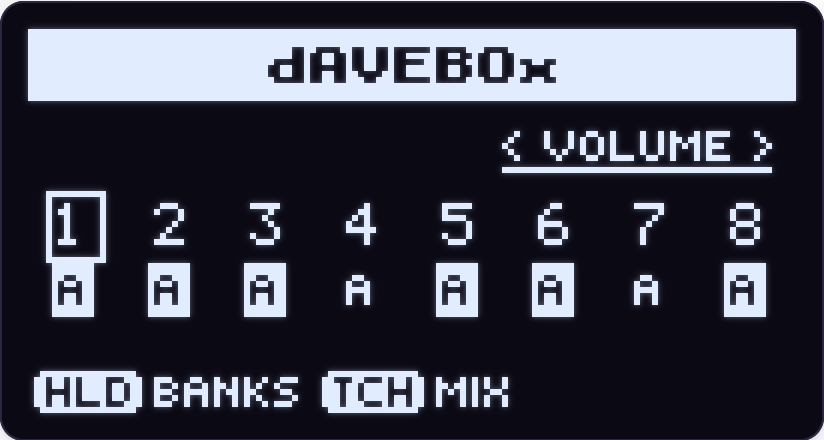
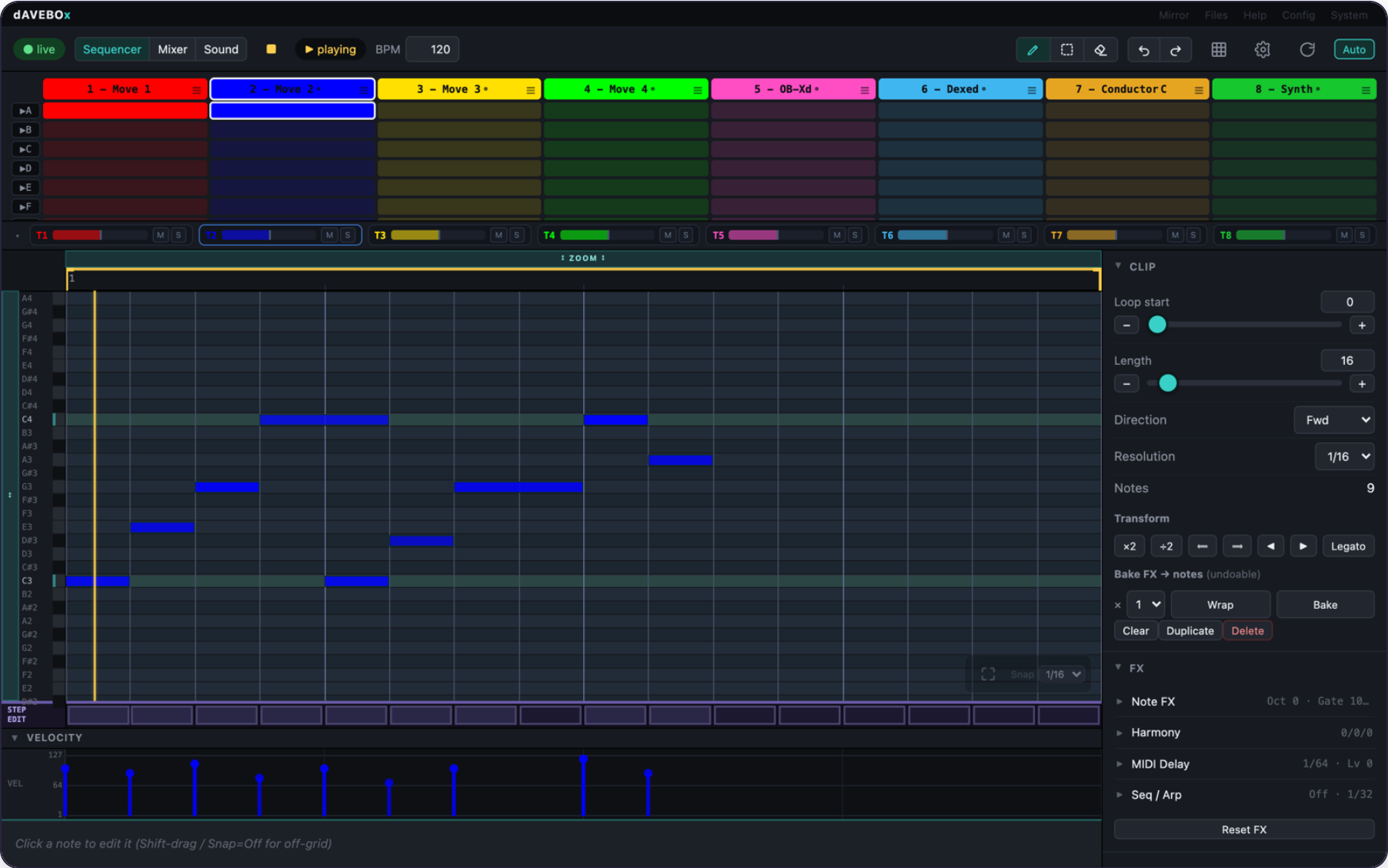
Loud93/100dAVEBOx — a standalone 8-track MIDI sequencer and live environment for Ableton Move, with a full browser editor. Ships its own Schwung-based host; the official install is never modified.
dbxhost is custom firmware for the Ableton Move, by @legsmechanical. Latest release v1.1.3 (October 2026), 3 stars on GitHub.
forAbleton Move·by@legsmechanical
Unclaimed. Is this yours? Sign in with GitHub as @legsmechanical to claim it.
davebox-sa-module.tar.gz· 22 MB· +2 files
Custom license· legsmechanical/dbxhost·downloads come from the creator’s GitHub releases
v1.1.3dAVEBOx SA 1.1.3Latest3 files
Fixed
- The power button asks POWER OFF? again — and only when you press it. In 1.1.0 the question sometimes popped up by itself every few minutes, and only the first press of a session worked. Now every press asks, and nothing else does. (1.1.1 had switched the power button off while this was fixed.)
- The web page stays connected on iPhone and iPad. It kept dropping and reconnecting every few seconds there.
Everything from 1.1.1 is included. Full list: CHANGELOG. Found a bug? Use Report a bug in the web manager.
Show all 3 filesHide 1 files
Other filesv1.1.2dAVEBOx SA 1.1.2 (test build)Beta3 files
Test build — not in the Schwung catalog. Install it yourself from this page (it replaces 1.1.1-test.1, which did not install). It is for checking the power button and web manager problems reported on 1.1.0; if you aren't seeing those, stay on 1.1.1.
Changed
- The power button asks POWER OFF? again, as in 1.1.0, but only for a real tap or hold. Every power message the Move sends is now logged with its contents, and so is each time the question comes up.
- The web manager logs why each connection closed, so a report can show why the page keeps reconnecting.
Everything from 1.1.1 is included. After installing, a bug report should say version 1.1.2.
Things to watch for: if POWER OFF? still comes up by itself, or the web page keeps saying "reconnecting…", send a bug report right after it happens — that report is what this build is for.
The full list is in the changelog.
Report a bug: while dAVEBOx SA is running, open
http://move.local:7700/bug-report, describe what happened, pick the project, and press Send report.Show all 3 filesHide 1 files
Other filesv1.1.1-test.1Beta3 files
Superseded — do not install. This build never replaced 1.1.0 (the installer did not accept its version name). Use 1.1.2 instead.
Show all 3 filesHide 1 files
Other filesv1.1.1dAVEBOx SA 1.1.13 files
Fixed
- The POWER OFF? question no longer pops up by itself. On some Moves it appeared every few minutes without the power button being touched. dAVEBOx no longer answers the power button while that is investigated.
To turn the Move off: leave dAVEBOx with Shift + Back (it saves), then use the power button as usual.
Everything from 1.1.0 is included. Full list: CHANGELOG. Found a bug? Use Report a bug in the web manager.
Show all 3 filesHide 1 files
Other filesv1.1.0dAVEBOx SA 1.1.03 files
dAVEBOx SA 1.1 brings the Pad Mode bank, simpler automation, project templates, and project backup. Watch the video tour of what's new.
⚠ Projects saved in 1.1 lose their automation if opened in 1.0.0. 1.1 converts older projects when it opens them; once they are saved, they can't go back. If you might downgrade, back them up first from the web manager's new Projects page.
Pads
- The Pad Mode bank replaces the CHORD bank and is on every melodic track. Its Mode knob picks the layout (Scale, Chrom, Piano, Chord, Custom), and each layout keeps its own settings.
- Split the pads into zones A and B, each with its own octave and transpose. Shift + Octave moves zone B only.
- Piano gets A/B octave and transpose, plus a Bass instrument: four strings, seven frets.
- Chord gets a Function map that groups chords by what they do.
- Custom lets you build a chord by name on a chord card. Hold can be set to Play as well as Assign, and chords can be built from a USB keyboard.
Automation
- One envelope per lane. Points glide into each other. Hold a step and turn a knob to write a punch that holds that step flat. The Smooth and Curve/Punch modes are gone.
- One resting value per parameter, and every lane starts from it.
- See a lane in the editor, + Add lane before recording, stretch a value across steps, and hold a step to see every automated value.
Projects and the device
- Project templates. Save as many as you like and manage them in Project Settings → Templates...; a new project asks Empty or Template.
- Back up and restore projects from the web manager's Projects page.
- Save & Power Off. The power button asks first, then saves and turns the Move off.
- LEDs animate in hardware, in time with dAVEBOx's tempo. Session clips pulse and blink as they do on Move.
- Instrument: None is now an empty Schwung track that keeps its effects and levels.
- The sequencer's page shows in module editors.
Fixed
- Automating a named choice now records the right option.
- An emptied track stays empty after a reload.
- Removing a middle insert effect no longer moves the effects after it.
- Live export: Reset lanes jump and choice lanes step, as they do in dAVEBOx.
Everything from 1.0.0 is included. Full list: CHANGELOG. Found a bug? Use Report a bug in the web manager.
Show all 3 filesHide 1 files
Other filesv1.0.0dAVEBOx SA 1.0.03 files
dAVEBOx SA 1.0 — the first full release, and the successor to dAVEBOx. Everything new since dAVEBOx Legacy:
Install and launch
- Its own session — dAVEBOx SA runs on its own build of the Schwung host (Schwung 1.7.3 or newer), and modules that need a 1.6 or 1.7 host load.
- Boot straight in — hold Back at power-on and pick dAVEBOx SA, or launch it from the Tools menu (it asks before restarting Move).
- Quit hands the device back to official Schwung; your Schwung install and Move sets are left untouched.
- Move's own settings from inside dAVEBOx — Project Settings → Move Settings... (Link, MIDI sync, inputs) while dAVEBOx keeps playing.
- Ableton Link is set to Tempo whenever dAVEBOx starts.
- Bluetooth MIDI on Moves rebuilt with a Bluetooth radio, with an On/Off row in the settings menu.
Projects
- A project workspace of its own — dAVEBOx projects are kept apart from your Move sets.
- Projects on the pads — open, create, copy, delete, rename and colour projects from a pad picker (Shift + Step 1).
- Fast project switching — about four seconds, without restarting Move.
- Instant rename, with any character the keyboard types.
- New projects get a two-word name (Quiet Harbor, Amber Finch).
- Project templates — Set as Template saves a project's setup without clips; new projects ask Empty or Template.
Navigation
- The bank map — hold the jog and the pads become a map of the track's banks, from any screen, including menus, editors and Move's own instrument editor.
- Track and module shortcuts on the map — while holding the jog, Steps 1–8 pick the track and the right-hand pads open its MIDI FX, instrument and FX 1–4.
- Touch the jog to see the current bank's page.
- Card Hold — choose how long a knob's page stays up after you let go (Off, 0.5 s, 1 s, 2 s).
- Hold Back to close everything and return to the overview.
Sequencing and recording
- Step recording — Shift + Record with the transport stopped, SH-101 style, with ties shown on the steps.
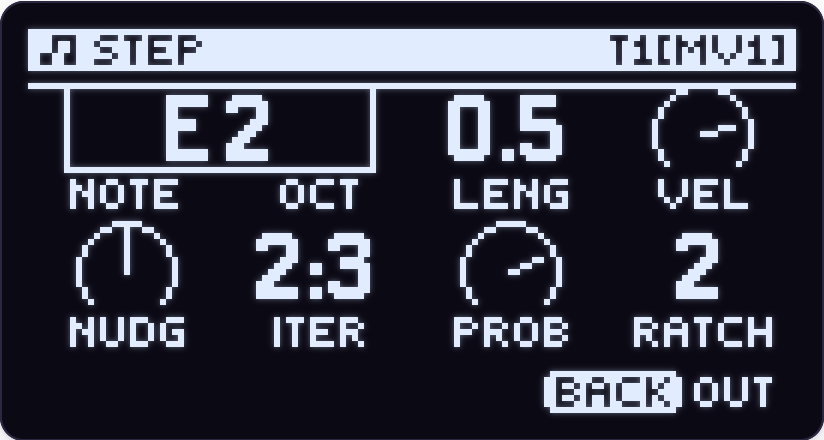
- The STEP bank — hold a step to edit its Note, Oct, Length, Velocity, Nudge, Iteration, Probability and Ratchet; hold a step and turn the jog right to open its page from anywhere.
- Crop — make the loop the whole clip in one gesture.
- Copy whole pages — hold Loop and Copy, tap a page, tap another to paste.
- Tap Loop to keep the loop view up for hands-free loop editing.
- Global Seq Follow — one device-wide switch (hold Left or Right and press Play).
- Scroll the clip window from Track View with Shift + the top or bottom track button.
- Shift + hold Step 11 opens LIVE ARP.
Pads and playing
- Piano layout — two keyboard octaves on the pads.
- Chord layout — eight chords in your key on one row, with modifiers, inversions, strum and a CHORD bank for voicing and voice leading.
- Custom chords layout — build and store your own eight chords.
- See what you're playing — the note or chord name you hold shows in Track View.
Groove
- Groove replaces swing — Swing 1/16, Swing 1/8, or a groove loaded from a MIDI file or an Ableton
.agr, with timing, velocity and random amounts. - Groove per track — any track can take more, less or none of the project's groove.
Automation and macros
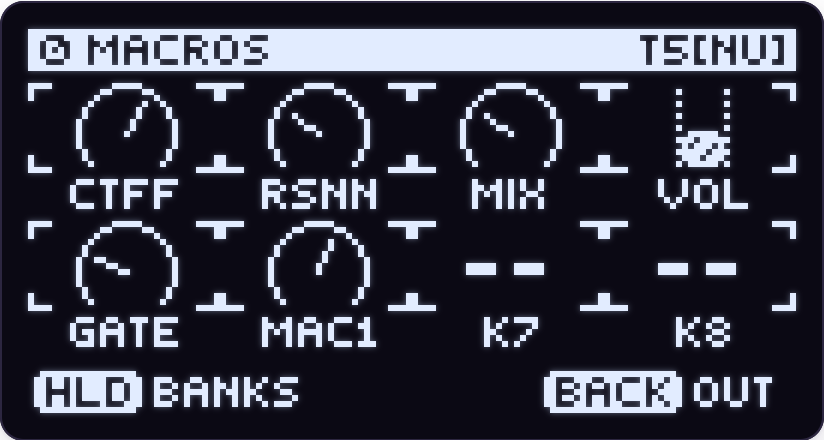
- The MACROS bank — eight knobs you assign to any synth, effect, level, MIDI CC, aftertouch, pitch bend or dAVEBOx bank parameter.
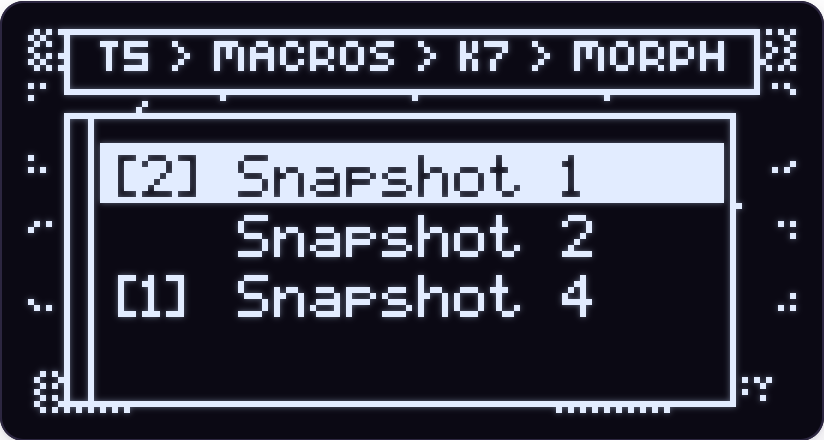
- SnapMorph — a macro knob morphs a track's whole sound between its snapshots, on Schwung and Move tracks.
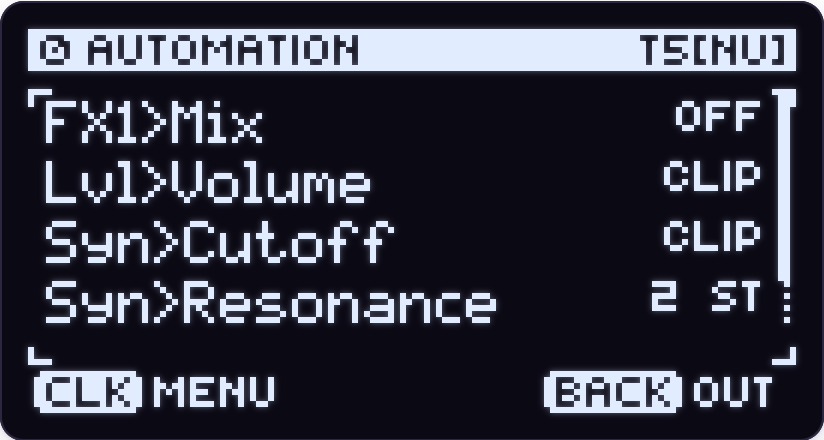
- The AUTOMATION bank — every automated parameter in the clip, with Mute, Smooth, Loop, Rate, Curve/Punch, Wrap, Link, Clear and Delete per lane.
- Lanes of their own length — automation can be longer or shorter than its clip, and drum automation loops at its pad's length.
- Hold a step on a lane to jump to its parameter and set that step's value.
- Automation follows clip edits — resolution, stretch, shift, nudge and loop doubling move it with the notes.
- Copied clips bring their automation where the destination can take it.
- Capture knob moves, not just notes.
- The session mixer is automatable — levels, pan and sends record into the clip.
Sound
- Four insert effects per track (was two) and two send buses, A and B.
- Reorder insert effects without restarting them, on tracks and on the Master, Send and Move FX buses.
- MIDI FX on Move and MIDI tracks, not just Schwung tracks.
- MIDI effects Pre or Post — Pre puts the effect in front of the sequencer, so you record and capture what it plays.
- Bake includes MIDI effects — a clip can hold what its MIDI effect plays.
- Modules follow dAVEBOx's key, scale and tempo.
- LFOs on Move tracks, pointing at the track's bus effects.
- Instruments render in parallel across three cores, so more can sound at once.
- Custom module displays draw in the module editor.
- Module Help — modules that ship help show it on their Module page.
- Jump from a send to its effects — touch the send knob and click the jog, or Shift + click it in the menu.
- Mute snapshots and Performance presets save with Shift + step.
Import and export
- Import MIDI — a MIDI browser on the CLIP and DRUM LANE banks that plays files as you scroll, in time with the song, and maps drum files onto your lanes.
- Export a clip as a MIDI file, to a dAVEBOx MIDI folder linked from the web manager's Files page.
- Export to Live carries automation — volume, pan, sends, aftertouch and pitch bend, with return tracks for the sends and tracks named for their module and patch.
Browser editor and web tools
- The browser editor is the whole page at move.local:7700, with a connection indicator.
- Mixer view — all eight tracks as strips with level, pan, sends, mute and solo.
- Sound view — each track's instrument and effects with knobs and presets, including instruments' own editor panels.
- Level ribbon and clip chips — trim levels and launch clips without leaving the sequencer.
- Mirror page — see the screen and the whole device in the browser; save PNGs or record video with the device's sound, on-screen fingertips and your own narration.
- The manual on the Help page, offline, one page per chapter.
- Report a bug — a web manager page that sends your logs and project details with a note.
- Video tutorials linked from the manual.
The Dave Box
- Collect Daves — every project load deals a Dave into your Dave Box, an album of 47 to collect.
- A Dave in the window — optionally, a Dave scrolls behind the Session View banner in time with the music.
Show all 3 filesHide 1 files
Other filesv0.0.21Beta3 files
Test build — not in the Schwung catalog. Install it yourself from this page.
Added
- Groove. Swing has grown into a project groove: Groove picks Swing 1/16, Swing 1/8, or a groove loaded with Browse... from a MIDI file or an Ableton groove (
.agr) — rest the jog on one to hear it over the song. Groove Amt sets how much you hear, and each track can take its own amounts (Grv Amt, Timing, Velocity, Random). - MIDI effects on every track, Pre or Post. The MIDI FX row is on Move and MIDI tracks too. A Position row puts an effect Pre (what you play goes through it — and is what you record and capture) or Post (on top of the clip). Pre replaces Notes to Seq.
- Bake includes MIDI effects. A clip whose track has a Post MIDI effect bakes with it, rendered at once.
- Module shortcuts on the bank map. Hold the jog: the right-hand pads open the track's MIDI FX, instrument and FX 1–4 editors; Steps 1–8 switch tracks.
- Modules follow dAVEBOx's key, scale and tempo when set to follow the host.
- Card Hold — how long a knob's page stays up after you let go.
- Narrate a mirror recording from your computer's microphone.
Changed
- The bank map is hold-only, and touching the jog always shows the current bank's page.
- MIDI FX sits above the instrument in a track's sound menu; the Session map's FX pads moved one column right.
- New projects get a two-word name of their own.
- Recording under a groove plays back what you played (Input Quantize off).
- A light touch on a knob or the jog no longer flickers.
Fixed
- Latching a drum repeat with Loop + a rate pad plays it (it lit the pad but played nothing).
- Session pan moves off centre one detent at a time.
- SEQ ARP no longer leaves a note hanging; ALL LANES resolution turns from the lanes' value.
- Move Settings' Wi-Fi menu no longer throws you out.
- Chain presets past the 32nd load.
- The header names the instrument straight away; a send bus's title names the bus.
Everything from 0.0.20 is included.
Things to watch for: the groove is new — timing feel with loaded grooves, and recording under one; MIDI effects set to Pre.
The full list is in the changelog.
Show all 3 filesHide 1 files
Other files- Groove. Swing has grown into a project groove: Groove picks Swing 1/16, Swing 1/8, or a groove loaded with Browse... from a MIDI file or an Ableton groove (
v0.0.20Beta3 files
Test build — not in the Schwung catalog. Install it yourself from this page.
Added
- Record what a MIDI effect generates (Notes to Seq). MIDI effects that make their own notes — Beat Bank, Euclidrum and other pattern generators — now have a Notes to Seq switch on their Module page. With it on, the notes they play count as playing on that track: Record writes them into the clip and Capture keeps them. A repeating pattern is recorded once. On a drum track each note goes to the lane that plays it.
- When the pattern is in the clip, bypass or remove the effect so it isn't played twice.
Fixed
- Clock-driven MIDI effects start every time. Beat Bank (and other sequencing MIDI effects) started on the first Play of a session and then only now and then. They now start on every Play.
- Knobs on a module's own screen respond as they do in Schwung. On screens a module draws itself (Beat Bank's pattern screen, for example), a geared-down knob — Beat Bank's knob 8, which switches genre — barely moved or did nothing, and the others were slow and uneven. Each detent now counts.
Changed
- A module's preset list no longer wraps. It stops at the first and last preset, like every other list.
- Two-value knobs have a direction. An Off/On or two-choice knob used to flip whichever way you turned it. Now right is On (or the second choice) and left is Off (or the first), and it does not wrap.
Everything from 0.0.19 is included.
Things to watch for: Notes to Seq is new — timing of recorded notes with Input Quantize off, and anything odd with generators other than Beat Bank.
The full list is in the changelog.
Report a bug: while dAVEBOx SA is running, open
http://move.local:7700/bug-report, describe what happened, pick the project, and press Send report.Show all 3 filesHide 1 files
Other files- Record what a MIDI effect generates (Notes to Seq). MIDI effects that make their own notes — Beat Bank, Euclidrum and other pattern generators — now have a Notes to Seq switch on their Module page. With it on, the notes they play count as playing on that track: Record writes them into the clip and Capture keeps them. A repeating pattern is recorded once. On a drum track each note goes to the lane that plays it.
v0.0.19Beta3 files
Test build — not in the Schwung catalog. Install it yourself from this page.
Added
- Custom chords layout. A fifth pad layout for melodic tracks (Shift + Step 8, or the Layout row in TRACK CONFIG). The bottom row is eight chords you build yourself; the other three rows are the Scale layout.
- Hold a chord pad and tap notes above to add or remove them, up to six per chord. Or hold the notes first and tap an empty chord pad to store them.
- The chord row and the upper rows each have their own octave: + / − move whichever you touched last. Hold a chord and press + or − to move just that chord.
- Copy + a chord pad, then another, copies it (Shift + Copy moves it). Delete + a chord pad clears it.
- Pads with a chord are cyan; empty ones are dark.
Fixed
- Clock-driven MIDI effects run with dAVEBOx's transport. Sequencing MIDI effects in a track's instrument (Beat Bank, Euclidrum and the like) never started. Pressing Play now starts them and Stop stops them.
- Instruments and effects sync to dAVEBOx's tempo. Tempo-synced arps, delays and LFOs inside an instrument (TinyK's arp, Vesper) used the Move Set's tempo instead of dAVEBOx's BPM. They now follow dAVEBOx's tempo, playing or stopped. In Clock Follow they follow Move, as before.
Everything from 0.0.18 is included.
Things to watch for: tempo-synced LFOs on an instrument now restart on Play; an empty chord stays silent while you fill it (you hear the whole chord on the next press).
The full list is in the changelog.
Report a bug: while dAVEBOx SA is running, open
http://move.local:7700/bug-report, describe what happened, pick the project, and press Send report.Show all 3 filesHide 1 files
Other files- Custom chords layout. A fifth pad layout for melodic tracks (Shift + Step 8, or the Layout row in TRACK CONFIG). The bottom row is eight chords you build yourself; the other three rows are the Scale layout.
v0.0.18Beta3 files
Test build — not in the Schwung catalog. Install it yourself from this page.
Fixed
- Capture keeps what LIVE ARP played. With LIVE ARP on, Capture kept the pads you held instead of the arpeggio you heard. It now keeps the arp's notes, at the arp's own note lengths, the same as recording. With latch on it keeps taking the arp after you let go.
- Capture keeps Note Repeat hits. A drum lane played with Note Repeat gave Capture nothing at all. Each repeated hit is now kept in its lane, in both repeat modes, stopped or playing.
Changed
- The launch question looks like dAVEBOx. Choosing dAVEBOx in Schwung's Tools menu now asks "LOAD dAVEBOx?" in dAVEBOx's own dialog, with No / Yes buttons. Yes is already highlighted, so one click still launches; turn the jog to No, or press Back, to cancel.
Everything from 0.0.17 is included: Live export fixed for current Live, sound on the Mirror page, Capture for external keyboards on Move tracks, and Quit always returning to Move.
Things to watch for: a Capture take from LIVE ARP or Note Repeat made with the transport stopped (the tempo it picks, and the note lengths).
The full list is in the changelog.
Report a bug: while dAVEBOx SA is running, open
http://move.local:7700/bug-report, describe what happened, pick the project, and press Send report.Show all 3 filesHide 1 files
Other filesv0.0.17Beta3 files
Test build — not in the Schwung catalog. Install it yourself from this page.
Fixed
- Exporting to Live works on current Live. Exported clips had no colour, and Live 12.4 refused the file with "cannot convert to i: color". Each clip now takes its track's colour. If an export from an earlier build would not open, export again from this one.
- The quick start matches the device again. It still described switching track with Shift + a bottom-row pad, opening TRACK CONFIG with Shift + Note/Session, and turning the jog to change bank. All three now go through the bank map: click the jog, tap a pad.
- Capture keeps what you play on an external keyboard, on a track with a Move instrument. Those notes were never kept before.
- Quit always returns to Move. If you had picked dAVEBOx in the boot picker, quitting a session started from the Tools menu came straight back up in dAVEBOx. It now goes to Move, and your boot choice is left alone.
New
- Sound on the Mirror page (
http://move.local:7700/mirror). Record now saves a video with the device's sound, and Unmute plays it in the browser. It works on a phone too. The sound is the full mix at a fixed level, so it does not follow the volume knob. - Bluetooth MIDI, on units that have a Bluetooth radio. A stock Move has none, and nothing changes there. On a Move rebuilt around a board with onboard Bluetooth, a paired Bluetooth LE MIDI device works like one plugged into USB-A, and a Bluetooth On/Off row appears in the settings menu.
Changed
- The launch screen reads "Schwung base: 1.7.3", and modules that ask for a 1.6 or 1.7 host now load.
Things to watch for: quitting when dAVEBOx is your boot default (it should land in Move, and a power-on should still boot dAVEBOx), and picture/sound sync in Mirror recordings.
The full list is in the changelog.
Report a bug: while dAVEBOx SA is running, open
http://move.local:7700/bug-report, describe what happened, pick the project, and press Send report.Show all 3 filesHide 1 files
Other filesv0.0.16Beta3 files
Test build — not in the Schwung catalog. Install it yourself from this page.
New: fingers on the Mirror page, for making videos. Open
http://move.local:7700/mirrorwhile dAVEBOx is running. The device drawing now shows a translucent fingertip on each control as you use it, so a recording shows exactly what your hands did.- A fingertip appears on a pad, step, button or knob when it is touched or pressed, and fades half a second after you let go.
- Turning a knob or the jog adds an arrow for the direction.
- A jog click adds a dot and a spreading ring, so a push looks different from a touch.
- The Fingers button on the page turns it off. Record and Save PNG include the fingers while it is on.
Changed
- The DRUM LANE bank has its own pad look, so the pads show whether you are on DRUM LANE or ALL LANES. On DRUM LANE the selected lane is the track's colour, lanes with hits are light grey, empty lanes are dark grey, and the velocity pads are dim track colour. Every other bank looks as before.
- Shift + a bottom-row pad no longer switches track. The bank map's track pads do that (hold or click the jog, tap a track); Shift + jog still walks the tracks.
Things to watch for: fingers on the bottom row of the Mirror (steps, Play, Rec) are cut off at the lower edge of the drawing, and whether light grey against dark grey is a clear enough difference on the DRUM LANE pads.
The full list is in the changelog.
Report a bug: while dAVEBOx SA is running, open
http://move.local:7700/bug-report, describe what happened, pick the project, and press Send report.Show all 3 filesHide 1 files
Other filesv0.0.15Beta3 files
Test build — not in the Schwung catalog. Install it yourself from this page.
The big one: the bank map from anywhere. Hold the jog and the map of banks comes up over whatever you are in; tap a pad to jump there, or let go to stay.
- Works inside menus, TRACK CONFIG, a module's editor and the AUTOMATION screen.
- Works inside a Move instrument's own editor too: the map shows over Move's screen, and Move's editor is back untouched when you let go.
- Track pads: the top two rows of the right-hand pads are the eight tracks (1–4, then 5–8) in their colours, the current one blinking. Tap one to switch track; the screen flashes its number and what it plays.
- The trade: inside those screens a jog click lands when you let go, not when you press. On the overviews and bank pages the map still appears the moment you press.
Changed
- Volume, pan and mute glide instead of stepping, with a short fade on mute.
- A hot mix rounds off instead of popping.
- Fewer clicks on Move tracks.
- Transpose-type knobs are easier to land on (Note Offset, Harmony intervals, Pitch Feedback, Pitch Random, and ±12/±24 knobs in module editors): one steady rate however fast you turn, the same on a knob and on its macro.
- Lists sort the way you read them — case ignored, "9" before "10".
- The screen is sent as whole frames, so moving graphics no longer tear.
Fixed
- Mini-JV plays on every track. After a project loaded it was silent on every track but the first.
- AUTOMATION stays a screen when the clip has nothing automated.
- A saved instrument keeps its knob, not where an LFO had pushed it.
- Back on a keyboard only cancels the keyboard — it no longer backs you out of the editor as well.
- A two-way switch flips back when you turn back; a slow-turned trigger knob fires once.
Things to watch for: any click-and-hold gesture in Move's own editor (holding past about a third of a second now brings up the map), and clicks or zipper noise when moving levels.
The full list is in the changelog.
Report a bug: while dAVEBOx SA is running, open
http://move.local:7700/bug-report, describe what happened, pick the project, and press Send report.Show all 3 filesHide 1 files
Other filesv0.0.14Beta3 files
Test build — not in the Schwung catalog. Install it yourself from this page.
The big one: a step's parameter lock now lands on its own step. A lock was heard one hit late — the knob moved on the right step, the sound changed on the next. dAVEBOx now sets the value itself, just ahead of the step's note.
- On a Schwung instrument or effect parameter, and on a track or bus level — on swung steps too.
- On dAVEBOx's own bank knobs: NOTE FX, HARMONY, DELAY, SEQ ARP and the two playback directions.
- Locks on MACROS are unchanged in this build.
Fixed
- Playing an automated bank knob no longer changes the clip's own setting. The clip keeps the value it had; Stop still returns the knob to its resting value.
Changed
- Stop is lighter on the audio engine. It used to send 2,048 note-offs into each sounding instrument in one audio frame. It now clears only the MIDI channels the tracks use, and still sends All Notes Off everywhere. The panic gesture is unchanged.
- Less work for the screen while automation plays. An automated bank knob's value on screen now follows the sound a few hundredths of a second behind.
Something to listen for: a note left hanging after Stop. The panic gesture clears it — please report it if you see one.
The full list is in the changelog.
Known issues
- Mini JV can be silent on some tracks.
Report a bug: while dAVEBOx SA is running, open
http://move.local:7700/bug-report, describe what happened, pick the project, and press Send report.Show all 3 filesHide 1 files
Other filesv0.0.13Beta3 files
Test build — not in the Schwung catalog. Install it yourself from this page.
The big one: a module can no longer crash the Move when you leave its project. An instrument that finishes shutting down in the background (Clementine XT does) crashed dAVEBOx every time its project was switched away from — and again on the next start, if that was the project it opened on. The host now keeps a module's code loaded after unloading it.
- ⚠ This fix has not been run on a Move yet. It is tested on Linux against a module built to misbehave the same way. If you had a project that rebooted the Move, please try it and use Report a bug either way.
- One thing to watch for: an instrument behaving oddly after you swap it out and back in during the same session. Restarting dAVEBOx clears it — please report it.
Fixed
- Tap Tempo flashes its pad and redraws again.
- Track volume no longer jumps between K1 and Shift + Volume in the instrument screens, and re-opening them shows the real levels.
- LIVE ARP with Sync off starts when you press (it waited for the grid, like Sync on).
- Drum Repeat records into a loop that doesn't start on page 1.
- Switching projects ends a running Performance Mode loop; Shift + Loop in Session View only toggles the latch.
- Moving a scene row keeps each clip's direction.
- A Conductor track turned into a drum track gives the role back.
- Baking a clip whose loop doesn't start on page 1 keeps its automation.
- Changing a track's type takes its hidden data with it (aftertouch on melodic → drum, repeat groove on drum → melodic).
- Deleting a parameter's automation frees it for another track.
- Step velocities reload as you set them; the step velocity knob stops at 1.
- Session Pan / Send pages and the drum NOTE FX page keep their layout after a module editor.
- Module file browsers audition again, and selectors that change a module's controls refresh the page.
- Back no longer lights for a return it can't make.
- Web UI: instrument names with
<or"no longer break the session grid; editing a non-playing clip's effects no longer changes the playing one.
The full list is in the changelog.
Known issues
- Mini JV can be silent on some tracks.
Report a bug: while dAVEBOx SA is running, open
http://move.local:7700/bug-report, describe what happened, pick the project, and press Send report.Install / update
- Needs Schwung 1.3.0 or newer.
- Download
davebox-sa-module.tar.gzbelow. - Open Schwung Manager at
http://move.local:7700→ Modules → Install Custom Module → From Tarball → Install from File, and pick the tarball. Installing over an earlier test build is fine; your projects are kept. - On the Move: Shift + Step 13 (Tools) → dAVEBOx SA. The first launch finishes installing itself.
Remove
- Install
davebox-uninstall-module.tar.gzthe same way, then run Uninstall dAVEBOx SA from Tools. Your projects and settings are kept.
Manual: the Help page in the browser, https://legsmechanical.github.io/dbxhost/, or
dAVEBOx-SA-manual.htmlbelow.Show all 3 filesHide 1 files
Other filesv0.0.12Beta3 files
Test build — not in the Schwung catalog. Install it yourself from this page.
New: Report a bug. While dAVEBOx SA is running, open
http://move.local:7700/bug-report(also linked from System and the page footer). Describe what happened, pick the project it happened in (the open one is already picked — a project that crashes on load works too), and press Send report. The logs and that project go straight to the developer; nothing leaves the Move until you press Send. If sending fails, Download report instead gives you the same file to send by hand. Please use this for anything that goes wrong in this build.Highlights
- The bank map. Click or hold the jog: the left 4×4 pads become a map of the track's banks — tap one to go there. The jog turn and the bank column no longer switch banks. INST on the map opens the instrument; CONFIG, AUTOMATION and the Session FX pads open their screens.
- Alt knobs and editors open on knob touch + jog click (Res/Zoom, Shift/Nudge, Dir/Reverse, Rand/Algo, Rate/Clock Feedback, Arp Steps, RPT GROOVE, MACROS). A plain jog click no longer flips them.
- Shift + hold Step 11 opens LIVE ARP on melodic tracks.
- Snappier. The screen spends about half as long waiting on the engine when idle; an instrument editor no longer keeps the screen busy while open; switching and opening projects freeze for less time.
- ALL LANES no longer asks you to confirm. Shift + Note/Session no longer does anything — its screens are pads on the bank map.
Fixed (selection)
- Beat Stretch ×2 no longer deletes notes hidden past the loop end — it says CROP FIRST instead.
- Baking a drum clip keeps every hit on its own lane.
- Fewer stuck notes (drum lane mute/solo, Panic with SEQ ARP or swing, count-in arp, delay echoes).
- Undo covers more edits; more edits are autosaved; a failed save says SAVE FAILED.
- A drum track with an empty clip slot no longer crashes the host.
- A project file that can't be fully read is never saved over.
The full list is in the changelog.
Known issues
- Mini JV can be silent on some tracks.
Install / update
- Needs Schwung 1.3.0 or newer.
- Download
davebox-sa-module.tar.gzbelow. - Open Schwung Manager at
http://move.local:7700→ Modules → Install Custom Module → From Tarball → Install from File, and pick the tarball. Installing over an earlier test build is fine; your projects are kept. - On the Move: Shift + Step 13 (Tools) → dAVEBOx SA. The first launch finishes installing itself.
Remove
- Install
davebox-uninstall-module.tar.gzthe same way, then run Uninstall dAVEBOx SA from Tools. Your projects and settings are kept.
Manual: the Help page in the browser, https://legsmechanical.github.io/dbxhost/, or
dAVEBOx-SA-manual.htmlbelow.Show all 3 filesHide 1 files
Other filesv0.0.11Beta3 files
Test build — not in the Schwung catalog. Install it yourself from this page.
Changed
- The Project menu brings you back. Anything you open or do from it — Projects, Save/Load state, Clear Session, templates, Export, Host Settings, the Dave Box, a No on Suspend/Quit — returns to the Project menu, on that row, when you leave or it is done. Loading a project still takes you to that project.
Fixed
- Performance Mode repeats. Short repeats no longer leave stuck notes on melodic tracks or go silent on drum tracks (a cut-off hit used to silence that drum in every later repeat). SEQ ARP tracks repeat too.
- Switching projects carries nothing over — no drum lane page, drum repeat mode or latches, or NOTE FX / MIDI DLY random modes from the project you left.
- Delete + click in the track menu does nothing. It used to reset the bank behind the menu.
Everything else is as in 0.0.10 — see its notes below this release.
Install / update
- Needs Schwung 1.3.0 or newer.
- Download
davebox-sa-module.tar.gzbelow. - Open Schwung Manager at
http://move.local:7700→ Modules → Install Custom Module → From Tarball → Install from File, and pick the tarball. Installing over an earlier test build is fine; your projects are kept. - On the Move: Shift + Step 13 (Tools) → dAVEBOx SA. The first launch finishes installing itself.
Remove
- Install
davebox-uninstall-module.tar.gzthe same way, then run Uninstall dAVEBOx SA from Tools. Your projects and settings are kept.
Manual: the Help page in the browser, https://legsmechanical.github.io/dbxhost/, or
dAVEBOx-SA-manual.htmlbelow.Reporting problems: this build keeps a size-capped debug log on the Move in
/data/UserData/dbx-host/(debug.log,launch.log). Send those along with what you were doing.Show all 3 filesHide 1 files
Other filesv0.0.10Beta3 files
Test build — not in the Schwung catalog. Install it yourself from this page.
New
- Project templates. Project Settings → Set as Template saves the project you're in — its settings, instruments, effects and track settings, without any clips — as the starting point for new projects. Creating a project then asks Empty or Template; Clear Template goes back to empty. A module the template uses that your Move doesn't have leaves its slot empty, and the screen says which.
- Copy whole pages. Hold Loop and Copy, tap a page, then tap another to paste it. Keep holding Copy to paste again; Shift + Copy cuts. Pasting past the end of the clip makes the clip longer. Works on a drum lane, or all lanes on the ALL LANES bank. Notes only.
- Export a clip as a MIDI file. Export to MIDI on the track's TRACK CONFIG menu saves the clip you are on, as it plays, to a "dAVEBOx MIDI" folder — download it from Schwung Manager's Files page, or bring it back with Import MIDI. Stop the transport first.
- Tap Loop to keep the loop view up (Track View): set the loop with the step buttons and jog hands-free; the Loop button blinks while it's up. Tap Loop again or press Back to close it. Holding Loop works as before.
- Touch a send knob and click (MIX bank, session mixer SEND A / SEND B) to land in that send's effects. Back returns to where you were.
Changed
- Ableton Link is set to Tempo whenever dAVEBOx starts.
- Back steps up through the MIDI browser a folder at a time; at the top it leaves. Hold Back still leaves from anywhere.
- TRACK CONFIG Mode reads Melodic / Drums (was "Keys").
Fixed
- A new project starts truly empty. It no longer picks up the previous project's automation, macros, Program/Bank, performance slots, track transpose or module level, and it opens in Session View (Clear Session too).
- Undo no longer reaches into the project you just left — Undo right after opening another project could write the previous project's clip into it.
- Back from a Move track's send effects returns to that track's menu.
Install / update
- Needs Schwung 1.3.0 or newer.
- Download
davebox-sa-module.tar.gzbelow. - Open Schwung Manager at
http://move.local:7700→ Modules → Install Custom Module → From Tarball → Install from File, and pick the tarball. Installing over an earlier test build is fine; your projects are kept. - On the Move: Shift + Step 13 (Tools) → dAVEBOx SA. The first launch finishes installing itself.
Remove
- Install
davebox-uninstall-module.tar.gzthe same way, then run Uninstall dAVEBOx SA from Tools. Your projects and settings are kept.
Manual: the Help page in the browser, https://legsmechanical.github.io/dbxhost/, or
dAVEBOx-SA-manual.htmlbelow.Reporting problems: this build keeps a size-capped debug log on the Move in
/data/UserData/dbx-host/(debug.log,launch.log). Send those along with what you were doing.Show all 3 filesHide 1 files
Other filesv0.0.9Beta3 files
Test build — not in the Schwung catalog. Install it yourself from this page.
Fixed
- Quitting works when dAVEBOx was started at power-on. On a Move running Ableton's standard system, picking dAVEBOx on the boot screen and then quitting froze on "dAVEBOx exiting" (a restart got you out). It now returns to Schwung. Launching from the Tools menu was not affected.
Everything else is as in 0.0.8 — see its notes below this release.
Install / update
- Needs Schwung 1.3.0 or newer.
- Download
davebox-sa-module.tar.gzbelow. - Open Schwung Manager at
http://move.local:7700→ Modules → Install Custom Module → From Tarball → Install from File, and pick the tarball. Installing over an earlier test build is fine; your projects are kept. - On the Move: Shift + Step 13 (Tools) → dAVEBOx SA. The first launch finishes installing itself.
Remove
- Install
davebox-uninstall-module.tar.gzthe same way, then run Uninstall dAVEBOx SA from Tools. Your projects and settings are kept.
Manual: the Help page in the browser, https://legsmechanical.github.io/dbxhost/, or
dAVEBOx-SA-manual.htmlbelow.Reporting problems: this build keeps a size-capped debug log on the Move in
/data/UserData/dbx-host/(debug.log,launch.log). Send those along with what you were doing.Show all 3 filesHide 1 files
Other filesv0.0.8Beta3 files
Test build — not in the Schwung catalog. Superseded by 0.0.9, which fixes quitting after a power-on launch.
Fixed
- dAVEBOx launches on a Move running Ableton's standard system. On those Moves every launch from Tools was refused and Move came straight back. (Thanks to Charles Vestal.)
- A refused launch no longer changes Move's set. Each refusal reopened the set in Move's first slot.
- Swing no longer drops or sticks notes. With swing on, notes could go missing or keep sounding after their clip stopped.
- Stop silences a stuck note on a Schwung instrument (All Notes Off to every Schwung instrument a track plays).
- A new project's track 1 is a drum track again (it could open in the chromatic layout).
- Back works in the snapshot picker.
- dAVEBOx's system library is owned by root, as Schwung's own is.
Changed
- Import MIDI is a MIDI browser, on knob 8 of the CLIP and DRUM LANE banks (touch the knob, click the jog). Files preview as you land on them; multi-part files open like folders; loading asks first and is one Undo. It replaces the phrase library.
- Seq Follow is one switch for the whole device: hold Left or Right and press Play.
- Note/Session always takes you to Session View, from menus, the sound editor, banks, dialogs and Move's own screens.
- Hold Back to go back to the overview. A tap still steps out one level.
Added
- The Tools menu asks before launching: "Move will restart to load dAVEBOx. Proceed?"
- Touch the jog to see the current bank (as dAVEBOx Legacy did). Jog Touch Card in the global menu turns it off.
Install / update: as for 0.0.9 — Schwung Manager → Modules → Install Custom Module → From Tarball. Needs Schwung 1.3.0 or newer.
Show all 3 filesHide 1 files
Other files