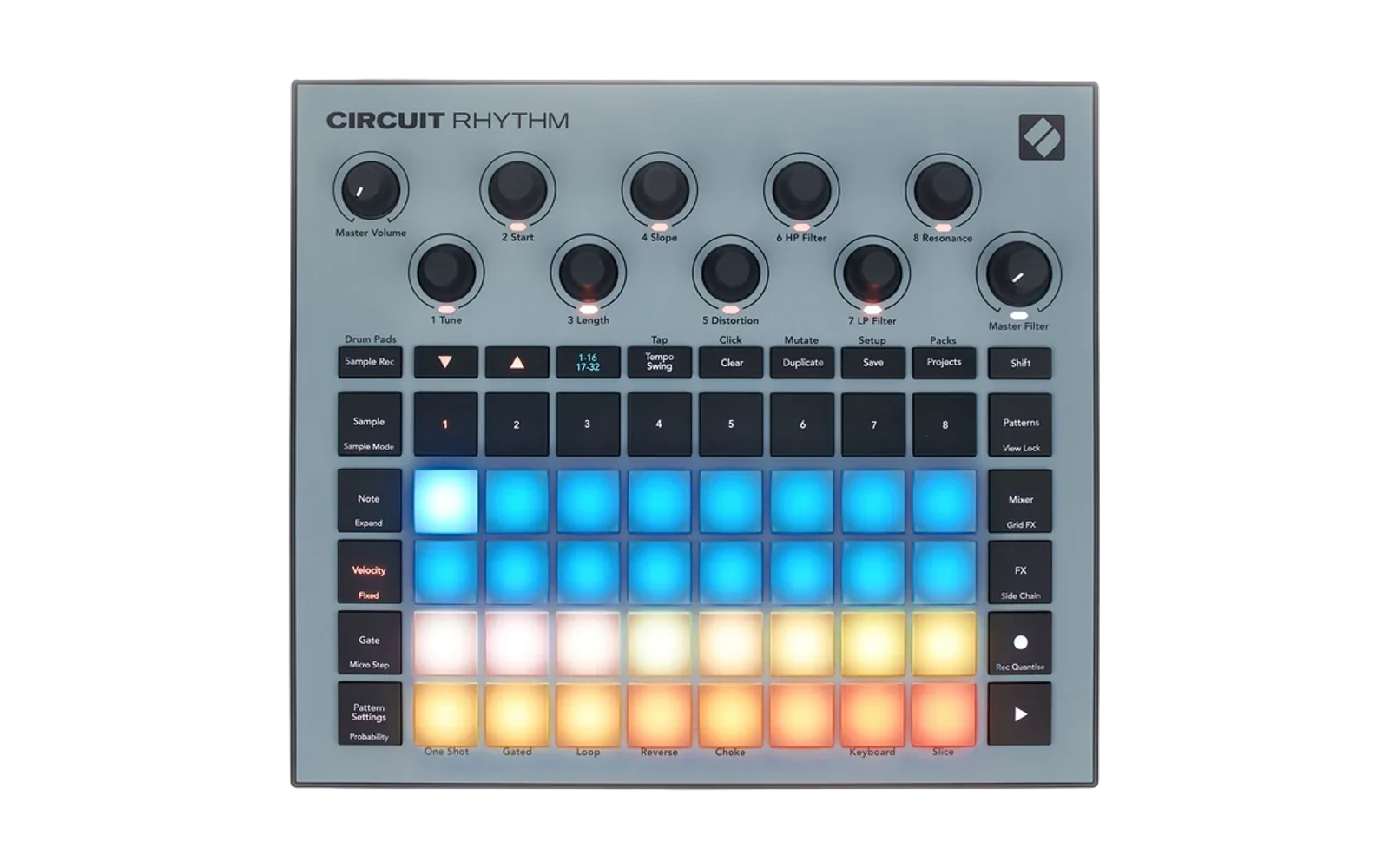
Circuit Rhythm stereo firmware patches
Custom firmware for the Novation Circuit Rhythm, built by patching the official build-5706 firmware image.
This repository contains no Novation code or firmware. It holds only the
patch sources, the build/patching tools and documentation. You must supply the
official firmware yourself; the build verifies it by SHA-256 and patches it
locally. Never commit firmware images (*.syx, *.bin) or build output.
Unofficial and unsupported by Novation. Flashing custom firmware is at your own risk. The official firmware can always be reinstalled through the bootloader.
Features (v0.2.0)
Stereo (since v0.1.0)
- Stereo sampling: a stereo recording is captured as two mono samples, left in slot N and right in slot N+1, which are remembered as a stereo pair.
- Track pairing: hold a track button and press an adjacent track's button to pair the two tracks. The leader plays the left half and the follower plays the right half, panned as a stereo pair. Repeat the gesture to unpair.
- Paired tracks act as one: they share a colour, light both track buttons and open the same views. Pan, FX sends, volume and sidechain are coupled, and the follower's own pattern is silenced while paired.
- Pair-wide edits: clearing or cropping one half of a stereo sample applies the same edit to the other half.
- Sample page bank colours: empty slots are off, mono samples dim white and stereo halves dim teal. The selected slot shows the bright colour, or dim red if it is empty.
- Default track volume is 70%.
Stereo halves on an unpaired track play as ordinary mono samples.
LAST-KNOWN-GOOD.md has hardware-confirmed details of every feature.
Key groups and auto-sampling (new in v0.2.0)
Built with -KeygroupPoc (part of the release command below).
- Key groups: a run of samples tagged with root notes plays as one multi-sample instrument. A track holding a member of a set plays the whole set across the keys, each note using the member with the nearest root. Tags are stored in each WAV header, so sets survive a power cycle. Sample Mode pad 2 switches key-group playback off for a track (saved with the project).
- Auto-sampler (Sample Rec page, row 3) records a key group from an
external synth on MIDI channel 1. Select an empty slot, then press pad 8 of
row 3. It plays C2 to C6, one note per slot upward, records each note with
its tail, trims the silence and saves it. Arm a stereo pair first to sample
in stereo (pairs then need an even start slot). Press pad 8 again to abort.
- Hold row-3 pad 6 and press a row-4 pad to set the note spacing: 1, 2, 3, 4, 6, 8, 12 or 24 semitones (default 3).
- Press row-3 pad 7 to switch the note hold between 1 s (dim) and 4 s (bright).
- Pad 8 glows green when a run finishes. On failure it glows red, and a row-4 pad shows the reason. Red pads 1 to 8: no pack, not ready, odd start slot for a pair, run past the last slot, slots in use, arm timeout, not armed, no sound. Amber pads 1 to 4: slot deselected, take cut short, save timeout, not enough free sample memory.
- Auto-captured series show in tan (mono) or sky blue (stereo) on the Sample Rec page and the Sample page bank. Selecting any member lights the whole series bright (on the Sample page, only while key groups are on for the track). Clearing any member clears the whole series, one slot after another.
- Sample memory guard: Record is refused when less than about a second of sample memory per channel remains, and a take stops by itself just before memory runs out, so it is saved intact. Either case flashes rows 3 and 4 red.
Requirements (Windows)
-
PowerShell 7 (
pwsh). -
Python 3 with a virtual environment at
.venv:python -m venv .venv; .\.venv\Scripts\pip install -r requirements.txt -
A Rust toolchain installed under
tools\vendor\rust, with thethumbv7em-none-eabihftarget and thedsp56300-asmassembler:$env:RUSTUP_HOME = "$PWD\tools\vendor\rust\rustup" $env:CARGO_HOME = "$PWD\tools\vendor\rust\cargo" # install rustup into those directories (https://rustup.rs), then: rustup default stable rustup target add thumbv7em-none-eabihf cargo install dsp56300-asm --version 1.0.0 -
A browser with Web MIDI SysEx support (Chrome or Edge) for flashing.
Obtaining the stock firmware
The build only accepts official build 5706:
| File | SHA-256 |
|---|---|
circuitrhythm-firmware-5706.syx | 11D604A6B6BEF0D41378DA03718658C7FE9C959AC24E7FEF6563796B9932AFAF |
circuitrhythm-firmware-5706.bin | D5B9FF5DADF2E284F80D69ECB7087486CF0DF315A697BED8272AF9DE0E90DF15 |
- Get
circuitrhythm-firmware-5706.syxfrom Novation Components (https://components.novationmusic.com/circuit-rhythm/updates) and place it in the repository root. - Decode it:
.\.venv\Scripts\python.exe tools\extract_firmware.py circuitrhythm-firmware-5706.syx
Building
pwsh tools\build_stereo_firmware.ps1 -OutputDirectory build\release `
  -NativeDualCapturePoc -SafePairGuard -SamplePairLedPoc -SamplePairIdentityPoc `
  -SamplePairGesturePoc -SamplePairWriterCouplingPoc -SampleCacheRefreshPoc `
  -PairedPlaybackPoc -StereoPositionPoc -StereoStockSaveQueue -CropMirrorWindow `
  -KeygroupPoc
The output in build\release is:
circuitrhythm-firmware-5706-stereo-poc.syx, the file you flash.- A
.binimage. - A
.jsonmanifest that lists every patched byte range.
v0.2.0 should reproduce this image exactly:
| File | SHA-256 |
|---|---|
.bin | 8F0A427E17A7F274E8E07ED1BA1F78C5A367BC99CC03D2D97557A51542B53217 |
.syx | EBC7491185988B09EE1F450F391BBE5CAD7B05605DE9AB7F4D3833151717BDA0 |
The v0.1.0 tag, built without -KeygroupPoc, gives .bin
E5463E328811C577D5AFA94DBB5B26B88381A386281FD81B4C7BEF17A4E925B6.
The other switches in the build script are diagnostics and probes kept from development. They are not part of the release configuration.
Flashing
- Enter the bootloader: hold Sample Rec + Samples + Note while powering on.
- Serve the sender over localhost, because ES modules and Web MIDI need a
secure origin:
.\.venv\Scripts\python.exe -m http.server 8000 -d tools - Open http://localhost:8000/firmware_sender.html, allow MIDI SysEx access,
choose the built
.syxand send it. The sender follows the bootloader's block requests and finishes in about 25 seconds.
To go back to stock firmware, send the official .syx the same way, or use
Novation Components.
Layout
| Path | Contents |
|---|---|
patches\stereo-capture-arm-payload.rs | Rust (no_std) payload appended to the image, holding all ARM-side features |
patches\stereo-capture-arm-payload.ld | Payload linker script |
patches\*.s | DSP56300 patch sources (dual-mono capture extension, hook stubs, canaries) |
tools\build_stereo_firmware.ps1 | Top-level build |
tools\build_stereo_firmware.py | Applies hooks and patches to the stock image, after verifying each precondition |
tools\build_thumb_payload.ps1 | Compiles and links the payload |
tools\build_dual_native_mono_dsp.py, tools\extract_dsp_blocks.py | Build the DSP extension against DSP code extracted from your stock image at build time |
tools\extract_firmware.py, tools\pack_firmware.py | SysEx container decode and repack |
tools\firmware_sender.html, tools\firmware_sender_core.mjs | Web MIDI bootloader sender |
tools\disassemble_thumb.py | Thumb disassembler for checking builds |
LAST-KNOWN-GOOD.md | Hardware-confirmed build history |
The patch tables refer to stock code only by address. Each patch first checks the stock bytes it will change: short ones are compared literally, and longer instruction sequences are checked by length and SHA-256.
License
The contents of this repository are released under the MIT License (see
LICENSE). The license does not cover Novation's firmware, which you obtain
separately under Novation's own terms. Patched images built from it should not
be redistributed.