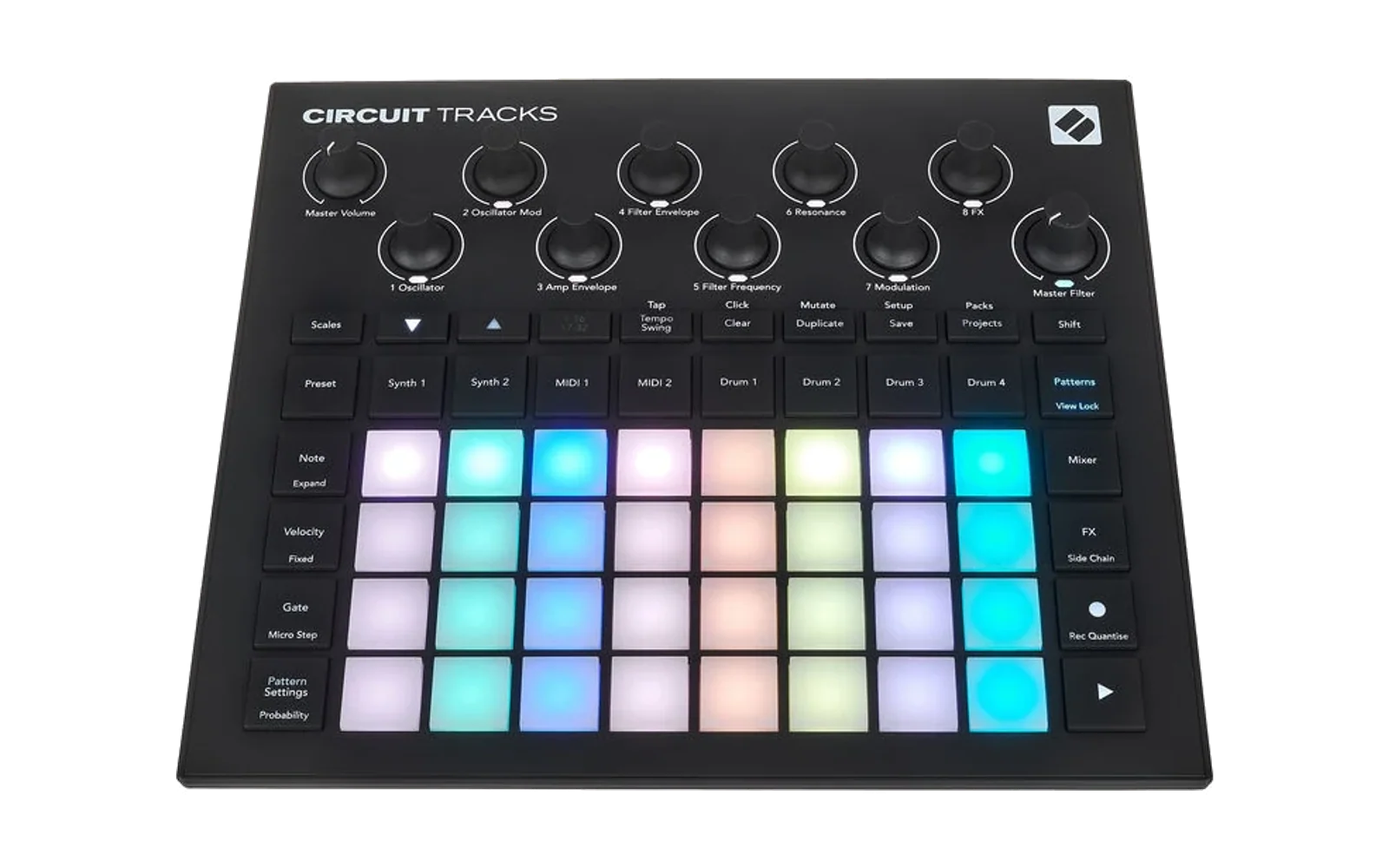
CIRCUIT-HACKS
Help me pay for tools and mantain this project and CIRCUIT REMIX: https://PayPal.me/ghillermo
Contributors:
Aleš Janda: https://alesjanda.cz, https://github.com/kybl
No_Grand_9136: https://Reddit.com/user/No_Grand_9136
Theodor
Jens
If you want your name or website in this list, add it on your message when you send your contribution or send me a DM.
📢 RC4.07 y la Beta 5.16. RC4.07 = RC4 (todo lo de las betas hasta la 3.43: polifonía y modos de voz del sinte propio, FM, Jankó, pantalla de acordes, granular en estéreo…) + arreglos: los pads cromáticos de los drums graban golpe y tono en su paso, la envolvente de Digitise, el paso marcado de la vista Velocity, que vuelve a los valores del proyecto, el Nudge, que mueve el contenido del tramo, tres formas del LFO que callaban el motor propio, el arpegio en una pista silenciada, las notas comunes de dos acordes, la cuenta atrás con un reloj externo, los LEDs de Sidechain y, como opción (Advanced Setup, pad 22), guardar el proyecto mientras suena esperando a que pares. La Beta 5.16 (las betas que amplían RC4 se numeran 5.x) añade, sin probar en el aparato, la vista de automatización de los drums, un carril de automatización más por drum con bloqueos de estado y rampas, la foto de Record + paso en todas las pistas, Shift + Preset = el sonido del proyecto, el random-mutate rediseñado en notas y drums, el sweep entre dos pasos de automatización, el secuenciador de saltos de MIDI 1 / 2, Jankó rediseñado, el destello de cada nota con Shift, filtro → VCA → efecto como orden de fábrica, knobs de tipos más lentos, el acorde inverso, solo y solo flip en el Mixer (pad 16), las dinámicas del random-mutate rehechas (ghost, accent staccato, longitud; en los drums, más suave con roller o más fuerte) el paso entero de un drum adelantado o atrasado, el accent del random-mutate hasta +64, la velocity global para los sintes (vista Setup, K1 → amplitud, K2 → filtro, para los patches que no usan velocity) y el bucle del sample capturado que sigue sonando al cambiar de proyecto o de pack; además, los programas del DSP van comprimidos en el firmware, lo que deja sitio para funciones futuras. RC4.07S es la misma RC sin escrituras propias en la SD. Descarga el instalador (
rc_uploader.zip), descomprímelo y abrerc_uploader.htmlen Chrome o Edge (cómo). Novedades de cada versión:docs/CHANGELOG.md· lista de características:docs/CARACTERISTICAS.md· pistas MIDI y modos de voz: https://ghillermo.github.io/CIRCUIT-HACKS-RC/voces.html.
Nota legal: el firmware proporcionado por Novation es propietario, no está permitido instalarlo en cualquier dispositivo que no sea Circuit Tracks. Este instalador lo comprueba y no permite instalar en ningún otro dispositivo.
English: the English version of this README is further below. Illustrated colour manual: English · Español.
Parches de firmware para el Novation Circuit Tracks (firmware de referencia 1.2.1 build 4486).
Solo para Circuit Tracks. Para el Circuit Rhythm hay un proyecto aparte: Circuit Remix.
Chuleta de las pistas MIDI (Beta 3.17), de u/macmax777 en Reddit: synthmagazine.com/resources/circuithacks.
Proyecto desarrollado usando Claude (Anthropic).
⚠️ Antes de instalar: copia de seguridad de la tarjeta SD.
- Haz una copia completa de la SD (proyectos, packs y samples) antes de enviar cualquier versión del mod.
- No trabajes con proyectos importantes guardados en el aparato mientras lo pruebas.
- No se han reportado fallos, pero estas versiones están en prueba y podría haber problemas que dañen proyectos o samples guardados.
- Si prefieres no arriesgar la tarjeta, usa la versión más segura, RC4.07S: es RC4.07 sin ninguna función que cree, modifique o borre ficheros en la SD por su cuenta.
- B5.16 es una versión beta: RC4.07 + funciones nuevas aún sin probar en el aparato. Úsala solo con una copia de la SD.
- El bootloader de Novation no se toca: Scales + Preset + Note al encender permite volver al firmware oficial.
Repositorio público (rama RC, release candidate)
Este repositorio contiene solo el trabajo propio del proyecto:
- Herramientas: builders, ensambladores, emuladores, pruebas, el diagnóstico remoto y el cargador web.
- Documentación: manuales, notas técnicas y planes de prueba.
- Manifiestos de cada versión.
No incluye:
- Código ni binarios de Novation: ni el firmware oficial ni los
.syx/.binparcheados, que contienen el firmware de Novation. - Contenido de otros repositorios: los volcados del aparato y el emulador del DSP se descargan de sus fuentes originales con
tools/setup_dev.py. - Samples ni manuales de terceros.
Instalar sin compilar: tools/rc_uploader.html
- Descarga el firmware oficial Circuit Tracks 1.2.1 (build 4486) de Novation: circuittracks-firmware-4486.syx. Es el enlace de descarga de Novation Components; la lista completa está en
https://components.novationmusic.com/api/v2/firmwares, productocircuit-tracks. - Descarga el instalador (
rc_uploader.zip), descomprímelo y abrerc_uploader.htmlen Chrome o Edge (es el mismotools/rc_uploader.htmldel repositorio). - Elige el
.syxoficial y la versión: RC4.07, la versión más segura RC4.07S, la beta B5.16 (o las Betas 5.9-5.12), u «Oficial» para volver atrás. Las versiones anteriores (RC4.05, RC4.02, RC4, las RC2 y las betas hasta la 5.6) están en el instalador antiguo (rc_uploader_old.zip), que se usa igual.- La página parchea el firmware en el navegador.
- Comprueba que el resultado es idéntico al publicado (SHA-256).
- Conecta el Circuit Tracks y pulsa Enviar. Confirma con Play en el aparato.
La página no contiene código de Novation: solo los bytes del mod y las instrucciones para copiar el resto del firmware oficial que tú aportas. Haz antes una copia de la tarjeta SD.
App de la tarjeta y del aparato: tools/sd_app.html
Una página para ordenar packs, sintes, samples, patrones y presets desde el ordenador, con la microSD o con el Circuit Tracks conectado por USB. Funciona también con el firmware oficial; los parches custom son lo único propio del mod.
- Descarga la app (
sd_app.zip), descomprímela y abresd_app.htmlen Chrome o Edge (es el mismotools/sd_app.htmldel repositorio). No necesita instalación ni servidor. - Elige de dónde leer:
- Abrir carpeta…: la carpeta
Tracksde la tarjeta o de una copia en el ordenador. - Aparato…: el Circuit Tracks por USB. Cierra Components y acepta el permiso de MIDI. El transporte se para y el panel queda bloqueado hasta Desconectar aparato.
- Abrir carpeta…: la carpeta
- Trabaja con las dos columnas: pestañas Packs, Sintes Nova, Drums (con escucha), Parches custom, Patrones y Presets CC. Copiar y Mover pasan lo elegido a la otra columna.
- Patrones enseña las ocho pistas con su vista previa y, con el aparato conectado, su canal. Las pistas de notas se abren en piano roll con doble clic; los drums se ven, se copian y se exportan, pero aún no se editan.
- Exportar… guarda lo elegido en el ordenador sin hacer un volcado completo: parches (
.syx/.ctm), samples (.wav), patrones (.midy.ctpat), presets (.ctcc) y packs enteros. Lo exportado todavía no se puede volver a cargar desde la app, salvo los.ctcc. - Snapshot… y Restaurar… (con el aparato conectado) guardan en el ordenador todos los packs, el pack interno y los presets de CC, y devuelven al aparato solo lo que haya cambiado, tras enseñarte un plan. El pack interno no se escribe de vuelta, y los packs que no estén en el snapshot se quedan. No incluye los ajustes del aparato ni lo que no hayas guardado del proyecto.
Antes de escribir: la app guarda lo que sustituye en una carpeta tuya del ordenador, nunca en la tarjeta: el aparato busca los ficheros por su prefijo NN_ y una copia dentro de un pack puede ocupar el lugar del original. Por USB, cada escritura borra primero el fichero antiguo. La escritura por USB ya está probada en un aparato real, pero puede haber fallos aún sin descubrir: haz antes un snapshot o una copia de la tarjeta. Al escribir en el pack cargado, se recarga al desconectar y se pierde lo no guardado.
Con Python (tools/patch_official.py)
- Consigue el firmware oficial Circuit Tracks 1.2.1 (build 4486) desde Novation Components, en
.syx. python -m pip install -r tools/requirements.txtpython tools/patch_official.py RUTA/AL/OFICIAL.syx --version R407. Para la versión más segura, sin escrituras propias en la SD, usa--version R407S. La beta:--version B5.16.- Envía
firmware/r407/circuittracks-4486-R407.syxcontools/ct_uploader.html(Chrome / Edge).
La herramienta comprueba que el firmware oficial es el correcto y que el resultado es idéntico, bit a bit, al publicado (SHA-256 de firmware/<versión>/manifest.json). Para seguir desarrollando: docs/LOCAL.md.
Circuit Tracks, Components y Novation son marcas de Focusrite Audio Engineering Ltd. Este proyecto no está afiliado a ellos.
LEEME.md— base de trabajo, formato de actualización y reglas de seguridad.docs/NOTAS.md— mapa técnico, modelo de seguridad del bootloader y estado de cada parche. Última versión: RC4.07; más segura: RC4.07S (sin escrituras propias en la SD); beta: B5.16 (funciones nuevas sin probar). Las anteriores quedan como reserva (ver el historial).docs/RECURSOS.md— límites de recursos (flash, RAM, almacenamiento, programa / datos / CPU de los dos núcleos del DSP, memoria externa): lo libre en el original, lo usado y cómo se ha optimizado.firmware/<parche>/—manifest.jsonyPRUEBA.md(plan de prueba en el aparato); el.syxse genera contools/patch_official.py.tools/—ct_fw.py, builders, emuladores (Unicorn/Capstone) yct_uploader.html(Web MIDI).docs/LOCAL.md— cómo clonar y trabajar en local (dependencias,dsptool, volcados, pruebas).CLAUDE.md— contexto para Claude Code.
Compilar
Solo el firmware (Python 3.10+; no hace falta compilar nada):
python -m pip install -r tools/requirements.txt
python tools/patch_official.py RUTA/AL/FIRMWARE_OFICIAL.syx --version R407
- El firmware oficial es el Circuit Tracks 1.2.1 (build 4486) de Novation Components, en
.syxo.bin; la herramienta comprueba su SHA-256. - Construye la versión en
firmware/<versión>/y comprueba que el.syxes idéntico al publicado. --version R407S= la versión más segura;--version B5.16= la beta;--listenseña todas;--alllas construye todas.- Envía el
.syxcontools/ct_uploader.html(Chrome / Edge). Haz antes una copia de la SD.
Desarrollo y pruebas (emuladores del ARM y del DSP; los volcados y el emulador del DSP se descargan aparte):
python tools/setup_dev.py          # dependencias desde sus fuentes originales: PyPI, firmware oficial, volcados, dsp56300, dsptool, re/app.asm
python tools/verify_builds.py      # todas las versiones idénticas a sus manifiestos
bash tools/run_tests.sh            # pruebas en emulación
Windows sin WSL, flujo de un parche nuevo y detalles: docs/LOCAL.md. Dependencias, fuentes y licencias: docs/DEPENDENCIAS.md. Manuales: docs/MANUAL.md y manual ilustrado en color.
Características (RC4)
La lista de características está en docs/CARACTERISTICAS.md (ilustrada en color: index.html). Manual de uso: guía por vistas (docs/GUIA.md) · referencia MIDI · guía en palabras sencillas. Novedades y arreglos de cada versión: docs/CHANGELOG.md.
Licencia
MIT © 2026 Ghillermo, para el trabajo propio del proyecto (herramientas, parches, documentación y manuales). No cubre el firmware de Novation (no se incluye; se obtiene de Novation con sus condiciones, igual que las imágenes construidas a partir de él) ni las dependencias de terceros, que conservan sus licencias (docs/DEPENDENCIAS.md): los parches de tools/dsptool/ se aplican a dsp56300 (GPL-3.0) y un dsptool enlazado con él es GPL-3.0.
CIRCUIT-HACKS (English)
📢 RC4.07 and Beta 5.16. RC4.07 = RC4 (everything from the betas up to 3.43: polyphony and voice modes for the own synth, FM, Jankó, the chord screen, stereo granular…) + fixes: the drums' chromatic pads record hit and pitch on their step, Digitise's envelope, the Velocity view's marked step, which goes back to the project's values, the Nudge, which moves the content of the range, three LFO shapes that silenced the own engine, the arpeggio on a muted track, notes shared by two chords, the count-in with an external clock, the Sidechain LEDs and, as an option (Advanced Setup, pad 22), saving the project while it plays by waiting until you stop. Beta 5.16 (the betas that extend RC4 are numbered 5.x) adds, untested on the device, the drums' automation view, one more automation lane per drum with state locks and ramps, the Record + step snapshot on every track, Shift + Preset = the project's sound, the random-mutate redesigned on notes and drums, a sweep between two automation steps, the jump sequencer of MIDI 1 / 2, Jankó redesigned, the flash of each note with Shift, filter → VCA → effect as the default order, slower type knobs, the inverse chord, solo and solo flip in the Mixer (pad 16), the random-mutate's dynamics redone (ghost, accent staccato, length; on the drums, softer with a roller or louder) a drum's whole step moved earlier or later, the random-mutate's accent up to +64, global velocity for the synths (Setup view, K1 → amplitude, K2 → filter, for patches that don't use velocity) and the captured sample's loop that keeps playing across a project or pack change; the DSP programs are also stored compressed in the firmware, which leaves room for future features. RC4.07S is the same RC without the mod's own writes to the SD card. Download the installer (
rc_uploader.zip), unzip it and openrc_uploader.htmlin Chrome or Edge (how). What's new in every version:docs/CHANGELOG.md· feature list:docs/FEATURES.md· MIDI tracks and voice modes: https://ghillermo.github.io/CIRCUIT-HACKS-RC/voices.html.
Firmware patches for the Novation Circuit Tracks (reference firmware 1.2.1 build 4486). The project was developed using Claude (Anthropic).
For Circuit Tracks only. A project for the Circuit Rhythm is available: Circuit Remix.
MIDI tracks cheat sheet (Beta 3.17) by u/macmax777 on Reddit: synthmagazine.com/resources/circuithacks.
Legal Notice: Code sourced by Novation is propietary. Don't install it on a device other than Circuit Tracks. This installer checos for a Circuit Tracks specifically, and won't allow you to use it on any other device.
⚠️ Before installing: back up your SD card.
- Make a full copy of the SD card (projects, packs and samples) before sending any version of the mod.
- Do not work on important projects stored on the device while you test it.
- No failures have been reported, but these versions are being tested and there could be problems that damage saved projects or samples.
- If you would rather not risk the card, use the safer build, RC4.07S: RC4.07 without any feature that creates, changes or deletes files on the SD card on its own.
- B5.16 is a beta: RC4.07 + new features not yet tested on the device. Use it only with a backup of the SD card.
- Novation’s bootloader is never touched: Scales + Preset + Note at power-on lets you go back to the official firmware.
Manual: short · illustrated. Public repository: https://github.com/Ghillermo/CIRCUIT-HACKS-RC.
What the public repository contains
- Tools: builders, assemblers, emulators, tests, remote diagnostics and the web uploaders.
- Documentation: manuals (Spanish and English), technical notes and test plans (Spanish).
- Manifests of every version.
It does not include Novation code or binaries (neither the official firmware nor patched .syx / .bin files, which contain Novation’s firmware), content of other repositories (the device dumps and the DSP emulator are downloaded from their original sources by tools/setup_dev.py), samples or third-party manuals.
Install without building: tools/rc_uploader.html
- Download the official firmware Circuit Tracks 1.2.1 (build 4486) from Novation: circuittracks-firmware-4486.syx. It is the Novation Components download link; the full list is at
https://components.novationmusic.com/api/v2/firmwares, productcircuit-tracks. - Download the installer (
rc_uploader.zip), unzip it and openrc_uploader.htmlin Chrome or Edge (it is the repository'stools/rc_uploader.html). - Pick the official
.syxand the version: RC4.07, the safer RC4.07S, the beta B5.16 (or Betas 5.9-5.12), or “Official” to go back. The earlier versions (RC4.05, RC4.02, RC4, the RC2s and the betas up to 5.6) are in the old installer (rc_uploader_old.zip), used the same way.- The page patches the firmware in the browser.
- It checks that the result is identical to the published one (SHA-256).
- Connect the Circuit Tracks and press Send. Confirm with Play on the device.
The page contains no Novation code: only the bytes of the mod and the instructions to copy the rest from the official firmware you provide. Back up the SD card first.
Card and device app: tools/sd_app.html
A page to organise packs, synths, samples, patterns and presets from the computer, with the microSD card or with the Circuit Tracks connected by USB. It also works with the official firmware; only the custom patches belong to the mod.
- Download the app (
sd_app.zip), unzip it and opensd_app.htmlin Chrome or Edge (it is the repository'stools/sd_app.html). It needs no installation and no server. - Choose where to read from:
- Open folder…: the
Tracksfolder of the card or of a copy on the computer. - Device…: the Circuit Tracks over USB. Close Components and accept the MIDI permission. The transport stops and the panel stays locked until Disconnect device.
- Open folder…: the
- Work with the two columns: the tabs Packs, Nova synths, Drums (with listening), Custom patches, Patterns and CC presets. Copy and Move send the selection to the other column.
- Patterns shows the eight tracks with their preview and, with the device connected, their channel. Note tracks open in a piano roll with a double click; drums can be seen, copied and exported, but not edited yet.
- Export… saves the selection on the computer without a full dump: patches (
.syx/.ctm), samples (.wav), patterns (.midand.ctpat), presets (.ctcc) and whole packs. Exported files cannot be loaded back from the app yet, except.ctcc. - Snapshot… and Restore… (with the device connected) save all the packs, the internal pack and the CC presets on the computer, and send back only what has changed, after showing you a plan. The internal pack is not written back, and packs that are not in the snapshot stay. The device's settings and anything unsaved in the project are not included.
Before writing: the app keeps what it replaces in a folder of yours on the computer, never on the card: the device finds files by their NN_ prefix and a copy inside a pack can take the original's place. Over USB, each write deletes the old file first. Writing over USB has been tested on a real device, but there may be bugs still undiscovered: take a snapshot or a copy of the card first. Writing to the loaded pack makes it reload on disconnect, and unsaved edits are lost.
Build
Firmware only (Python 3.10+; nothing to compile):
python -m pip install -r tools/requirements.txt
python tools/patch_official.py PATH/TO/OFFICIAL_FIRMWARE.syx --version R407
- The official firmware is the Circuit Tracks 1.2.1 (build 4486) from Novation Components, as
.syxor.bin; the tool checks its SHA-256. - It builds the version into
firmware/<version>/and checks that the.syxis identical to the published one. --version R407S= the safer build;--version B5.16= the beta;--listshows them all;--allbuilds them all.- Send the
.syxwithtools/ct_uploader.html(Chrome / Edge). Back up the SD card first.
Development and tests (ARM and DSP emulators; the dumps and the DSP emulator are downloaded separately):
python tools/setup_dev.py          # dependencies from their original sources: PyPI, official firmware, dumps, dsp56300, dsptool, re/app.asm
python tools/verify_builds.py      # every version identical to its manifest
bash tools/run_tests.sh            # emulation tests
Windows without WSL, the workflow of a new patch and details: docs/LOCAL.en.md. Dependencies, sources and licences: docs/DEPENDENCIAS.md.
Files
LEEME.md— update format and bootloader safety (Spanish and English).docs/NOTAS.md— technical map, bootloader safety model and status of every patch (Spanish). Latest version: RC4.07; safer: RC4.07S; beta: B5.16 (new features not yet tested).docs/RECURSOS.md— resource limits (flash, RAM, storage, program / data / CPU of both DSP cores, external memory): what the original left free, what is used and how it was optimised.firmware/<version>/—manifest.jsonandPRUEBA.md(test plan on the device, Spanish).tools/—ct_fw.py, builders, emulators (Unicorn / Capstone),ct_uploader.htmlandrc_uploader.html(Web MIDI).CLAUDE.md— context for Claude Code (Spanish).
Features (RC4)
The feature list is in docs/FEATURES.md (illustrated in colour: en.html). User manual: guide by views (docs/GUIA.en.md) · MIDI reference · guide in plain words. New features and fixes of every version: docs/CHANGELOG.md.
License
MIT © 2026 Ghillermo, for the project's own work (tools, patches, documentation and manuals). It does not cover Novation's firmware (not included; you get it from Novation under its terms, as are the images built from it) nor third-party dependencies, which keep their licences (docs/DEPENDENCIAS.md): the patches in tools/dsptool/ apply to dsp56300 (GPL-3.0) and a dsptool linked against it is GPL-3.0.
Circuit Tracks, Components and Novation are trademarks of Focusrite Audio Engineering Ltd. This project is not affiliated with them.