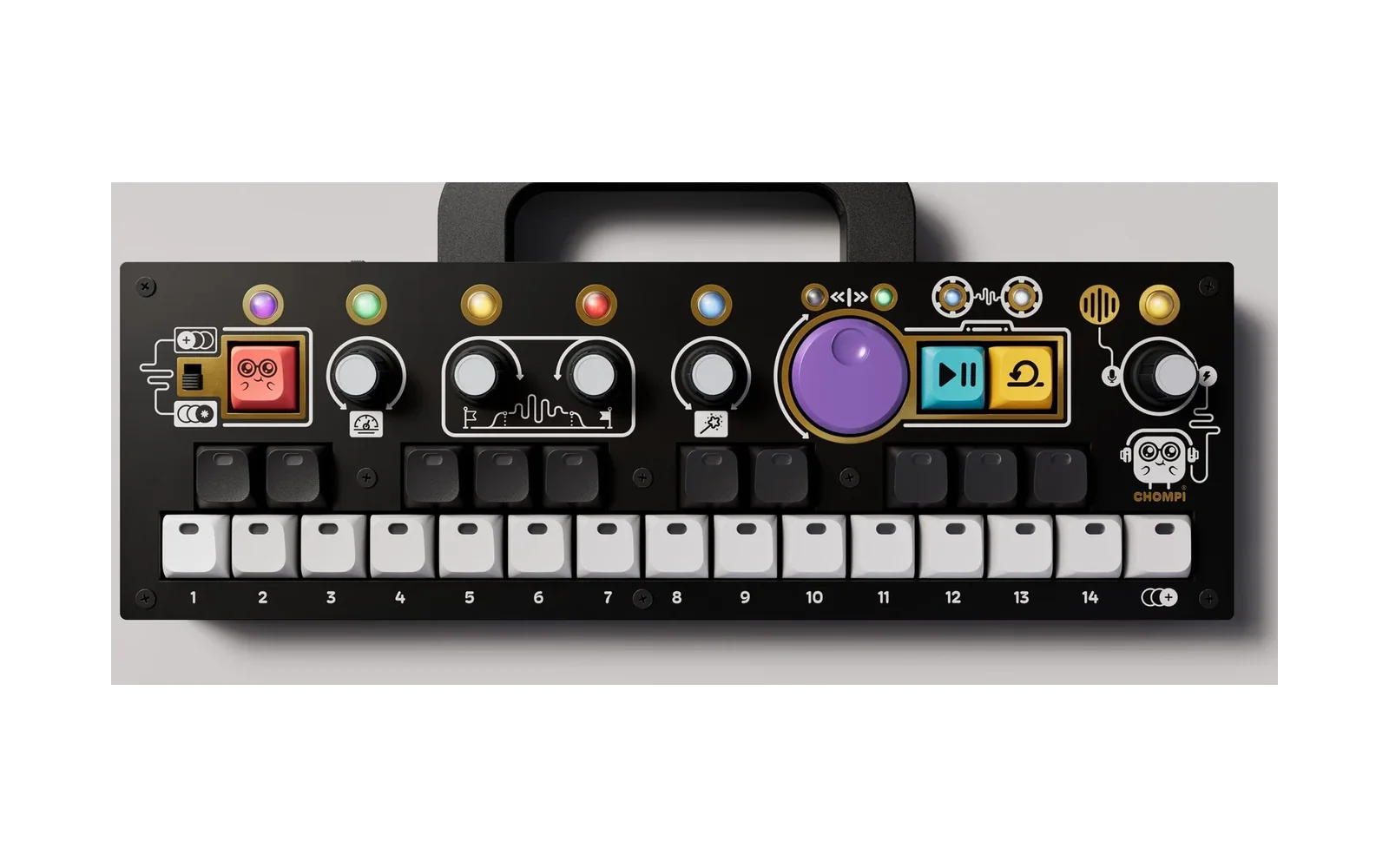
CHOMPI — Open Source
This fork adds a multi-firmware launcher
Run TAPE, TEMPO and WAVE from one SD card. Power on and CHOMPI lights one key per firmware — press a key, that firmware starts. Power cycle to come back to the picker.
Also on the card: USB storage on key 15 — the SD card shows up as a drive on your computer — and firmware install over USB MIDI straight from the picker, no card swapping.
No bootloader modification, and nothing is ever written to the processor's internal flash. It installs like any ordinary firmware update, and swapping back to a stock card returns you to normal.
- Download a ready-to-use card image — unzip to a FAT32 card and go
firmware/chompi-launcher— source, and how it worksThe three stock firmwares here are patched to keep their samples and settings in their own folder (
/TAPE,/TEMPO,/WAVE) instead of the card root, so they can share a card. Each falls back to the root if its folder is missing, so the binaries still work on a stock single-firmware card.A community modification by @sfaber02, not an official CHOMPI Club release. CHOMPI Club's own README is further down, unchanged.
Use at your own risk. This is unofficial software provided as-is, with no warranty. It is built to be safe: it never writes to the processor's internal flash, where the bootloader lives, so it should not be able to leave your unit unbootable, and putting a stock card back in returns you to normal. If something ever does go wrong, the Daisy's USB DFU mode is in factory ROM and cannot be overwritten — https://flash.daisy.audio will recover the board.
The launcher
Everything in this section is the fork's, not CHOMPI Club's.
firmware/chompi-launcher | The launcher itself — source, how it works, and make-card.sh to build a card. |
| Releases | A ready-to-use card image. Unzip to a FAT32 card. |
Card layout — this differs from CHOMPI's instructions
CHOMPI's own docs say to copy a card profile's contents to the root of the card, and the firmwares shipped expecting to find everything there. This fork changes that, so the three firmwares can share one card:
/CHOMPI.bin            the launcher -- the ONLY .bin in the root
/FIRMWARE/01_TAPE.bin  the firmwares the launcher offers, one per white key
/FIRMWARE/02_TEMPO.bin
/FIRMWARE/03_WAVE.bin
/FIRMWARE/15_USB_STORAGE.bin
/TAPE/                 TAPE's samples, options.json, presets.json
/TEMPO/                Chromatic/ Slice/ Buffer/, options.json, presets.json
/WAVE/                 wavetables, options.json, presets.json
Nothing but the launcher lives in the root.
The number in front of a firmware's name is its key: 15_USB_STORAGE.bin is
on key 15, the last white key, and keys without a firmware stay dark. Files
without a number fill the free keys.
Why. The root was a shared and mutable namespace: TAPE keeps 168 samples
there and writes to it while sampling, WAVE scans it for .wav and preloads
the first seven it finds, and all three keep options.json / presets.json
there in incompatible formats. Put them on one card and WAVE loads TAPE's drum
hits as wavetables and comes up silent, while the settings overwrite each other
on every switch.
How. Each firmware calls f_chdir() into its own directory immediately
after mounting the card, so every relative path it opens — and writes — lands
there instead.
Stock cards still work. Each firmware falls back to the root if its folder is missing, so these binaries behave exactly like the originals on a single-firmware card. The change is additive.
Writing your own firmware? Do the same and it will never collide with anything else on the card:
f_chdir("/YOURFIRMWARE");
firmware/chompi-launcher/make-card.sh /Volumes/YOUR_CARD builds this layout
from the factory profiles in firmware/card-profiles.
USB storage and USB MIDI upload
USB storage (key 15). Plug CHOMPI into a computer and press key 15: the SD
card appears as a USB drive. About 0.8 MB/s writing and 1 MB/s reading — the
limit of CHOMPI's full-speed USB. It renames the card CHOMPI-SD. Eject on the
computer before powering off. The firmware is
@lnetzel's
CHOMPI-lnetzel, with the clock fix
below and faster transfers
(#4,
#5).
USB MIDI upload. While the picker is showing, the launcher also listens on
USB MIDI: send it a .bin and a slot number, and it saves it to
/FIRMWARE/NN_NAME.bin and starts it. Use
https://ugrossek.github.io/CHOMPI/ in Chrome or Edge, or
midi-send.py on Linux. Sending to a
slot replaces whatever is in it — slot 1 would overwrite TAPE. By
@ugrossek; the protocol is in
PROTOCOL.md.
The 64 MHz bug
CHOMPI's application linker scripts define no BACKUP_SRAM region, so
libDaisy's boot_info — where the bootloader leaves its version — landed in
RAM that nothing initialises. When the leftover value there happened to be 0,
libDaisy skipped clock and SDRAM setup and the firmware ran at 64 MHz instead
of 480: blinding white LEDs, SD timeouts, no sound, USB hangs. Whether it
struck depended on what ran before and on each build's memory layout, so it
hit some units and builds and not others.
Fixed twice over: TAPE, TEMPO and WAVE put boot_info at 0x38800000 where
the bootloader writes it, and the launcher fills unused RAM with 0xFF before
handing over, which protects firmwares that lack the fix. Stock CHOMPI Club
firmwares carry the same latent bug.
Risks, and what actually gets written
Low risk, but not zero risk — here is exactly what happens, so you can judge for yourself.
What gets written
- QSPI flash — the bootloader installs the launcher here, the same way it
installs any firmware you put on a card. It happens once, on the first boot
after the
.binchanges (the slow rainbow). The bootloader skips the write when what is on the card already matches what is in QSPI. - Your SD card — the launcher writes
/FIRMWARE/launcher_log.txt, and each firmware reads and writes its own settings inside its own folder. A USB MIDI upload writes the new firmware into/FIRMWARE, replacing that slot. USB storage hands the whole card to your computer.
What never gets written
- The STM32's internal flash, where the bootloader lives. That is the one thing that could genuinely brick a CHOMPI, and nothing here touches it. No DFU step, no chip programmer, no soldering.
Switching firmwares does not flash anything. Picking one copies it into RAM and resets; QSPI keeps holding the launcher. You write to flash less than you would by swapping cards.
If something goes wrong
- Power cycle — you land back at the picker.
- Put your old card in — the bootloader installs that firmware and you are back on stock.
- Worst case, https://flash.daisy.audio over USB. The Daisy's DFU mode is in factory ROM and cannot be overwritten, so the board is always recoverable.
Caveats worth knowing
- Unofficial, as-is, no warranty. Not a CHOMPI Club release.
- It is new. It works here and on a handful of other units, but it has not seen a lot of hardware yet.
- Your existing cards are untouched — this is a separate card, and nothing migrates or modifies your current setup.
- Each firmware falls back to the card root when its folder is missing, so
stock cards still work. But if you create an empty
/TAPEfolder, TAPE will look there and find nothing.
CHOMPI Club's original README
Everything below this line is CHOMPI Club's, unchanged.
CHOMPI is a quirky chromatic sampler and tape-music instrument by CHOMPI Club.
This repo contains all of the production files, both hardware and firmware, that make up the CHOMPI Sampler.
What's here
| Firmware — Start Here | Quick instructions for setting up your development environment, building the firmware, and loading it onto your CHOMPI. |
firmware/chompi-wave | WAVE 1.0, a wavetable synth firmware that doubles as a starting point for anyone writing their own firmware. |
firmware/chompi-tempo | TEMPO 1.0, a pattern generator firmware — the counterpart to TAPE. |
firmware/chompi-tape | TAPE 2.0, the sampler firmware every CHOMPI ships with. |
firmware/chompi-bootloader-v6.4-beta | This bootloader never shipped on units, but was created to improve stability of the Daisy Seed's integration with CHOMPI's hardware as well as repair edge-case issues related to bugs inherited from older versions of the Electrosmith bootloader. |
firmware/card-profiles | The factory microSD card contents for TAPE, TEMPO and WAVE — firmware, samples and settings. |
hardware/hardware-pcb | Schematic, BOM, EAGLE PCB files, and the full fabrication package. |
hardware/hardware-enclosure | The six pcb panel enclosure files, as well as laser cutting files for diy panels. |
Each folder contains its own README, so check those out for more details.
What's not here
The panel artwork. The graphic set and CHOMPI logos have all been removed for copyright purposes. If you choose to create your own hardware, we ask that you name it something else to avoid trademark infringement.
Support Guidelines
This is a discontinuation open-source release. As such, this repo is intended to be a permanent source for files and documentation, and will likely not be receiving updates in the future. If you wish to customize your own project, we recommend cloning this repo into your own GitHub.
Community
Even though this version of CHOMPI is now discontinued, the CLUB is expanding. If you want to discuss this project, share your creations, see what other users have made on their CHOMPI, feel free to check out the CHOMPI Open Source channel on the Chase Bliss Discord.
License
Everything here is MIT — see LICENSE. THIRD_PARTY.md lists
the work this builds on and the notices that come with it. The CHOMPI name, logo and artwork are
not covered by the license — see TRADEMARKS.md.