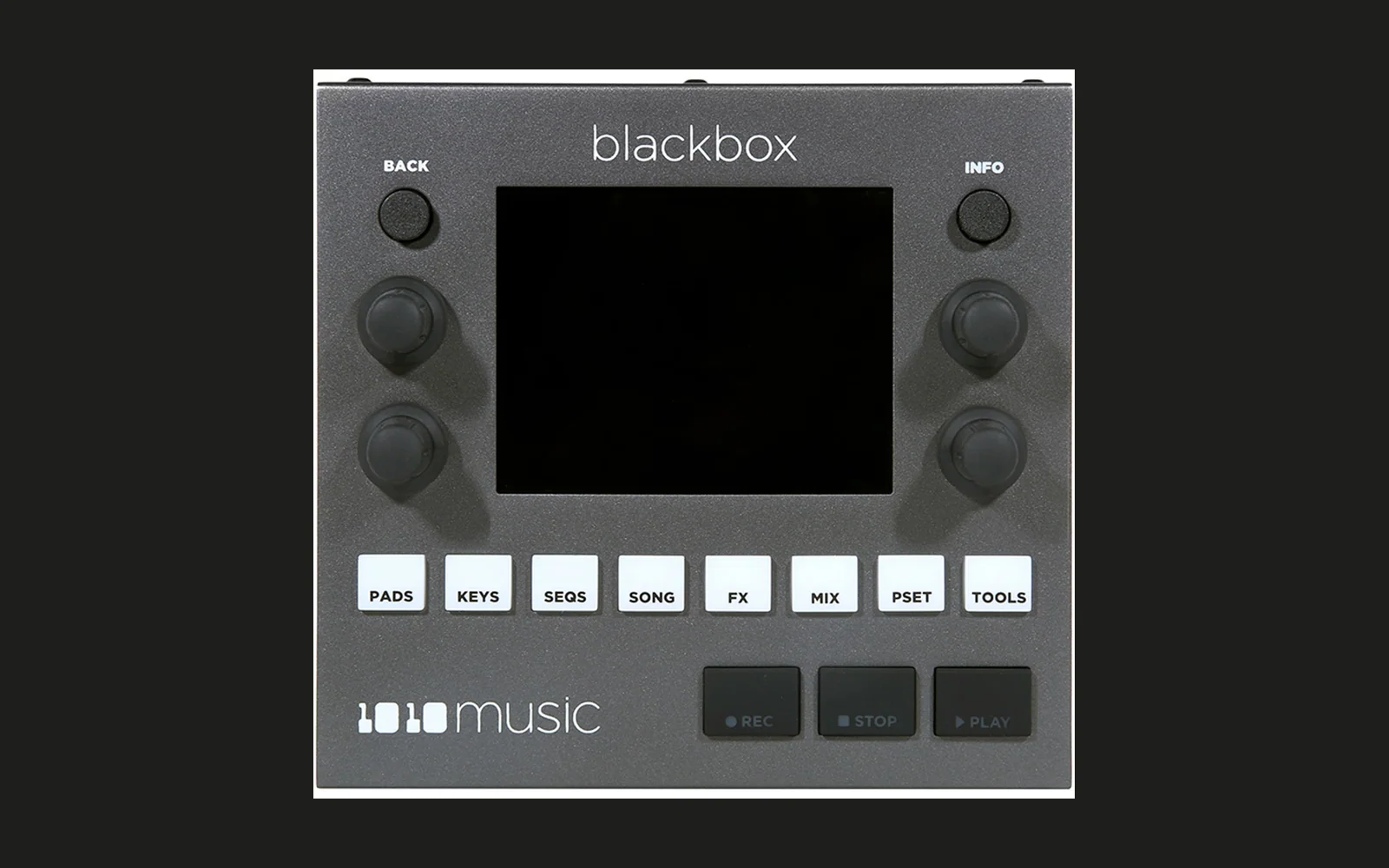
blackbox-mod
An unofficial feature mod for the original 1010music Blackbox (not the Blackbox 2), built on stock firmware 3.1.9.
Not affiliated with, endorsed by, or supported by 1010music. This repository does not contain 1010music's firmware. You supply your own copy, downloaded from 1010music, and patch it yourself. Use at your own risk: this is tested on a small number of units, it may misbehave on yours, and running modified firmware may affect your warranty. Don't ask 1010music for support on a modded unit; flash stock first.
Get new builds by email: sign up at https://justinjoe.com/blackbox-mod and I'll send a note when a new build is out (new FX, fixes). That's all the list is for.
What it adds (JOEBOX 2)
TOOLS shows JOEBOX 2 as the version. Still two files on the card, BLACKBOX.bin and BBEXTRA.BIN, and the first
boot restarts itself once while the second file goes in. Coming from JOEBOX 1, copy both files: the second one changed.
New in JOEBOX 2, for chopping and stretching samples:
- ChopShop, a new pad mode. Pick ChopShop from a pad's Mode list (it sits between Slicer and Granular). It's a
Slicer underneath, so a project still opens on stock as a plain Slicer, but it chops the file for you from its
detected tempo, and every chop lands right at the start of a sound, the way the stock transient Scan does. On the
POS page, the top three rows are ours:
- Chop: 1/4, 1/2, Beat, 2 Beats or Bar follows the beat grid from beat one, even when the file starts mid-beat. Each chop moves to the nearest real hit, and a beat with nothing on it gets no chop. Find picks 64 chops across the track, the loudest, sharpest hits in each part of it. Random picks 64 random hits. Picking one runs it.
- Roll: turn it either way for a new set of Find or Random chops. A little dice shows it rolling, then how many chops it placed.
- Tempo: 1/2, x1 or x2. If the detector read the song at half or double time, set it here and the chops and Beat Count follow. It sticks until you load a new sample. Entering ChopShop sets Launch Mode to Gate, Sync on and Stretch to Cyclic. Loading a new sample onto a ChopShop pad chops it again on its own.
- Time-stretch models. On the POS page, under Sync, there's a Stretch row: Stock, Smooth, Keyframe or Cyclic. Each one changes how a synced clip gets squeezed or stretched to your project tempo. Stock is the Blackbox's own. Smooth is the clean one, Keyframe follows the transients, Cyclic has that chopped sampler colour. They work inside stock's own sync, so timing stays exactly as stock plays it. It's on Clip pads, on Slicer pads with Sync on, and on Clip pads with Sync set to Slice, where each slice gets stretched to the tempo, not just moved.
- Tempo from a section, on the Waveform screen. Open a Clip pad's Waveform screen and the four knobs are Start, End, Beats and BPM. Mark a section, tell it how many beats are in it, and the clip learns its tempo from that section and plays the whole file in sync from Start, even if the file starts in the middle of a beat. Turning BPM one click halves or doubles it, for when the count is right but the speed is off.
- Detect. Turn Beats down past Guess to Detect and the Blackbox finds the tempo and beat one for you.
It takes a few seconds and the answer lands on its own. Nothing runs until you ask, so if you like how stock
handles your clip, leave it on Guess (BPM shows stock's guess with a
~in front). - Clips play while stopped, so you can hear what you're marking.
- The position knobs speed up the faster you turn them, so you can cross a long file without cranking forever.
- Chop numbers on the piano roll. On a Slicer or ChopShop pad the keys on the left show which chop each one plays (C2 = 1), all as white keys, so you can read a note straight across to its chop.
- Fold the piano roll. Double tap the piano keys: once for only the notes you're using, again for only the notes in your scale (set on the Keys grid), again to unfold. It's also in the EDIT menu as Fold Notes / Fold Scale.
- Pitch knob fixes. No more dead click or skipped note at the top and bottom of the range, and the piano roll goes all the way up to note 127 (stock stops at 96), so high notes get their own rows instead of piling up at the top.
New in JOEBOX 2, everything else:
- Less CPU. A lot of the mod's DSP moved to the chip's second flash bank and was rebuilt for speed, Confetti stops using CPU once nothing has gone into it for a few seconds, and changing the delay Type no longer spikes the load. In one test on the test unit, a heavy project went from about one overload a second to about one every minute and a half.
- TapeScam as a Master FX type, next to VHS and Prism: tape and VHS emulation by Charles Vestal (MIT), eleven settings.
- Transient shaper as an insert type ("Transnt"): Attack and Sustain, with three models (Differ, Punch, Smooth).
- FX OUT page on the reverb and delay knob screens (the OUT tab): a return Level (-12 to +12 dB, +4 dB by default), a Low Cut, and an Output (Out 1, 2 or 3), so a send effect can come back on its own output.
- Note repeat on the Pads screen: hold RPT and hold pads, and each pad retriggers on the beat at the division you pick. It follows Swing and Groove and records into the sequence.
- Groove on TOOLS Main: Stock, MPC-60/3K, Linn/909 or SP-1200 timing for the Swing amount you set.
- Colour themes on TOOLS Main: Stock, Midnight, Blue LCD, Amber VFD.
- Live meters on the Mixer: per pad, after the fader.
- Spectrum on the master EQ screen (press FX until the EQ shows): the live spectrum of Out 1 behind the EQ curve.
- Pad numbers on the pad picker.
- A JOEBOX boot screen.
- Fixed: saving or packing a big project could freeze for 10 seconds or so and then restart the Blackbox. Saving no longer needs the extra memory that ran out. Also the VHS page lost its type knob, which could leave you stuck on Prism. Pick the Master FX type on the TOOLS row like before.
- Fixed: LFO 2 and LFO 3 kept using a little CPU (about 0.3%) after you took them off every mod slot, until the next restart.
- Fixed: the pop when a pad's Filter crosses 0 (by hand or from an LFO); the machine Fidelity modes coming out grittier on one hit than the next; switching a sequence from Keys to Pads and back no longer loses the notes (stock clears all four patterns; now switching back brings them back, as long as nothing was recorded in between).
From JOEBOX 1 (new since 3.1.n then):
- Live input on a pad: an "Input" row on a pad's Conf tab (Off, In 1, In 2, In 1+2). The audio input plays through that pad, so it gets the pad's insert, its reverb and delay sends, its level and pan, and the master FX. Muting the pad mutes it.
- An insert effect per pad: "Insert" on the Conf tab, INFO opens its knobs. Phaser (five models), Flanger (four models) or Gate. Sample, Multisample, Clip and Slicer pads.
- LFO 2 and LFO 3 per pad, on a new "LFO+" tab: twelve shapes (the stock nine plus two exponential ramps and a smooth random), tempo-synced rates from 32 bars to 1/32, Free / Retrig / Once, and a start Offset. They appear as LFO2 and LFO3 in the modulation Source list.
- ENV and KEY as modulation sources: the pad's own envelope, and key tracking.
- Master FX slot on TOOLS: VHS (wow, flutter, saturation, dropouts, noise) or Prism, a four-block multi-effect (drive, motion, space, texture; twenty effects). INFO on the row opens the knobs.
- Delay types: Motion (the stock delay with tremolo, filter, duck or swell on the repeats), Relapse (a memory echo) and Confetti (a granular micro-looper), next to Delay and Munchi.
- Smash, a three-band compressor, in the compressor list, and a master clipper after the compressor (Clean or Diode).
- Fidelity: the S950 mode rebuilt from the machine's schematic, S950 Lo and SP 45 added, and the machine modes now work on Clip and Slicer pads.
- Record pre-roll: TOOLS, Rec, Pre-roll (1, 2, 4 or 8 bars). The loop plays that long before the recording starts, so a resampled loop holds its own tails.
- Rotate a sequence: in the piano roll's Event editor the top-right knob shifts the whole layer a step at a time.
- MUTE and SOLO on the Pads screen.
- USB on the power jack: plugged into a computer the Blackbox is a class-compliant USB MIDI device and sends its three stereo outputs as six channels of 24-bit 48 kHz audio.
- Load readout on TOOLS: average / peak, for example
62/75%. Over about 100% peak the engine is out of time and you will hear it. - Fixed: the naming keyboard's 9 key (3.1.n typed "n").
From 3.1.n and earlier:
- Solo in the mixer: MIX cycles Mixer → Mute → Solo. Tap pads to solo them (yellow).
- Slicer knobs: on the waveform screen, bottom-left = slice Start, bottom-right = slice End, top-right = Zoom.
- Pad-1 ducker: four modulation Sources (EXP1, EXP2, PUMP, LINR) that fire when pad 1 plays. Put your kick on pad 1, set a negative Amount on another pad's Level, and you have sidechain pumping. About 0.65 dB per 1%.
- Chords on the Keys screen: top-right knob picks a shape (Tri, 7th, 9th, Su2, Su4, 6th, Ad9, Pwr, Oct, Opn, Shl, Qrt, m7, m9, Mj7). In-scale shapes follow the Keys Scale/Root. Chords record into sequences.
- Note conditions: the piano roll's PLAY list gains 1:2 … 8:8 ("play the Ath of every B loops").
- Fidelity (was Interp): sample-rate crunch plus machine modes SP1200, SP-12, S950, MPC60 and SP Raw, with drop-sample pitching.
- Filter: 24 dB/oct state-variable filter; drive comes in as Res goes past noon.
- Saturation (was Overdrive): soft saturation in place of the hard clip.
- Master compressor models: Stock, Glue, Punch, Opto, Squash, Limit, plus a Comp Thresh setting.
- Reverb Type: Plate (stock) or Room.
- Munchi, a port of the CHOMPI TEMPO granular delay, as a delay type.
- Sequencer fix: a note added just ahead of the playhead plays on that pass.
Known issues
- This has run on very few units. If yours does something this list doesn't mention, I want to hear about it.
- The Blackbox only has so much CPU, and the mod lets you spend all of it. Room, Prism and TapeScam are the expensive ones. Watch the load readout on TOOLS: it updates when you open TOOLS and shows the average and peak since you last looked, so leave TOOLS, play, and come back.
- LFO 2 / 3, ENV, the insert and Input are not on Granular pads.
- A note placed very close ahead of the playhead is still sometimes silent.
- Chords need the pad out of Mono Poly Mode.
- Presets saved on an older mod build can come back with a neighbouring Fidelity or delay Type, because those lists gained entries. Set them again and save.
- USB on the power jack doesn't work on every unit. On some, that jack's USB data side is dead with any firmware, stock included (1010music never used it for data). The Blackbox boots and plays fine, you just don't get USB audio and MIDI. If your computer never sees the Blackbox over that jack, it's the unit, not the mod.
- Detect isn't always right. It can land on double or half the tempo (one click on BPM fixes that), and on some material it picks something else entirely. Then set Beats yourself. "Fail 3" means it couldn't find a steady tempo at all, which is normal on short samples and anything without a beat.
- The Waveform section knobs and Detect are on Clip pads only. Stretch is on Clip and Slicer pads.
- Smooth costs more CPU than the other stretch models. Cyclic is the light one when a lot of clips need stretching.
- Polyphonic pads with long releases add up fast: every ringing note is a voice, and Fidelity modes and saturation run on each one. Heavy inserts (Phaser) on top of that will overload. Resample if you can.
- ChopShop's Beat and 1/4 to Bar chops stop at 128 slices, the Slicer's limit, so on a long song Beat covers the first 128 beats. Bar or Find covers the whole song.
- Relapse with Recall up can play a short piece of its memory a few seconds after everything has gone quiet. That is Recall doing its job, but it can sound like a click.
Install
- Download blackbox 3.1.9 from https://1010music.com/downloads and unzip it. You need the
BLACKBOX.bininside. - Patch it, either way:
- In your browser: https://j3threejay.github.io/blackbox-mod/. Your file never leaves your computer.
- With Python 3:
python3 apply.py path/to/BLACKBOX.bin→out/blackbox-mod-<version>/
- Keep the stock
BLACKBOX.binsomewhere safe. That file is your way back. - Copy what the patcher gives you to the root of the Blackbox's microSD card. Newer builds are two files,
BLACKBOX.binandBBEXTRA.BIN, and both have to be there (the browser patcher hands you a zip with both). - Install it the way you install any 1010music firmware update: hold BACK + INFO while powering on, and let go as soon as the install screen shows.
- On a two-file build the Blackbox restarts itself once, a second or two into the first boot. That is the second file being installed. Leave the card in and the power on until it is back up.
- TOOLS should show
JOEBOX 2.
The second file
Part of the mod (Prism, Confetti and the per-pad insert effects) is too big to fit beside 1010music's firmware. The
chip has a second block of flash that 1010music's installer never touches, so the mod keeps that code there and
installs it itself from BBEXTRA.BIN the first time it starts. The file holds this project's own code and nothing of
1010music's. You can leave it on the card.
!in front of the load figures on TOOLS (for example!62/75%) means the second part is not installed or does not match this build. Everything else works; those three effects are switched off.---in the Insert, Master FX or delay Type lists is the same thing seen from the menus: the effect that belongs there is not installed. A preset that uses one keeps its setting and gets the effect back once it is.- To fix either: put the
BBEXTRA.BINfrom the same download as yourBLACKBOX.binin the root of the card and power the Blackbox off and on. The two files are a matched pair; one from a different build is ignored. - If the second part cannot be written after two tries, the mod stops trying and leaves those effects off rather
than wearing the flash. Installing any build (with its own
BBEXTRA.BIN) starts the count again.
To go back to stock: put the stock BLACKBOX.bin on the card and install it the same way. The second part
stays in the chip, unused: stock firmware never looks at it, and it does not touch the unit's calibration.
The patcher checks your file's SHA-256 before it writes anything
(281ae303d32e5eb52adca7817a648a34e4bd3848017f26673dd9df3905f1341d) and checks the result afterwards. It only
works on 3.1.9.
Build from source
Needs arm-none-eabi-gcc and Python 3. Put your stock image at firmware/BLACKBOX-3.1.9.bin (see
firmware/README.md).
RELEASE=1 ./build.sh
python3 patch.py solo slice duck chord cond filter cpu od comp seqfix fx2 munchi master fault cave
That writes out/<patchsets>/BLACKBOX.bin and out/BBEXTRA.BIN, byte-identical to the release.
python3 make_patch.py <image> "JOEBOX 2" --extra out/BBEXTRA.BIN turns the pair into the release patch in docs/.
Without RELEASE=1 you get a test build: a letter for a version, and a raw memory peek / poke over USB for
development. That one can write anywhere in the machine, so it is not in a release.
How it works: the stock image is left as it is. New code (src/) is compiled and appended after it, and a handful of
call sites and table entries (patches/) are redirected to the new code.
./check.sh builds, patches and runs every suite (test_*.py) under Unicorn (pip install unicorn capstone numpy).
Several of them hold the firmware's DSP against a build of the same C for the computer (host/build.sh, written
for macOS). They test the new functions, not a full boot. The first power-on of any build is the real test.
ghidra/, disasm.py, findbl.py, findref.py are the helpers used to find things in your own copy of the image.
What is and isn't in this repository
In it: original source code, patch definitions (addresses and replacement bytes), tools, and MIT-licensed third-party DSP with its notices (THIRD_PARTY.md).
Not in it, and please don't add it in issues, pull requests or forks: 1010music's firmware, patched firmware images, decompiled or disassembled listings of the firmware, and 1010music's manuals or artwork.
License
MIT for the original work here (LICENSE). "1010music" and "Blackbox" are trademarks of 1010music LLC, used only to say what this mod is for.
If you are from 1010music and have a concern about anything here, open an issue or email justin.joe.dev@gmail.com and it will be dealt with promptly.