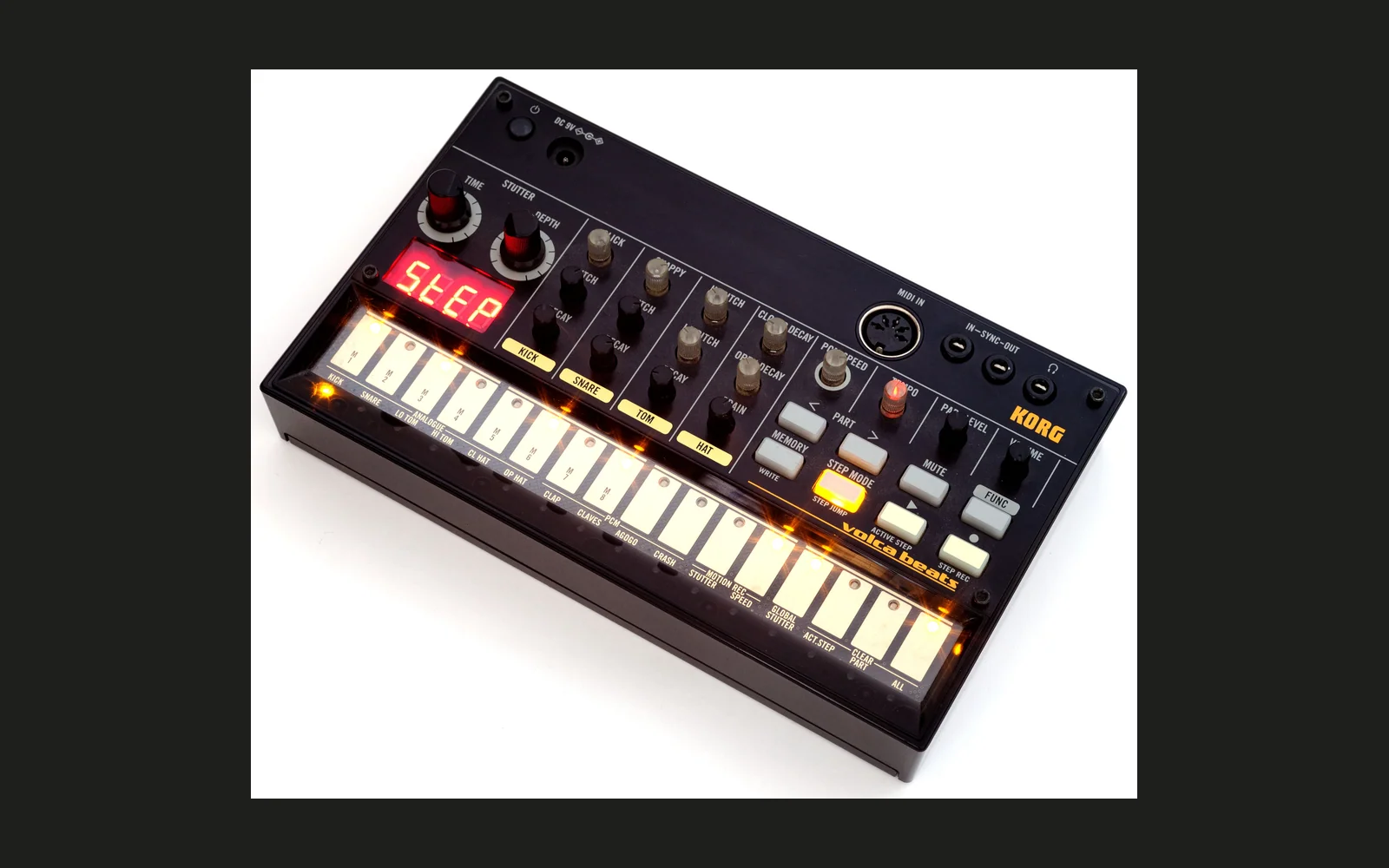
BEATROOTS — Volca Beats firmware patcher
This custom firmware turns the four PCM parts of a Korg Volca Beats into four new digital synthesised parts: a noise grain, a Delta Clamp glitch voice, a pitched code loop, and a sine bass.
Download Korg's official update yourself, unzip it, put patch_volca_beats.py
beside the update WAV, and run it. The script creates INSTALL_BEATROOTS_V10C.wav,
byte-for-byte identical to the verified release WAV.
It uses only Python's standard library: no pip, extra packages, compiler,
assembler, internet connection or other project files are needed to run it.
This is unofficial, experimental firmware. Connect your Volca to an external power supply or use fresh batteries, and read the installation instructions before transferring the update. (The Volca blocks updates if the batteries are low.)
What the controls do
Select the part, turn PCM SPEED, then trigger another hit. Settings are latched when a hit begins; turning the knob does not reshape an ongoing hit. Motion sequencing supplies the same control to subsequent triggers.
| Part | New sound | PCM SPEED control |
|---|---|---|
| Clap | Noise grain | Duration, from a micro-hit to approximately one sixteenth note at the current tempo |
| Claves | Delta Clamp loop with a fast, wide pitch bend | Rising base pitch across three octaves; downward bends at the low end, nearly steady in the middle, upward bends at the high end |
| Agogo | Short, tonal code loop | Playback pitch, approximately 15.6–525 Hz |
| Crash | Interpolated sine bass with a falling pitch envelope | Bass pitch, approximately 23.3–89.2 Hz |
For Crash, PART LEVEL controls the volume. Beyond a certain point, increasing it drives the sound into clipping, creating distortion.
Chromatic MIDI bass
Crash plays notes chromatically on MIDI channel 11.
Requirements
- A Volca Beats.
- The unmodified official Volca Beats system updater 1.04 WAV.
- Python 3.4 or newer for the standalone script; no extra packages needed.
- To install: a stereo audio cable, an audio player, and an external power supply or fresh batteries.
The script only accepts one exact input file. It does not patch arbitrary firmware versions, recordings, converted WAVs or an already-patched update.
Create the update
-
Download System Updater 1.04 from Korg's official Volca Beats downloads.
-
Unzip
volcabeats_updater_0104.zip. -
Download the raw Python file
patch_volca_beats.pyfrom this repository and place it in the folder containingvolcabeats_sys_0104.wav. Do not save the GitHub web page as a Python file; use the raw-file download button. -
Open a terminal in that folder. Your files should include:
volcabeats_updater_0104/ volcabeats_sys_0104.wav patch_volca_beats.py -
Run one of these commands:
macOS / Linux
python3 patch_volca_beats.pyWindows
py -3 patch_volca_beats.pyIf Windows does not have the
pylauncher, usepython patch_volca_beats.pywith a Python 3 installation. If neither command exists, install Python 3 first. -
On success the script prints
Created:and writesINSTALL_BEATROOTS_V10C.wavalongside the original. It verifies the file again after writing it. Keepvolcabeats_sys_0104.wavunchanged as your stock restore file.
By default, the script finds the input beside the script itself, so it also works when launched from another working directory. It never overwrites an existing output, even on a second run. To use explicit paths or another filename:
python3 patch_volca_beats.py "/path/to/volcabeats_sys_0104.wav" --output "/path/to/my_beatroots.wav"
Use --check-only to perform the full conversion and verification in memory
without writing a file. Run --help to see the options. All integrity checks stay
active under Python's -O option; there is no force or skip-verification mode.
Install on the Volca
The tested unit reports SYS 1.04, P0.08, E1.00. First confirm that stock 1.04 boots and the updater works on your unit. If your system is older, use Korg's original update and its included instructions to reach 1.04 first. You can check versions by holding REC while powering on. Generating the WAV on your computer does not check the hardware or update the instrument automatically.
- Connect to a compatible external power supply (Korg KA-350), or use fresh
alkaline AAs or fully charged NiMH batteries. (The Volca blocks updates if
the batteries are low.) If
UPdtappears briefly and the unit switches off, resolve the power problem before attempting a transfer. - Connect the player's output to SYNC IN using a stereo cable. Disable EQ, crossfade, repeat, notifications and sleep. Firmware WAVs contain update data: never audition them through speakers or headphones.
- With the Volca off, hold MEMORY + PLAY while powering on. The tested
alternate updater displays
UPdt.with a trailing dot. Confirm that this mode stays on before starting playback. - Play
INSTALL_BEATROOTS_V10C.wavonce, from the very beginning. Do not interrupt playback or power during the update. Use the audio level/player setup that successfully transferred the official update; there is no universal volume setting for every player. - Wait for
End, switch off, disconnect SYNC IN and restart normally. If the update reports an error, note the display and investigate before retrying. - Set monitoring volume low and test the four PCM parts individually, then together. Retrigger after moving PCM SPEED.
The internal firmware version remains 1.04, although the SYS screen shows btrt. The regular FUNC + PLAY updater rejects a same-version update, which is why the alternate mode is used. Its behaviour was checked in the code and on the author's device; this is not a claim of a universal or independent recovery bootloader.
Restore factory sounds
If the unit can still enter UPdt., repeat the same alternate-update procedure
with your untouched volcabeats_sys_0104.wav. Wait for End and power-cycle.
A restore file cannot help if a failed boot prevents access to the updater;
hardware recovery could then be necessary. Do not assume this modification is
brick-proof simply because the updater bytes are preserved.
How it works
The patch changes the four PCM voices without replacing the factory samples. Clap, Claves and Agogo turn program data into noise and loops; Crash uses the original sine table. Analogue drum controls remain available.
The patcher checks the original firmware, applies the changes, then verifies the finished WAV against the expected release. These checks confirm the file’s integrity, not compatibility with every device.
Expected SHA-256 values
| File | SHA-256 |
|---|---|
Official volcabeats_sys_0104.wav | 20b965026f95ca8781254489bd5e9de1c41385862c8ffd58bed3bedb9b716e44 |
Generated INSTALL_BEATROOTS_V10C.wav | 0c633b7c3135bb09125b190377b8d1d90756e5099f58ac1a6fda4c9b03fdfd1d |
The script checks these automatically. An unexpected input is rejected without creating an output. If a file already exists at the destination, nothing is overwritten; move it or choose a new output name.
Sharing this project
Share patch_volca_beats.py, this README and .gitignore. Users obtain the
original update directly from Korg. No official archive, complete firmware image
or generated update WAV is included here. The ignore file helps keep those files
out of a Git repository if you run the patcher inside it.
This project is independent of Korg and is not endorsed or supported by Korg. Korg's firmware and documentation remain subject to their own terms.
References and acknowledgements
- Korg — the instrument and original firmware. Official updater, Volca Beats support and SYRO reference.
- Pajen — pioneering Volca firmware work. Gene Frenkle Edition, firmware discussion and FM decoder.
- Emil / Uglyduck — firmware archive and source references.
- Development tools — LLVM/Clang, Unicorn and Capstone.
- The Volca community — experiments, device testing and listening feedback.
This project is independent of Korg. Credits acknowledge references and inspiration, not endorsement. Users obtain the original firmware directly from Korg.