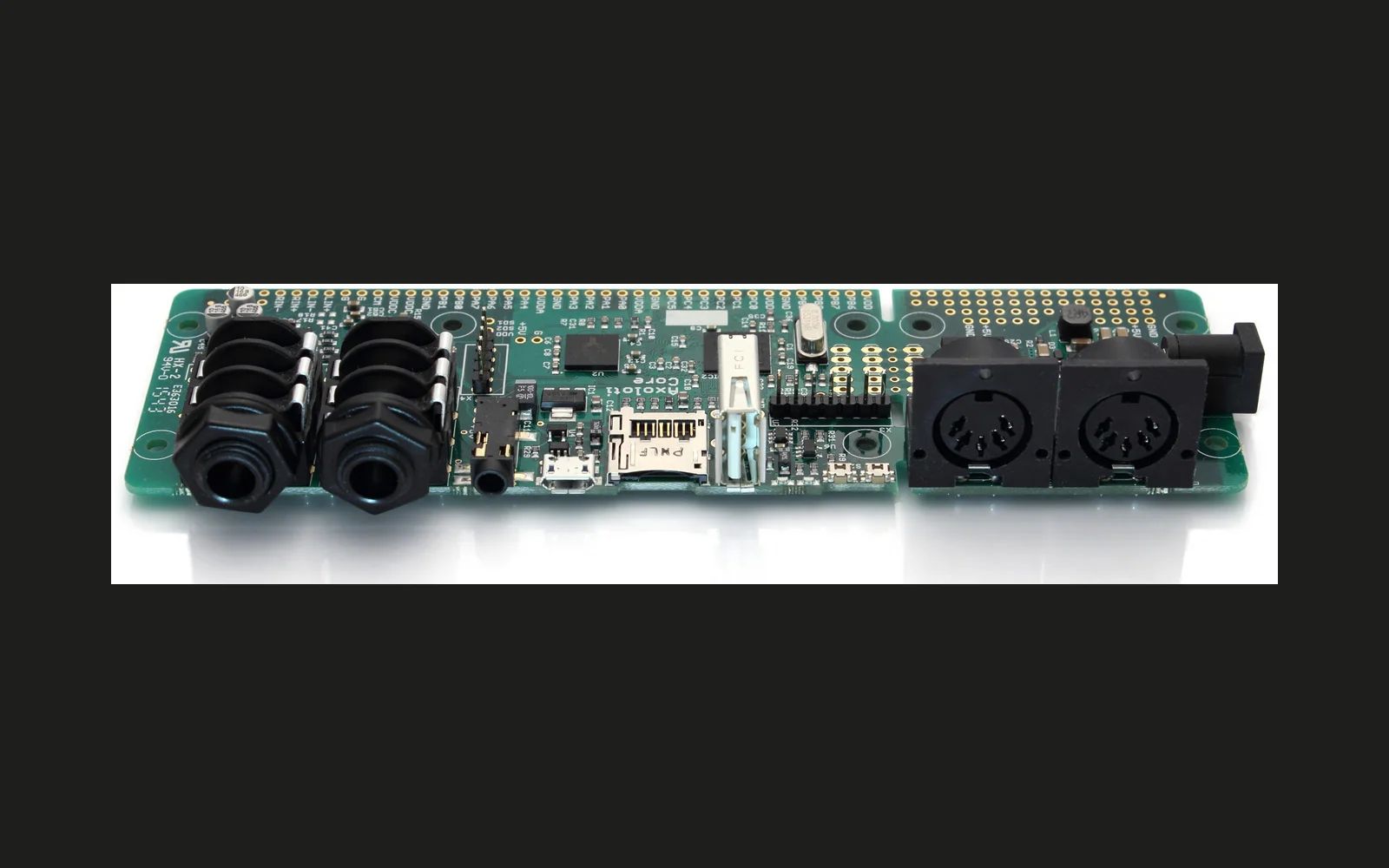
Axoloti
Patcher, firmware and object library for Axoloti Core.
forAxoloti Axoloti Core·by@axoloti
Unclaimed. Is this yours? Sign in with GitHub as @axoloti to claim it.
axo_runtime_win-1.0.12.zip· 75 MB· +7 files
GPL-3.0· axoloti/axoloti·www.axoloti.com·downloads come from the creator’s GitHub releases
2.0.0Beta3 files
First attempt to get version 2 out. May still contain severe issues! On Windows, flashing firmware causes the application to quit unexpectedly. The flashing process does work however. Release notes
1.0.12-2Axoloti-1.0.12-28 files
Installation guides
macosx http://community.axoloti.com/t/installing-on-mac-os-x/37 windows http://community.axoloti.com/t/installing-on-windows/36 linux http://community.axoloti.com/t/installing-on-linux/56
Note
There is no need to update or re-install the runtime, it has not been changed since version 1.0.3.
Changes
- support for touchscreens/absolute input pointing devices (preferences-> enable 'do not recenter cursor (for touchscreens)'
- added JDK version info in about dialog
- windows build using JDK1.8.0_161
- object selector dialog is now resizable
- full list of changes: https://github.com/axoloti/axoloti/compare/1.0.12-1...1.0.12-2
1.0.12Axoloti-1.0.126 files
_Importan_t: Backup your patches and objects before upgrading, in case of undetected showstoppers, patched saved in 1.0.12 can not be opened in version 1.0.11.
There is no need to update or re-install the runtime, it has not been changed since version 1.0.3.
Discussion forum thread: http://community.axoloti.com/t/axoloti-release-1-0-12/2845
1.0.11Axoloti-1.0.116 files
Important: backup your patches before upgrading, in case of undetected showstoppers, patched saved in 1.0.11 can not be opened in version 1.0.10
###Changes:
- Improved object editor workflow, it is no longer required to close/open the editor while a patch is live, changes will propagate when the patch goes un-live.
- Undo: a first implementation of undo is made, the downside is that it actually completely reloads the patch, making it a bit slow with big patches.
- Improved USB-MIDI host stability.
- Firmware flashing and entering sdcard-reader mode failed when a USB device was plugged in the USB host connector.
- Improved graphics rendering performance, also solved the high cpu load on Mac
- Random number generation is improved, making use of the on-chip true random number generator. For speed, it is not purely using the true random number generator, but I think it will be hard to detect patterns unless you're specifically looking.
- When Axoloti Core is running a patch from flash memory, sdcard startup, or patch bank, the main screen will show which one is actually running. Pressing "connect" will no longer stop a running patch.
There is no need to update or re-install the runtime, it has not been changed since version 1.0.3.
Discussion: http://community.axoloti.com/t/axoloti-release-1-0-11/2167
1.0.10Axoloti-1.0.10Beta6 files
Last pre-release before a full release in a few days...
Changes since 1.0.9:
- Improved USB-Midi controller compatibility
- Firmware CRC was not matching between pc/mac/linux of the same release
- Improved object editor
- Added linked file subpatches to "patch/patcher" embedded objects (in object menu "embed as patch/patcher")
- Much less likely to lose connection when starting a patch that uses over 100% load
- And more:
- Full list of changes: 1.0.9...1.0.10
axo_runtime is unchanged compared since 1.0.3, no need to reinstall the axo_runtime_... if you're upgrading from any version since 1.0.3...
1.0.9Axoloti-1.0.9Beta5 files
(for windows install axo_runtime_win_1.0.8.zip)
1.0.8Axoloti-1.0.8 (testing)Beta6 files
Test release! Announcement and discussion : http://community.axoloti.com/t/axoloti-test-release-1-0-8/1086
1.0.7Axoloti-1.0.7 (testing)Beta6 files
1.0.6Axoloti-1.0.67 files
Please follow the installation instructions for
axo_runtime is unchanged compared to 1.0.3, 1.0.4, or 1.0.5 no need to reinstall the runtime...
Changes:
- Fixes sdcard reader mode
- Fixes integration of a better text/code editor with syntax highlighting
- Fixes some minor issues
- Full list of changes: 1.0.5...1.0.6
1.0.5Axoloti-1.0.5 (testing)7 files
Hang on, the new sdcard reader mode is some required files...
Please follow the installation instructions for
axo_runtime is unchanged compared to 1.0.3 and 1.0.4, no need to reinstall the runtime!
Changes:
- Adds sdcard reader mode
- Integrates better text/code editor
- Fixes many minor issues
- full list of changes: 1.0.4...1.0.5
1.0.4Axoloti-1.0.47 files
- Fixes many minor issues
- axo_runtime is unchanged compared to 1.0.3, no need to reinstall the runtime!
- full list of changes: https://github.com/axoloti/axoloti/compare/1.0.3...1.0.4
1.0.3Axoloti-1.0.37 files
Please follow the installation instructions for
Fixes
- initialisation of non-fractional parameters in subpatches
- sin/cos input scaling
- tolerate space characters in paths
- and more
1.0.2Axoloti-1.0.24 files
Please follow the installation instructions for
The only update compared to 1.0.1 is issuing a warning when runtime and other folder locations are invalid. If you have already version 1.0.1 working, there is no reason to update.
1.0.1Axoloti-1.0.16 files
Fixes showstoppers in windows:
- includes firmware in the windows bundle.
- fixes the rescue flash path issue.
1.0Axoloti-1.06 files
First release. Windows bundle is missing firmware, Windows users, please update to 1.0.1...
Important: fixed Windows plug and play issue in firmware.
Join the community forum!
1.0pre18Beta6 files