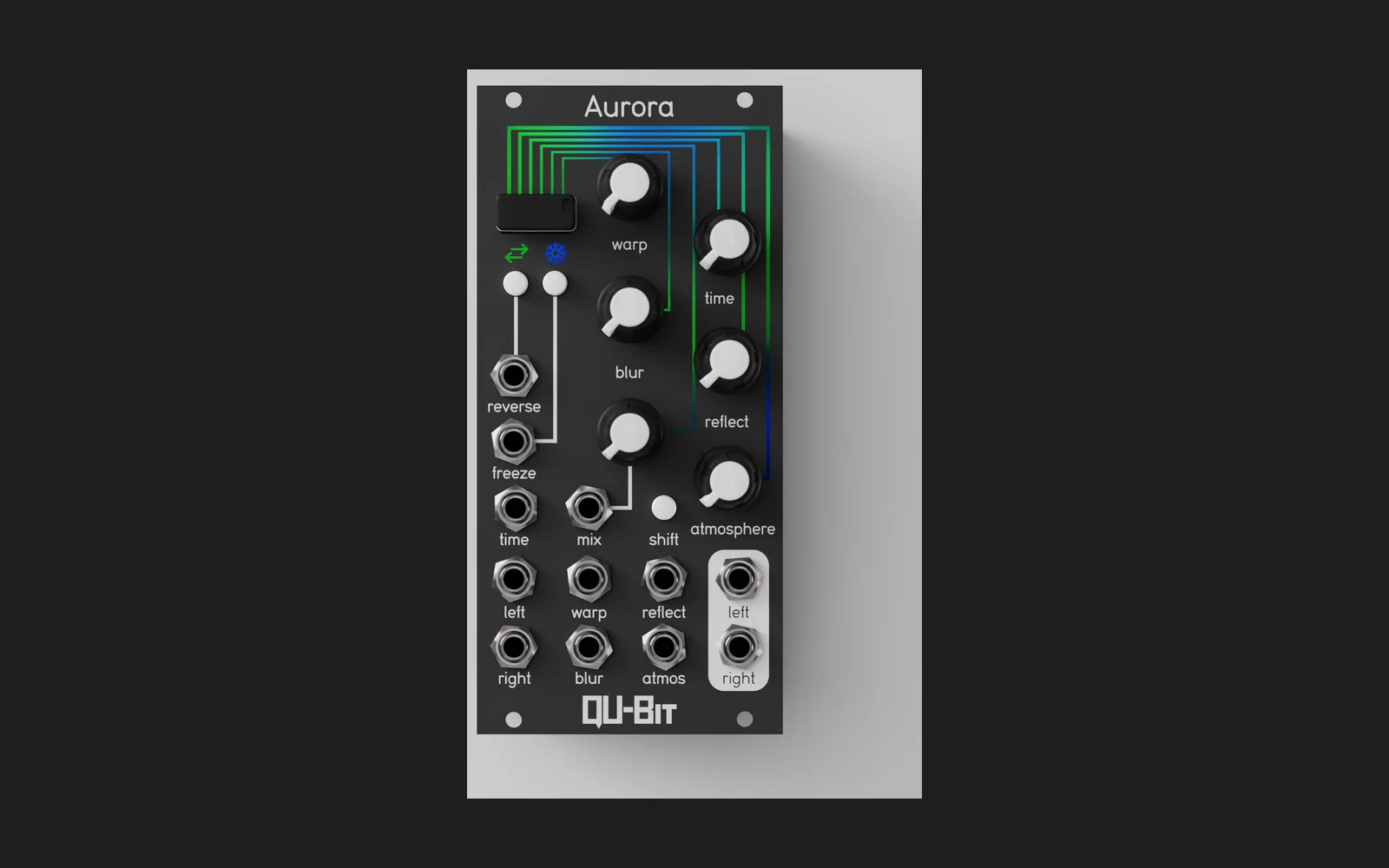
Aurora Morse
Rhythmic VCA firmware for the Qu-Bit Aurora Eurorack module.
Features
Aurora Morse turns the Aurora into a clock-driven rhythmic gate. Plug a clock into the Freeze jack and audio into the inputs — the module opens and closes an internal VCA on a dotted rhythm pattern, shaping the audio into syncopated pulses.
- Rhythmic gating — the VCA fires on each pattern step with an attack-decay envelope whose shape is set by the Blur knob
- Twelve built-in patterns selectable by knob or CV, organised into three groups:
- Simple — straight 8th (1 bar), dotted quarter (3 bars)
- Groove — slow pulse, dotted-8th groove, triplet feel (3 bars), dotted-8th fill (2 bars)
- Dotted-8th + quarter — six variants across 1-bar and 2-bar phrase lengths with different fill endings
- Clock ratio — divide or multiply the incoming clock: /8, /4, /2, ×1, ×2, ×4, ×8
- Pattern reset — snap back to step 1 via gate or button
- Stereo — independent left and right VCA; audio left-normaled by hardware
Download
Pre-built firmware is available on the Releases page.
- Download
aurora-morse.binfrom the latest release - Copy it to the root of a FAT32 USB drive (it must be the only
.binfile there) - Insert the USB drive into the Aurora module
- Power up the module with the drive inserted — the bootloader loads the firmware automatically
- Power down and remove the drive; check
daisy_boot_log.txton the drive to confirm a successful flash
Controls and Behaviour
Inputs
| Jack | Function |
|---|---|
| Freeze gate | Clock input — one rising edge per step tick |
| Reverse gate | Pattern reset trigger |
| Time CV | Added to the Time knob for pattern selection |
| Audio in L/R | Source signal fed through the VCA |
Knobs
| Knob | Function |
|---|---|
| Time | Pattern selection — sweeps continuously across the twelve patterns |
| Mix | Output level — scales VCA peak amplitude (fully CCW = silent) |
| Blur | Envelope peak position — fully CCW: instant attack + full decay; fully CW: full attack ramp + instant drop |
| Warp, Atmosphere | Unused |
Buttons
| Button | Function |
|---|---|
| Reverse | Manual pattern reset (same effect as a gate on the Reverse jack) |
| Shift + Freeze | Step through clock ratios: /8 → /4 → /2 → ×1 → ×2 → ×4 → ×8 → /8 |
| Freeze alone | Unused |
| Shift alone | Unused |
CV Inputs
| Input | Function |
|---|---|
| Freeze | See Freeze gate above |
| Reverse | See Reverse gate above |
| Time | Pattern selection offset |
| Warp, Blur, Atmosphere | Unused |
Audio
The Freeze gate clock drives the pattern player. On each step advance, the VCA fires an attack-decay envelope that always spans the full step duration. The Blur knob sets where the peak falls: fully CCW snaps immediately to the peak then decays (staccato feel), fully CW ramps up through the whole step then drops (swell feel), noon gives a symmetric triangle. Mix scales the overall amplitude.
Pattern selection (Time knob + CV) is continuous with hysteresis to prevent jitter at boundaries.
Pattern changes take effect at the next Reset rather than mid-sequence, so switching patterns is glitch-free.
LEDs
| LED | Behaviour |
|---|---|
| Arc (1–6) | One arc LED lit at a time, tracking position through the current pattern. Color is fixed per pattern; brightness tracks the VCA envelope in real time. |
| Freeze LED | Flashes white on each clock tick. While Shift is held, shows the active clock ratio as a color: violet (×1/8), blue (×1/4), light blue (×1/2), white (×1), yellow (×2), orange (×4), red (×8). |
| Reverse LED | Flashes white briefly on each pattern reset. |
| Bottom LEDs | Unused. |